
1. Introduction
Welcome to the Avalo Gaming Desk AP70 user manual. This document provides essential information for the assembly, operation, maintenance, and safety of your new gaming desk. Please read these instructions carefully before assembly and use to ensure proper function and longevity of your product.
2. Safety Information
Warning:
This desk has a maximum load capacity of 125 kg. Ensure the desk is installed firmly and stably to prevent wobbling and collapse. Follow the assembly instructions precisely for safe use. Do not exceed the maximum weight capacity. Keep small parts away from children during assembly.
3. Package Contents
Before beginning assembly, please verify that all components listed below are present in your package. If any parts are missing or damaged, please contact customer support.
- Avalo Gaming Desk (140x60x75 CM) components
- Assembly Hardware (screws, bolts, tools)
- Instruction Manual
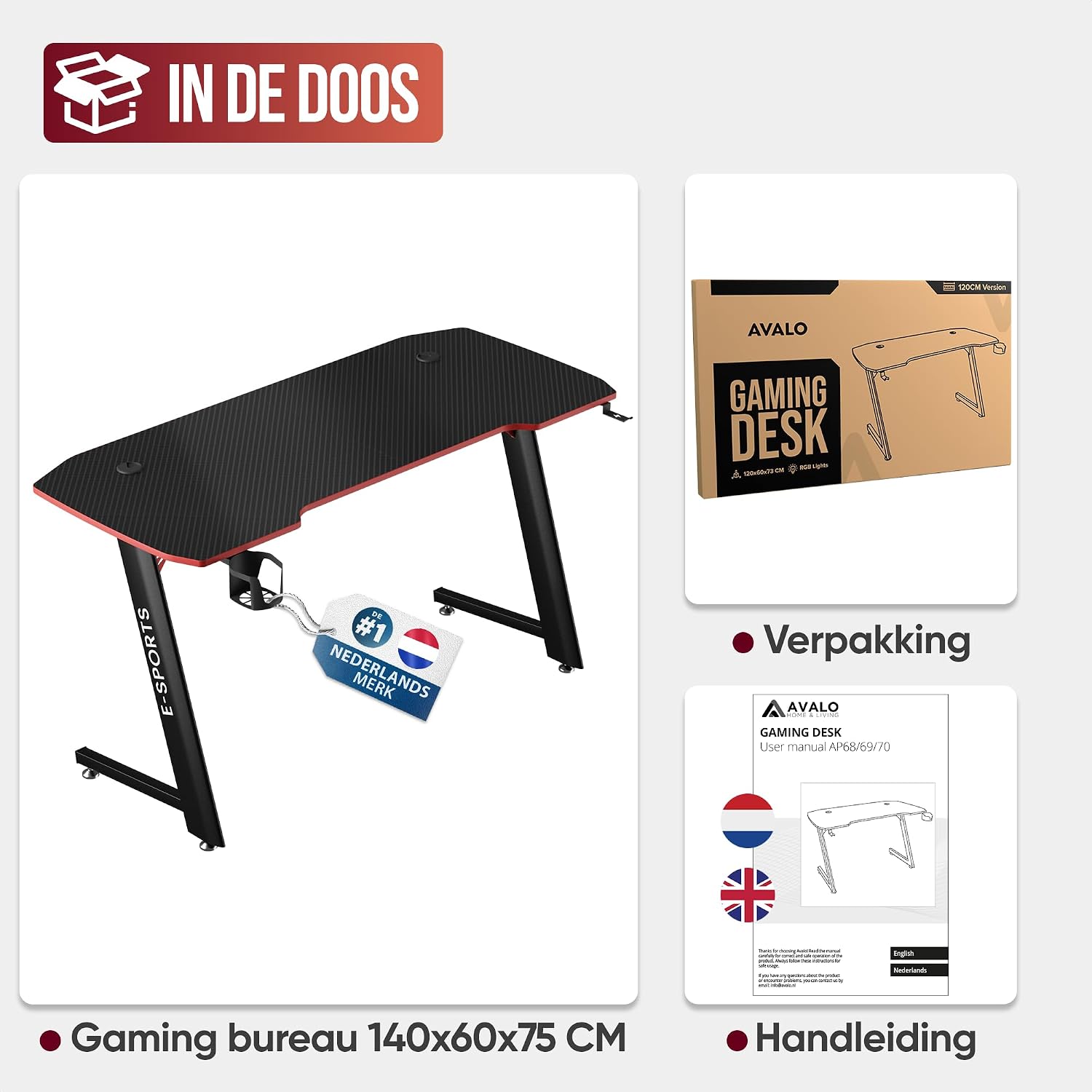
Image: Overview of the Avalo Gaming Desk package contents, showing the desk components, the product packaging, and the included instruction manual.
4. Setup and Assembly
The Avalo Gaming Desk is designed for straightforward assembly. Follow the step-by-step instructions provided in the included physical manual. All necessary tools are supplied.
- Unpack all components and lay them out on a clean, soft surface to prevent scratches.
- Identify all parts against the parts list in the manual.
- Assemble the Z-shaped metal frame according to the diagrams.
- Attach the carbon fiber desktop to the assembled frame.
- Install the headphone hook and cup holder in their designated positions.
- Ensure all screws are tightened securely, but do not overtighten.

Image: The Avalo Gaming Desk components alongside its packaging and the instruction manual, highlighting the ease of assembly.
5. Features and Operation
5.1. Ergonomic and Modern Design
The Avalo Gaming Desk offers a spacious and comfortable workspace, perfect for your gaming setup. Its sleek black design with carbon fiber texture integrates seamlessly into any modern interior, enhancing your gaming environment with a stylish and functional aesthetic.

Image: The Avalo Gaming Desk showcasing a complete gaming setup with a monitor, keyboard, mouse, and other accessories, highlighting its spacious and functional design.
Image: An overhead view of the Avalo Gaming Desk, featuring an outline of a user, demonstrating the optimal ergonomic setup for comfortable gaming.
5.2. Stable Z-Frame Structure
The desk features an innovative Z-shaped metal frame, providing exceptional stability and a contemporary look. This robust design ensures the desk can handle heavy loads without wobbling, maintaining a stable setup even during intense gaming sessions.

Image: The sturdy Z-shaped metal frame of the Avalo Gaming Desk, shown supporting a heavy weight to illustrate its impressive 125 kg load capacity and stability.
5.3. Integrated Accessories
For an organized and clutter-free gaming experience, the desk includes convenient built-in accessories: a headphone hook and a cup holder. These features help keep your essentials within reach and your desktop tidy.

Image: A detailed view of the Avalo Gaming Desk's integrated accessories, including the headphone hook and the cup holder, designed for convenience and organization.

Image: The Avalo Gaming Desk set up with a gaming chair and various accessories, emphasizing its purpose-built design for gamers.
5.4. Cable Management
The desk features integrated cable tunnels and cutouts to help manage and organize your cables, preventing clutter and ensuring a neat and professional-looking setup.
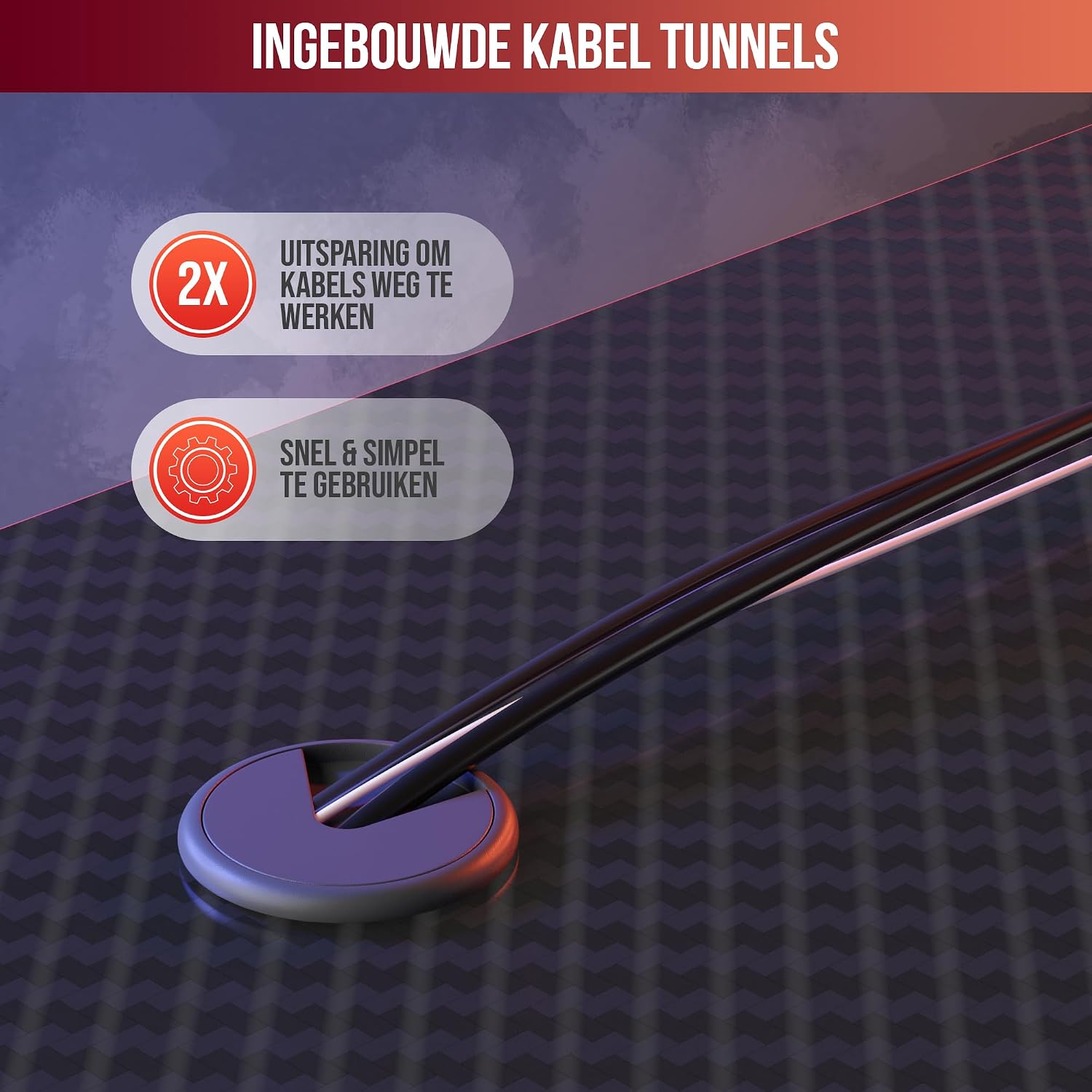
Image: A close-up view of the Avalo Gaming Desk's integrated cable tunnels, designed to keep cables organized and out of sight.
5.5. Durable Surface
The desktop is finished with a scratch-resistant carbon fiber coating, making it water-repellent and durable against daily wear and tear. This ensures your desk maintains its aesthetic appeal over time.

Image: The Avalo Gaming Desk's carbon fiber surface, illustrating its water-resistant and scratch-resistant properties for enhanced durability.
6. Maintenance
To ensure the longevity and appearance of your Avalo Gaming Desk, follow these simple maintenance guidelines:
- Cleaning: Wipe the desk surface with a soft, damp cloth. Avoid abrasive cleaners or harsh chemicals that could damage the carbon fiber coating.
- Spills: Although the surface is water-repellent, promptly wipe up any spills to prevent potential damage.
- Inspection: Periodically check all screws and connections to ensure they remain tight. Retighten if necessary.
- Weight Distribution: Distribute weight evenly across the desktop and avoid placing excessively heavy items on one spot.
7. Troubleshooting
If you encounter any issues with your Avalo Gaming Desk, please refer to the following common solutions:
- Wobbling Desk: Ensure all assembly screws are securely tightened. Check that the desk is placed on a level surface. Adjust the leveling feet if present.
- Missing Parts: If any parts were missing upon delivery, please contact Avalo customer support with your purchase details.
- Damaged Parts: If any components arrived damaged, do not proceed with assembly. Contact Avalo customer support for replacement parts.
For further assistance, please contact Avalo customer support.
8. Specifications
Detailed specifications for the Avalo Gaming Desk AP70:
| Feature | Detail |
|---|---|
| Brand | Avalo |
| Model Number | AP70 |
| Color | Black |
| Product Dimensions (L x W x H) | 140 x 60 x 75 cm |
| Weight | 11 kg |
| Material | Carbon Fiber (top), Metal (frame) |
| Frame Material | Stainless Steel |
| Special Features | Scratch-resistant, Water-repellent, Headphone Hook, Cup Holder, Cable Management |
| Maximum Load Capacity | 125 kg |

Image: The Avalo Gaming Desk with its key dimensions clearly marked: 140 cm in length, 60 cm in width, and 75 cm in height.
9. Warranty and Support
Avalo products are manufactured to high-quality standards. For information regarding warranty coverage and terms, please refer to the documentation included with your purchase or visit the official Avalo website. For any product-related inquiries, technical support, or to report missing/damaged parts, please contact Avalo customer service through the retailer where the product was purchased or directly via the manufacturer's contact channels.
Thank you for choosing Avalo.


