
Introduction
This manual provides detailed instructions for the installation, operation, and maintenance of your CAMECHO 1-DIN Car Stereo. Please read this manual thoroughly before using the product to ensure proper function and safety.
Safety Information
- Ensure professional installation to avoid damage to the vehicle's electrical system.
- Do not operate the device in a way that distracts you from driving.
- Keep the volume at a safe level to hear external traffic sounds.
- Avoid exposing the unit to extreme temperatures or direct sunlight for prolonged periods.
Package Contents
Verify that all items are present in the package:
- CAMECHO 1-DIN Car Stereo Unit
- Power & Speaker Cable Harness
- Microphone
- DAB+ Module (USB dongle)
- Rearview Camera
- Remote Control
- User Manual

Setup and Installation
Installation of this car stereo requires basic automotive electrical knowledge. Professional installation is recommended.
- Unit Dimensions Check: Before installation, verify the dimensions of the head unit (178mm L x 48mm H x 112mm D) to ensure it fits your vehicle's 1-DIN slot.
- Wiring Connections:
- Connect the ISO standard power and speaker cables to your vehicle's harness.
- Connect the FM antenna.
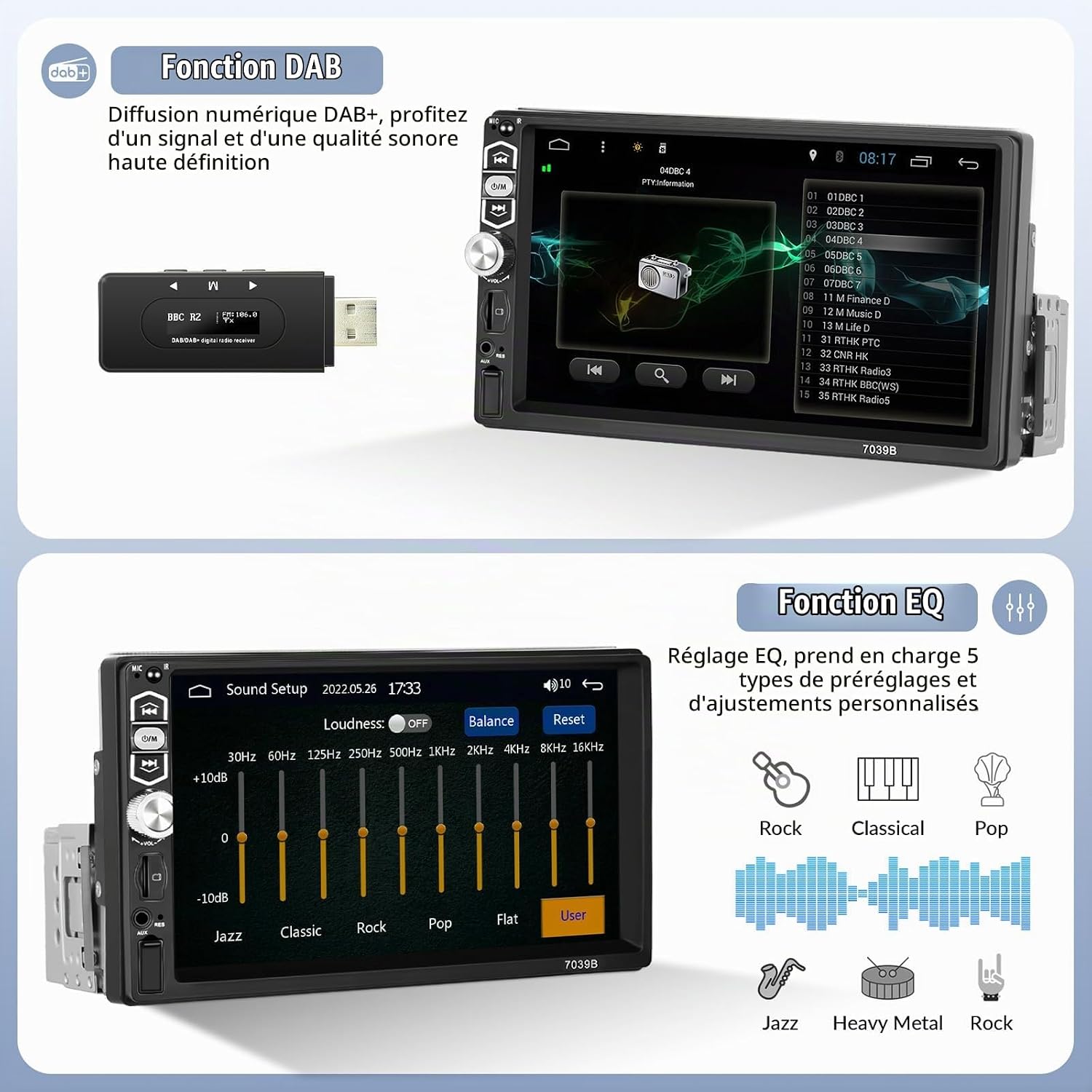
- DAB+ Module Installation: Attach the DAB+ antenna to the windshield (typically on the right side A-pillar) and connect it to the DAB+ USB module. Plug the DAB+ module into the rear USB-A port of the car stereo.
- Rearview Camera Connection: Connect the rearview camera's video output (yellow RCA) to the "CAMIN" input on the stereo. Connect the camera's power cable to the reversing lamp power. Ensure both yellow RCA connectors (CVBSIN and CAMIN) are connected, even if a rearview camera is not installed, as this can affect Wi-Fi and Bluetooth functionality.
- Microphone Installation: Route the external microphone cable to a suitable location (e.g., near the driver's sun visor) and plug it into the designated microphone input on the stereo.
- Steering Wheel Control (SWC): If your vehicle supports it, connect the SWC wires to enable control from your steering wheel. The unit supports learning original vehicle steering wheel commands.
- Secure the Unit: Carefully slide the unit into the dashboard opening and secure it using the mounting brackets.


Operating Instructions
1. CarPlay / Android Auto
Connect your smartphone via USB to enable CarPlay (for iOS) or Android Auto (for Android devices). This allows access to navigation, music, calls, and messaging through the car stereo's touchscreen or voice commands.

2. Mirror Link
Use the USB connection to mirror your smartphone's screen onto the car stereo display. This feature supports both Android and iOS devices, allowing you to view maps, videos, and other content directly on the 7-inch HD screen.

3. DAB+ Digital Radio
The included DAB+ module provides access to a wider selection of digital radio stations with enhanced sound quality. Ensure the DAB+ antenna is properly installed for optimal reception.

4. Bluetooth Connectivity
Pair your smartphone via Bluetooth for hands-free calling and wireless audio streaming. Access your phonebook and make calls directly from the stereo's touchscreen.
- Go to the Bluetooth menu on the stereo.
- Enable Bluetooth on your smartphone and search for available devices.
- Select "CAMECHO" (or similar device name) from the list and pair.
- Once paired, you can make/receive calls and play music wirelessly.
5. FM Radio
Tune into your favorite FM radio stations. The unit supports 18 preset stations for quick access.
- Select the "Radio" function from the main menu.
- Use the scan function to find stations or manually tune.
- Press and hold a preset button to save the current station.
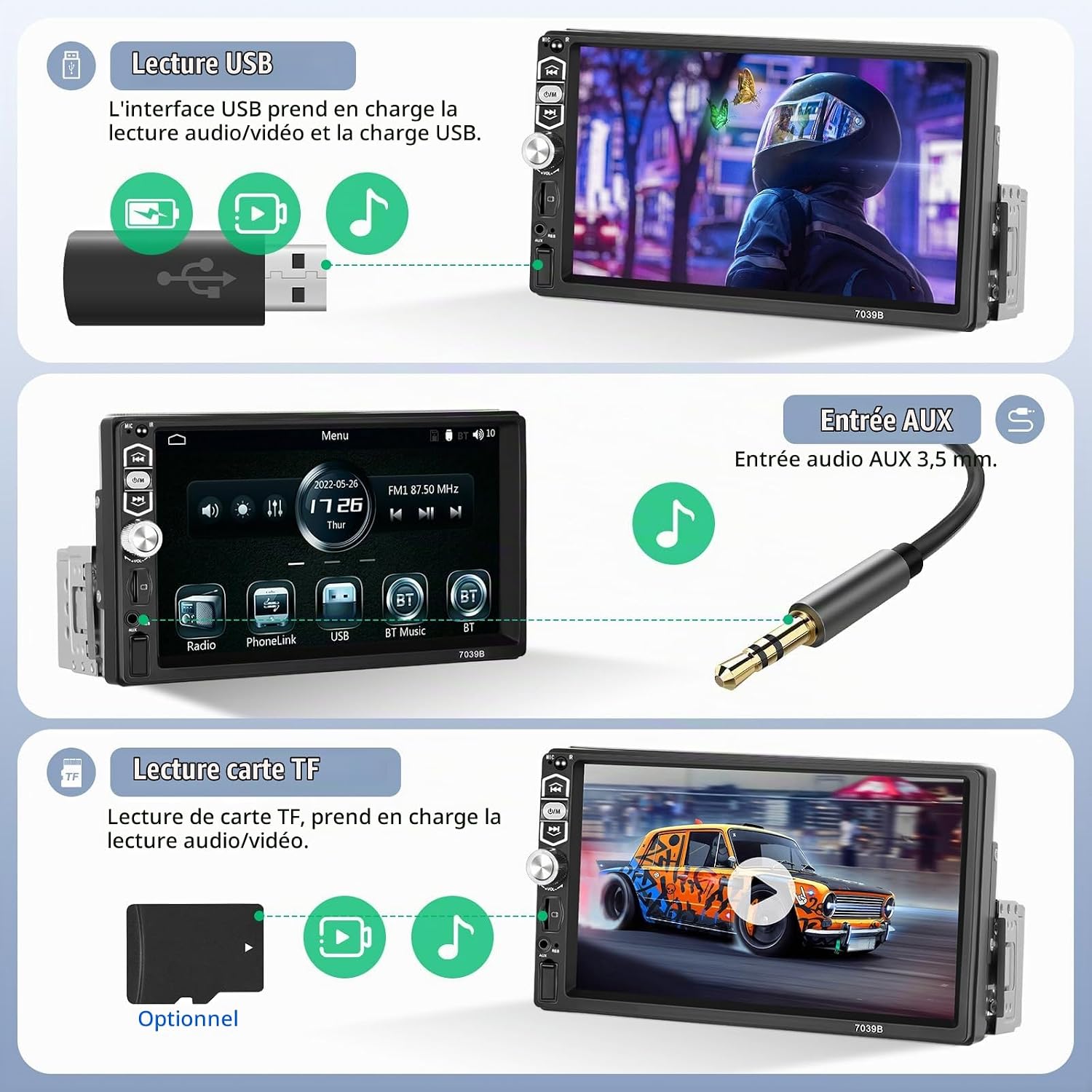
6. USB / AUX / TF Card Playback
The unit supports media playback from USB drives, AUX input, and TF (MicroSD) cards. The USB interface also provides charging capabilities for your devices.
- USB: Insert a USB drive into the front USB port for audio/video playback and device charging.
- AUX: Connect external audio devices via the 3.5mm AUX input jack.
- TF Card: Insert a TF card into the designated slot for media playback.

7. Equalizer (EQ) Settings
Adjust audio output with the built-in equalizer. Choose from 5 preset EQ modes (Jazz, Classic, Pop, Rock, Flat) or customize your own settings.

8. Rearview Camera Display
When the vehicle is in reverse gear, the stereo automatically displays the rearview camera feed, assisting with parking and maneuvering.
Maintenance
- Cleaning: Use a soft, dry cloth to clean the screen and unit. Avoid abrasive cleaners or solvents.
- Temperature: Do not expose the unit to extreme temperatures.
- Firmware Updates: Check the manufacturer's website for any available firmware updates to ensure optimal performance and compatibility.
Troubleshooting
| Problem | Possible Cause | Solution |
|---|---|---|
| No power | Incorrect wiring; Blown fuse | Check power connections; Replace fuse if necessary. |
| No sound | Speaker wires disconnected; Volume too low; Mute activated | Check speaker connections; Increase volume; Deactivate mute. |
| DAB+ "No Service" | DAB+ antenna not properly connected or positioned; DAB+ module not recognized | Ensure DAB+ antenna is correctly installed and connected to the module. Verify the DAB+ module is securely plugged into the USB port. |
| Bluetooth/Wi-Fi not working | Rearview camera RCA cables (CVBSIN and CAMIN) not connected | Ensure both yellow RCA connectors for the rearview camera are connected, even if no camera is used. |
| Mirror Link / CarPlay / Android Auto not connecting | Faulty USB cable; Phone not compatible; Software issue | Try a different USB cable; Ensure your phone's OS is updated; Restart both phone and stereo. |
| Touchscreen unresponsive | Temporary software glitch; Screen calibration needed | Perform a soft reset (locate the reset button, usually a small pinhole); If issue persists, contact support. |
Specifications
| Feature | Detail |
|---|---|
| Brand | CAMECHO |
| Model Number | DAB+Carplay+Camera+MIC |
| Display | 7-inch HD Touchscreen (1024*600 resolution) |
| Connectivity | Bluetooth 5.1, USB Type A, 3.5mm AUX Jack |
| Smartphone Integration | Wired CarPlay, Wired Android Auto, Mirror Link (iOS/Android) |
| Radio | FM Radio (18 presets), DAB+ Digital Radio (via external module) |
| Audio Output Mode | Stereo, 5.1 Surround Sound Configuration |
| Output Power | 45 Watts (per channel, 6 channels) |
| Video Encoding | H.264, H.265/HEVC (1080P video playback support) |
| Control Method | Touchscreen, Voice (via CarPlay/Android Auto), Steering Wheel Control, Remote Control |
| Item Weight | 900 Grams |
| Color | Black |
Warranty and Support
CAMECHO products typically come with a manufacturer's warranty. Please refer to your purchase documentation for specific warranty terms and duration.
Technical Support
For technical assistance, troubleshooting, or any questions regarding your CAMECHO car stereo, please contact customer support through the retailer where you purchased the product. You can usually find a "Contact Seller" or "Ask a Question" option on the product page.


