
1. Introduction
Thank you for purchasing the Gabba Goods Miller Lite 16oz Insulated Tumbler with LED Bluetooth Speaker. This innovative product combines a durable, double-wall insulated stainless steel tumbler with a removable Bluetooth speaker and LED lights, designed to enhance your beverage and audio experience. Please read this manual carefully before use to ensure proper operation and maintenance.
2. Safety Information
- Do not immerse the Bluetooth speaker in water or any other liquids. The speaker is not waterproof.
- Keep the speaker away from extreme temperatures, direct sunlight, and high humidity.
- Do not attempt to disassemble, repair, or modify the device. This will void the warranty and may cause damage or injury.
- Use only the provided charging cable or a certified equivalent.
- Keep out of reach of children.
- Ensure the lid is securely fastened when carrying beverages to prevent spills.
- The tumbler is designed for beverages; do not use it for storing chemicals or other non-food items.
3. Package Contents
Please check the package for the following items:
- Gabba Goods Miller Lite 16oz Insulated Tumbler
- Removable Bluetooth Speaker with LED Lights
- Secure No-Leak Lid
- Power Cable (Micro USB)
4. Product Overview
Familiarize yourself with the components of your new tumbler and speaker system.
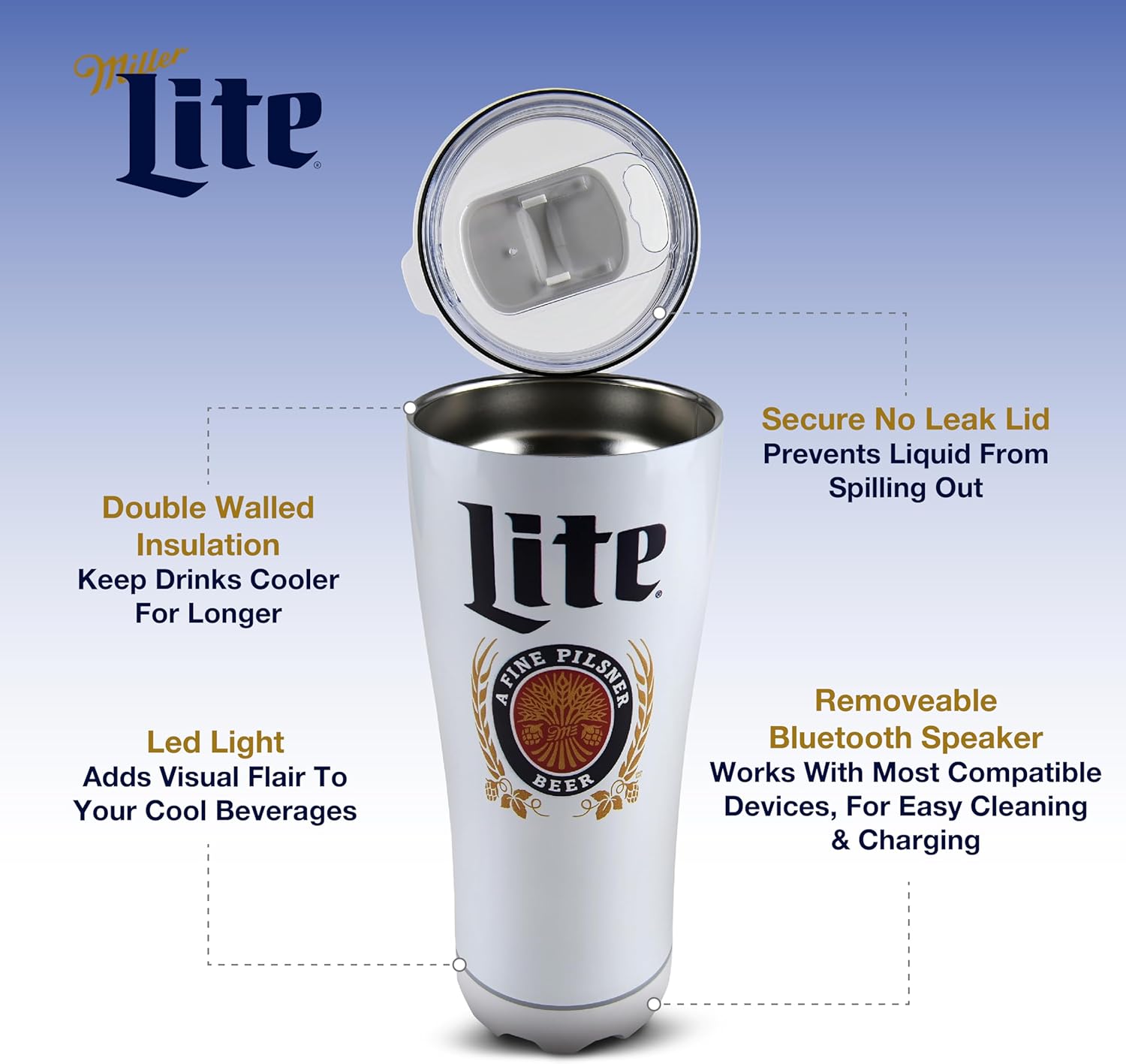
Figure 4.1: Exploded view of the tumbler components. This image illustrates the secure no-leak lid, the double-walled insulation of the tumbler, the LED light feature, and the removable Bluetooth speaker at the base.
4.1 Tumbler Features
- Double-Wall Insulated Stainless Steel: Keeps beverages cold for extended periods.
- 16oz Capacity: Ideal for various drinks.
- Secure No-Leak Lid: Designed to prevent spills.
- Non-Slip Rubber Base: Provides stability and prevents sliding.
- Sweat-Free Design: Prevents condensation on the exterior.
4.2 Bluetooth Speaker Features

Figure 4.2: Detailed view of the speaker's control panel. This image highlights the Micro USB charging port, Aux 3.5mm port, On/Off button, and Volume Up/Down controls located on the speaker base.
- Removable Design: Easily detaches from the tumbler for charging or separate use.
- LED Light Feature: Provides visual ambiance.
- Control Buttons: Power On/Off, Volume Up/Down, Track Skip.
- Charging Port: Micro USB for convenient charging.
- Auxiliary Port: 3.5mm input for wired audio connection.
5. Setup
5.1 Charging the Bluetooth Speaker
- Gently twist the speaker base counter-clockwise to detach it from the tumbler.
- Locate the Micro USB charging port on the speaker.
- Connect the provided Micro USB cable to the speaker's charging port and the other end to a USB power adapter (not included) or a computer's USB port.
- The LED indicator on the speaker will illuminate during charging and turn off or change color when fully charged.
- A full charge typically takes approximately 2-3 hours and provides up to 6 hours of playtime.
5.2 Attaching/Detaching the Speaker
- To Detach: Hold the tumbler firmly and twist the speaker base counter-clockwise until it separates.
- To Attach: Align the speaker base with the bottom of the tumbler and twist clockwise until it is securely fastened. Ensure it clicks into place to prevent accidental detachment.
6. Operating Instructions
6.1 Powering On/Off
- To Power On: Press and hold the Power button (⑁) on the speaker base for 2-3 seconds. You will hear an audible prompt "Power On" and the LED lights will activate.
- To Power Off: Press and hold the Power button (⑁) again for 2-3 seconds. You will hear "Power Off" and the LED lights will turn off.
6.2 Bluetooth Pairing
- Ensure the speaker is powered on. It will automatically enter Bluetooth pairing mode, indicated by an audible prompt "Bluetooth Pairing Mode" and a flashing LED light.
- On your mobile device (smartphone, tablet, etc.), enable Bluetooth and search for available devices.
- Select "ML-SSB-WHT" or a similar name from the list of devices.
- Once successfully paired, you will hear an audible confirmation "Bluetooth Connected" and the LED light will stop flashing.
- The speaker will automatically reconnect to the last paired device when powered on, if the device is within range and Bluetooth is enabled.
6.3 Music Playback
- Play/Pause: Short press the Power button (⑁) to play or pause music.
- Volume Up: Short press the "+" button.
- Volume Down: Short press the "-" button.
- Next Track: Long press the "+" button.
- Previous Track: Long press the "-" button.
6.4 Using the LED Lights
The LED lights activate automatically when the speaker is powered on. There are no separate controls for the LED lights; they will cycle through colors or patterns as designed.
6.5 Using the Auxiliary (AUX) Input
- Connect a 3.5mm audio cable (not included) from your audio source to the AUX port on the speaker base.
- The speaker will automatically switch to AUX mode.
- Volume control can be managed via the speaker buttons or your audio source.
6.6 Using the Tumbler for Beverages
- Remove the lid by twisting it counter-clockwise.
- Pour your desired beverage into the tumbler.
- Securely replace the lid by twisting it clockwise until it forms a tight seal.
- The sliding mechanism on the lid allows for easy sipping and helps prevent spills.
7. Maintenance
7.1 Cleaning the Tumbler
- Hand wash the stainless steel tumbler and lid with warm, soapy water.
- Rinse thoroughly and dry completely before storage.
- Do not use abrasive cleaners or scrubbers, as they may damage the finish.
- The tumbler itself may be dishwasher safe, but for longevity of the Miller Lite branding, hand washing is recommended.
7.2 Cleaning the Bluetooth Speaker
- The speaker is NOT waterproof. Do not immerse it in water.
- Wipe the speaker with a soft, damp cloth.
- Ensure the charging port and AUX port are dry before use or charging.
7.3 Storage
Store the tumbler and speaker in a cool, dry place when not in use. Ensure the speaker is fully charged before long-term storage to preserve battery life.
8. Troubleshooting
| Problem | Possible Cause | Solution |
|---|---|---|
| Speaker does not power on. | Low battery. | Charge the speaker using the provided USB cable. |
| Cannot pair via Bluetooth. | Speaker not in pairing mode; device Bluetooth off; too far from device. | Ensure speaker is on and in pairing mode. Turn Bluetooth on your device. Move device closer to speaker (within 10 meters). Forget device and re-pair. |
| No sound from speaker. | Volume too low; incorrect input mode; device not playing. | Increase speaker and device volume. Ensure Bluetooth is connected or AUX cable is properly inserted. Check if music is playing on your device. |
| LED lights not working. | Speaker is off or battery is critically low. | Ensure speaker is powered on and charged. |
| Tumbler leaks. | Lid not properly secured; lid seal damaged. | Ensure lid is twisted on tightly. Inspect lid seal for damage and replace if necessary. |
9. Specifications
| Feature | Detail |
|---|---|
| Model Number | ML-SSB-WHT |
| Capacity | 16 oz (approx. 473 ml) |
| Material | Stainless Steel (Double-Wall Insulated) |
| Speaker Power Output | 3W |
| Bluetooth Version | JL 4.2 |
| Frequency Response | 100Hz - 20kHz |
| Battery Type | 3.7V/300mAh (Rechargeable) |
| Charge Voltage | 5V |
| Playtime | Up to 6 hours (at moderate volume) |
| Charging Time | Approx. 2-3 hours |
| Connectivity | Bluetooth, 3.5mm AUX Input |
| Special Features | Removable Speaker, LED Lights, Secure Lid, Non-Slip Base |
| Included Components | Tumbler, Speaker, Lid, Power Cable |
10. Warranty and Support
Gabba Goods products are designed for quality and reliability. For specific warranty information and customer support, please refer to the documentation included with your purchase or visit the official Gabba Goods website. Keep your purchase receipt as proof of purchase.
For further assistance, you may contact Gabba Goods customer service through their official channels.
11. Product Videos
Video 11.1: This video demonstrates the Miller Lite Tumbler Speaker with LED Lights, highlighting its stainless steel construction and features. It provides a visual overview of the product's design and functionality.