Introduction
This manual provides detailed instructions for the installation, operation, and maintenance of your YEELIGHT Smart Outdoor Permanent String and Curtain Light System. This system includes both 100 ft permanent string lights and 24 LED curtain lights, designed for outdoor use with smart app control and various lighting effects. Please read this manual thoroughly before use to ensure proper functionality and safety.
Safety Information
- Ensure all connections are secure and waterproof for outdoor use.
- Do not attempt to modify or repair the product yourself. Contact customer support for assistance.
- Keep the power adapter and control box in a dry location, protected from direct water exposure.
- Avoid installing lights near heat sources or flammable materials.
- Always unplug the lights from the power source before cleaning or performing maintenance.
Package Contents
Verify that all items are present in your package:
- 100 LED Permanent String Lights
- 24 LED Curtain Lights
- 3 x Bow Ties (for installation)
- 1 x Remote Control
- User Manual (this document)
Setup
1. Planning Installation
Before installation, plan the layout for both the permanent string lights and the curtain lights. Consider power source proximity and desired lighting coverage. The permanent string lights are designed for eaves and similar outdoor structures, while the curtain lights can be used on windows or walls.
2. Installing Permanent String Lights
Mount the 100 ft permanent string lights along your desired outdoor edges, such as eaves or rooflines. Use appropriate mounting hardware (not included, except for bow ties) to secure the lights firmly. Ensure the lights are evenly spaced and positioned for optimal illumination.
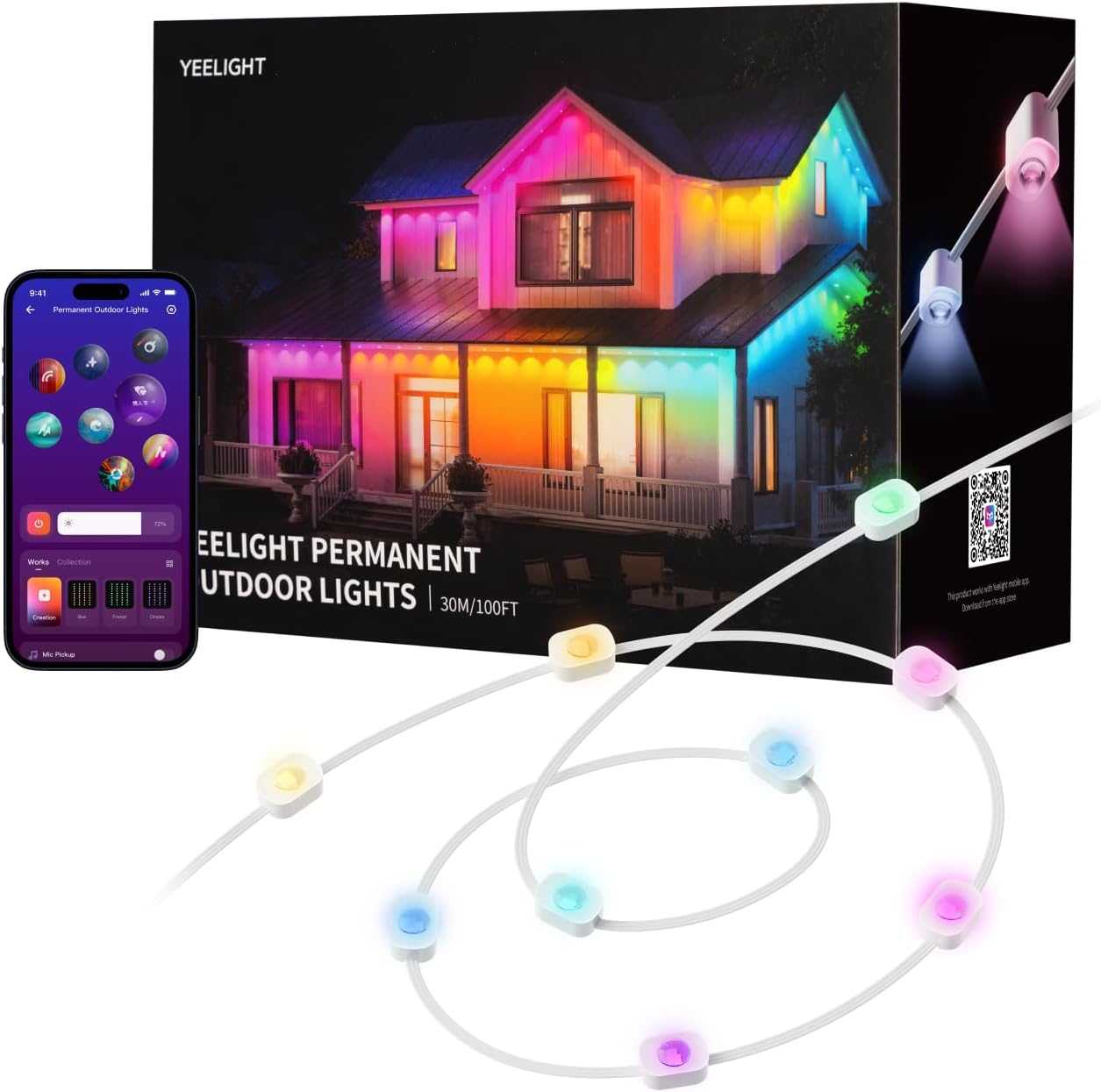
Image: Permanent outdoor string lights installed on a house, demonstrating different color settings and the accompanying mobile app interface for control.
3. Installing Curtain Lights
Position the 24 LED curtain lights on windows, walls, or other suitable surfaces. The included bow ties can assist in securing the curtain lights. Ensure the curtain lights hang freely and are not obstructed.

Image: Curtain lights displaying a 'Merry Christmas' message, with a mobile app interface showing options for DIY graffiti and pattern creation.
4. Power Connection
Connect the light system to a standard outdoor power outlet. Ensure the outlet is protected from weather elements. The system operates on corded electric power.
5. App Download and Pairing
- Download the YEELIGHT app from your smartphone's app store (iOS or Android).
- Open the app and create an account or log in.
- Follow the in-app instructions to add your new YEELIGHT Smart Outdoor Permanent String and Curtain Light System. This typically involves powering on the lights and allowing the app to discover them via Bluetooth or Wi-Fi.
- Once paired, you can control the lights using the app.

Image: A visual representation of key features including DIY customization, high-quality lighting, RGBICW color capabilities, smartphone app control, simple installation, and a variety of over 20 lighting effects.
Operating
1. App Control
The YEELIGHT app provides comprehensive control over your lighting system:
- Color Changing: Select from 16 million colors to customize your lighting.
- Lighting Effects: Choose from over 20 pre-set lighting effects for various occasions.
- Brightness Adjustment: Adjust the intensity of the lights.
- Speed Control: Modify the speed of dynamic lighting effects.
- DIY Customization: Create and save your own personalized color schemes and patterns.

Image: A smartphone screen displaying the YEELIGHT app, illustrating the color palette and DIY control options for customizing the string lights.

Image: The YEELIGHT Curtain Lights showcasing diverse patterns and highlighting features such as 19x25 LEDs, over 190 lighting effects, music synchronization, 16 million color options, app control, and free DIY customization.

Image: A split image demonstrating the versatility of RGBICW lighting, with one side showing a house illuminated in vibrant 16 million colors and the other side showing the same house lit with a warm 3000K white light.
2. Music Synchronization
The built-in microphone allows the lights to react to music beats, syncing perfectly with the rhythm. Activate this feature through the YEELIGHT app for an immersive audio-visual experience.

Image: An indoor setting featuring curtain lights exhibiting dynamic lighting effects, categorized for Movie, Gaming, Music, and Party modes, enhancing the ambiance.
3. Remote Control Usage
Use the included remote control for basic functions such as turning the lights on/off, changing colors, or selecting pre-set modes. Refer to the remote control's specific instructions for detailed button functions.
4. YEELIGHT Ecosystem Integration
This system is compatible with other YEELIGHT products, allowing you to create synchronized light shows across multiple devices. Explore the app for options to group and control various YEELIGHT lights together.

Image: An outdoor view of a house adorned with YEELIGHT permanent string lights and additional seasonal decorations, suitable for Halloween or Christmas festivities.
Maintenance
1. Cleaning
To clean the lights, ensure they are unplugged from the power source. Gently wipe the LED bulbs and cables with a soft, damp cloth. Do not use harsh chemicals or abrasive cleaners.
2. Storage
If storing the lights for an extended period, disconnect them from power, clean them, and coil them neatly. Store in a cool, dry place away from direct sunlight and extreme temperatures.
Troubleshooting
- Lights not turning on: Check power connection, ensure the outlet is functional, and verify the lights are properly plugged in.
- App connectivity issues: Ensure your smartphone's Bluetooth/Wi-Fi is enabled. Restart the app and the light system. Check if the lights are within range of your device.
- Remote control not working: Check the battery in the remote control. Ensure there are no obstructions between the remote and the light system's receiver.
- Lights flickering or displaying incorrect colors: Unplug the system for a few minutes, then plug it back in. If the issue persists, contact customer support.
Specifications
| Brand | YEELIGHT |
| Model Style | 100FtPermanent&curtain |
| Indoor/Outdoor Usage | Outdoor |
| Special Feature | Color Changing |
| Light Source Type | LED |
| Power Source | Corded Electric |
| Light Color | Multicolor (RGBICW) |
| Included Components | 100 LED Lights, 24 LED Curtain Lights, 3 x Bow Tie, 1 x Remote Control |
Warranty Information
This YEELIGHT product is covered by a manufacturer's warranty. For specific details regarding warranty duration and terms, please refer to the warranty card included in your product packaging or visit the official YEELIGHT website. Keep your proof of purchase for warranty claims.
Support
For further assistance, technical support, or to report any issues, please contact YEELIGHT customer service. You can find contact information on the official YEELIGHT website or through the YEELIGHT app.
Visit the official YEELIGHT store: YEELIGHT Store on Amazon