
Rode Wireless GO 3
RØDE Wireless GO III (Gen 3) Compact Wireless Microphone System User Manual
1. Introduction
The RØDE Wireless GO III (Gen 3) is a compact wireless microphone system designed for capturing high-quality audio across various content creation applications. This system features advanced technologies such as intelligent GainAssist and 32-bit float on-board recording, ensuring pristine audio capture in diverse environments. It utilizes RØDE’s Series IV 2.4GHz digital transmission for stable, long-range wireless connectivity.
Key features include:
- Series IV 2.4 GHz Digital Transmission: Provides crystal-clear, stable audio with best-in-class range and 128-bit encryption.
- 32-bit Float On-board Recording: Over 40 hours of internal recording capacity (32 GB) allows for recovery of clipped or quiet audio files.
- Intelligent GainAssist Technology: Ensures optimal audio levels with flexible output gain control and a safety channel for direct-to-camera recording.
- Universal Compatibility: Connects seamlessly with cameras, smartphones, and computers via USB-C and locking 3.5mm outputs.
- Comprehensive Accessories: Includes 3.5mm TRS, USB-C, and Lightning cables, a charging hub, furry windshields, and a carry pouch.

2. What's in the Box
The RØDE Wireless GO III system includes the following components:
- 2 x Wireless GO III Transmitters (TX)
- 1 x Wireless GO III Receiver (RX)
- 1 x SC33 Charging Hub
- 1 x SC2 TRS to TRS Cable (3.5mm)
- 1 x SC21 USB-C to Lightning Cable
- 1 x SC22 USB-C to USB-C Cable
- 3 x Furry Windshields
- 1 x Carry Pouch

3. Setup
3.1. Charging the Units
Before initial use, fully charge all transmitter and receiver units using the provided SC33 Charging Hub and USB-C cable. Connect the charging hub to a USB power source. The battery indicators on each unit will show charging status.
3.2. Powering On and Pairing
Press and hold the power button on each transmitter and the receiver to turn them on. The units are pre-paired from the factory. If re-pairing is needed, refer to the full RØDE Connect software manual.
3.3. Connecting to Devices
The Wireless GO III offers universal compatibility with various devices:
- Cameras: Use the supplied 3.5mm TRS to TRS cable to connect the receiver's 3.5mm output to your camera's microphone input.
- Smartphones (iOS): Use the supplied USB-C to Lightning cable to connect the receiver's USB-C output to your iPhone.
- Smartphones (Android) & Computers: Use the supplied USB-C to USB-C cable to connect the receiver's USB-C output to your Android phone or computer.


4. Operating Instructions
4.1. On-board Recording (32-bit Float)
Each transmitter features 32 GB of internal memory, allowing for over 40 hours of 32-bit float on-board recording. This feature provides a backup recording directly on the transmitter, which can be invaluable for recovering audio that may have been too loud (clipped) or too quiet during the main recording. To initiate or stop on-board recording, use the dedicated record button on the transmitter.
4.2. GainAssist and Level Control
The intelligent GainAssist technology automatically adjusts audio levels to prevent clipping and ensure a consistent output. The receiver also provides flexible output gain control, allowing manual adjustment of the audio signal sent to your recording device. A safety channel feature records a secondary track at a lower gain, providing an additional safeguard against unexpected loud audio peaks.
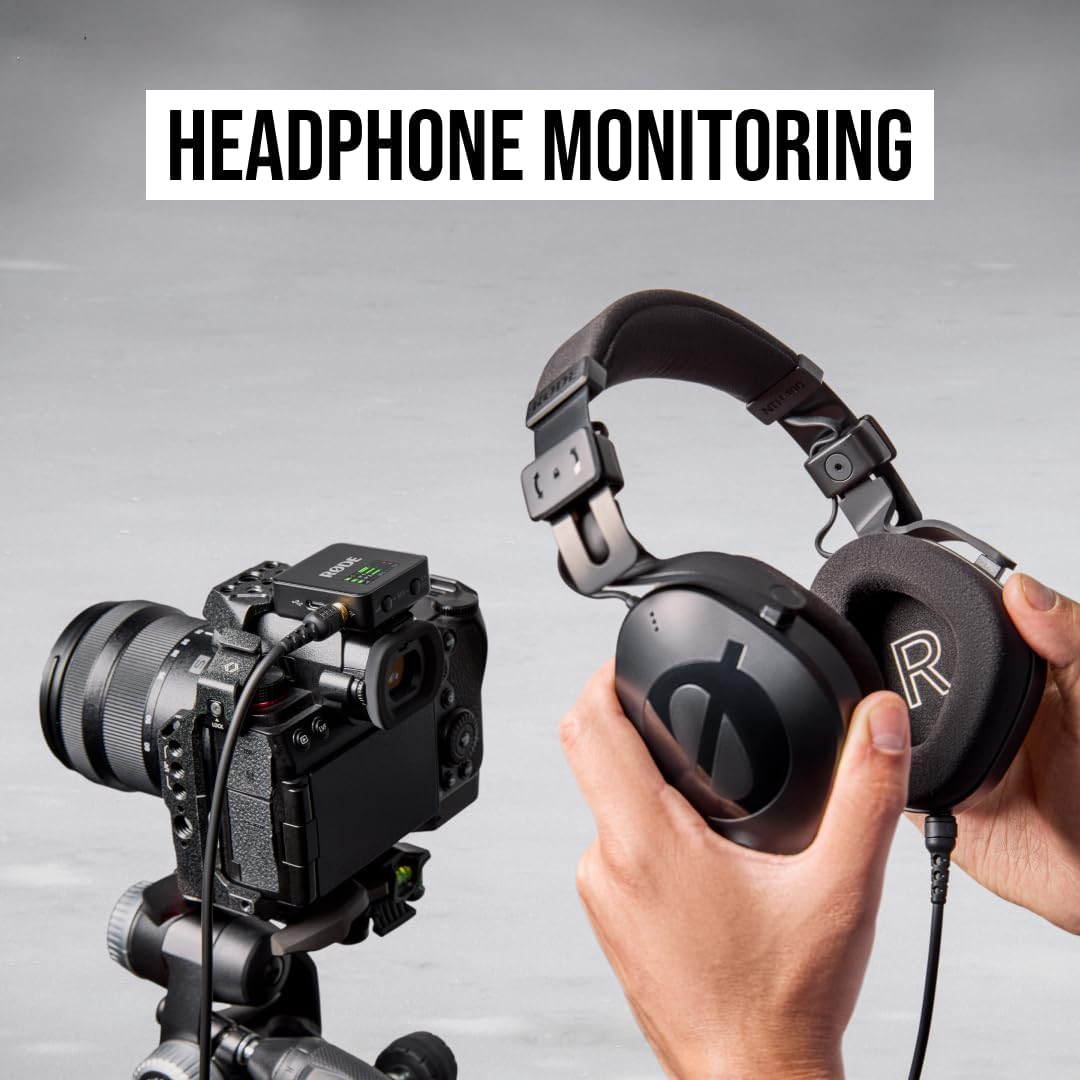
4.3. Headphone Monitoring
The receiver includes a TRRS jack, enabling real-time headphone monitoring of your audio. This allows you to listen to the captured sound as it is being recorded, ensuring optimal audio quality and detecting any potential issues immediately.

4.4. Using Furry Windshields
Attach the provided furry windshields to the transmitters when recording outdoors or in windy conditions. These windshields effectively reduce wind noise, improving the clarity of your audio recordings.
5. Maintenance
5.1. Cleaning
Wipe the units with a soft, dry cloth. Avoid using harsh chemicals or abrasive materials, which can damage the finish or internal components.
5.2. Battery Care
To maximize battery life, avoid fully discharging the units regularly. Store them in a cool, dry place when not in use. The system features 'Plug-in Power Detect' which can help optimize battery usage when connected to a power source.

5.3. Storage
When transporting or storing the Wireless GO III, use the provided carry pouch to protect the units and accessories from dust and physical damage.
6. Troubleshooting
If you encounter issues with your RØDE Wireless GO III system, consider the following common solutions:
- No Audio Output: Ensure all units are powered on and fully charged. Verify that cables are securely connected to both the receiver and your recording device. Check the audio input settings on your camera, smartphone, or computer.
- Interference/Poor Signal: Ensure the transmitter and receiver are within the specified operating range. Avoid obstructions between the units. Check for other 2.4GHz devices that might be causing interference.
- Recording Issues: Confirm that the on-board recording feature is activated on the transmitter. Ensure sufficient internal memory is available.
- Battery Not Charging: Verify that the charging hub is properly connected to a power source and that the USB-C cable is securely attached to the units.
For more detailed troubleshooting or persistent issues, please refer to the official RØDE support resources.
7. Specifications
| Feature | Detail |
|---|---|
| Brand | Rode |
| Model Name | Wireless GO 3 |
| Item Model Number | WIGOGEN3 |
| UPC | 698813010462 |
| Microphone Form Factor | Lavalier, Mini |
| Polar Pattern | Unidirectional |
| Connectivity Technology | USB |
| Connector Type | USB Type-C |
| Compatible Devices | Camera, Personal Computer, Smartphone |
| Special Feature | Noise Reduction |
| Power Source | Battery Powered (1 P76 battery required) |
| Number of Channels | 2 |
| Signal-to-Noise Ratio | 72 dB |
| Item Weight | 300 Grams (10.6 ounces) |
| Product Dimensions (L x W x H) | 1.81 x 1.73 x 0.79 inches |
| Material | Plastic |
| Color | Black |
8. Warranty and Support
The RØDE Wireless GO III (Gen 3) is manufactured by RØDE. For detailed warranty information, product registration, and technical support, please visit the official RØDE website. You can also find additional resources and FAQs on the RØDE Store on Amazon.
Related documentsWireless GO 3


Ask a question about this manual
Ask about setup, troubleshooting, compatibility, parts, safety, or missing instructions. Manuals+ will review the question and use this page’s manual context to help answer it.