
IMPREMEY TM103 Treadmill
IMPREMEY Foldable Treadmill User Manual
Model: TM103 Treadmill | Brand: IMPREMEY
Important Safety Information
Please read this manual thoroughly before operating the treadmill. Retain this manual for future reference. Adhere to all warnings and instructions to ensure safe operation and prevent injury.
- Always place the treadmill on a solid, level surface.
- Keep children and pets away from the treadmill during operation.
- Ensure adequate clear space around the treadmill (at least 2 meters behind and 0.6 meters on each side).
- Do not operate the treadmill if it has a damaged cord or plug, or if it is not working properly.
- Always attach the safety key clip to your clothing before starting the treadmill.
- Consult a physician before beginning any exercise program.
- Do not use the treadmill outdoors or in damp environments.
- Unplug the treadmill from the power outlet when not in use or before cleaning/maintenance.
Product Overview
The IMPREMEY TM103 Foldable Treadmill is designed for home exercise, offering a range of features to enhance your workout experience.
Key Features:
- Adjustable Auto Incline: 0-15 levels for varied training.
- Smart Heart Rate Control (HRC) Training: Automatically adjusts intensity to maintain target heart rate.
- Powerful 3.5 HP Motor: Smooth and quiet operation with speeds from 0.6 to 10 mph.
- High Weight Capacity: Supports users up to 350 lbs.
- Spacious Running Deck: 18" x 47.3" for comfortable movement.
- Foldable Design: Compact for easy storage with a soft-drop system for safe lowering.
- Big LED Screen: Displays speed, time, calorie, distance, and pulse independently.
- Real-time Heart Rate Monitoring Armband: Provides accurate heart rate data.
- Built-in Speakers: For wireless music playback.
- Connectivity: Compatible with fitness apps like Zwift, FS, and Kinomap.
Components:
The treadmill consists of the main frame, running deck, console, and various accessories including a heart rate monitoring armband, lubricant, safety key, and tool kit.
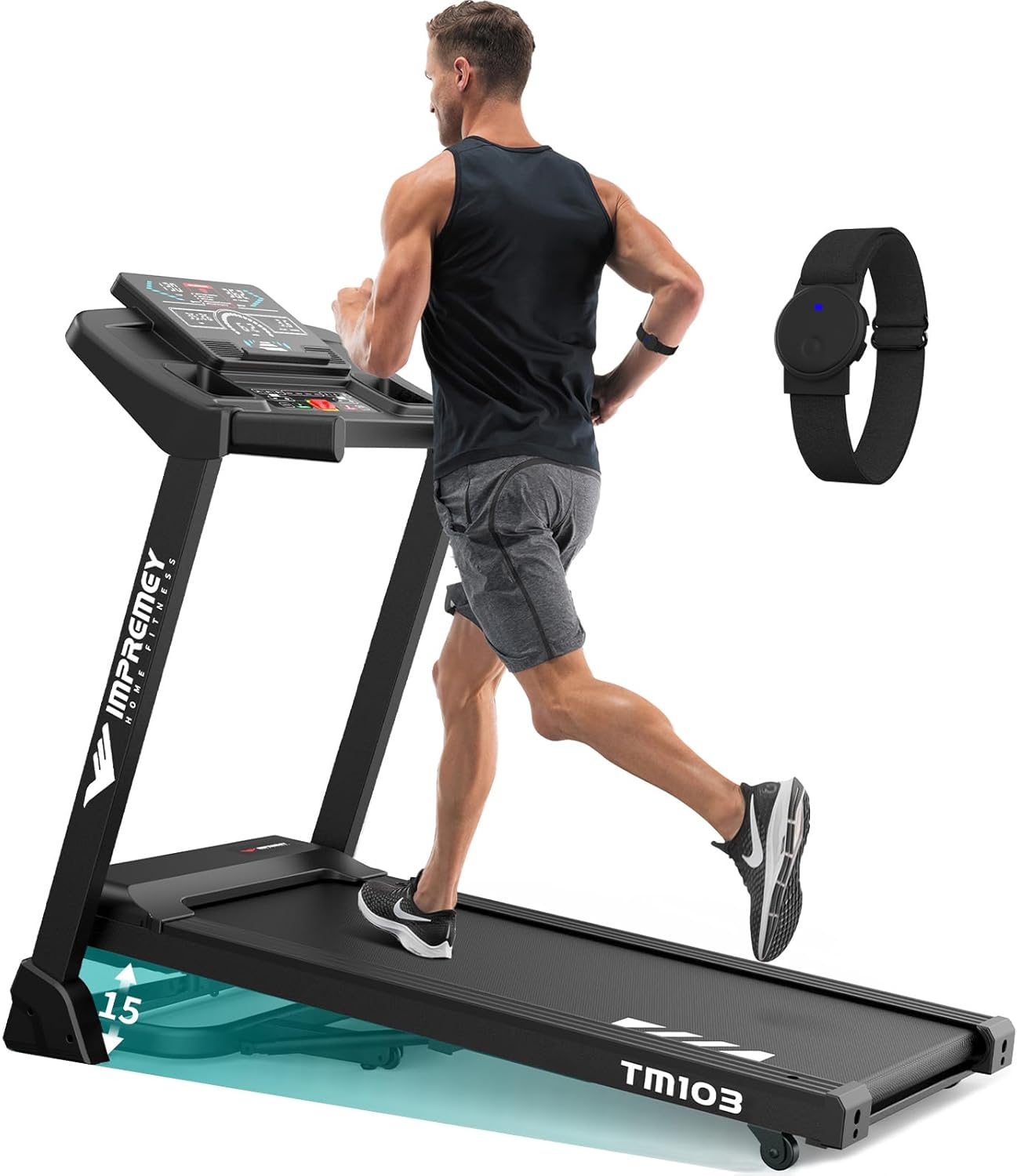
Image: The IMPREMEY TM103 Foldable Treadmill in an unfolded state, with a person running on it, showcasing its design and the included heart rate armband.
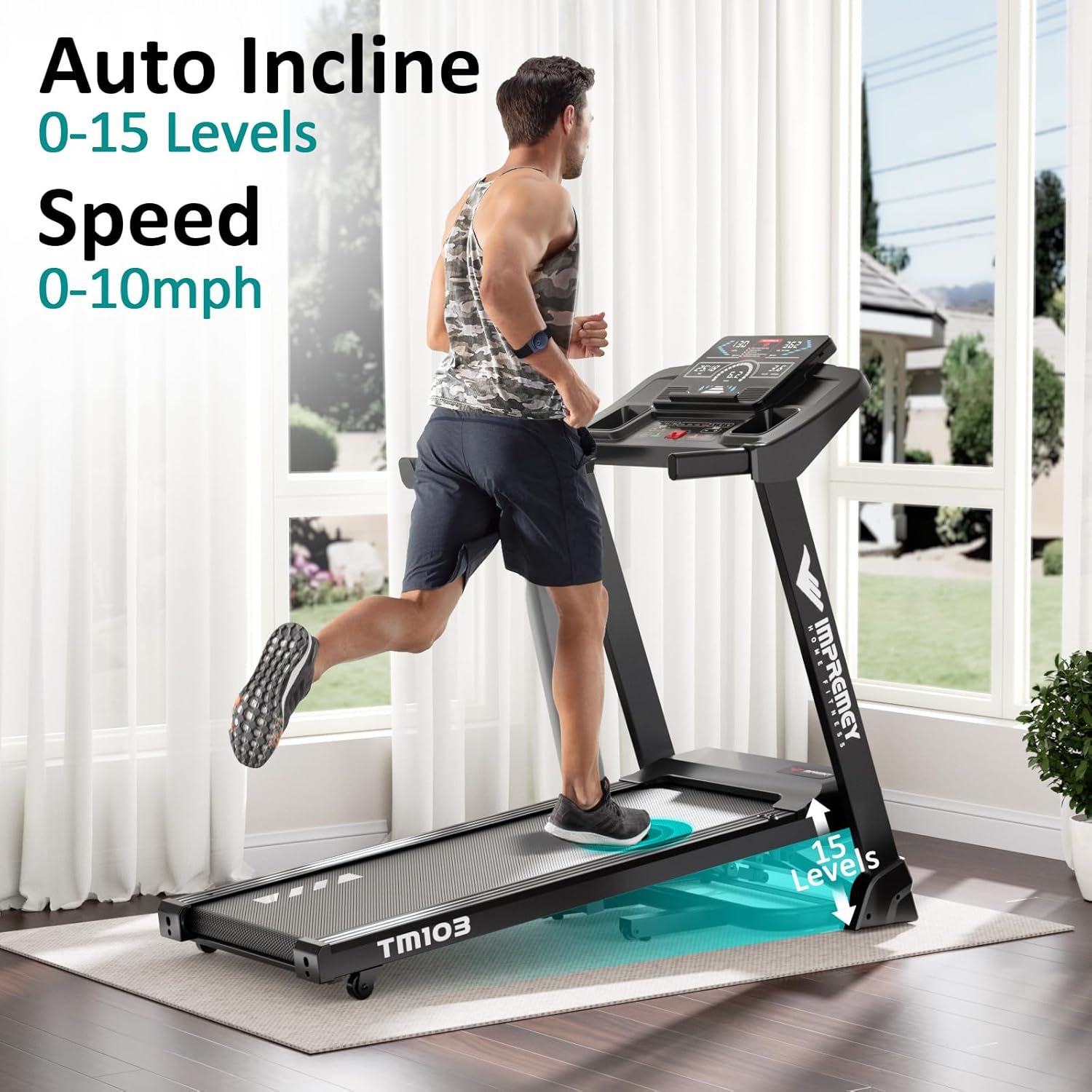
Image: The treadmill highlighting its auto-incline feature, showing the running deck elevated to demonstrate the 0-15 levels of incline.
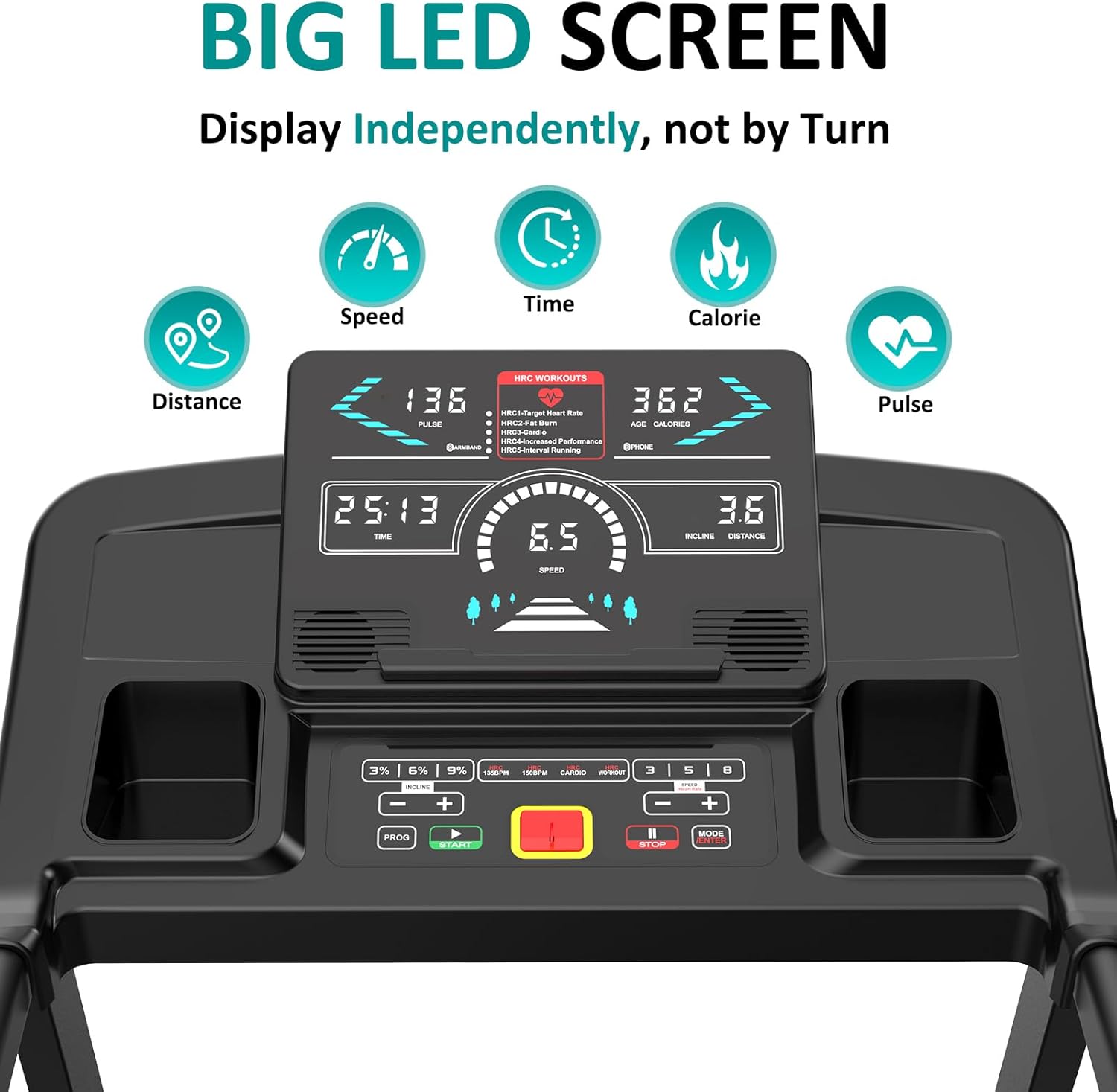
Image: A close-up view of the treadmill's large LED screen, displaying various workout metrics such as speed, time, calories, distance, and pulse.
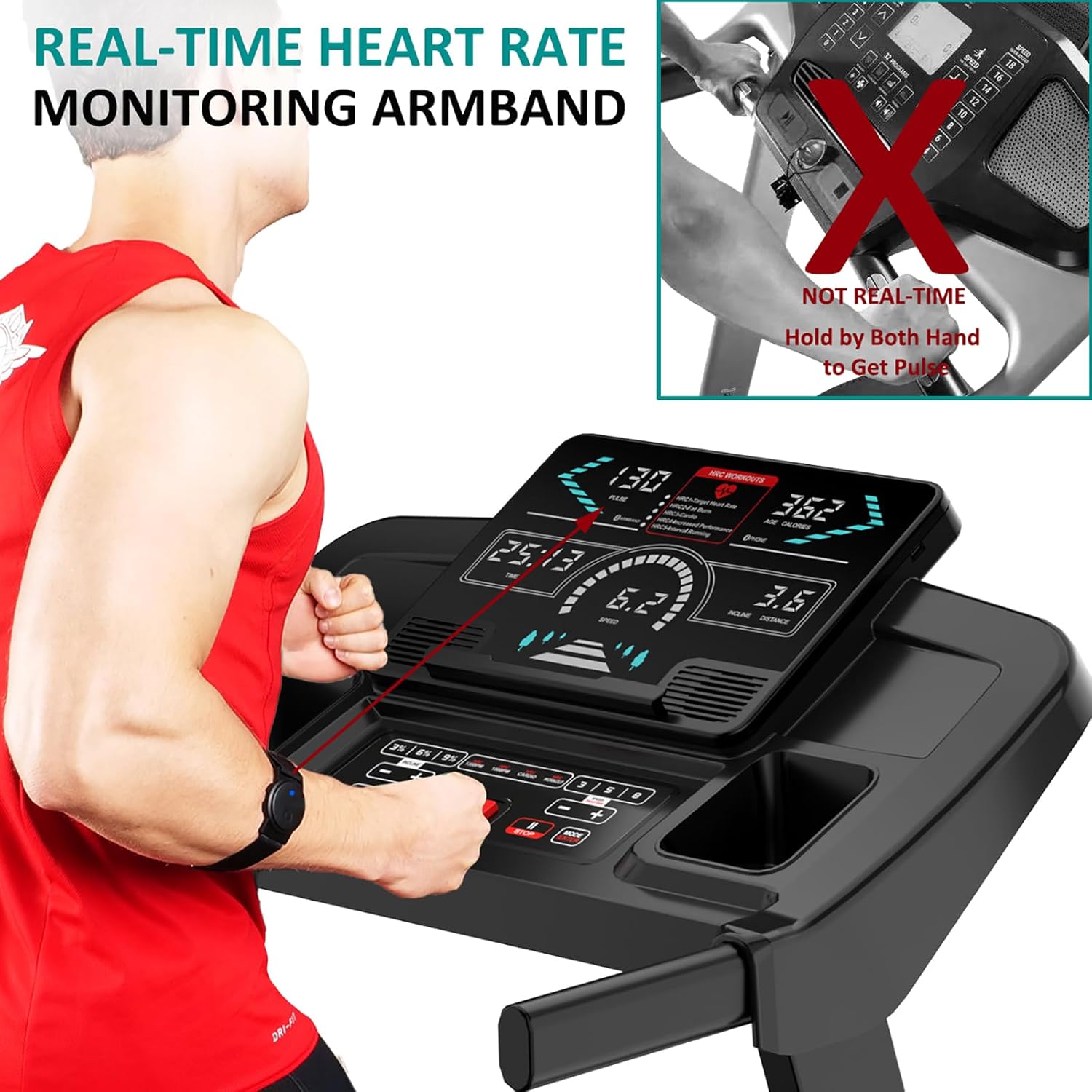
Image: A user wearing the real-time heart rate monitoring armband while operating the treadmill, emphasizing the accuracy of the armband over traditional hand-held pulse sensors.
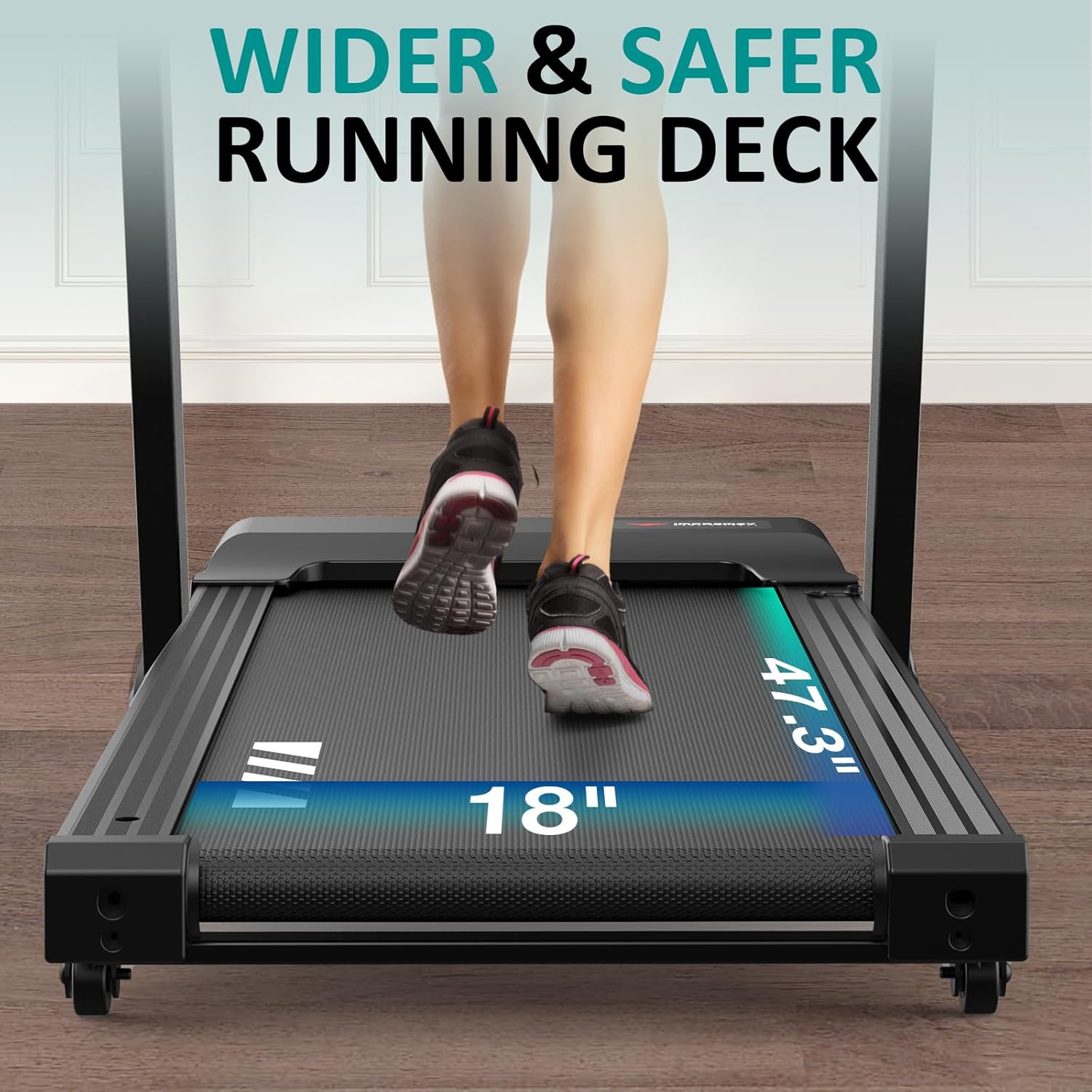
Image: A view of the treadmill's running deck from behind, showing its 18-inch width and 47.3-inch length, highlighting the spacious and safe running area.
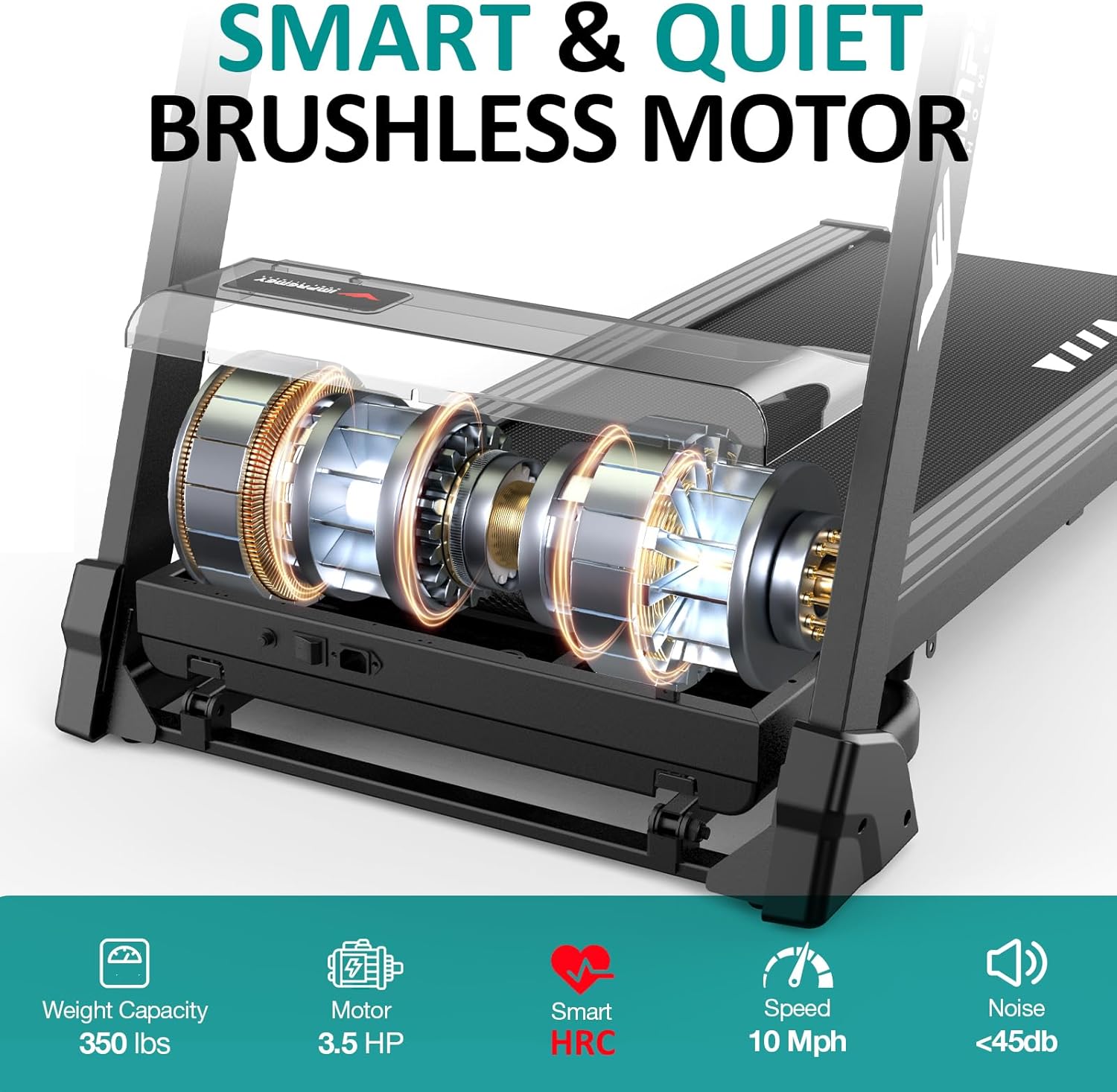
Image: An internal view of the treadmill's smart and quiet brushless motor, illustrating its 3.5 HP power, 10 Mph speed capability, 350 lbs weight capacity, and low noise level (<45db).
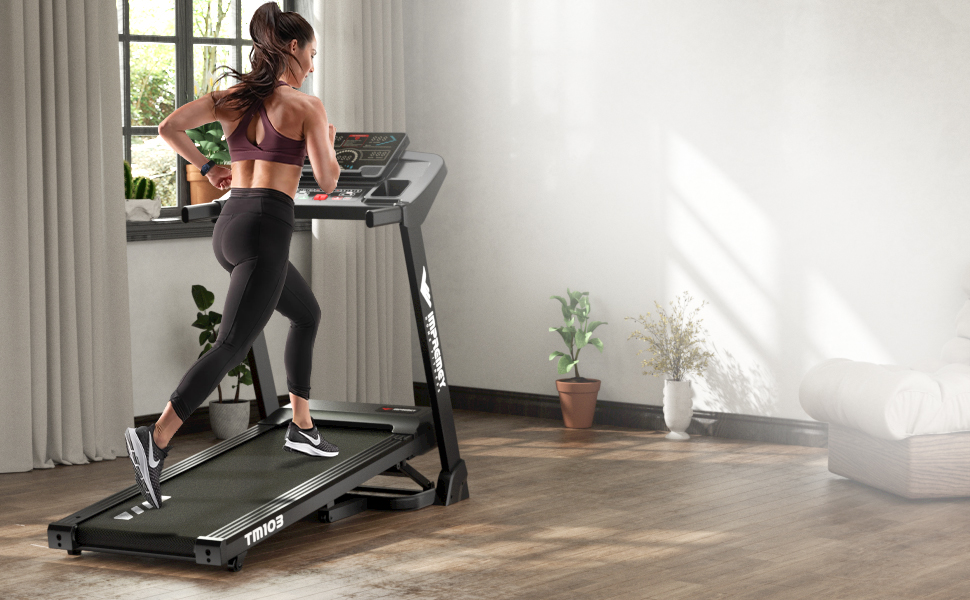
Image: The IMPREMEY TM103 treadmill positioned in a modern home environment, demonstrating its compact and aesthetic fit for indoor use.
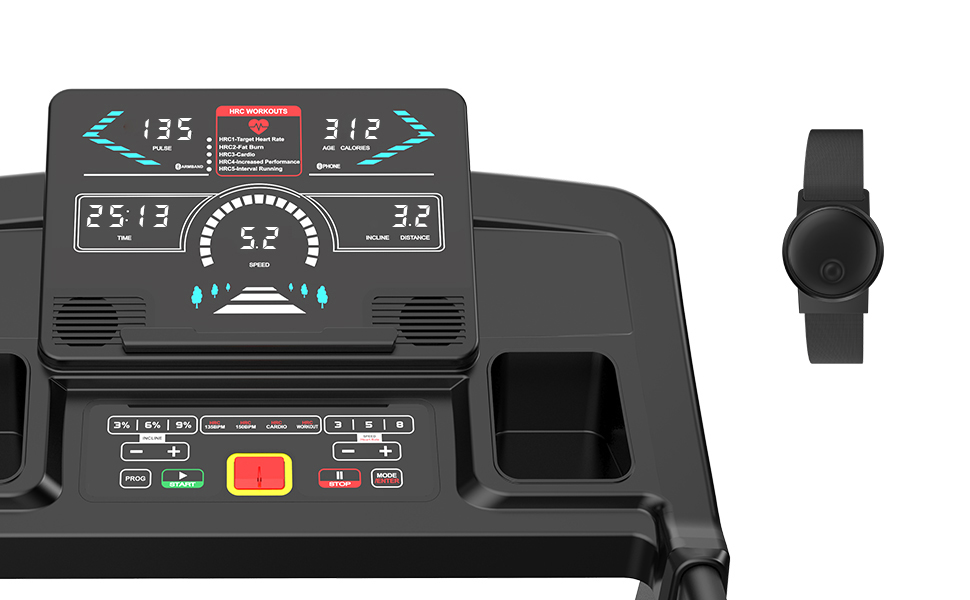
Image: A close-up of the treadmill's console, showing the digital display and control buttons, alongside the heart rate monitoring armband.
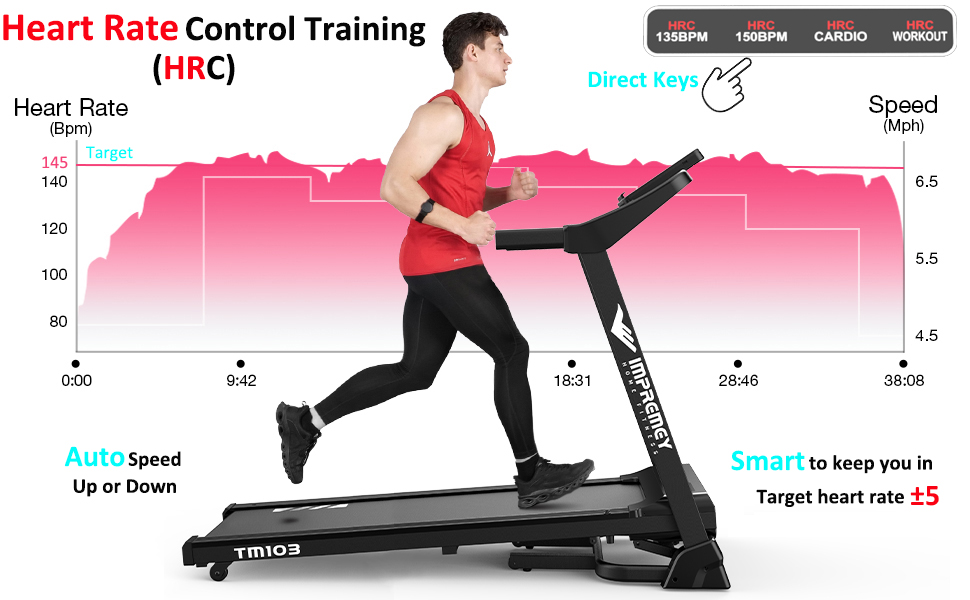
Image: A graphic illustrating the Heart Rate Control (HRC) training feature, showing how the treadmill automatically adjusts speed to keep the user within their target heart rate zone.
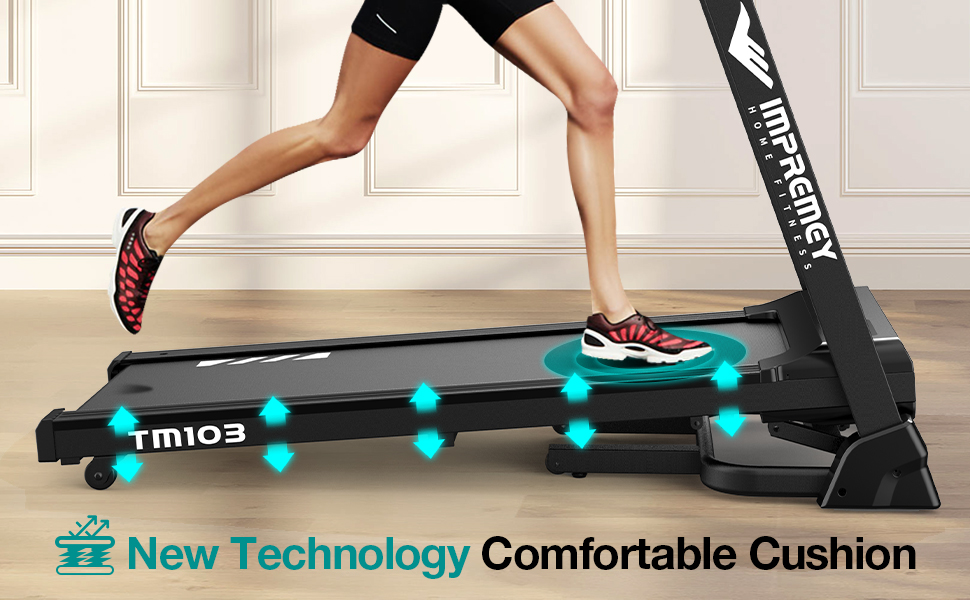
Image: A close-up of the treadmill's running deck, highlighting the "New Technology Comfortable Cushion" system with arrows indicating shock absorption.
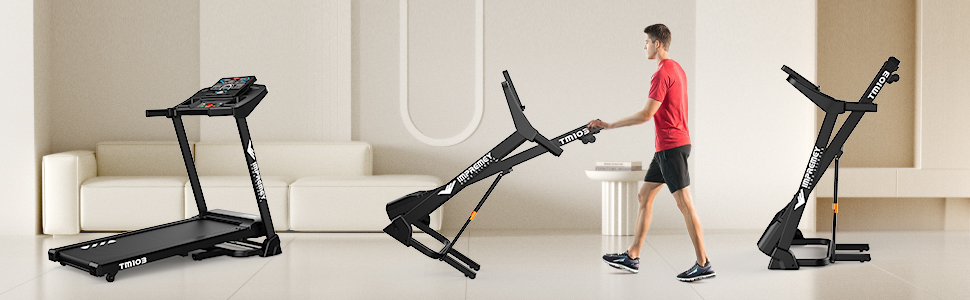
Image: A sequence of three images demonstrating the treadmill's foldable design, showing it in an unfolded state, being folded, and in its compact, folded position for storage.
Image: The treadmill console displaying a tablet with fitness app icons (Zwift, FS, Kinomap), indicating its app connectivity feature.
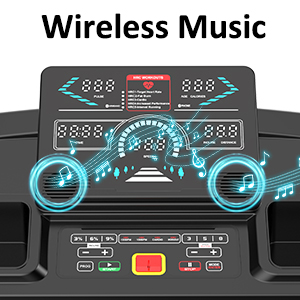
Image: A close-up of the treadmill console with musical notes emanating from the speakers, illustrating the wireless music playback feature.
Setup Guide
Follow these steps to assemble and prepare your IMPREMEY TM103 Treadmill for first use. For a visual guide, please refer to the official installation video below.
Unboxing and Initial Setup:
- Carefully remove all components from the packaging. Verify that all accessory parts listed in the manual are present.
- Place the folded treadmill on a flat, stable surface.
- Gently lift the console and uprights to the vertical position.
- Secure the uprights to the base using the provided bolts (M8*40) and Wrench #5.
- Attach the left and right base covers using Screw M5*12 and a screwdriver.
- Secure the console to the uprights using the provided bolts (M8*15) and Wrench #5. Ensure both sides are securely fastened.
- Connect the power cord to the treadmill's power input and then to a grounded electrical outlet.
- Insert the safety key into its designated slot on the console. The display will illuminate, indicating the treadmill is ready for operation.
Official Installation Video:
Video: A step-by-step guide on how to assemble the IMPREMEY TM103 Treadmill, demonstrating the process from unboxing to final power-up.
Operating Instructions
Familiarize yourself with the treadmill's console and functions for an effective workout.
Console Functions:
- LED Display: Shows real-time data for Speed, Time, Calorie, Distance, and Pulse.
- Start/Stop Buttons: Initiate and end your workout.
- Speed Adjustment: Use '+' and '-' buttons or quick-select buttons (e.g., 3, 6, 9 mph) to change speed from 0.6 to 10 mph.
- Incline Adjustment: Use '+' and '-' buttons or quick-select buttons (e.g., 3%, 6%, 9%) to adjust incline from 0 to 15 levels.
- Mode Button: Cycle through different workout modes or programs.
- Program (PROG) Button: Select from 64 pre-set workout programs.
Heart Rate Control (HRC) Training:
The smart HRC feature allows you to set a target heart rate. The treadmill will automatically adjust its speed to keep you within ±5 BPM of your target, optimizing your cardiovascular workout. Use the included heart rate monitoring armband for accurate readings.
Connectivity and Entertainment:
- Wireless Music: Connect your device via Bluetooth to play music through the treadmill's built-in speakers.
- App Compatibility: Enhance your training with popular fitness applications such as Zwift, FS, and Kinomap. Refer to the specific app's instructions for connection details.
Maintenance
Regular maintenance ensures the longevity and optimal performance of your treadmill.
- Cleaning: Wipe down the console, handrails, and running deck with a damp cloth after each use. Avoid abrasive cleaners.
- Lubrication: The running belt requires periodic lubrication to reduce friction and wear. Use the provided lubricant or a silicone-based treadmill lubricant. Refer to the full manual for specific lubrication intervals and instructions.
- Belt Alignment and Tension: Check the running belt for proper alignment and tension regularly. Adjust as needed according to the detailed instructions in the complete user manual.
- Motor Cover: Periodically remove the motor cover and vacuum any dust or debris that may have accumulated. Ensure the treadmill is unplugged before performing this.
Troubleshooting
If you encounter issues with your treadmill, refer to the following common problems and solutions. For more complex issues or error codes not listed, please contact customer support.
| Problem | Possible Cause | Solution |
|---|---|---|
| Treadmill does not power on. | Power cord not connected, safety key not in place, circuit breaker tripped. | Ensure power cord is securely plugged in. Insert safety key fully. Check household circuit breaker. |
| Running belt slips or hesitates. | Belt too loose, lack of lubrication. | Adjust belt tension (refer to full manual). Apply lubricant under the belt. |
| Unusual noise during operation. | Loose components, worn parts, motor issues. | Check all bolts and screws for tightness. If noise persists, contact customer support. |
| Display shows an error code (e.g., E12). | Communication issues, sensor malfunction. | Turn off and unplug the treadmill for 5 minutes, then restart. If the error persists, consult the complete user manual's troubleshooting section for specific error codes or contact customer support. |
Specifications
- Brand: IMPREMEY
- Model Name: TM103 Treadmill
- Color: Black
- Product Dimensions (LxWxH): 66"D x 30"W x 53"H
- Item Weight: 130 Pounds
- Material: Alloy Steel, Plastic
- Maximum Speed: 10 Miles per Hour
- Minimum Speed: 0.6 Miles per Hour
- Maximum Incline Percentage: 15 Levels
- Maximum Horsepower: 3.5 HP
- Maximum Weight Recommendation: 350 Pounds
- Deck Length: 47.3 Inches
- Deck Width: 18 Inches
- Folded Size: 23.65 x 18 x 53 inches
- Number of Programs: 64
- Display Type: LED
- Connectivity Technology: Wireless (Bluetooth)
- Included Components: Heart Rate Monitoring Armband, Lubricant, Safety Key, Tool Kit, User Manual
- Metrics Measured: Calories Burned, Distance, Heart Rate, Speed, Time
Warranty and Support
Your IMPREMEY TM103 Treadmill comes with a comprehensive warranty to ensure your peace of mind.
- Frame Warranty: 10 years
- Parts Warranty: 1 year
- General Warranty: 12 months (as per specifications)
For warranty claims, technical assistance, or any questions regarding your treadmill, please contact IMPREMEY customer support. Refer to the contact information provided in your product packaging or on the official IMPREMEY website.
Note: Warranty terms may vary. Please retain your proof of purchase.
Related documentsTM103 Treadmill


Ask a question about this manual
Ask about setup, troubleshooting, compatibility, parts, safety, or missing instructions. Manuals+ will review the question and use this page’s manual context to help answer it.