
Introduction
Thank you for choosing the FLEXISPOT EC5 Plus Electric Sit-Stand Desk Frame. This manual provides essential information for the safe and efficient assembly, operation, and maintenance of your new desk frame. Designed with ergonomics in mind, this dual-motor frame offers smooth and quiet height adjustment, allowing you to effortlessly switch between sitting and standing positions for a healthier work environment.
Important Safety Instructions
Please read all instructions carefully before assembly and use. Failure to follow these instructions may result in injury or damage to the product.
- Ensure all components are present and undamaged before assembly. Do not use if any parts are missing or damaged.
- Keep children and pets away from the desk during operation to prevent injury from moving parts.
- Do not place hands or other body parts near the lifting columns or crossbar during height adjustment to avoid pinching.
- Ensure the desk is placed on a level surface to prevent tipping.
- Do not overload the desk. The maximum load capacity is 120 kg (265 lbs).
- Only use the provided power adapter and cables.
- Disconnect power before cleaning or maintenance.
- The anti-collision system is designed to prevent damage, but always exercise caution during operation.
Package Contents
Verify that all the following components are included in your package:
- Desk Legs (2)
- Crossbar (1)
- Side Brackets (2)
- Control Box (1)
- Handset/Control Panel (1)
- Power Adapter (1)
- Power Cable (1)
- Cable Management Tray (1)
- Hardware Kit (screws, tools, etc.)
- User Manual (this document)

Setup Guide
Assembly Instructions
Assembly typically requires two people. Follow the steps below for a successful setup. Refer to the detailed diagrams in the included printed manual for visual guidance.
- Unpack Components: Carefully remove all parts from the packaging and lay them out on a clean, soft surface to prevent scratches.
- Attach Side Brackets to Legs: Secure the side brackets to the top of each lifting column (leg) using the provided screws.
- Assemble Crossbar: Connect the two halves of the crossbar, ensuring the motor cables are properly routed.
- Connect Legs to Crossbar: Attach the assembled legs to the crossbar. Ensure all connections are secure.
- Install Control Box: Mount the control box to the designated area on the crossbar using the provided screws.
- Connect Motors and Handset: Plug the motor cables from each leg into the control box. Connect the handset/control panel cable to the control box.
- Attach Power Adapter: Connect the power adapter to the control box and then to the power cable.
- Mount Tabletop: Carefully place your chosen tabletop (not included) onto the assembled frame. Ensure it is centered and aligned. Secure the tabletop to the frame using appropriate screws (ensure screw length is suitable for your tabletop thickness to avoid piercing through). The frame is compatible with tabletops from 120 to 180 cm in length and 60 to 80 cm in width.
- Cable Management: Use the included cable management tray and ties to organize all cables neatly.
- Initial Power-Up: Plug the power cable into a wall outlet. The desk should be ready for initial calibration or operation.

Operating Instructions
Control Panel Overview
The EC5 Plus features an intuitive control panel with an LED display and memory functions.
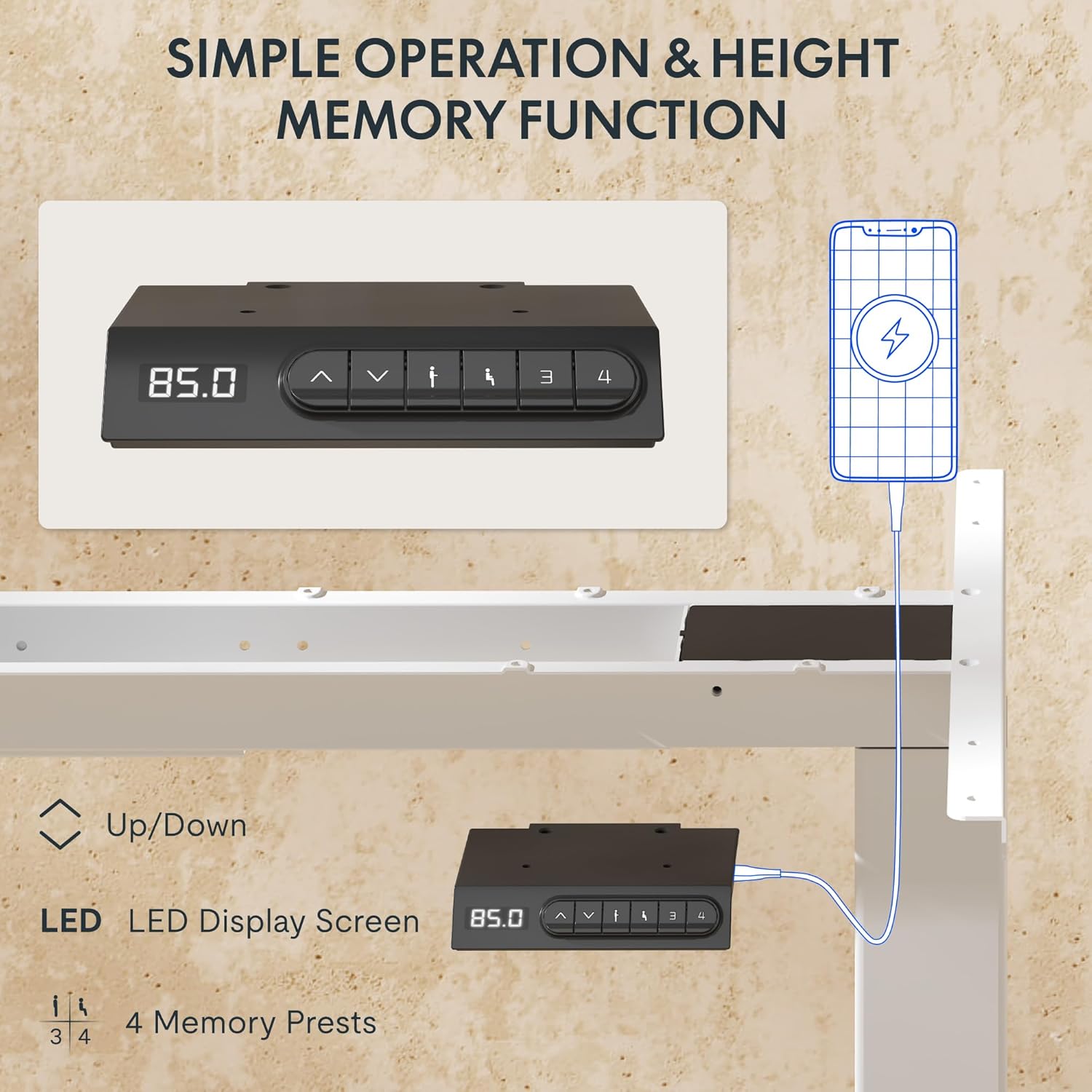
- LED Display: Shows the current height of the desk in centimeters.
- Up/Down Arrows (▲ / ▼): Press and hold to manually adjust the desk height.
- Memory Presets (1, 2, 3, 4): Store and recall preferred height settings.
- USB-A & USB-C Ports: Integrated charging ports for your devices.
Height Adjustment
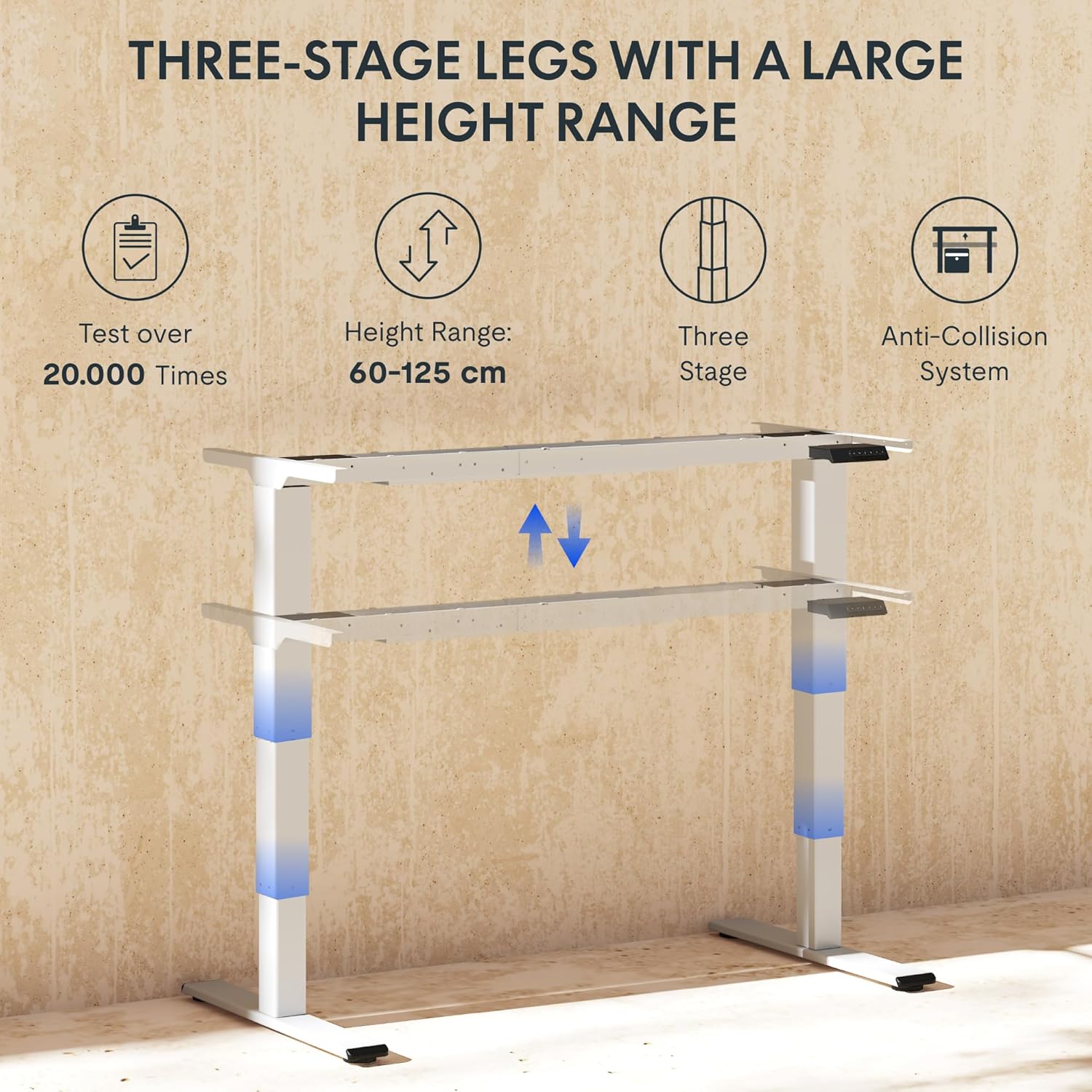
To adjust the desk height, press and hold the ▲ (Up) or ▼ (Down) arrow button until the desk reaches your desired height. The LED display will show the current height in real-time. The desk frame supports a height range of 60 cm to 125 cm.
Memory Presets
The desk allows you to save up to four preferred height settings for quick recall:
- Adjust the desk to your desired height using the Up/Down arrows.
- Press the "M" or "SET" button (if available, otherwise proceed to step 3).
- Press one of the numbered memory preset buttons (1, 2, 3, or 4) within 3 seconds. The LED display will show "S-" followed by the number, indicating the height has been saved.
- To recall a saved height, simply press the corresponding numbered memory preset button. The desk will automatically move to the saved position.
Anti-Collision System
The EC5 Plus is equipped with an intelligent anti-collision system. If the desk encounters an obstacle during height adjustment, it will automatically stop and reverse slightly to prevent damage or injury. This system has adjustable sensitivity levels. Refer to the detailed manual for instructions on adjusting sensitivity.
USB Charging Ports
The control panel includes integrated USB-A and USB-C charging ports. Simply connect your smartphone, tablet, or other compatible devices to these ports for convenient charging directly from your desk.
Maintenance
Regular maintenance ensures the longevity and optimal performance of your FLEXISPOT EC5 Plus desk frame.
- Cleaning: Wipe the desk frame with a soft, damp cloth. Avoid using abrasive cleaners or solvents that may damage the finish. Ensure the desk is unplugged before cleaning.
- Inspection: Periodically check all screws and connections to ensure they are tight. Retighten if necessary.
- Cable Management: Ensure cables are not pinched or tangled, which could affect desk operation or cause damage.
- Lubrication: The lifting columns are designed to be maintenance-free and do not require lubrication.
Troubleshooting
If you encounter any issues with your desk frame, refer to the table below for common problems and solutions.
| Problem | Possible Cause | Solution |
|---|---|---|
| Desk does not move. | Power cable disconnected; control box not connected; motor cables loose. | Check all power and motor connections. Ensure the power outlet is functional. |
| Desk moves unevenly or makes unusual noise. | Overload; loose connections; obstruction. | Reduce weight on the desk. Check all screws and connections. Ensure no obstructions are present. Perform a reset (refer to manual for specific reset procedure). |
| Anti-collision system triggers too often or not at all. | Sensitivity setting incorrect. | Adjust the anti-collision sensitivity via the control panel (refer to manual for specific steps). |
| LED display shows an error code. | Specific malfunction. | Refer to the full user manual for a list of error codes and their corresponding solutions. If the issue persists, contact customer support. |
Specifications
Detailed technical specifications for the FLEXISPOT EC5 Plus Desk Frame:
| Feature | Detail |
|---|---|
| Brand | FLEXISPOT |
| Model Number | EC5W-PL-IE |
| Color | White |
| Product Dimensions (L x W x H) | 80 x 180 x 125 cm (frame dimensions, adaptable to tabletop) |
| Item Weight | 22.6 Kilograms |
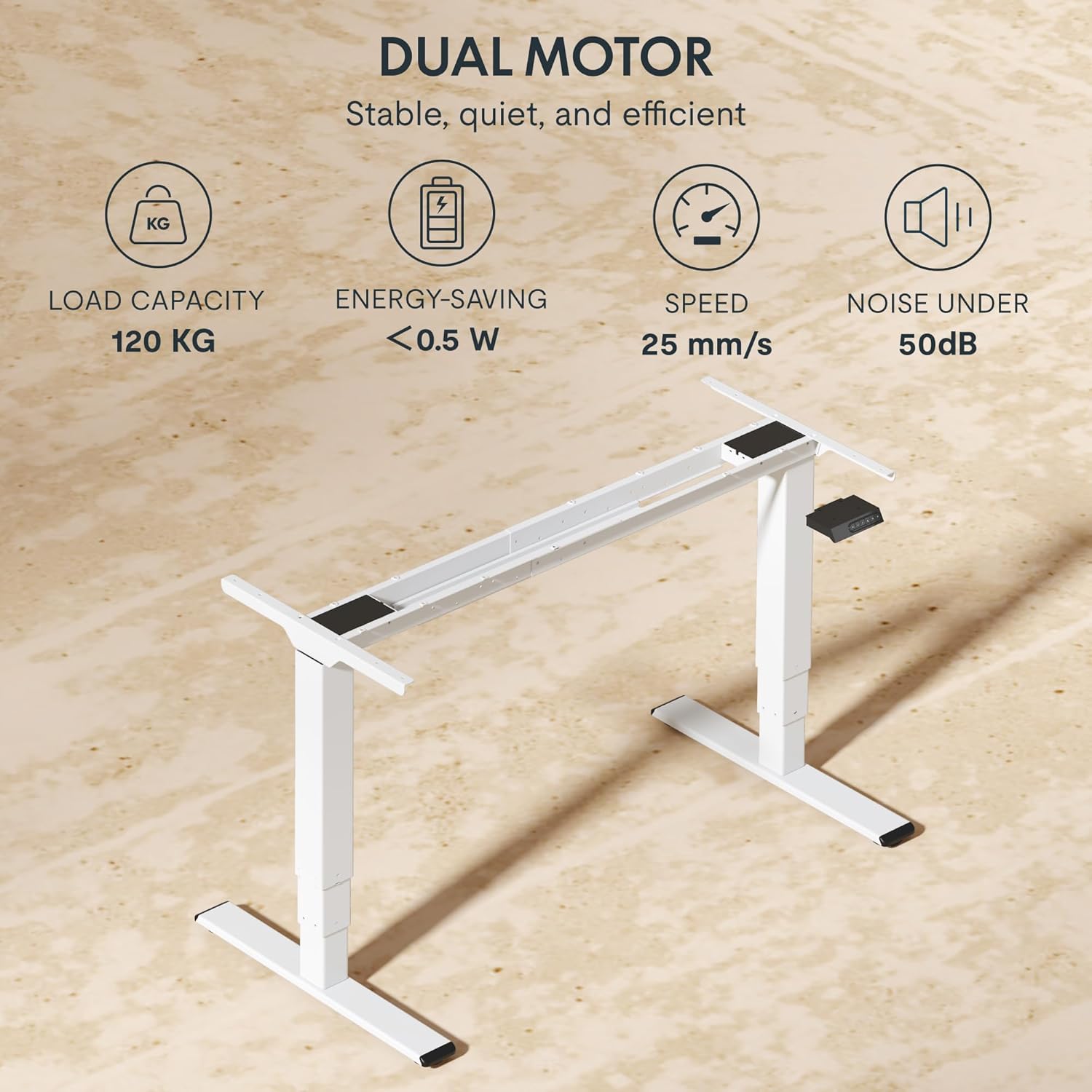
| Load Capacity | 120 kg (265 lbs) |
| Motor Type | Dual Motor System |
| Height Adjustment Range | 60 cm - 125 cm (23.6 inches - 49.2 inches) |
| Lift Speed | 25 mm/s |
| Noise Level | Under 50 dB |
| Leg Stages | Three-stage telescopic legs |
| Control Panel | LED display, 4 memory presets, Up/Down buttons |
| Charging Ports | Integrated USB-A and USB-C ports |
| Special Features | Ergonomic design, Anti-Collision System, Energy-saving (<0.5W standby) |
| Compatible Tabletop Sizes | Length: 120-180 cm; Width: 60-80 cm |
| Base Material | Metal |
Warranty and Support
FLEXISPOT stands behind the quality of its products. Your EC5 Plus Desk Frame comes with the following warranty:
- Frame Warranty: 5 years
- Motor Warranty: 3 years
This warranty covers defects in materials and workmanship under normal use. For warranty claims or technical assistance, please contact FLEXISPOT customer support. Lifetime free technical support is provided.
For the most up-to-date contact information, please visit the official FLEXISPOT website or refer to your purchase documentation.
Website: www.flexispot.com


