
1. Introduction
This manual provides detailed instructions for the BIEGEDY B29 10-inch Android 14 Tablet. Please read this manual thoroughly before using your device to ensure proper operation and to maximize its lifespan. Keep this manual for future reference.
The BIEGEDY B29 tablet features an Android 14 operating system, an Octa-Core processor, 22GB RAM, 128GB internal storage with 1TB expansion capability, a 10.1-inch HD IPS touchscreen, 8000mAh battery, 5G+2.4G WiFi, Bluetooth 5.0, GPS, Widevine L1 support, Face Unlock, and Split Screen functionality.

Image 1.1: Overview of the BIEGEDY B29 tablet highlighting its metal body, 10.1-inch display, Widevine L1, dual-band Wi-Fi, Bluetooth 5.0, T606 Octa-Core processor, memory, battery, facial recognition, and camera specifications.
2. Package Contents
Verify that all items are present in the package:
- BIEGEDY B29 10-Inch Android 14 Tablet
- Power Adapter
- USB-C Cable
- User Manual (this document)
- Screen Protector (pre-applied or included separately)
- Protective Case
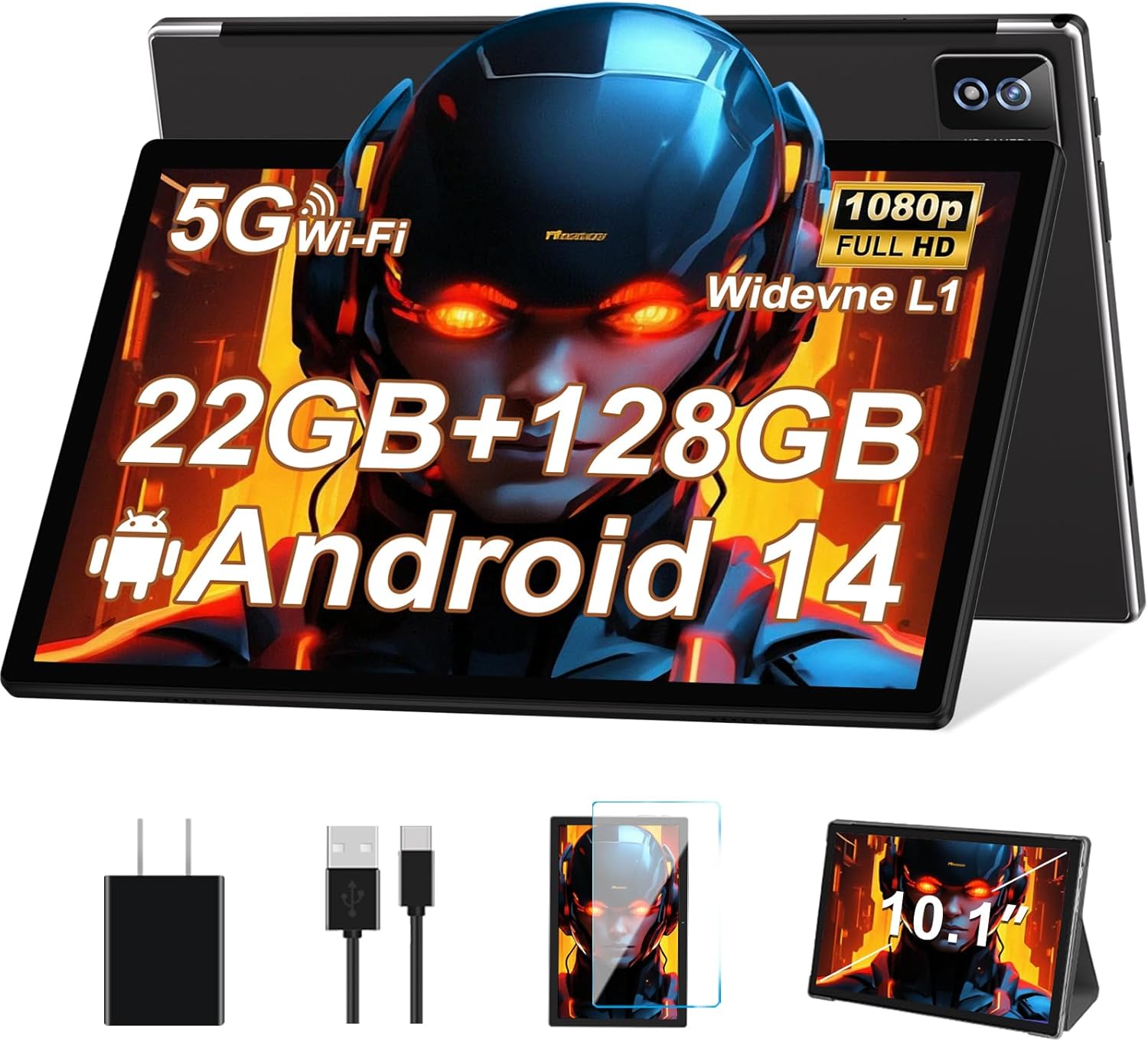
Image 2.1: The BIEGEDY B29 tablet shown with its included accessories: power adapter, USB-C cable, and a protective case/screen protector.
3. Initial Setup
3.1 Charging the Tablet
Before first use, fully charge the tablet. Connect the USB-C cable to the tablet's charging port and the other end to the power adapter. Plug the power adapter into a wall outlet.
- The charging indicator will illuminate.
- A full charge typically takes approximately 3-4 hours.

Image 3.1: The BIEGEDY B29 tablet connected to a charger, illustrating its 8000mAh battery capacity and Type-C charging port.
3.2 Powering On/Off
- To Power On: Press and hold the Power button until the screen lights up.
- To Power Off: Press and hold the Power button until the power options appear, then select "Power off".
- To Restart: Press and hold the Power button until the power options appear, then select "Restart".
3.3 Initial Configuration
Upon first power-on, the tablet will guide you through the initial setup process:
- Select your language.
- Connect to a Wi-Fi network.
- Sign in with your Google account or create a new one.
- Set up screen lock (PIN, pattern, password, or Face Unlock).
- Review and accept terms and conditions.

Image 3.2: The Android 14 operating system interface and details of the T606 Octa-Core processor, which powers the tablet's performance.
4. Operating Instructions
4.1 Basic Navigation
- Home Screen: Swipe left or right to navigate between home screens.
- App Drawer: Swipe up from the bottom of the screen to access all installed applications.
- Notifications & Quick Settings: Swipe down from the top of the screen to view notifications and access quick settings toggles.
- Back, Home, Recent Apps: Use the navigation buttons at the bottom of the screen (or gestures, if enabled) to go back, return to the home screen, or view recent applications.
4.2 Wi-Fi and Bluetooth Connectivity
The tablet supports 2.4G and 5G Wi-Fi, and Bluetooth 5.0 for stable connections.
- Wi-Fi: Go to Settings > Network & internet > Wi-Fi. Turn Wi-Fi on and select your desired network. Enter the password if prompted.
- Bluetooth: Go to Settings > Connected devices > Bluetooth. Turn Bluetooth on and pair with compatible devices.

Image 4.1: The BIEGEDY B29 tablet demonstrating its 2.4G+5G Wi-Fi and Bluetooth 5.0 capabilities, alongside Widevine L1 support for high-definition streaming on platforms like Netflix and Prime Video.
4.3 Installing Applications
Applications can be downloaded and installed from the Google Play Store.
- Open the Play Store app.
- Search for the desired application.
- Tap Install and follow the on-screen prompts.

Image 4.2: The BIEGEDY B29 tablet's 10.1-inch IPS display with 1280x800 resolution, highlighting its eye protection features and ample memory (128GB ROM, 22GB RAM, 1TB expansion).
4.4 Using the Cameras
The tablet is equipped with a 5MP front camera and an 8MP rear camera.
- Open the Camera app.
- Tap the shutter button to take a photo.
- Switch between front and rear cameras using the camera toggle icon.
- Select video mode to record videos.

Image 4.3: The BIEGEDY B29 tablet showcasing its 5MP front camera for video calls and an 8MP rear camera for capturing photos and videos.
4.5 Split Screen Functionality
The tablet supports split-screen mode for multitasking:
- Open the first app you want to use.
- Tap the Recent Apps button (square icon) to view open applications.
- Tap the app icon at the top of the first app's card, then select Split screen.
- Choose the second app from the recent apps list or the app drawer.
5. Maintenance
5.1 Battery Care
- Avoid exposing the tablet to extreme temperatures.
- Do not leave the tablet fully discharged for extended periods.
- Use only the provided charger or a certified compatible charger.
5.2 Cleaning the Tablet
- Use a soft, lint-free cloth to clean the screen and body.
- For stubborn smudges, lightly dampen the cloth with water or a screen cleaner.
- Avoid using harsh chemicals or abrasive materials.
6. Troubleshooting
6.1 Tablet Not Turning On
- Ensure the tablet is sufficiently charged. Connect it to the charger for at least 30 minutes.
- Press and hold the Power button for 10-15 seconds to force a restart.
6.2 Slow Performance
- Close unnecessary background applications.
- Clear cache for frequently used apps (Settings > Apps > [App Name] > Storage & cache > Clear cache).
- Ensure sufficient storage space is available. Delete unused files or apps.
- Restart the tablet.
6.3 Wi-Fi/Bluetooth Connectivity Issues
- Toggle Wi-Fi/Bluetooth off and on in Quick Settings.
- Restart your router (for Wi-Fi issues).
- Forget the network/device and reconnect.
- Ensure the tablet is within range of the Wi-Fi router or Bluetooth device.
6.4 Screen Not Responding
- Force restart the tablet by holding the Power button for 10-15 seconds.
- Ensure the screen is clean and free of debris.
7. Specifications
| Feature | Detail |
|---|---|
| Model Name | B29 |
| Operating System | Android 14 |
| Processor | Octa-Core, 2.0 GHz (Unisoc T606) |
| RAM | 22GB (6GB Physical + 16GB Virtual) |
| Internal Storage | 128GB |
| Expandable Storage | Up to 1TB via microSD/TF card |
| Display Size | 10.1 Inches |
| Display Resolution | 1280 x 800 Pixels (HD IPS) |
| Battery Capacity | 8000mAh |
| Front Camera | 5 Megapixels |
| Rear Camera | 8 Megapixels |
| Wi-Fi | 5G + 2.4G Dual-band |
| Bluetooth | Bluetooth 5.0 |
| Other Features | GPS, Widevine L1, Face Unlock, Split Screen |
| Color | Black |
| Dimensions | 33.6 x 18.4 x 4.2 cm (Parcel Dimensions) |
| Weight | 1.09 kg (Parcel Weight) |
8. Warranty and Support
BIEGEDY provides a 2-year warranty for the B29 tablet. Additionally, lifetime technical support is available for all customers.
If you encounter any issues or require assistance, please contact BIEGEDY customer support. Refer to the product packaging or the official BIEGEDY website for contact information.