
PETULTRA DU4LB-VY-W
PETULTRA Automatic Cat Feeder with Camera
Model: DU4LB-VY-W
Your comprehensive guide to setup, operation, and maintenance.
Introduction
The PETULTRA Automatic Cat Feeder with Camera is designed to simplify pet feeding and provide peace of mind for pet owners. This smart feeder allows you to manage your pet's meal schedule from anywhere using a dedicated mobile application, ensuring consistent feeding routines. Equipped with a high-definition camera and two-way audio, you can monitor and interact with your pet remotely. Its thoughtful design prioritizes food freshness and ease of cleaning, making it an essential tool for modern pet care.
Key Features
- Convenient APP Control Feeding: WiFi-enabled (2.4GHz only) for remote programming and monitoring of meals. Customize 1-10 meals/day with 1-20 portions per meal.
- High Definition Camera: Remotely monitor your pet with a wide-angle HD camera. Features motion detection alerts, real-time video recording, and snapshot functions.
- Two-way Audio and Personalized Meal Call: Built-in microphone and speaker for real-time communication. Record a 10-second voice clip to call your pet for meals.
- Freshness Preservation: Includes a desiccant pouch and a closed pet food outlet to keep kibble dry and fresh.
- Dual Power Supply: Operates with a 5V DC adapter and 3 D-cell batteries (not included) as backup, ensuring continuous feeding even during power outages.
Setup Guide
1. Unboxing and Component Overview
Carefully remove all components from the packaging. Ensure you have the main feeder unit, food container, lid, food bowl, desiccant bag, and power adapter.

The main unit of the PETULTRA Automatic Cat Feeder, shown alongside a smartphone displaying its camera feed.
2. Power Connection
Connect the 5V DC power adapter to the feeder and plug it into a wall outlet. For backup power, insert 3 D-cell batteries (not included) into the battery compartment at the bottom of the unit. This ensures your pet is fed even if the main power is interrupted.

The feeder connected to a power source, illustrating its dual power capability.
3. App Download and Setup
Download the 'PetTech' app from Google Play or the App Store. You can scan the QR code provided in the manual or on the product packaging for direct access. Sign up or log in to your account.

Scan this QR code to download the 'PetTech' app.
4. Device Pairing
In the app, select 'Add Device' and choose 'Pet Feeder With Camera (Wi-Fi)'. Ensure the feeder's blue indicator light is flashing rapidly or a prompt tone is heard. Enter your 2.4GHz Wi-Fi network password (5GHz networks are not supported). The app will then prompt you to scan a QR code with the feeder's camera. Hold your phone's screen 15-20 cm (4-6 inches) away from the feeder's camera until you hear a sound, indicating successful pairing.

Follow the in-app instructions to add your device, selecting 'Pet Feeder With Camera (Wi-Fi)'.

Enter your 2.4GHz Wi-Fi network details in the app.

Present the QR code on your phone screen to the feeder's camera for pairing.

Confirmation of successful device addition to the app.
Operating Instructions
1. Filling the Food Container
Open the lid and pour dry pet food into the 4L transparent container. Ensure the food is suitable for the feeder (kibble size 2-10mm). Close the lid securely to maintain freshness.

The transparent tank allows for easy monitoring of food levels.
2. Scheduling Meals via App
Within the 'PetTech' app, navigate to the 'Meal Plan' section. You can set up to 10 meals per day, with each meal dispensing 1 to 20 portions. Customize the feeding times and days of the week according to your pet's needs. The app also provides a 'Feed Record' to track past feedings.

The app interface for setting up remote feeding schedules.
3. Manual Feeding
For immediate feeding, use the 'Quick Feed' option in the app or press the 'FEED' button on the feeder's control panel. This will dispense a single portion of food into the bowl.
4. Using the Camera and Two-Way Audio
Access the live camera feed through the app to monitor your pet. The motion detection feature will send alerts to your phone for unusual activity. Use the two-way audio function to speak to your pet or play a pre-recorded 10-second voice message to call them for meals.
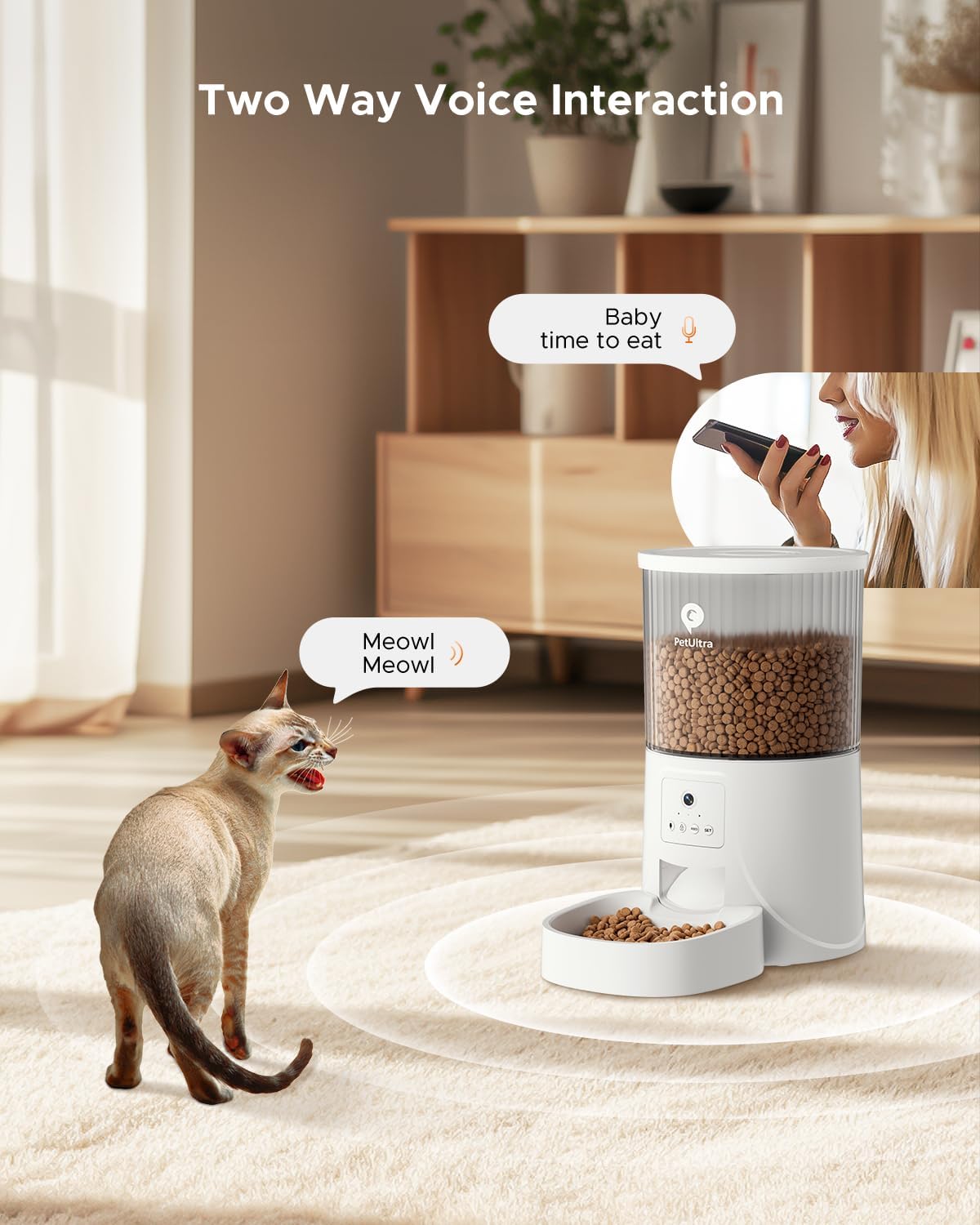
Two-way voice interaction feature allows communication with your pet.
Maintenance and Cleaning
Regular cleaning is essential for hygiene and proper functioning. The food container, lid, and food bowl are detachable for easy cleaning. Hand wash these components with mild soap and water, then dry thoroughly before reassembling. Do not wash the main electronic unit.

Detachable components of the feeder for thorough cleaning.
Desiccant Bag Replacement
The desiccant bag helps keep the food fresh and dry. Replace it periodically (e.g., every 1-2 months) to ensure optimal food preservation.

The desiccant bag helps maintain food freshness.
Troubleshooting
Feeder Not Dispensing Food
- Check if the food container is empty.
- Ensure the feeder is properly powered (AC adapter or D-cell batteries).
- Verify that the food outlet is not clogged by large kibble or debris.
- Confirm the feeding schedule is correctly set in the app.
App Connectivity Issues
- Ensure your Wi-Fi network is 2.4GHz. 5GHz networks are not supported.
- Check your Wi-Fi signal strength near the feeder.
- Restart your Wi-Fi router and the feeder.
- Re-pair the device with the app if necessary.
Poor Camera Quality or No Video
- Ensure adequate lighting in the room.
- Check your internet connection speed.
- Clean the camera lens gently with a soft cloth.
Specifications
| Feature | Detail |
|---|---|
| Brand | PETULTRA |
| Model Name | cat feeder |
| Item Model Number | DU4LB-VY-W |
| Color | White |
| Capacity | 4L |
| Material | Acrylonitrile Butadiene Styrene |
| Item Weight | 3.5 Pounds |
| Product Dimensions | 7.2 x 7.2 x 14 inches |
| Connectivity | 2.4GHz WiFi (not for 5G) |
| Power Supply | 5V DC adapter + 3 D-cell batteries (NOT INCLUDED) |
| Special Features | Timer, Removable, Camera, Feeding Schedule, Smart App |
| Care Instructions | Hand Wash Only (detachable parts) |
Warranty and Support
Warranty Information
The PETULTRA Automatic Cat Feeder comes with a 1-year warranty from the date of purchase. This warranty covers manufacturing defects and malfunctions under normal use. Please retain your proof of purchase for warranty claims.
Customer Support
For any questions, technical assistance, or warranty inquiries, please contact PETULTRA customer support. Refer to the contact information provided in your product packaging or visit the official PETULTRA website for the most up-to-date support details.
Ask a question about this manual
Ask about setup, troubleshooting, compatibility, parts, safety, or missing instructions. Manuals+ will review the question and use this page’s manual context to help answer it.