
1. Product Overview
The DOOGEE Fire 6 Power is a robust and high-performance rugged smartphone designed for durability and extended use. It features a massive 15500mAh battery with 33W fast charging, a powerful Unisoc T606 octa-core processor, and runs on Android 14. Equipped with a 50MP AI main camera and a bright 120LM top-mounted flashlight, it is built to withstand challenging environments while providing excellent functionality.
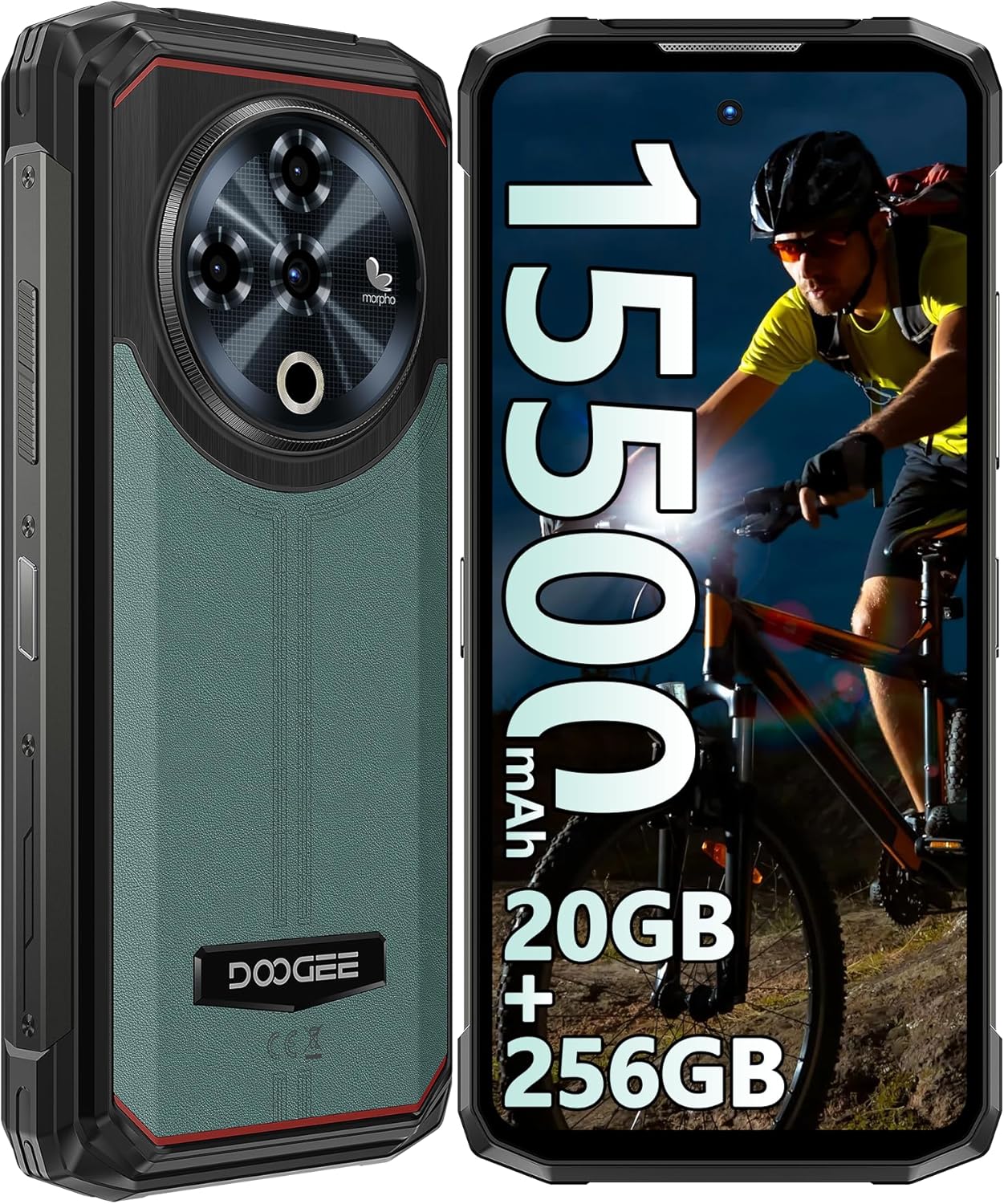
Figure 1: Front and rear view of the DOOGEE Fire 6 Power Rugged Phone, highlighting its robust design and large display.
This device is IP68/IP69K certified for water and dust resistance and meets MIL-STD-810H standards for shockproof durability, making it an ideal companion for outdoor adventures and demanding work conditions.
2. Getting Started
2.1 Package Contents
Please ensure all items are present in your package:
- DOOGEE Fire 6 Power Smartphone
- Power Adapter (33W)
- USB-C Cable
- SIM Ejector Tool
- User Manual (this document)
- Warranty Card
2.2 SIM Card and TF Card Installation
The DOOGEE Fire 6 Power supports a triple SIM card slot configuration, allowing for two Nano SIM cards and one TF (microSD) card simultaneously.
- Locate the SIM card tray on the side of the phone.
- Insert the SIM ejector tool into the small hole next to the tray and push gently until the tray pops out.
- Carefully pull out the SIM card tray.
- Place your Nano SIM cards and/or TF card into the designated slots on the tray, ensuring correct orientation as indicated on the tray.
- Gently push the tray back into the phone until it clicks into place.

Figure 2: Illustration of the triple card slot for two SIM cards and one TF card.
2.3 Initial Charging and Power On
Your device comes with a large 15500mAh battery. For optimal performance, fully charge the phone before first use.
- Connect the USB-C cable to the phone's charging port.
- Connect the other end of the cable to the 33W power adapter.
- Plug the power adapter into a wall outlet.
- The charging indicator will appear on the screen.
- Once charged, press and hold the Power button (located on the side) until the DOOGEE logo appears to power on the device.

Figure 3: The phone connected to its 33W fast charger, illustrating its large battery capacity.
The phone also supports 18W OTG reverse charging, allowing it to act as a power bank for other devices (OTG cable not included).

Figure 4: The phone demonstrating its 18W OTG reverse charging feature, capable of powering other devices.
2.4 Security Features: Fingerprint and Face ID
For enhanced security, the DOOGEE Fire 6 Power offers both side-mounted fingerprint recognition and facial recognition.
- To set up Fingerprint ID: Go to Settings > Security & privacy > Device unlock > Fingerprint. Follow the on-screen instructions to register your fingerprint.
- To set up Face ID: Go to Settings > Security & privacy > Device unlock > Face unlock. Follow the on-screen instructions to register your face.

Figure 5: Visual representation of the Face ID and side fingerprint unlock functionalities.
3. Operating Your Device
3.1 Display and User Interface
The phone features a 6.56-inch HD+ IPS Notch-less Punch Display with a 90Hz dynamic refresh rate, providing a smooth and vivid visual experience.

Figure 6: The 6.56-inch HD+ IPS display, showcasing its vibrant colors and smooth 90Hz refresh rate.
The device runs on the Android 14 operating system, offering an intuitive interface, enhanced privacy controls, and optimized performance.

Figure 7: A visual representation of the Android 14 system, highlighting its modern interface and features.
3.2 Camera Features
Capture stunning photos and videos with the versatile camera system:
- 50MP AI Main Camera: For high-resolution photos with AI scene recognition.
- 8MP Front Camera: For clear selfies and video calls.
- 2MP Macro Camera: For detailed close-up shots of small objects.

Figure 8: Overview of the phone's camera system, including the 50MP main, 8MP front, and 2MP macro lenses.
The camera app includes features like audio note, beauty mode, watermark, filter options, composition lines, smile shutter, and AI scene recognition to enhance your photography experience.
Video 1: A demonstration of the DOOGEE Fire 6 Power's features, including camera capabilities and rugged design.
3.3 Top Position Dual Lamp Flashlight
The phone is equipped with a powerful 120LM top-mounted dual lamp flashlight, providing strong illumination for various situations. It can be controlled via a customized key and an APP function.
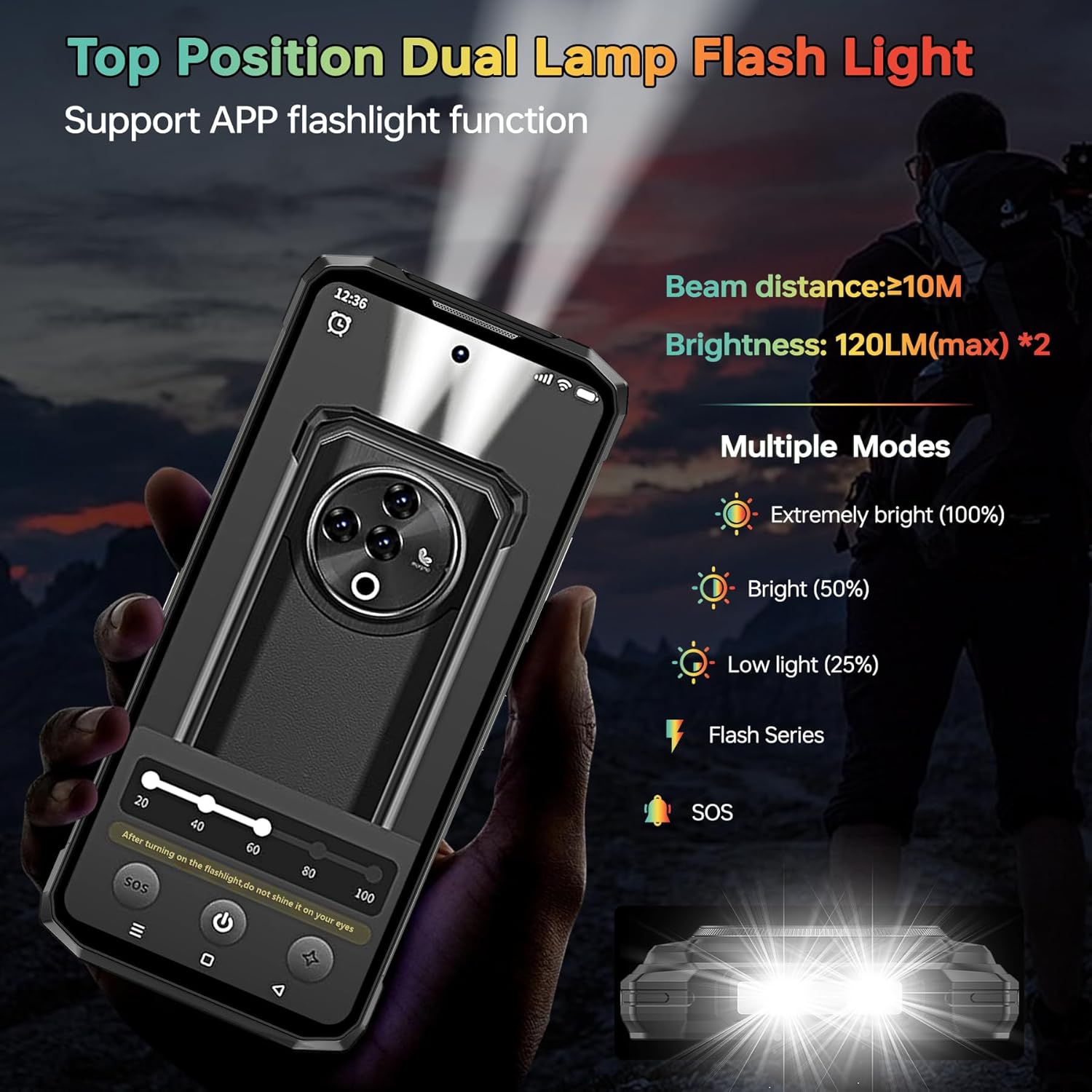
Figure 9: The powerful top-mounted dual lamp flashlight in action, illustrating its various modes and brightness levels.
3.4 Performance and Storage
Powered by the Unisoc T606 octa-core 12nm processor, the Fire 6 Power delivers smooth performance for multitasking and gaming. It comes with 20GB RAM (8GB physical + 12GB virtual) and 256GB internal storage, expandable up to 1TB with a TF card.

Figure 10: The Unisoc T606 octa-core processor, highlighting its 12nm technology and performance benefits.

Figure 11: Visual representation of the 20GB RAM and 256GB ROM, with an emphasis on 1TB TF card expandability.
3.5 Connectivity
The device supports various connectivity options:
- 4G Network: Supports a wide range of FDD and TDD bands for reliable cellular connectivity.
- NFC & Google Pay: For convenient contactless payments and data transfer.
- GPS/GLONASS/Beidou/Galileo: Provides accurate geographic location information for navigation.
- Bluetooth 5.0: For wireless connection to accessories.
- Wi-Fi: Supports 2.4G and 5G Wi-Fi networks.
Figure 12: An illustration of the phone's comprehensive connectivity features, including Wi-Fi, Bluetooth, 4G, and the triple card slot.
4. Durability and Maintenance
The DOOGEE Fire 6 Power is built to be highly durable, with certifications for water, dust, and shock resistance.
- IP68 Waterproof: Can withstand immersion in 1.5 meters of water for up to 30 minutes.
- IP69K Dustproof: Fully protected against dust ingress.
- MIL-STD-810H: Military-grade standard for shockproof durability, enduring multiple drop tests from various angles.
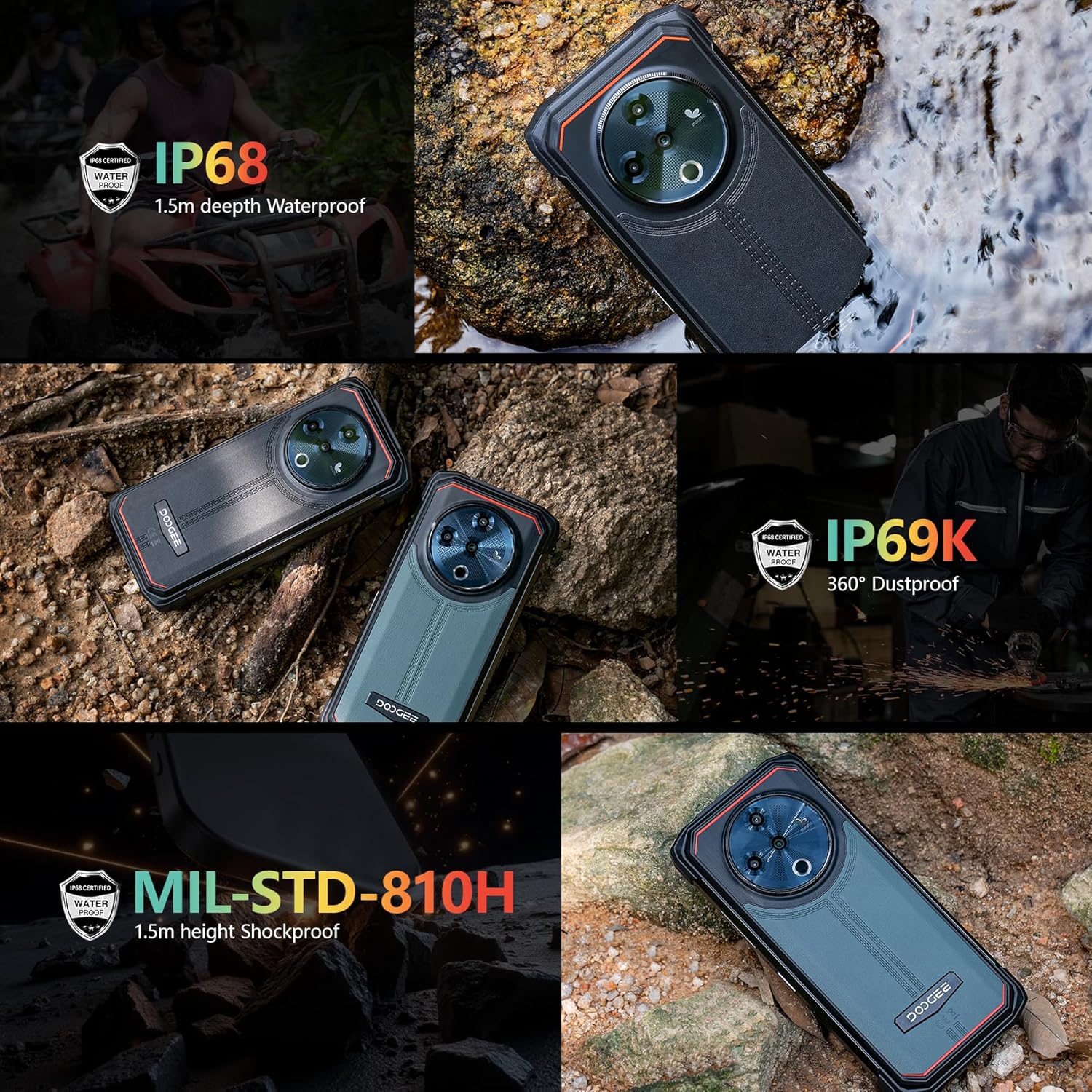
Figure 13: The phone demonstrating its IP68 waterproof, IP69K dustproof, and MIL-STD-810H shockproof capabilities in various environments.
To maintain the phone's ruggedness, ensure all port covers are securely closed before exposing the device to water or dust. Avoid intentional drops or extreme impacts beyond the certified limits.
5. Troubleshooting
5.1 Common Issues and Solutions
| Issue | Possible Cause | Solution |
|---|---|---|
| Phone not turning on | Low battery, software crash | Charge the phone for at least 30 minutes. Press and hold the Power button for 10-15 seconds to force restart. |
| Poor network signal | Out of coverage, incorrect SIM installation, incompatible frequency band | Move to an area with better coverage. Reinstall SIM card. Verify network compatibility with your local carrier (refer to specifications). |
| Apps crashing/slow performance | Too many apps running, low storage, software bug | Close background apps. Clear app cache. Free up storage space. Restart the phone. Update apps and system software. |
| Charging slowly or not at all | Faulty cable/adapter, dirty charging port | Use the original 33W charger and cable. Clean the charging port gently. Ensure port cover is fully open during charging. |
5.2 Network Compatibility
Before purchasing or if experiencing network issues, please verify that your local carrier's frequency bands are supported by the DOOGEE Fire 6 Power. The supported bands are:
- GSM: B2/3/5/8
- WCDMA: B1/2/4/5/8
- TDD: B34/38/39/40/41
- FDD: 1/2/3/4/5/7/8/18/19/20/25/26/28AB/66
6. Technical Specifications
| Feature | Specification |
|---|---|
| Brand | DOOGEE |
| Model Number | Fire 6 Power |
| Operating System | Android 14 |
| Display Size | 6.56 Inches |
| Display Resolution | 720 x 1612 |
| RAM Memory Installed Size | 20 GB (8GB physical + 12GB virtual) |
| Memory Storage Capacity | 256 GB (Expandable up to 1TB with TF card) |
| Battery Power Rating | 15500 mAh |
| Charging Speed | 33W Fast Charging |
| Main Camera | 50MP AI Camera |
| Front Camera | 8MP |
| Macro Camera | 2MP |
| Flashlight Brightness | 120LM (max) |
| Water Resistance | IP68 |
| Dust Resistance | IP69K |
| Shock Resistance | MIL-STD-810H |
| Wireless Carrier | Unlocked |
| Cellular Technology | 4G LTE |
| Connectivity Technologies | LTE, Wi-Fi, Bluetooth 5.0, NFC, GPS/GLONASS/Beidou/Galileo |
| Item Weight | 1.55 pounds |
| Package Dimensions | 7.61 x 4.07 x 2.5 inches |
7. Warranty and Support
For warranty information and technical support, please refer to the warranty card included in your product package or visit the official DOOGEE website. Keep your proof of purchase for any warranty claims.
For further assistance, you may contact DOOGEE customer service through their official channels.


