
Select Sound Dw3292b
User Manual: Select Sound 32" Soundbeam Bluetooth HDMI Soundbar
Model: DW3292B
Brand: Select Sound
1. Introduction
Thank you for purchasing the Select Sound 32" Soundbeam Bluetooth HDMI Soundbar. This manual provides essential information for setting up, operating, and maintaining your new soundbar. Please read it thoroughly before use and keep it for future reference.
Key Features:
- Immersive Sound: This 32" soundbar delivers powerful and immersive sound to enhance your home entertainment experience.
- Elegant Design: Its modern and minimalist white design harmoniously integrates with the decor of any space.
- Versatile Connectivity: Features HDMI and Bluetooth connections for easy integration with your multimedia devices.
- Touch Panel: The intuitive touch panel allows you to control volume, sound modes, and other functions with just a touch.
2. Safety Information
Please observe the following safety precautions to prevent damage to the device or injury to yourself:
- Do not expose the soundbar to rain, moisture, or extreme temperatures.
- Do not block any ventilation openings.
- Do not place the soundbar near heat sources such as radiators, heat registers, stoves, or other apparatus (including amplifiers) that produce heat.
- Only use attachments/accessories specified by the manufacturer.
- Unplug this apparatus during lightning storms or when unused for long periods of time.
- Refer all servicing to qualified service personnel.
3. Product Overview
Familiarize yourself with the components of your Select Soundbar.

Figure 3.1: Front view of the Select Sound 32-inch Soundbeam soundbar in white. This image shows the sleek, minimalist design of the soundbar, with its white finish and speaker grille.
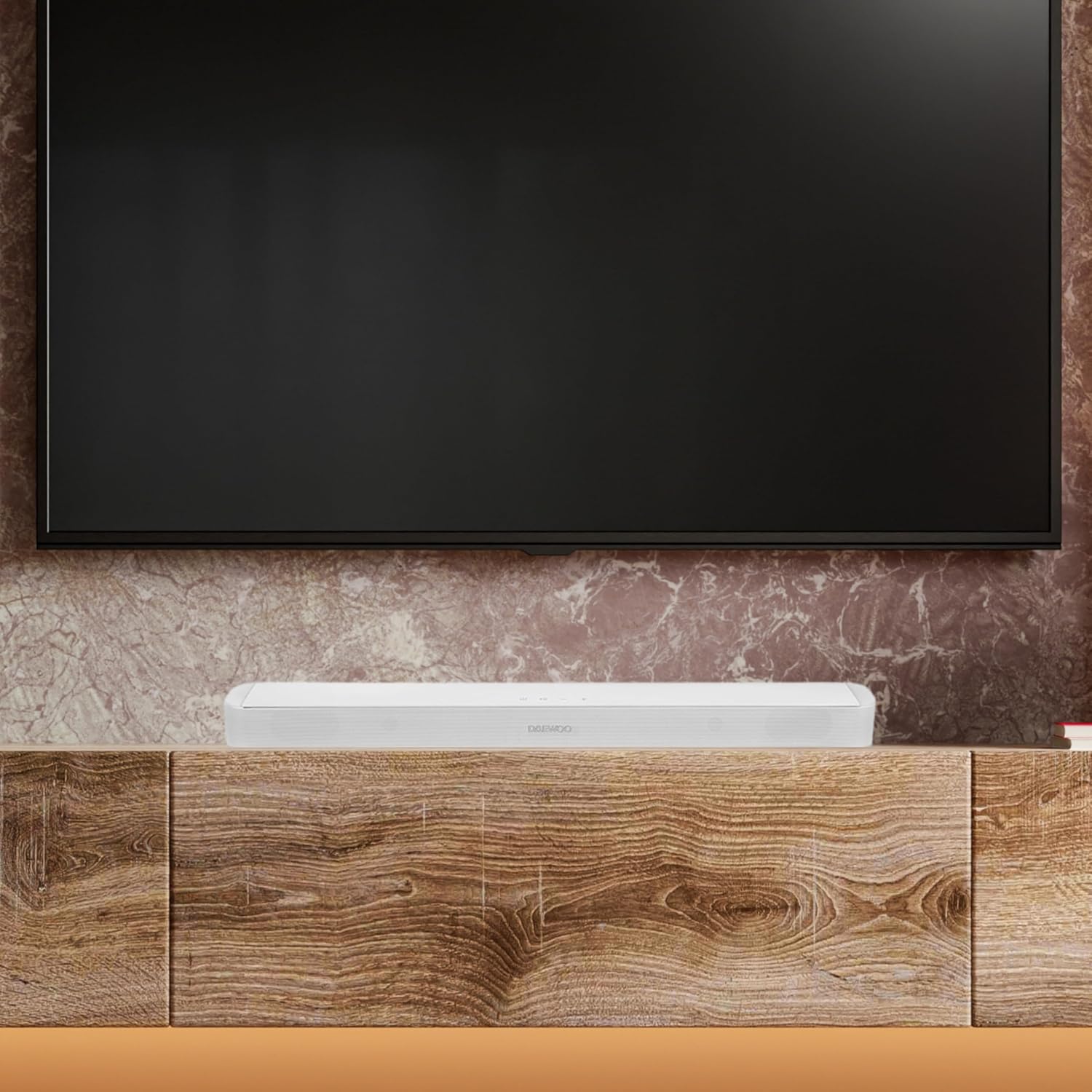
Figure 3.2: The soundbar positioned on a wooden media console, directly beneath a wall-mounted television. This illustrates a typical home setup, highlighting the soundbar's compact size and how it integrates into a living space.

Figure 3.3: A detailed view of the touch-sensitive control panel located on the top surface of the soundbar. Visible icons include power, play/pause, volume down, and volume up, indicating the intuitive controls.

Figure 3.4: The back of the soundbar, displaying the various input ports, including HDMI, and the integrated keyhole slots for wall mounting. This image provides a clear view of the connectivity options and installation features.
4. Setup
4.1 Unpacking
Carefully remove the soundbar and all accessories from the packaging. Ensure all components listed in the packing list are present.

Figure 4.1: The retail packaging box for the Select Sound Soundbeam soundbar. The box is white with product branding and an image of the soundbar, indicating its model name and key features like Bluetooth and HDMI.
4.2 Placement
The soundbar is designed for shelf mounting. Place it on a stable, flat surface directly in front of your television for optimal sound dispersion.
4.3 Connections
- HDMI Connection: Connect one end of an HDMI cable (not included) to the HDMI (ARC) port on the soundbar and the other end to the HDMI (ARC) port on your television.
- Bluetooth Connection: For wireless audio, ensure your device's Bluetooth is enabled. The soundbar will appear as "Select Soundbeam" in your device's Bluetooth list.
- Power Connection: Connect the power adapter to the DC IN port on the soundbar and then plug it into a wall outlet.
5. Operating Instructions
5.1 Power On/Off
Press the power icon on the touch panel or the remote control to turn the soundbar on or off.
5.2 Input Selection
Press the input/mode button on the touch panel or remote control to cycle through available input sources: HDMI, Bluetooth.
5.3 Volume Control
Use the '+' and '-' icons on the touch panel or the volume buttons on the remote control to adjust the volume.
5.4 Bluetooth Pairing
When in Bluetooth mode, the soundbar will automatically enter pairing mode. Search for "Select Soundbeam" on your device and connect. Once paired, the soundbar will automatically connect to the last paired device when in Bluetooth mode.
6. Maintenance
6.1 Cleaning
Wipe the soundbar with a soft, dry cloth. Do not use liquid cleaners or aerosol sprays. Ensure the soundbar is unplugged before cleaning.
6.2 Storage
If storing the soundbar for an extended period, unplug it from the power outlet and store it in a cool, dry place, away from direct sunlight and extreme temperatures.
7. Troubleshooting
If you encounter issues with your soundbar, please refer to the following common problems and solutions:
| Problem | Possible Cause | Solution |
|---|---|---|
| No power | Power cable not connected | Ensure the power cable is securely plugged into the soundbar and a working power outlet. |
| No sound | Incorrect input selected | Press the input/mode button to select the correct input source (HDMI, Bluetooth). |
| No sound | Volume too low or muted | Increase the volume using the '+' button or check if the soundbar/TV is muted. |
| Bluetooth pairing issues | Soundbar not in pairing mode or device too far | Ensure the soundbar is in Bluetooth mode. Move your device closer to the soundbar. Try unpairing and re-pairing. |
| Remote control not working | Batteries depleted or obstruction | Replace batteries. Ensure no obstruction between remote and soundbar. |
8. Specifications
| Feature | Specification |
|---|---|
| Model Name | DW3292B |
| Mounting Type | Shelf Mount |
| Material | Plastic |
| Speaker Type | Soundbar |
| Special Features | Bluetooth, HDMI, Touch Panel |
| Recommended Uses | Home Entertainment |
| Compatible Devices | Bluetooth Devices, Television |
| Controller Type | Touch Panel |
| Surround Sound Channel Configuration | 2.0 |
| Color | White |
| Included Components | Soundbar |
| Product Dimensions | 12D x 89W x 10H centimeters |
| Product Weight | 1.7 Kilograms |
| Max Speaker Output Power | 30 Watts |
| Frequency Response | 10 GHz |
| Connectivity Technology | Bluetooth, HDMI |
| Audio Output Mode | Stereo |
| Power Source | Corded Electric |
9. Warranty and Support
This product comes with a Limited Warranty. For specific warranty terms and conditions, please refer to the documentation included with your purchase or contact Select Sound customer support.
For technical support or service inquiries, please visit the official Select Sound website or contact their customer service department. Contact information can typically be found on the brand's official website or on your product packaging.
Ask a question about this manual
Ask about setup, troubleshooting, compatibility, parts, safety, or missing instructions. Manuals+ will review the question and use this page’s manual context to help answer it.