Introduction
This manual provides detailed instructions for the assembly, operation, and maintenance of your BLOKEES Transformers Classic Class 12 Megatron action figure. Please read all instructions carefully before beginning assembly to ensure proper construction and safe use of the product.
Official product overview video for BLOKEES Transformers Classic Class figures. This video showcases the figures in action and highlights key features.
Safety Information
- Recommended Age: This product is recommended for ages 12 years and up.
- Small Parts: Contains small parts. Not suitable for children under 3 years due to choking hazard.
- Battery Safety: The product includes a nonstandard battery for light-up features. Ensure batteries are inserted correctly and dispose of them responsibly. Do not mix old and new batteries or different types of batteries.
- Assembly: Adult supervision is recommended during assembly, especially for younger users.
- Handling: Handle the assembled figure with care to prevent damage to articulated joints or small components.
Package Contents
Verify that all components are present before beginning assembly:
- Megatron Figure Components (multiple runners)
- Character-specific Weapons
- Interchangeable Hands
- Display Stand
- 1 Nonstandard Battery (pre-installed or included for light-up features)
- Instruction Manual

Image showing the various components of the BLOKEES Transformers Megatron model kit, including plastic runners for parts, weapons, and the display base, as typically found in the package.
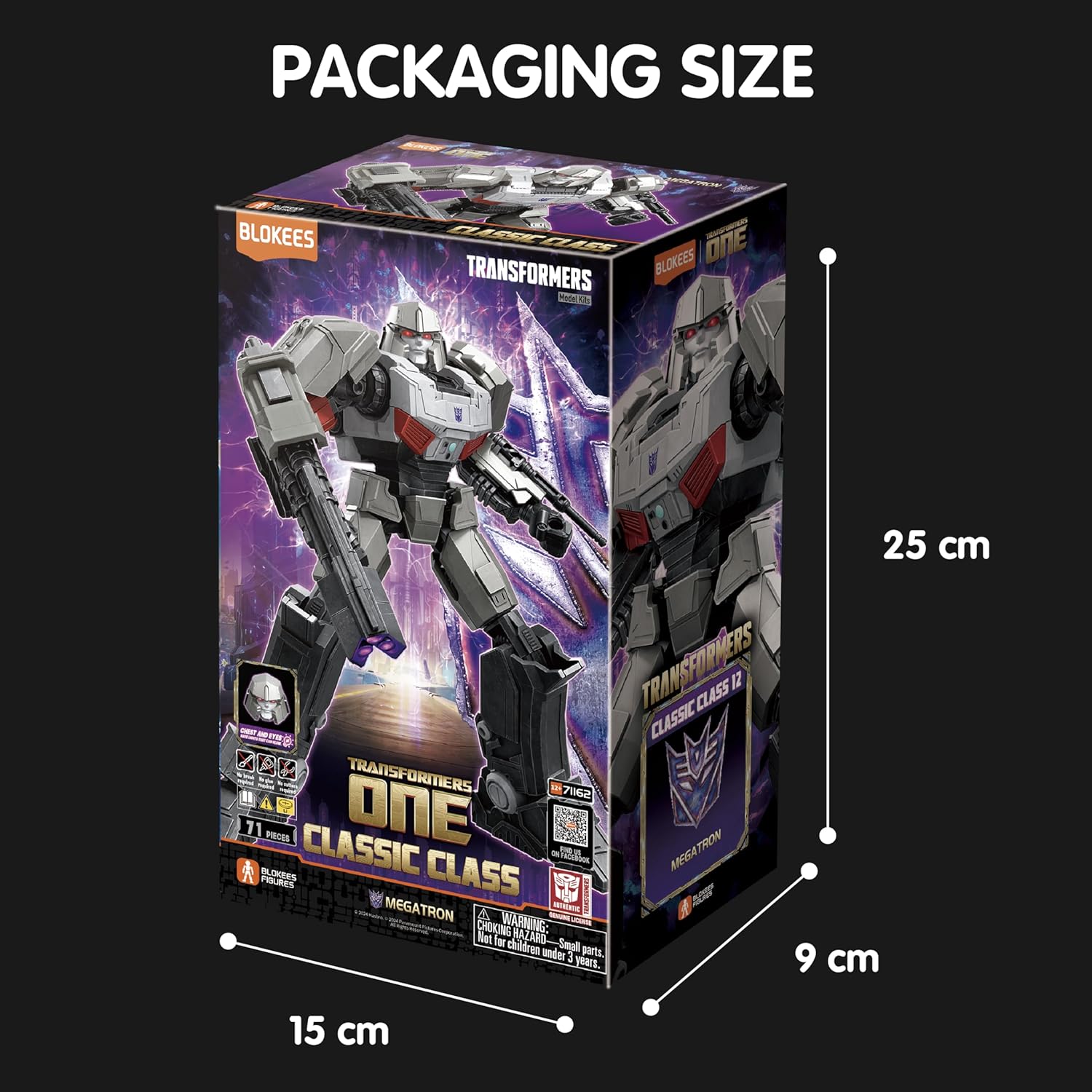
Product packaging displaying the Megatron figure and its dimensions: 25 cm (height), 15 cm (width), 9 cm (depth).
Assembly Instructions
The BLOKEES Megatron figure features a tool-free, snap-together design. No glue or paint is required. Follow the step-by-step diagrams provided in the included instruction booklet for detailed assembly. Ensure each piece is securely connected.
- Preparation: Carefully detach all parts from the plastic runners. Use a hobby knife or clippers if necessary for clean removal, though the design is intended for tool-free separation.
- Body Assembly: Begin by assembling the core body, torso, and head sections as indicated in the diagrams.
- Limb Assembly: Attach the arms and legs, ensuring all joints are correctly aligned for full articulation.
- Light-Up Features: The figure includes built-in LED effects for the eyes and chest. Ensure the battery is correctly installed (if not pre-installed) and the connections are secure.
- Weapon and Hand Attachment: Attach the character-specific weapons and interchangeable hands as desired.
- Display Stand: Assemble the display stand and attach the completed figure for premium presentation.

Detailed view of the assembled Megatron figure, highlighting its fully posable body and glowing eyes and chest features.
Operating Instructions
- Articulation: The Megatron figure features over 20 points of articulation, allowing for dynamic action stances. Carefully move joints to achieve desired poses. Avoid excessive force to prevent breakage.
- Light-Up Features: Activate the LED effects in Megatron's eyes and chest using the designated switch (refer to the assembly booklet for exact location).
- Weaponry: The included character-specific weapons can be securely held by the figure's interchangeable hands.
- Display: Utilize the provided display stand to showcase your Megatron figure in various poses.
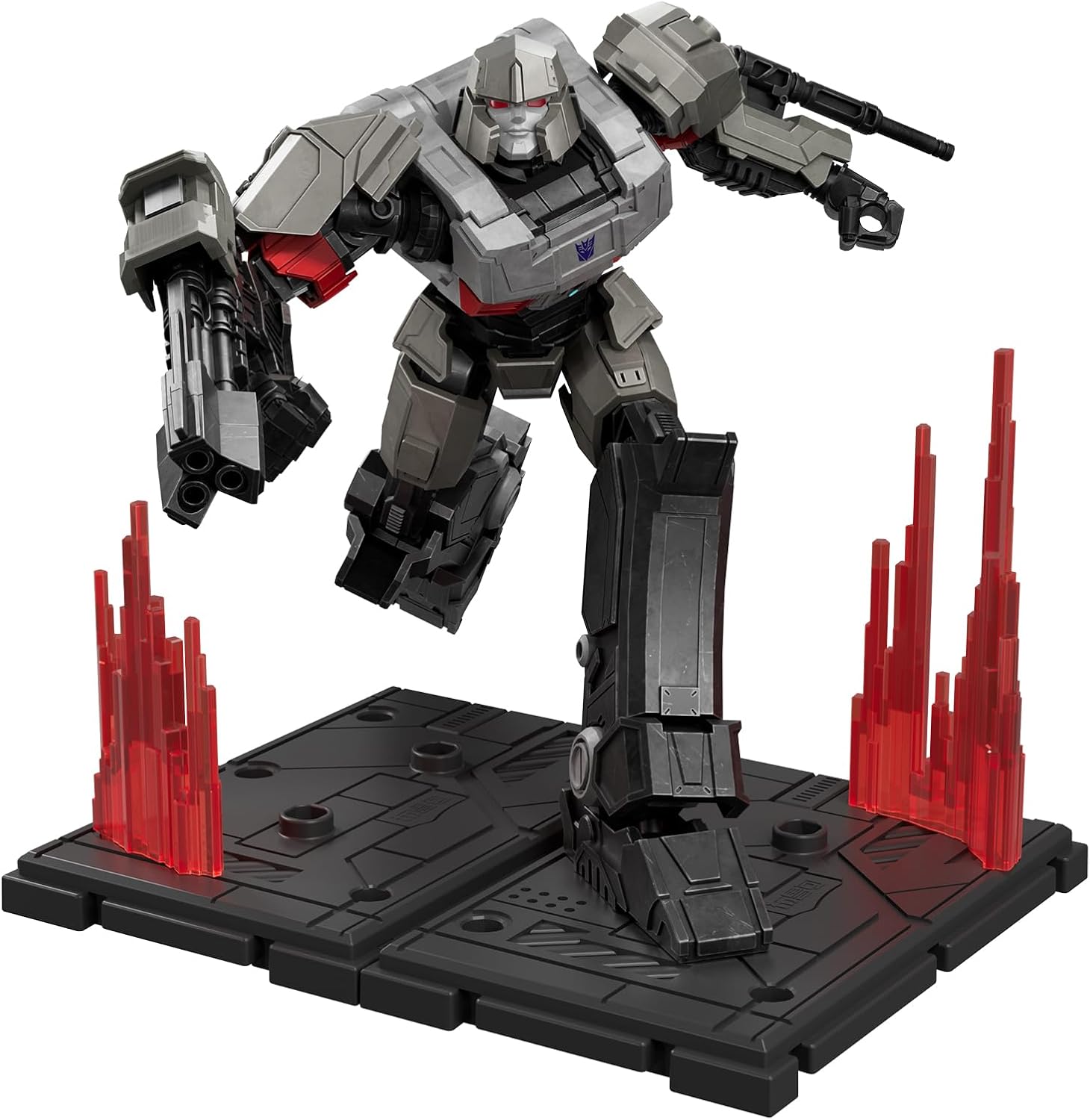
The Megatron figure displayed in an action pose on its included stand, demonstrating its articulation and display capabilities.

Front view of the Megatron figure holding its two distinct weapons, showcasing its detailed design and weapon compatibility.
Maintenance
- Cleaning: Wipe the figure gently with a soft, dry cloth to remove dust. Avoid using harsh chemicals or abrasive materials, which may damage the paint or plastic.
- Storage: Store the figure away from direct sunlight, extreme temperatures, and high humidity to prevent material degradation or discoloration.
- Joint Care: If joints become stiff, gently work them back and forth. Do not apply lubricants unless specifically recommended by the manufacturer.
Troubleshooting
| Problem | Possible Cause | Solution |
|---|---|---|
| Light-up features not working. | Battery incorrectly installed or depleted. | Check battery orientation. Replace with a new nonstandard battery if necessary. Ensure the power switch is in the "ON" position. |
| Parts do not fit together. | Incorrect part orientation or excess plastic on connection points. | Refer to the instruction diagrams to verify correct part orientation. Carefully trim any excess plastic from connection points if obstructing fit. |
| Joints are too loose or too tight. | Normal variation in plastic molding or assembly. | For loose joints, a small amount of clear nail polish or a thin layer of super glue (applied carefully and allowed to dry completely) can add friction. For tight joints, gently work them back and forth. |
Specifications
- Model Number: CC12
- Product Dimensions: 4 x 3 x 6 inches (approximately)
- Item Weight: 6.4 ounces
- Manufacturer Recommended Age: 12 years and up
- Batteries: 1 Nonstandard Battery (included)
- Articulation: 20+ points
- Assembly: Tool-free snap-together design
Warranty and Support
For warranty information or technical support, please refer to the contact details provided on the product packaging or visit the official BLOKEES website. Keep your purchase receipt for warranty claims.


