
Introduction
The BLACK+DECKER G720X 115mm Angle Grinder is designed for cutting, grinding, and cleaning various materials, including metal and masonry. This model features an 820W motor for efficient performance, an ergonomic design for comfortable handling, and enhanced durability features such as an optimized ventilation system and overload protection.
Key features include:
- 820W Motor: Provides superior performance for cutting and grinding tasks.
- Ergonomic Design: Improved grip for comfortable use and reduced fatigue during extended operation.
- Extended Durability: Optimized ventilation system protects the motor from overheating.
- Safety Features: Includes overload protection for increased reliability.
- Versatile Use: Suitable for cutting and grinding metal, masonry, and other professional applications.
Safety Instructions
Always follow basic safety precautions to reduce the risk of fire, electric shock, and personal injury when using power tools.
General Power Tool Safety
- Work Area Safety: Keep the work area clean and well-lit. Cluttered or dark areas invite accidents. Do not operate power tools in explosive atmospheres, such as in the presence of flammable liquids, gases, or dust.
- Electrical Safety: Power tool plugs must match the outlet. Never modify the plug. Avoid body contact with earthed or grounded surfaces. Do not expose power tools to rain or wet conditions.
- Personal Safety: Always wear eye protection. Use hearing protection when operating for extended periods. Wear a dust mask if operations create dust. Dress properly; avoid loose clothing or jewelry.
- Tool Use and Care: Do not force the power tool. Use the correct power tool for your application. Disconnect the plug from the power source before making any adjustments, changing accessories, or storing power tools.
Angle Grinder Specific Safety
- Guard Use: Always use the guard provided with the tool. Ensure it is securely attached and positioned for maximum safety.
- Accessory Selection: Use only accessories that are specifically designed for your angle grinder and rated for the tool's speed.
- Inspect Accessories: Before each use, inspect grinding wheels for cracks, chips, or damage. Do not use damaged accessories.
- Kickback Prevention: Maintain a firm grip on the tool. Be aware of potential kickback, especially when cutting or grinding edges.
- Secure Workpiece: Always clamp or secure the workpiece to prevent movement during operation.
Product Components
Familiarize yourself with the main components of your BLACK+DECKER G720X Angle Grinder:

Image Description: A diagram of the BLACK+DECKER G720X Angle Grinder highlighting its key components. Labels point to the Spindle Lock, the 3-Position Side Handle, and the Sealed Dust-Proof Switch.
- Spindle Lock: Used to lock the spindle for easy accessory changes.
- 3-Position Side Handle: Provides ergonomic grip and control, adjustable for left or right-handed use.
- Sealed Dust-Proof Switch: Protects internal components from dust ingress, extending tool life.
- Gear Housing: Metal construction for enhanced durability.
- Guard: Adjustable for protection during operation.
Setup
Before operating the angle grinder, ensure it is properly set up and all accessories are securely attached.
Attaching the Side Handle
- The side handle can be screwed into one of the three threaded holes on the gear housing.
- Choose the position that offers the best control and comfort for your task.
- Tighten the handle firmly by hand.
Attaching the Guard
- Loosen the guard clamping screw.
- Position the guard so that it covers the maximum possible area of the grinding wheel, protecting you from sparks and debris.
- Tighten the clamping screw securely.
Installing/Changing Grinding Wheels
- Ensure the tool is unplugged from the power source.
- Press and hold the spindle lock button.
- Using the provided wrench, loosen and remove the outer flange nut.
- Place the desired grinding or cutting wheel onto the spindle, ensuring it sits flush against the inner flange.
- Replace the outer flange nut and tighten it firmly with the wrench while holding the spindle lock button.
- Release the spindle lock button.
Operating Instructions
Always wear appropriate personal protective equipment (PPE), including safety glasses, hearing protection, and gloves, before operating the angle grinder.
Starting and Stopping the Tool
- To Start: Plug the tool into a suitable power outlet. Slide the ON/OFF switch forward to the 'ON' position.
- To Stop: Slide the ON/OFF switch backward to the 'OFF' position.
Grinding and Cutting Techniques
The G720X is ideal for cutting, grinding, and cleaning metal materials.

Image Description: A person wearing protective gloves is using the BLACK+DECKER G720X Angle Grinder to cut metal rebar, producing sparks. This illustrates the tool's capability for cutting metal materials.
- Grinding: Hold the tool firmly with both hands. Position the grinding wheel at a slight angle (15-30 degrees) to the workpiece. Apply moderate pressure and move the tool smoothly across the surface.
- Cutting: Use a thin cutting disc. Hold the tool firmly and position the disc perpendicular to the workpiece. Allow the disc to reach full speed before making contact. Apply light, consistent pressure, letting the tool do the work. Avoid twisting or binding the disc.
- Cleaning/Wire Brushing: Attach a wire brush accessory. Hold the tool firmly and apply light pressure to remove rust, paint, or other surface contaminants.

Image Description: A close-up view of the BLACK+DECKER G720X Angle Grinder, highlighting its metal gear housing, which contributes to its enhanced durability.

Image Description: A person wearing protective gloves is holding the BLACK+DECKER G720X Angle Grinder, demonstrating the ergonomic 3-position side handle that allows for comfortable and controlled operation.
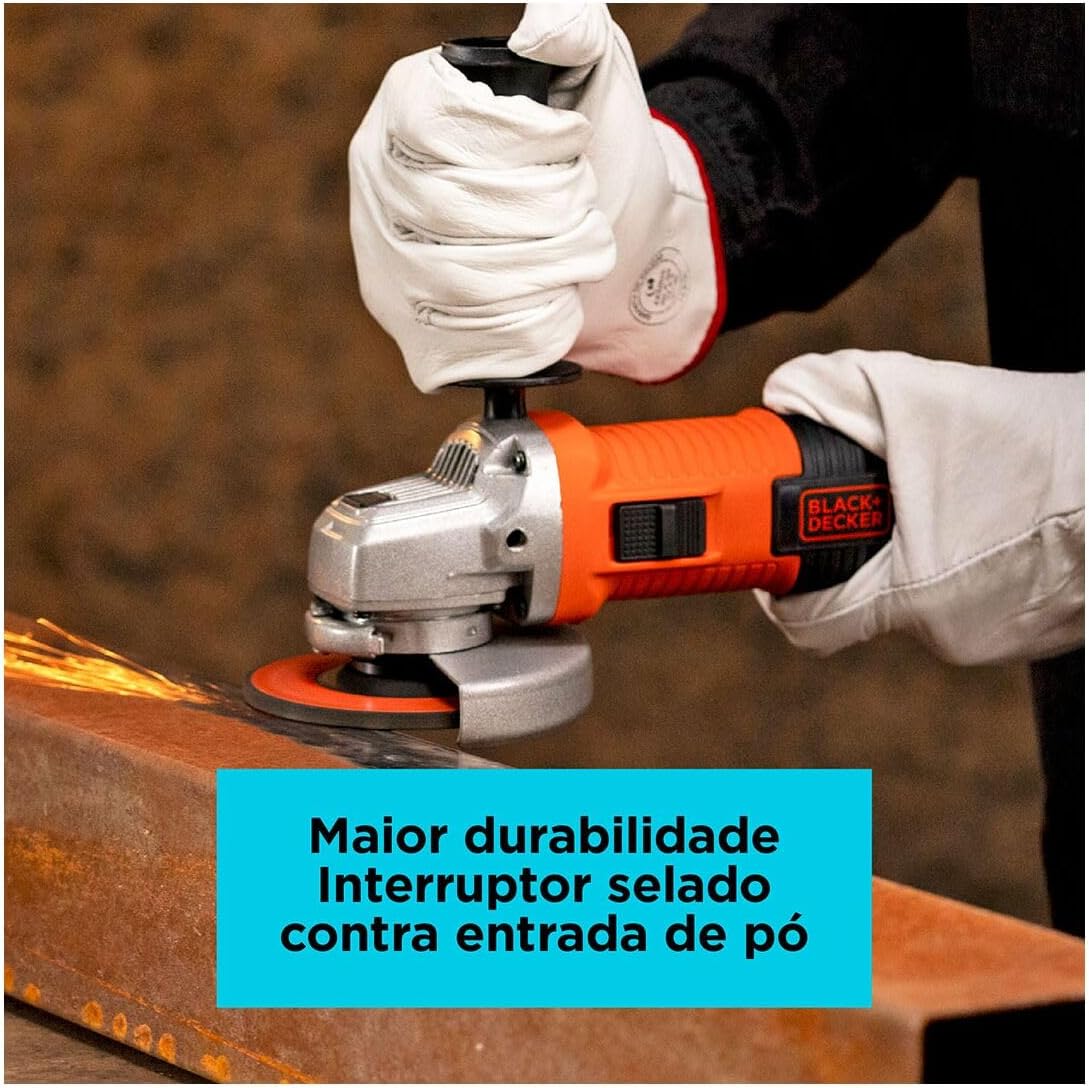
Image Description: A close-up view of the BLACK+DECKER G720X Angle Grinder's sealed dust-proof switch, a feature designed to prevent dust entry and enhance the tool's durability.
Maintenance
Regular maintenance ensures the longevity and safe operation of your angle grinder. Always disconnect the tool from the power source before performing any maintenance.
Cleaning
- Keep the ventilation slots clean to prevent motor overheating. Use a soft brush or compressed air to clear dust and debris.
- Wipe the tool's exterior with a damp cloth. Do not use harsh chemicals or abrasive cleaners.
Accessory Inspection
- Regularly inspect grinding and cutting wheels for wear, cracks, or damage. Replace worn or damaged accessories immediately.
- Ensure the guard is clean and free from obstructions, and that it can be adjusted and secured properly.
Carbon Brushes (if applicable)
- The motor is equipped with carbon brushes. If the tool experiences reduced power or intermittent operation, the brushes may need inspection or replacement. This should ideally be performed by a qualified service technician.
Troubleshooting
Refer to the following table for common issues and their solutions.
| Problem | Possible Cause | Solution |
|---|---|---|
| Tool does not start | No power supply; Faulty switch; Worn carbon brushes | Check power connection; Ensure switch is fully engaged; Have brushes inspected/replaced by service center. |
| Tool overheats | Blocked ventilation slots; Overloading the tool | Clean ventilation slots; Reduce pressure on the tool; Allow tool to cool down. |
| Excessive vibration | Damaged or unbalanced grinding wheel; Loose components | Replace damaged wheel; Check and tighten all fasteners. |
| Reduced performance | Worn grinding wheel; Worn carbon brushes | Replace with a new, sharp wheel; Have brushes inspected/replaced by service center. |
Specifications
Technical specifications for the BLACK+DECKER G720X Angle Grinder:
| Feature | Specification |
|---|---|
| Brand | Black+Decker |
| Model Number | G720X-BR |
| Power Input | 820W |
| Voltage | 110V |
| Disc Diameter | 115mm (4.5 inches) |
| Power Source | Corded Electric |
| Product Dimensions (L x W x H) | 32 cm x 13 cm x 12 cm |
| Item Weight | 2.02 kg |

Image Description: An image illustrating the dimensions of the BLACK+DECKER G720X Angle Grinder, showing its length (32cm), width (13cm), and height (12cm).
Warranty and Support
BLACK+DECKER products are manufactured to high-quality standards and are guaranteed against manufacturing defects. Please retain your proof of purchase for warranty claims.
- Standard Warranty: Refer to the warranty card included with your product for specific terms and duration.
- Extended Warranty: Extended warranty options may be available for purchase, offering additional coverage against failures and defects. For example, 12-month or 24-month extended warranties.
- Customer Support: For technical assistance, service, or warranty inquiries, please contact BLACK+DECKER customer service or visit their official website.
For more information, visit the official Black+Decker Store.


