
1. Important Safety Information
Read and understand all instructions before operating the Hikiddo Spider 24V Kids ATV. Failure to follow these safety guidelines may result in serious injury or property damage. This product is designed for children aged 3-6 years old, with a maximum weight capacity of 66 lbs (30 kg).
- Adult Supervision Required: Always supervise children when they are operating the ATV.
- Protective Gear: Ensure the child wears a safety helmet, knee pads, and elbow pads at all times.
- Safe Riding Environment: Operate the ATV only on flat, dry surfaces away from public roads, traffic, steep inclines, swimming pools, or other water bodies. Avoid riding on loose dirt, sand, or gravel where traction may be compromised.
- Weight and Age Limits: Do not exceed the maximum weight capacity of 66 lbs (30 kg). The ATV is suitable for children aged 3 to 6 years.
- Charging Precautions: Only use the provided charger. Do not overcharge the battery. Keep the charger and battery away from water and extreme temperatures.
- One Rider Only: This ATV is designed for a single rider to ensure stability and safety.
2. Product Overview
The Hikiddo Spider 24V Kids ATV is an electric ride-on vehicle featuring a robust design and engaging features for young riders.

A child enjoying the Hikiddo Spider 24V Kids ATV.
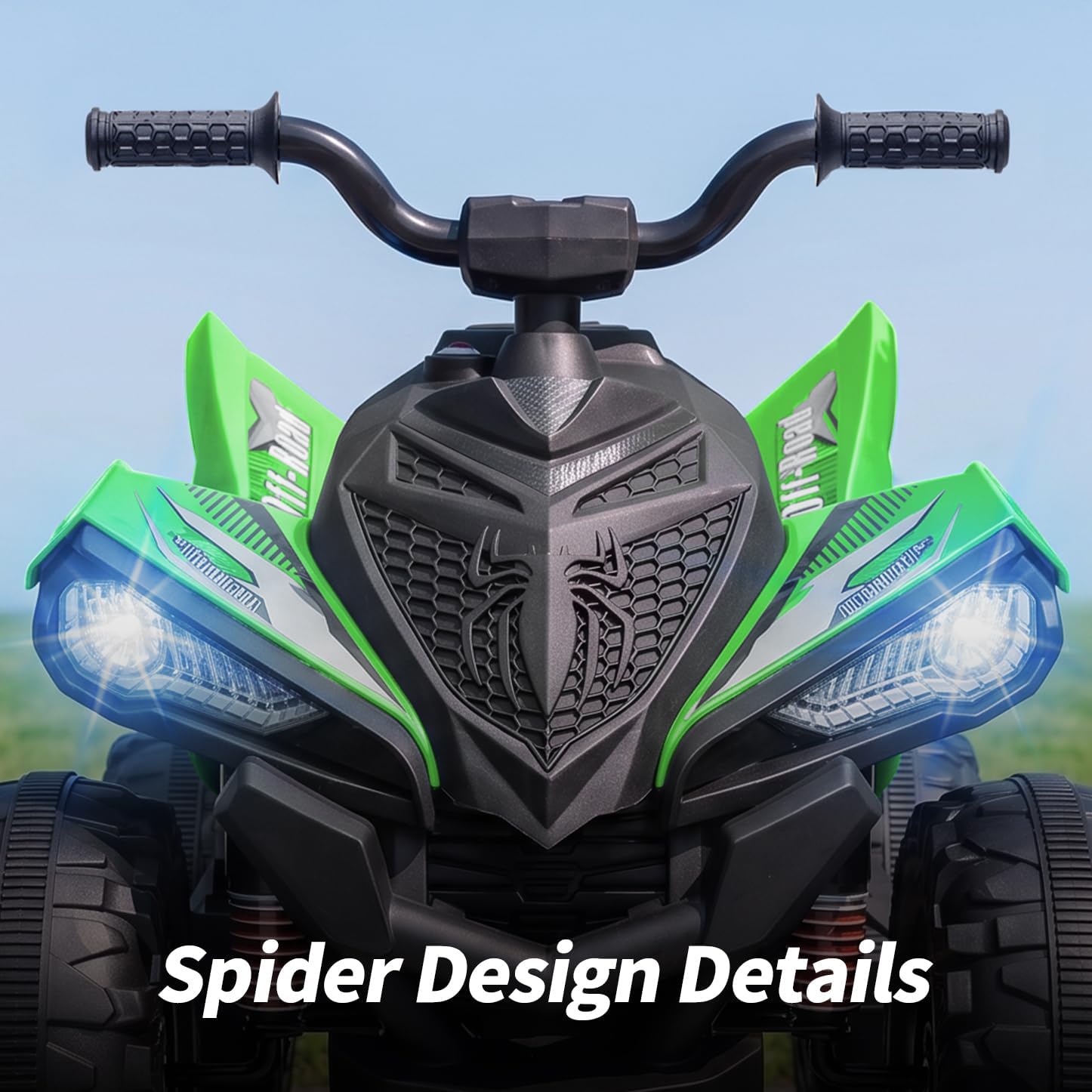
Detailed view of the ATV's spider-inspired front design.

The ATV features cool LED wheels for enhanced visibility and fun.

The 16-inch extended seat provides comfort for longer rides.
3. Setup and Assembly
The Hikiddo Spider 24V Kids ATV requires some assembly before first use. Follow the steps below carefully. It is recommended to watch the official installation video for visual guidance.
3.1 Assembly Video
Official installation video for the Hikiddo Kids 4-wheeler ATV. This video provides step-by-step visual instructions for assembling your new ATV.
3.2 Initial Charging
Before the first use, fully charge the ATV's 24V battery for approximately 8-12 hours. Do not charge for more than 18 hours to prevent battery damage. The charging port is typically located on the side or under the seat. Refer to the included diagram for exact location.
3.3 General Assembly Steps (Summary)
- Attach the handlebars securely.
- Install the wheels, ensuring all fasteners are tightened.
- Connect the battery terminals as instructed.
- Secure any cosmetic parts or covers.
4. Operating Instructions
Familiarize yourself with the controls before allowing a child to operate the ATV.

The control panel with power, speed, direction, and media controls.
- Power On/Off: Use the main power button (usually red) to turn the ATV on or off.
- Speed Settings: Select between high and low-speed modes using the designated switch. The maximum speed is 4 MPH.
- Direction Control: Use the forward/stop/back switch to control the ATV's movement.
- Acceleration: Press the foot pedal (if applicable) or handlebar throttle to accelerate.
- LED Wheels: The LED lights on the wheels activate automatically when the ATV is in motion or can be controlled via a dedicated switch (if present).
- USB and MP3 Connectivity: Connect a USB device or MP3 player to enjoy music during rides. Use the control panel buttons to manage playback.
5. Maintenance
Regular maintenance ensures the longevity and safe operation of your Hikiddo Spider 24V Kids ATV.
- Battery Care:
- Recharge the battery after each use.
- If storing the ATV for an extended period, charge the battery fully once a month.
- Do not store the battery in extreme temperatures.
- Cleaning: Wipe the ATV with a damp cloth. Do not use harsh chemicals or spray water directly onto electrical components.
- General Inspection: Periodically check all nuts, bolts, and fasteners to ensure they are tight. Inspect tires for wear and tear.
- Lubrication: Apply a small amount of lubricant to moving parts as needed, such as the steering mechanism.
6. Troubleshooting
If you encounter issues with your ATV, refer to the common problems and solutions below. If the problem persists, contact customer service.
| Problem | Possible Cause | Solution |
|---|---|---|
| ATV does not move | Battery is low or not connected; Power switch is off; Loose wire connection. | Charge the battery; Ensure power switch is ON; Check all wire connections. |
| ATV runs slowly | Low battery charge; Overloaded; Riding on unsuitable terrain. | Recharge battery; Reduce load; Move to a flatter, smoother surface. |
| LED wheels not lighting up | Loose connection; LED switch off (if applicable). | Check connections to wheels; Ensure LED switch is on. |
7. Specifications
- Model: JC319 24V
- Battery: 24V / 5Ah Rechargeable
- Motors: Dual 200W
- Max Speed: Up to 4 MPH
- Approximate Ride Time: Over 80 minutes (on a full charge)
- Recommended Age: 3-6 Years Old
- Max Weight Capacity: 66 lbs (30 kg)
- Seat Length: 16 inches
- Product Dimensions (L x W x H): 43.7" x 26" x 30.7"
- Item Weight: 35.5 lbs
- Material: Metal, Plastic
8. Warranty and Support
For warranty information, product support, or any questions not covered in this manual, please contact Hikiddo customer service. Our team is ready to assist you with any issues or concerns.
Contact Information: Refer to the contact details provided with your purchase or visit the official Hikiddo website.