
Introduction
Thank you for choosing the Glocusent Classic Clip on Light & 72LED Clip on Light. This manual provides essential information for the safe and efficient operation of your new lighting device. Please read it thoroughly before use and retain it for future reference.
This product line offers versatile clip-on lights designed for various lighting needs, including reading, focusing, and sleeping. Depending on your specific model, features may include adjustable brightness, color temperature, and convenient control options via remote or on-device buttons.
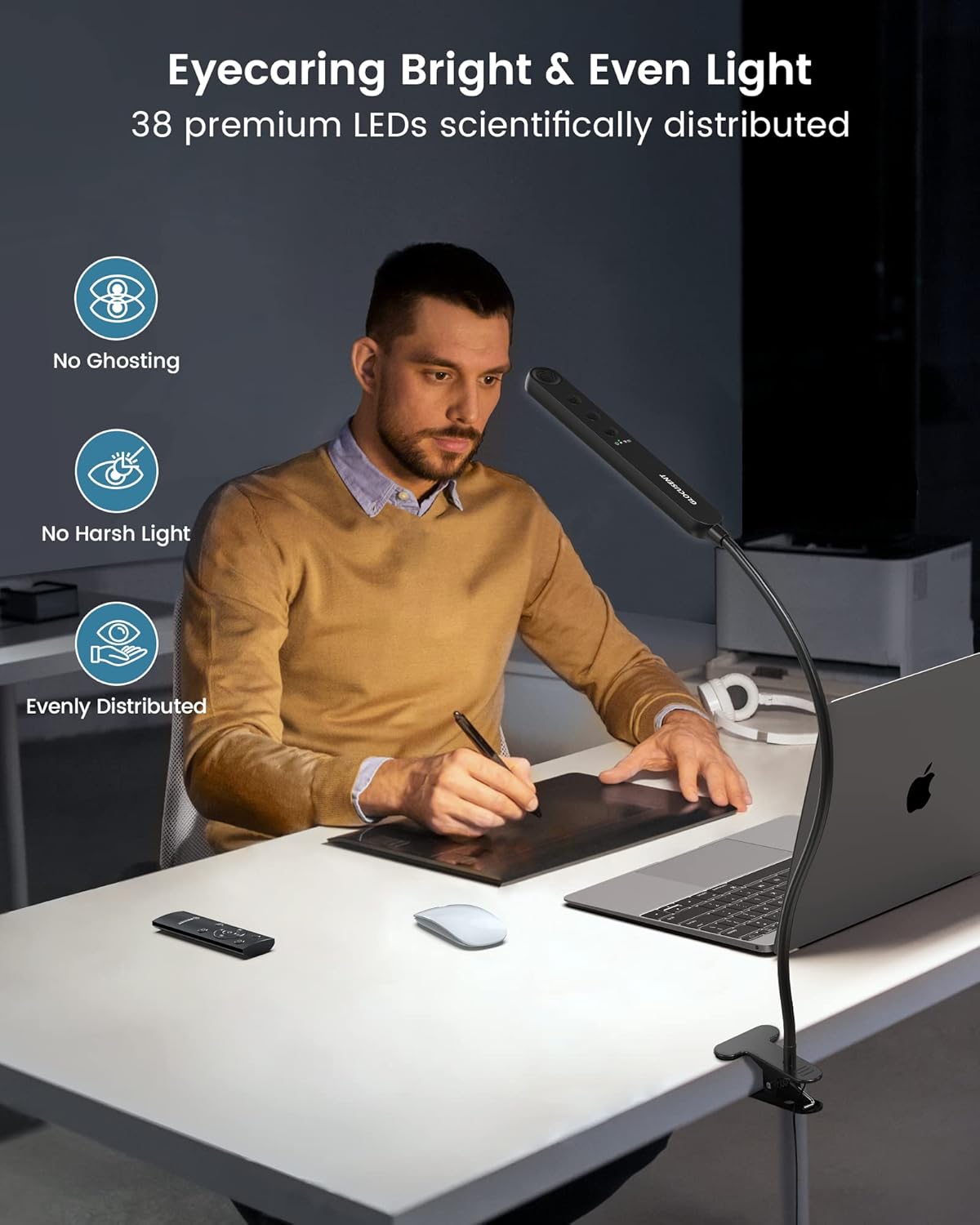
Image: The Glocusent Classic Clip on Light (bar-style) providing even and bright illumination, highlighting its eye-caring features.
Key Features (Classic Clip on Light - 38 LEDs):
- 38 Premium LEDs: Dual-row design for even and bright illumination without flickering or dazzling.
- Eye-Caring Amber Mode (1800K): Protects eyes from strain and fatigue, ideal for bedtime reading.
- Multiple Lighting Modes: Reading (3200K, 20 LM), Focusing (6000K, 220 LM), and Sleeping (1800K, 5 LM).
- 30-Minute Auto-Off Timer: Convenient for timed usage.
- Customizable Lighting: Adjustable color temperatures (1800K-6000K) and brightness levels (5-220 LM).
- Dual Control Options: Remote control and integrated buttons on the light head.
- Sturdy Clamp: Securely attaches to surfaces up to 2.36 inches thick, with soft pads to prevent scratches.
- Flexible Gooseneck: 360° adjustable metal and silicone gooseneck for precise light positioning.
Additional Features (72LED Clip on Light Variant):

Image: Internal components of the 72LED Clip on Light (round-style), detailing the LED arrangement and design for comfortable light.
- 72 Advanced LEDs: For enhanced brightness and comfortable light.
- Multiple Color Temperatures: Typically includes 2700K (eyecaring), 4000K (relaxing), and 6000K (better focusing).
- Adjustable Brightness: Often features 5 distinct brightness levels, in addition to stepless dimming.
Setup Instructions
- Unpack: Carefully remove all components from the packaging.
- Attach the Clamp: The light comes with an integrated sturdy clamp. Identify a suitable surface (desk, headboard, shelf) with a thickness of up to 2.36 inches.
- Secure the Light: Open the clamp and firmly attach it to your chosen surface. Ensure the clamp is stable and the light is securely positioned. The clamp includes soft pads to protect surfaces from scratches.
- Position the Gooseneck: Adjust the flexible 360° gooseneck to direct the light precisely where needed. The gooseneck is designed to hold its position without bouncing back.
- Connect Power: Plug the USB power cable into a compatible USB power adapter (not included) and then into a power outlet.

Image: Illustration of the sturdy clamp and flexible gooseneck, demonstrating its secure attachment and adjustable design.
Operating Instructions (Classic Clip on Light - 38 LEDs)
The Glocusent Classic Clip on Light (38 LEDs) can be operated using either the remote control or the buttons located on the light head.
Using the Light Head Buttons:

Image: Detailed view of the light head buttons and remote control, indicating their respective functions.
- Power On/Off: Press the power button (usually indicated by a circle with a vertical line) to turn the light on or off.
- Mode Selection: Press the mode button (often labeled with a light bulb or 'M') to cycle through the three preset lighting modes:
- Reading Mode: 3200K, 20 LM (Warm white, suitable for reading).
- Focusing Mode: 6000K, 220 LM (Cool white, ideal for concentration).
- Sleeping Mode: 1800K, 5 LM (Amber, for eye protection and relaxation).
- 30-Minute Auto-Off Timer: A dedicated button (often with a clock icon) activates the 30-minute timer. The light will automatically turn off after 30 minutes.
- Brightness Adjustment: Use the brightness dimming buttons (often '+' and '-' or an up/down arrow) to adjust the light intensity from 5 LM to 220 LM. This is a stepless adjustment.
- Color Temperature Adjustment: Use the color temperature buttons (often sun/moon icons or 'C') to adjust the color temperature from 1800K (warm amber) to 6000K (cool white). This is a stepless adjustment.
Using the Remote Control:
The remote control allows for convenient operation from a distance. Ensure the remote is pointed towards the IR receiver on the light head (located on the front edge).
- The remote control features buttons corresponding to the functions on the light head: Power, Mode Selection, Timer, Brightness Up/Down, and Color Temperature Up/Down.
- Refer to the button labels on your remote for specific functions.

Image: Visual representation of the three lighting modes (Reading, Focusing, Sleeping) and the 30-minute timer function for the Classic Clip on Light.

Image: Illustration of the stepless dimming and color temperature adjustment capabilities of the Classic Clip on Light, helping to prevent eye fatigue.
Operating Instructions (72LED Clip on Light Variant)
If you have the 72LED Clip on Light variant, its operation may differ slightly. This model typically features a different set of controls for brightness and color temperature adjustment.

Image: Examples of three adjustable color temperatures (2700K, 4000K, 6000K) for the 72LED Clip on Light variant and their recommended uses.

Image: Demonstration of the 5-level brightness adjustment for the 72LED Clip on Light variant, illustrating the stepless dimmable feature.
Please refer to the specific instructions provided with your 72LED Clip on Light variant for detailed operational guidance, as controls for brightness and color temperature may vary.
Maintenance
- Cleaning: Ensure the light is unplugged before cleaning. Use a soft, dry cloth to wipe the light head, gooseneck, and clamp. Do not use abrasive cleaners or solvents.
- Storage: When not in use for extended periods, store the light in a cool, dry place away from direct sunlight.
- Cable Care: Avoid bending or crimping the power cable excessively. Do not pull the cable to unplug the device; always grasp the plug.
Troubleshooting
| Problem | Possible Cause | Solution |
|---|---|---|
| Light does not turn on. |
|
|
| Remote control is not responding. |
|
|
| Light flickers or dims unexpectedly. |
|
|
Specifications
| Feature | Detail |
|---|---|
| Brand | Glocusent |
| Model Name | Classic Clip on Light & 72LED Clip on Light |
| ASIN | B0DMWFZ2MP |
| LED Quantity (Classic) | 38 Premium LEDs |
| Color Temps (Classic) | 1800K - 6000K (Stepless Adjustment) |
| Brightness (Classic) | 5 LM - 220 LM (Stepless Adjustment) |
| Lighting Modes (Classic) | Reading (3200K, 20 LM), Focusing (6000K, 220 LM), Sleeping (1800K, 5 LM) |
| Control Method (Classic) | Remote Control, On-device Buttons |
| LED Quantity (72LED Variant) | 72 Advanced LEDs |
| Color Temps (72LED Variant) | Typically 2700K, 4000K, 6000K |
| Brightness (72LED Variant) | Typically 5 levels (e.g., 10 LM to 400 LM) |
| Timer Function (Common) | 30-minute auto-off (Classic model) |
| Clamp Opening Height (Common) | Up to 2.36 inches |
| Gooseneck (Common) | 360° Adjustable (Metal & Silicone) |
Warranty and Support
No specific warranty or support information is provided in the product data. For warranty claims or technical assistance, please refer to the product packaging or contact Glocusent customer service directly through their official website or the retailer where the product was purchased.
You can visit the Glocusent store on Amazon for more information: Glocusent Store