
Quican IDW19
Quican IDW19 Smart Watch User Manual
Comprehensive guide for your Quican IDW19 Smart Watch.
1. Introduction
Thank you for choosing the Quican IDW19 Smart Watch. This manual provides essential information for setting up, operating, and maintaining your device. Please read it thoroughly to ensure optimal performance and longevity of your smartwatch.
The Quican IDW19 is a versatile smartwatch designed for both men and women, featuring Bluetooth call capabilities, fitness tracking, and compatibility with Android and iOS devices.
2. Package Contents
Please verify that all items are present in your package:
- Quican IDW19 Smart Watch (Pink or Green)
- Charging Cable
- User Manual
3. Setup Guide
3.1. Charging the Smart Watch
Before first use, fully charge your Quican IDW19 Smart Watch. Connect the magnetic charging cable to the charging points on the back of the watch and plug the USB end into a standard USB power adapter (not included).

Image Description: A close-up of the Quican IDW19 smartwatch screen displaying "07:30 AM" and a large "100%" battery indicator. Below the watch, icons illustrate battery life: "Normal use 3-7 Days", "Standby 30 Days", and "Charging 2.5 Hours". This image highlights the watch's battery performance and charging time.
A full charge typically takes approximately 2.5 hours. The watch can last 3-7 days with normal use and up to 30 days on standby.
3.2. Downloading the Companion App
To unlock all features of your smartwatch, download the official companion application on your smartphone. Scan the QR code provided in the watch's packaging or search for "Quican Smart" in your device's app store (Google Play Store for Android, Apple App Store for iOS).
3.3. Pairing with Your Smartphone
- Ensure Bluetooth is enabled on your smartphone.
- Open the companion app and follow the on-screen instructions to add a new device.
- Select "IDW19" from the list of available devices.
- Confirm the pairing request on both your watch and smartphone.
- Once paired, the watch will synchronize time and data with your phone.
4. Operating Instructions
4.1. Basic Navigation
The Quican IDW19 features a 1.8-inch HD touch screen for intuitive navigation.
- Swipe Up/Down: Scroll through menus and notifications.
- Swipe Left/Right: Access quick functions or different data screens.
- Tap: Select an item or confirm an action.
- Side Button: Press to return to the home screen or wake the device.
Image Description: A collage of different watch faces and data displays on the 1.8-inch HD touch screen of the Quican IDW19 smartwatch. It shows various layouts for time, date, steps, calories, heart rate, and weather, demonstrating the watch's customization options and clear resolution.
4.2. Bluetooth Call Functionality
The IDW19 allows you to make and receive calls directly from your wrist via Bluetooth 5.3.
- Making a Call: Access the dial pad or contacts list on the watch to initiate a call.
- Receiving a Call: When a call comes in, you can answer or reject it directly from the watch screen.
- Call History: View recent calls directly on the watch.

Image Description: A person's arm wearing the Quican IDW19 smartwatch, which displays an incoming call. Below this, four smaller screens illustrate different call-related functions: a dial pad, an incoming call screen with "Olivia", a call history log, and a frequent contacts list. This image demonstrates the watch's Bluetooth call and answer capabilities.
4.3. Health Monitoring
The smartwatch continuously monitors various health metrics:
- Heart Rate: Real-time heart rate monitoring.
- SpO2 (Blood Oxygen): Measures blood oxygen saturation levels.
- Sleep Tracking: Analyzes sleep patterns (deep sleep, light sleep, wakefulness).
- Stress Level: Provides an indication of your stress levels.

Image Description: A woman looking at her Quican IDW19 smartwatch, which is surrounded by graphical representations of health data. These graphs include heart rate, sleep patterns, blood oxygen levels, and stress levels, illustrating the watch's 24-hour health monitoring capabilities.
All health data can be viewed in detail within the companion app.
4.4. Sports Modes and Activity Tracking
The IDW19 supports over 100 sports modes and tracks daily activity.
- Activity Data: Records steps, calories burned, and distance traveled.
- Sports Modes: Select a specific sport (e.g., Walking, Running, Cycling, Swimming) to get tailored tracking data.
- IP68 Waterproof: Suitable for swimming and daily water exposure, but not for hot water or diving.
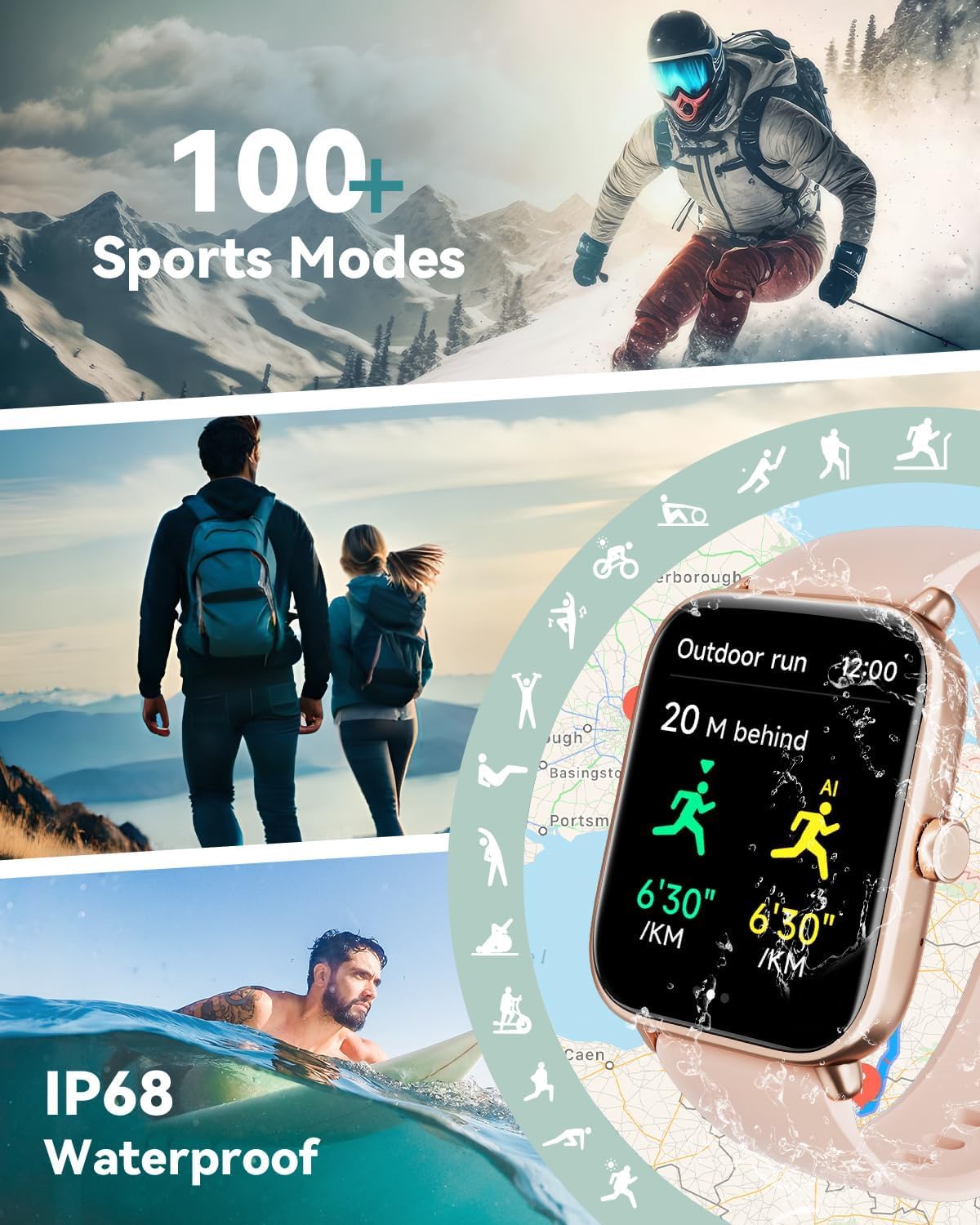
Image Description: A dynamic collage featuring various sports activities like skiing, hiking, and swimming, with the Quican IDW19 smartwatch prominently displayed. The watch screen shows "Outdoor run" data, including distance and pace. The image highlights the watch's 100+ sports modes and IP68 waterproof rating.
4.5. Smart Notifications and Alexa Voice Control
- Message Notifications: Receive alerts for SMS, Email, and various social media apps (Facebook, WhatsApp, Instagram, Twitter, Telegram, TikTok). Notifications are indicated by vibration.
- Alexa Built-in: Use voice commands to inquire about news, weather, set alarms, and control smart home devices (if compatible).

Image Description: The Quican IDW19 smartwatch displaying an Alexa voice command interface ("Alexa, how is the weather today?") and a message notification from Facebook. Below, smaller images show the watch's Bluetooth 5.3 compatibility and icons for various social media apps, illustrating its Alexa built-in and message notification features.
4.6. Other Features
The Quican IDW19 includes a range of additional useful features:
- Weather forecasts
- Stopwatch
- Alarms
- Timer
- Sedentary Reminder
- Flashlight
- Music Control
- Camera Control
- Find Phone functionality
- Breather guide
- Motion Recognition

Image Description: Three Quican IDW19 smartwatches, one pink and two green, displaying different smart features: text and notifications reminder, answer or make call, and Alexa voice assistant. Below, a grid of icons represents other features like activity data, workout, messages, weather, alarm clock, stopwatch, timer, sedentary reminder, find your phone, breathing training, calendar, music control, camera control, and do not disturb mode. This image highlights the comprehensive smart life features of the watch.
5. Maintenance and Care
- Cleaning: Wipe the watch and strap regularly with a soft, damp cloth. Avoid using harsh chemicals or abrasive materials.
- Water Resistance: The watch is IP68 waterproof, meaning it can withstand splashes, rain, and shallow swimming. Do not use it in hot water, saunas, or for diving. Avoid prolonged submersion.
- Charging: Use only the provided charging cable. Ensure the charging points are clean and dry before charging.
- Storage: Store the watch in a cool, dry place when not in use.
6. Troubleshooting
| Problem | Possible Solution |
|---|---|
| Watch not turning on | Ensure the watch is fully charged. Press and hold the side button for several seconds. |
| Cannot pair with phone |
|
| Notifications not received |
|
| Inaccurate health data | Ensure the watch is worn snugly on your wrist, not too loose or too tight. Clean the sensors on the back of the watch. |
7. Specifications
| Feature | Detail |
|---|---|
| Model | IDW19 |
| Display | 1.8-inch HD Touch Screen (240 * 284 resolution) |
| Connectivity | Bluetooth 5.3 |
| Compatibility | Android, iOS |
| Water Resistance | IP68 |
| Battery Life (Normal Use) | 3-7 Days |
| Battery Life (Standby) | Up to 30 Days |
| Charging Time | Approx. 2.5 Hours |
| Health Monitoring | Heart Rate, SpO2, Sleep, Stress Level |
| Sports Modes | 100+ |
| Voice Assistant | Alexa Built-in |
8. Warranty and Support
Quican products come with a standard manufacturer's warranty. For specific warranty terms and conditions, please refer to the warranty card included in your product packaging or visit the official Quican website.
For technical support, troubleshooting assistance, or warranty claims, please contact Quican Customer Service:
- Website: Visit the Quican Store on Amazon (for general inquiries and product information)
- Email: Refer to your product packaging or the official website for direct support email.
Please have your product model (IDW19) and purchase date ready when contacting support.
Related documentsIDW19


Ask a question about this manual
Ask about setup, troubleshooting, compatibility, parts, safety, or missing instructions. Manuals+ will review the question and use this page’s manual context to help answer it.