
1. Introduction
Thank you for choosing the BIOMASER S20 Wireless Permanent Makeup Machine. This device is designed for professional permanent makeup applications, offering precision and ease of use. This manual provides essential information for the safe and effective operation, maintenance, and troubleshooting of your new machine. Please read it thoroughly before first use and retain it for future reference.

Image 1.1: The BIOMASER S20 machine is suitable for various permanent makeup applications including lips, eyeliner, eyebrows, and small tattoos.
2. Safety Information
- This device is intended for professional use only by trained and certified permanent makeup artists.
- Always use sterile, single-use needle cartridges for each client to prevent cross-contamination.
- Wear appropriate personal protective equipment (PPE), including gloves, during all procedures.
- Ensure the work area is clean, sanitized, and well-lit.
- Do not contact the eyes with ink or needles. In case of accidental contact, rinse immediately with plenty of water and seek medical attention.
- Keep the device away from water and other liquids to prevent electrical hazards.
- Store the machine and accessories in a clean, dry place, out of reach of children.
- Do not attempt to disassemble or repair the machine yourself. Contact qualified service personnel for any repairs.
3. Package Contents
Verify that all items are present in your package:
- S20 Wireless Permanent Makeup Machine
- 10 Cartridge Needles
- Pro Inked Mapping String
- Practice Skin
- Ring Ink Cap
- Charging Cable (not explicitly listed but implied for a wireless device)
4. Product Overview
Familiarize yourself with the components of the BIOMASER S20 machine:

Image 4.1: Key components of the BIOMASER S20 Wireless Permanent Makeup Machine.
- OLED Display: Shows current voltage and battery level.
- Voltage + / - Buttons: Adjust voltage in 0.1V increments.
- Power Switch: Long press to turn the machine on or off.
- Adjust Needle Stroke: Rotate the grip to adjust the needle stroke from 0-3.5mm.
- Screw Cartridge Needle Interface: Where the needle cartridge is securely attached.

Image 4.2: Detailed view of a needle cartridge, highlighting its components for smooth operation and stability.
5. Setup
- Charge the Machine: Connect the charging cable to the machine and a suitable power source. Charge for approximately 2 hours until fully charged. The OLED display will indicate battery status. The machine can last 3-6 hours on a full charge.
- Attach Needle Cartridge: Select the appropriate sterile needle cartridge for your procedure. Carefully screw the cartridge into the screw cartridge needle interface until secure.
- Prepare Work Area: Ensure your work surface is clean and sanitized. Prepare your chosen pigment in a sterile ring ink cap.
- Mapping (Optional): Use the Pro Inked Mapping String to outline the desired area for permanent makeup, such as eyebrows, before starting the procedure.

Image 5.1: Using pre-inked mapping string for precise outline creation.
6. Operating Instructions
- Power On: Long press the power switch to turn on the machine. The OLED display will illuminate, showing the current voltage.
- Adjust Voltage: Use the Voltage + and - buttons to set the desired operating voltage. Adjustments are made in 0.1V increments.
- Adjust Needle Depth: Rotate the grip of the machine to adjust the needle stroke (depth) between 0-3.5mm according to the specific procedure and client's skin type.
- Apply Pigment: Dip the needle tip into the pigment in the ring ink cap.
- Perform Procedure: Hold the client's skin taut. Use short, quick strokes at a 45-degree angle to apply the pigment. Maintain consistent pressure and speed for optimal results.
- Practice: For new techniques or to gain confidence, practice on the provided practice skin before working on a client.
- Power Off: After completing the procedure, long press the power switch to turn off the machine.
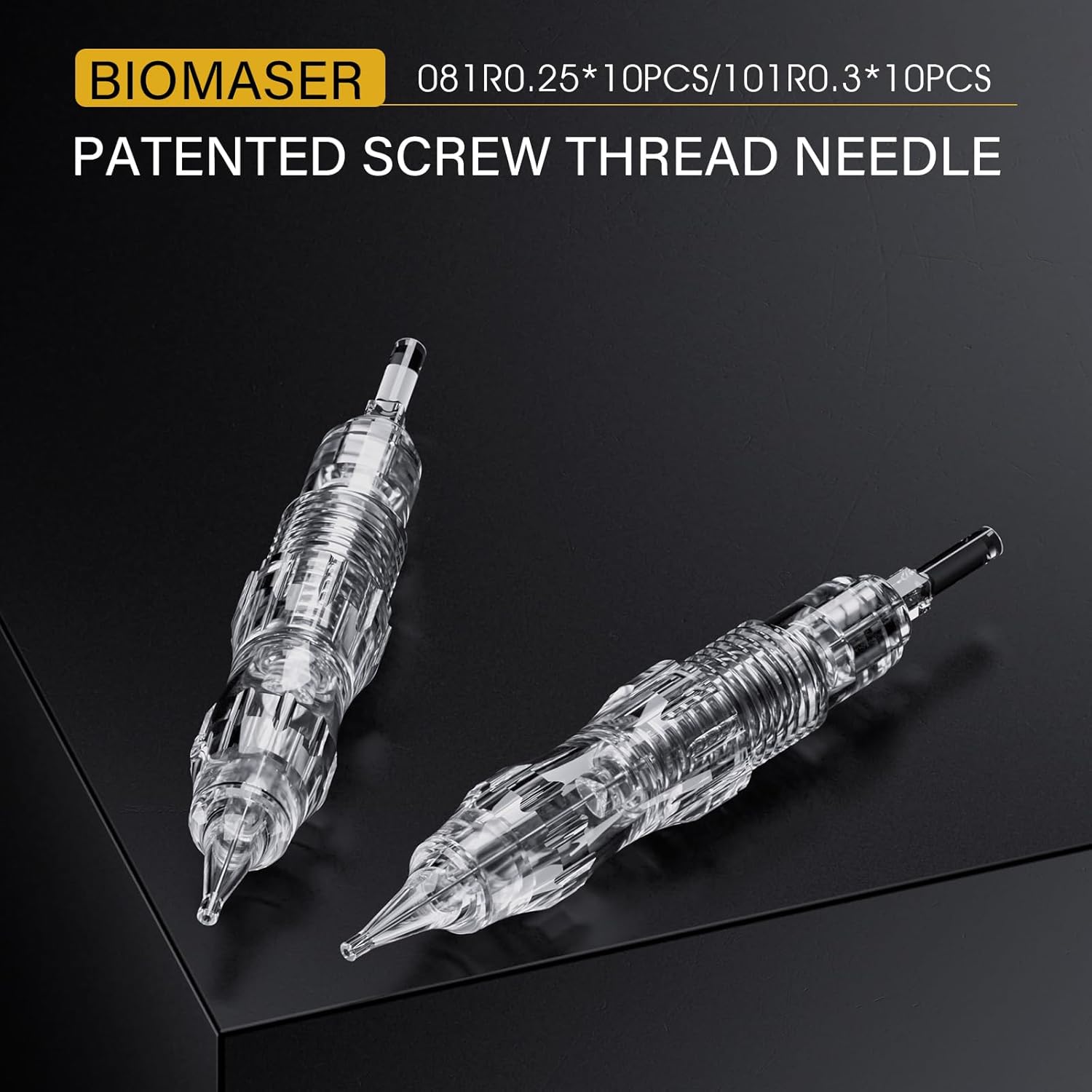
Image 6.1: Adjusting the needle depth by rotating the machine's grip.

Image 6.2: Demonstrating the use of the BIOMASER S20 machine for lip permanent makeup.

Image 6.3: Practicing permanent makeup techniques on a synthetic practice skin.
7. Maintenance
- Cleaning: After each use, carefully remove and dispose of the used needle cartridge. Wipe the exterior of the machine with a disinfectant wipe. Do not immerse the machine in liquid.
- Storage: Store the machine in its original case or a clean, dry, and dust-free environment when not in use.
- Battery Care: To prolong battery life, avoid fully discharging the battery frequently. Charge the machine regularly, even if not in constant use.
8. Troubleshooting
- Machine Not Turning On: Ensure the battery is charged. Connect to the charger and try again. If the issue persists, contact customer support.
- Needle Not Moving: Check if the needle cartridge is securely attached. Ensure the voltage is set correctly. If the problem continues, replace the needle cartridge.
- Inconsistent Power: Ensure the machine is fully charged. Avoid operating in extreme temperatures.
- Excessive Vibration: Check if the needle cartridge is properly seated. Ensure the machine is clean and free of debris.
9. Specifications
| Model | BIOMASER S20 |
| Material | Aluminium alloy |
| Battery Life | 3-6 hours (fully charged) |
| Charging Time | Approximately 2 hours |
| Needle Stroke Adjustment | 0-3.5mm |
| Voltage Adjustment | 0.1V increments |
| Package Dimensions | 7.48 x 5.04 x 2.44 inches |
| Weight | 14.11 ounces |
| Manufacturer | Adshi |
10. Warranty and Support
For warranty information and customer support, please refer to the documentation provided with your purchase or contact the manufacturer directly. Keep your proof of purchase for any warranty claims.
