
1. Product Overview
The Voistek Bone Conduction Headphones are designed for active lifestyles, offering an open-ear listening experience with advanced features. These headphones utilize bone conduction technology to deliver audio, keeping your ears open to ambient sounds for enhanced awareness during activities. They feature Bluetooth 5.3 for wireless connectivity and a built-in 32GB MP3 player for local music storage, making them suitable for various environments, including swimming.
Key Features:
- Open-Ear Design: Ensures comfort and situational awareness.
- IP68 Waterproof Rating: Fully submersible, suitable for swimming and water sports.
- Built-in 32GB MP3 Player: Store up to 8,000 songs for offline listening.
- Bluetooth 5.3: Provides stable and efficient wireless connection.
- Long Battery Life: Up to 8 hours in Bluetooth mode, 6 hours in MP3 mode.
- Integrated Microphone: For hands-free calls.
- Night Running Mode: Features steady and flashing LED lights for safety.

Image 1.1: Voistek Bone Conduction Headphones (Grey).

Image 1.2: Overview of key features including 8-hour battery life, Hi-Fi sound, Bluetooth 5.3, open-ear safety, IP68 waterproof rating, and lightweight design. Also indicates microphone location and low battery alert.
2. Package Contents
Please check the package for the following items:
- Voistek Bone Conduction Headphones
- Magnetic Charging Cable
- User Manual
3. Setup and Charging
3.1 Initial Charge
Before first use, fully charge your headphones. Connect the magnetic charging cable to the charging port on the headphones and plug the USB end into a compatible power source (e.g., computer USB port, USB wall adapter). The charging time is approximately 1.5 hours for a full charge.

Image 3.1: The magnetic charging connection point on the headphones. A quick 5-minute charge provides 30 minutes of playback.
3.2 Power On/Off
- To Power On: Press and hold the Power button until the indicator light illuminates and you hear a power-on prompt.
- To Power Off: Press and hold the Power button until the indicator light turns off and you hear a power-off prompt.
3.3 Bluetooth Pairing
The headphones support Bluetooth 5.3 for a stable connection up to 10 meters. They are compatible with cellphones, desktops, laptops, smartwatches, iPhones, PCs, and Android devices.
- Ensure the headphones are powered off.
- Press and hold the Power button until the indicator light flashes red and blue, indicating pairing mode.
- On your device, enable Bluetooth and search for available devices.
- Select "Voistek Headphones" (or similar name) from the list.
- Once connected, the indicator light will turn solid blue, and you will hear a confirmation prompt.
3.4 Simultaneous Pairing
The headphones can connect to two devices simultaneously. This allows you to listen to audio from the device that is currently playing.
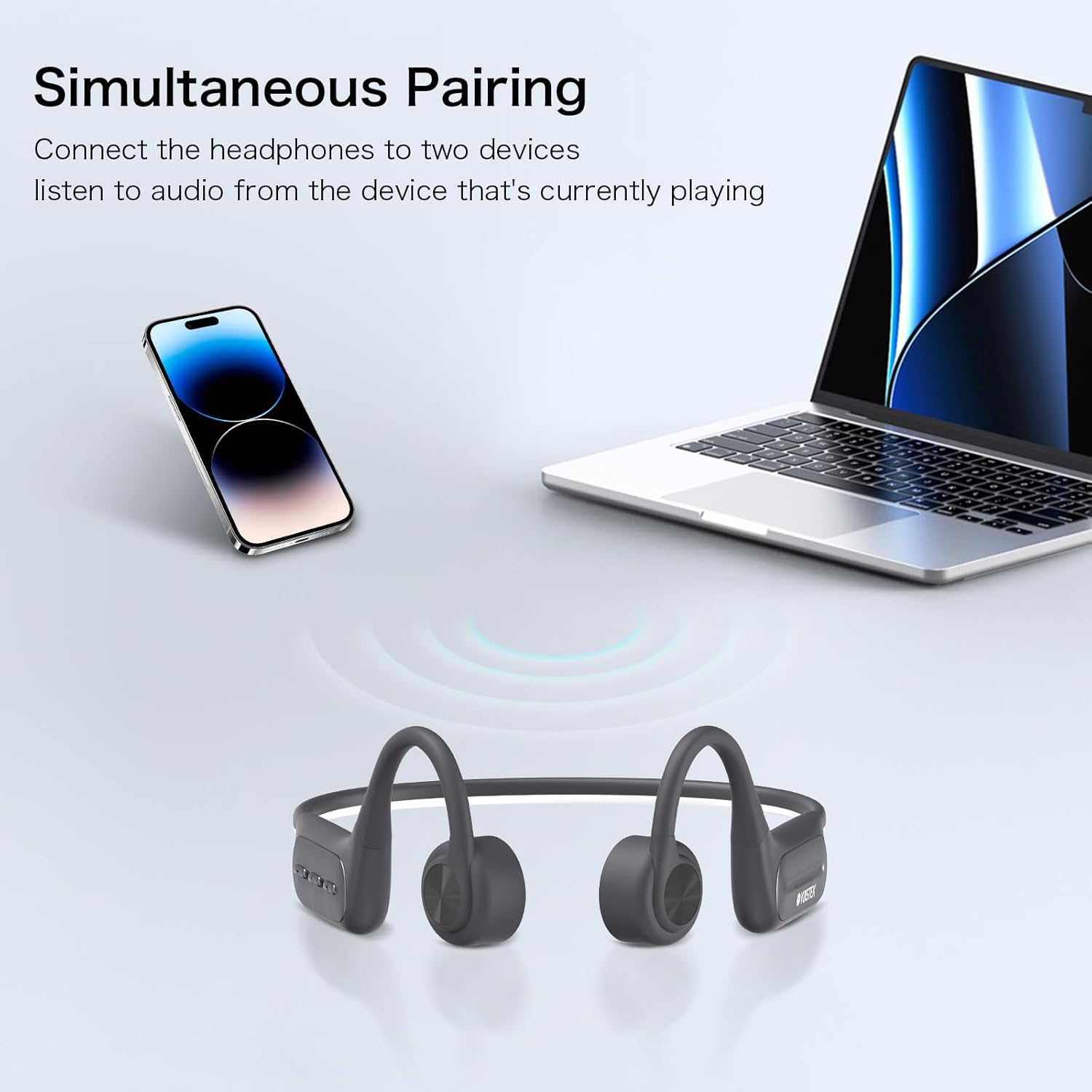
Image 3.2: The headphones can be paired with two devices, such as a smartphone and a laptop, and switch between them based on active audio playback.
3.5 MP3 Mode (Built-in 32GB Storage)
The headphones feature a built-in 32GB MP3 player, allowing you to store music directly on the device for use without a Bluetooth connection, ideal for swimming or when you prefer to save phone battery.
- Transferring Music: Connect the headphones to your computer using the magnetic charging cable. The headphones will appear as a removable drive. Drag and drop your MP3 audio files into the drive.
- Switching to MP3 Mode: While the headphones are on, double-tap the Mode button (refer to control layout in Section 4.1) to switch between Bluetooth and MP3 modes.
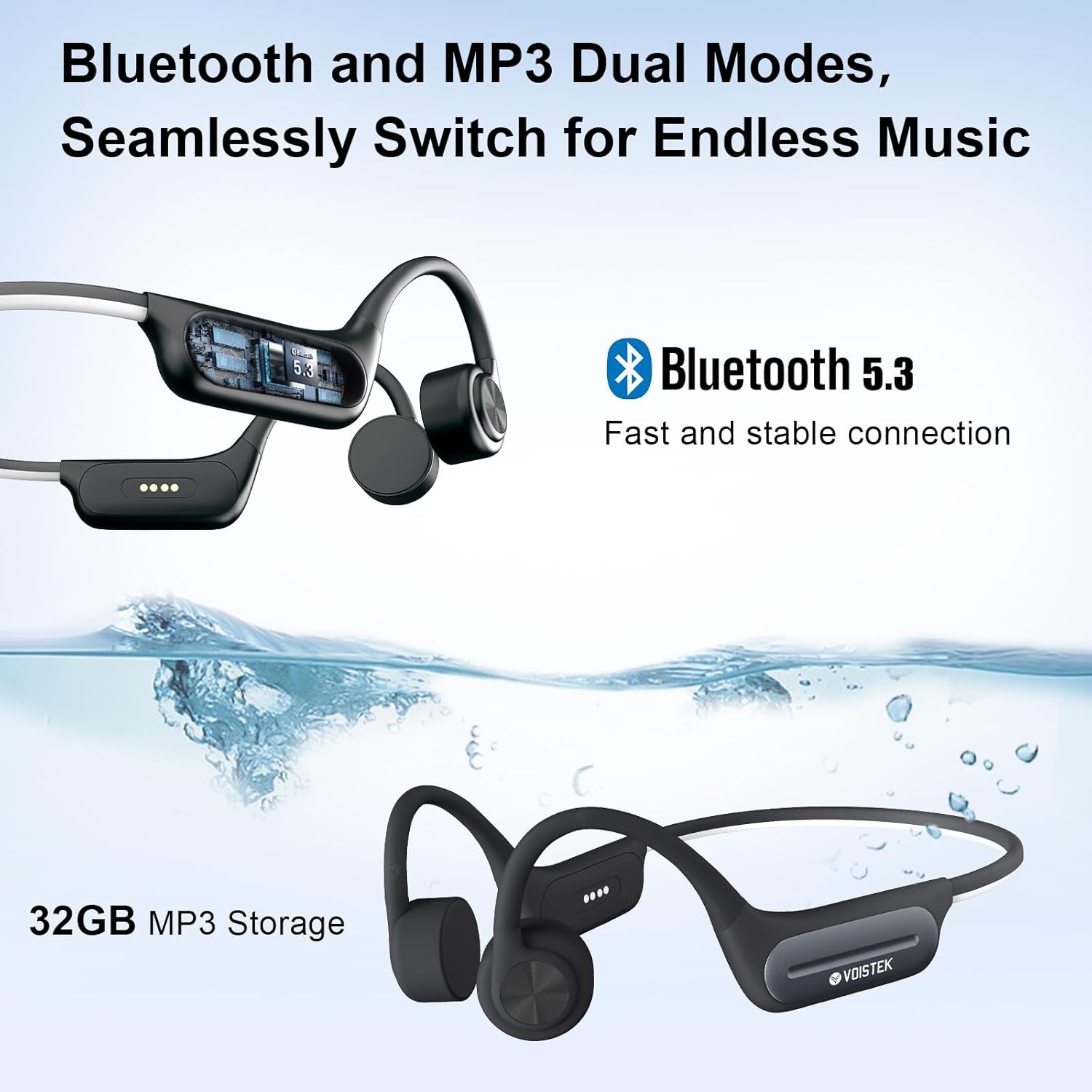
Image 3.3: The headphones support both Bluetooth 5.3 and a built-in 32GB MP3 player, allowing seamless switching between modes.
4. Operating Instructions
4.1 Control Buttons
The headphones feature intuitive button controls for media playback, volume, and calls. The specific layout and functions are typically located on one of the headphone modules.
- Power/Multi-function Button: Long press to power on/off. Short press to play/pause music or answer/end calls.
- Volume Up (+)/Next Track: Short press for volume up. Long press for next track.
- Volume Down (-)/Previous Track: Short press for volume down. Long press for previous track.
- Mode Button (Double Tap): Switch between Bluetooth mode and MP3 player mode.
4.2 Audio Playback
- Play/Pause: Short press the Power/Multi-function button.
- Next Track: Long press the Volume Up (+) button.
- Previous Track: Long press the Volume Down (-) button.
- Volume Adjustment: Short press the Volume Up (+) or Volume Down (-) buttons.
4.3 Call Management
- Answer Call: Short press the Power/Multi-function button when a call comes in.
- End Call: Short press the Power/Multi-function button during a call.
- Reject Call: Long press the Power/Multi-function button when a call comes in.
4.4 Voice Assistant Activation
The headphones support activation of voice assistants such as Siri, Alexa, and Google Assistant. Refer to your device's specific instructions for activating the voice assistant feature through connected Bluetooth devices.
4.5 Night Running Mode
For enhanced safety during low-light conditions, the headphones are equipped with an LED light strip. This feature can be activated and switched between modes:
- Mode 1: Steady Light
- Mode 2: Flashing Light
Refer to the specific button combination in your quick start guide for activating and cycling through these modes.

Image 4.1: The headphones feature a night running mode with steady or flashing LED lights for increased visibility and safety during evening or early morning activities.
5. Waterproof Usage (IP68 Rating)
The Voistek Bone Conduction Headphones boast an IP68 waterproof rating, meaning they are fully protected against dust and can withstand immersion in water up to 2 meters deep for up to 2 hours. This makes them ideal for swimming and other water-based activities.
- For optimal performance during swimming, it is recommended to use the built-in 32GB MP3 player mode, as Bluetooth connectivity can be limited underwater.
- Ensure the charging port is dry before connecting the magnetic charging cable to prevent damage.

Image 5.1: The IP68 waterproof rating allows for underwater music playback, making the headphones suitable for swimming.
6. Maintenance and Care
To ensure the longevity and optimal performance of your Voistek Bone Conduction Headphones, follow these maintenance guidelines:
- Cleaning: After use, especially after swimming or intense exercise, rinse the headphones with fresh water and wipe them dry with a soft, clean cloth. Do not use abrasive cleaners or solvents.
- Drying: Allow the headphones to air dry completely before charging or storing them. Pay special attention to the charging port area.
- Storage: Store the headphones in a cool, dry place away from direct sunlight and extreme temperatures.
- Charging Port: Keep the magnetic charging contacts clean and free of debris.
- Avoid Impact: Do not drop or subject the headphones to strong impacts, as this may damage internal components.
7. Troubleshooting
If you encounter issues with your headphones, please refer to the following common troubleshooting steps:
- No Power: Ensure the headphones are fully charged. Connect to the charger and check if the charging indicator light appears.
- Cannot Pair via Bluetooth:
- Ensure the headphones are in pairing mode (flashing red and blue light).
- Turn off and on your device's Bluetooth.
- Move the headphones closer to your device (within 10 meters).
- Forget the device from your phone's Bluetooth settings and try pairing again.
- No Sound:
- Check the volume level on both the headphones and your connected device.
- Ensure the headphones are correctly connected via Bluetooth or are in MP3 mode.
- If in MP3 mode, ensure there are valid audio files on the 32GB storage.
- Poor Sound Quality:
- Ensure the bone conduction transducers are positioned correctly on your cheekbones, just in front of your ears.
- Adjust the volume.
- If using Bluetooth, ensure there are no obstructions between the headphones and your device.
- Headphones not recognized by computer for MP3 transfer:
- Ensure the magnetic charging cable is securely connected to both the headphones and the computer.
- Try a different USB port or computer.
8. Specifications
| Feature | Specification |
|---|---|
| Brand | Voistek |
| Model Name | Gris |
| Connectivity Technology | Wireless (Bluetooth) |
| Wireless Communication Technology | Bluetooth 5.3 |
| Bluetooth Range | 10 Meters |
| Audio Driver Type | Bone Conduction Driver |
| Built-in Storage | 32GB MP3 Player |
| Water Resistance Level | IP68 Waterproof |
| Battery Life | 8 Hours (Bluetooth Mode), 6 Hours (MP3 Mode) |
| Charging Time | 1.5 Hours |
| Control Type | Media Control, Button, Voice |
| Ear Placement | Open Ear |
| Material | Acrylonitrile Butadiene Styrene (ABS), Aluminum, Silicone |
| Item Weight | 150 Grams (5.3 ounces) |
| Product Dimensions | 4 x 1.5 x 5.5 inches |
| Frequency Range | 20 Hz to 20,000 Hz |
| Sensitivity | 80 dB |
| Impedance | 80 Ohm |
9. Warranty and Support
Warranty information for your Voistek Bone Conduction Headphones is typically provided with your purchase documentation. Please refer to the packaging or any included warranty cards for details regarding coverage period and terms.
For technical support, customer service, or further inquiries, please visit the official Voistek website or contact their customer support channels as indicated in your product documentation.