
Introduction
The Diivoo Mini Turbo Oscillating Water Sprinkler is designed for efficient and adjustable irrigation of lawns and gardens. This sprinkler features 16 clog-resistant rubber nozzles and a weighted base, ensuring stable and even watering across your desired area. Its adjustable settings allow for precise control over watering width, range, and flow rate, making it suitable for various yard sizes and watering needs.
Setup Instructions
Follow these steps to properly set up your Diivoo Mini Turbo Oscillating Water Sprinkler:
- Attach Sprinkler Head to Base: Turn the sprinkler head onto the weighted base until it is securely fastened.
- Connect Hose to Sprinkler: Connect your garden hose to the sprinkler's inlet using the quick connect fitting. Ensure a tight connection to prevent leaks.
- Connect Hose to Faucet: Attach the other end of your garden hose to a water faucet.
- Position the Sprinkler: Place the sprinkler in the desired area of your lawn or garden. The weighted base provides stability during operation.

Image: Step-by-step guide for connecting the sprinkler to a water source.
Operating Instructions
The Diivoo Mini Turbo Oscillating Water Sprinkler offers three adjustable methods to customize your watering experience:
- Adjusting Watering Width:
Locate the orange knob on the side of the sprinkler head. Rotate this knob to adjust the width of the water spray. This allows you to narrow or widen the watering pattern to suit your specific area.
Image: Adjusting the sprinkler's width control knob.
- Adjusting Watering Range:
Identify the orange slider located on the top of the sprinkler body. Slide this control back and forth to modify the length or range of the water oscillation. This helps in covering longer or shorter areas.
Image: Adjusting the sprinkler's range control slider.
- Adjusting Water Flow Rate:
Find the small orange lever near the hose connection point. Rotate this lever to increase or decrease the water volume. This allows you to control the intensity of the spray and conserve water if needed.
Image: Adjusting the sprinkler's flow rate lever.
Once connected and adjusted, turn on your water faucet. As water pressure increases, the sprinkler's swivel arm will begin to oscillate, providing rain-like irrigation. The optimal spraying distance at 4 bar (60 psi) covers an area approximately 60 feet in diameter and 40 feet in width.

Image: The sprinkler actively watering a lawn, showcasing its 16 nozzles.
Maintenance
Regular maintenance ensures the longevity and optimal performance of your sprinkler:
- Nozzle Cleaning: The sprinkler features clog-resistant rubber nozzles. If any nozzles become blocked by debris, gently clear them using a small pin or brush.
- Filter Cleaning: Periodically check and clean the filter screen located at the hose connection point to prevent debris from entering the sprinkler mechanism.
- Storage: During colder months or when not in use for extended periods, drain all water from the sprinkler and store it in a dry, protected area to prevent freezing damage.
Troubleshooting
If you encounter issues with your sprinkler, consider the following:
- Uneven Spray or Low Pressure: Check your water source pressure. Ensure the hose is not kinked and that the filter screen is clean. Verify that all nozzles are clear of obstructions.
- Leaks at Connections: Ensure all hose connections are tight. Check for worn-out washers and replace if necessary.
- Sprinkler Not Oscillating: Confirm adequate water pressure. Inspect the oscillation mechanism for any visible obstructions or damage.
Specifications
| Brand | Diivoo |
| Model Number | 7080 (GM-7080-GO-A302) |
| Color | Gray |
| Material | Acrylonitrile Butadiene Styrene (ABS) |
| Style | Oscillating |
| Item Dimensions (L x W x H) | 9.84 x 9.84 x 5.51 inches (25 x 25 x 14 cm) |
| Weight | 1.43 lb / 650 g |
| Number of Nozzles | 16 |
| Maximum Pressure | 60 PSI |
| Maximum Flow Rate | 18 Liters Per Minute |
| Coverage Area (at 60 PSI) | Approx. 60 feet diameter x 40 feet width |
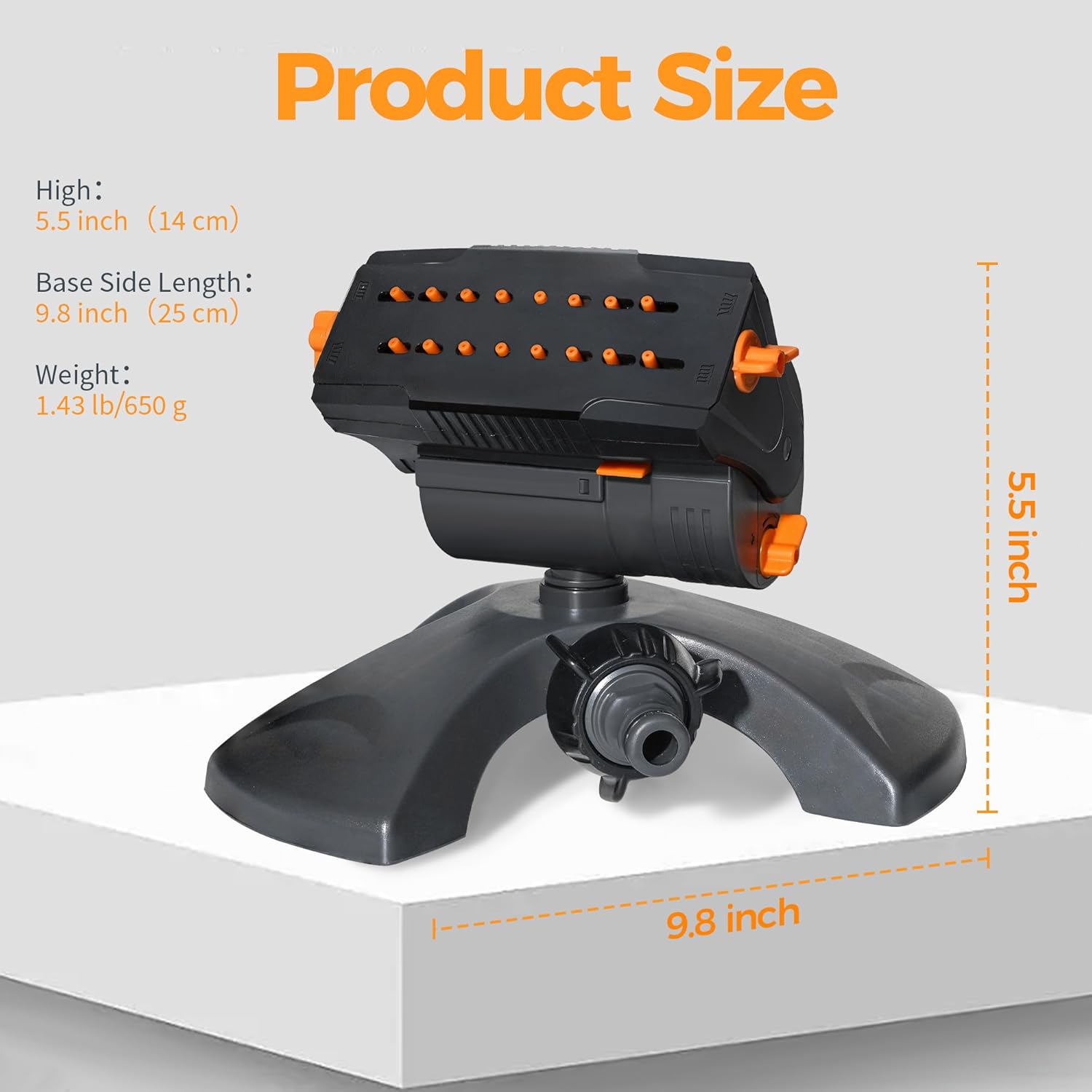
Image: Product dimensions and weight.
Warranty and Support
Diivoo products are rigorously tested to ensure quality and durability. For any questions, technical assistance, or warranty claims, please refer to the contact information provided with your purchase or visit the official Diivoo website for support resources.