
Introduction
Thank you for choosing the Alera Wessex Ergonomic Mesh Back Office Task Chair. This manual provides essential information for the assembly, operation, maintenance, and troubleshooting of your new chair. Designed for comfort and efficiency, this chair features a modern design, adjustable settings, and durable construction to enhance your workspace.
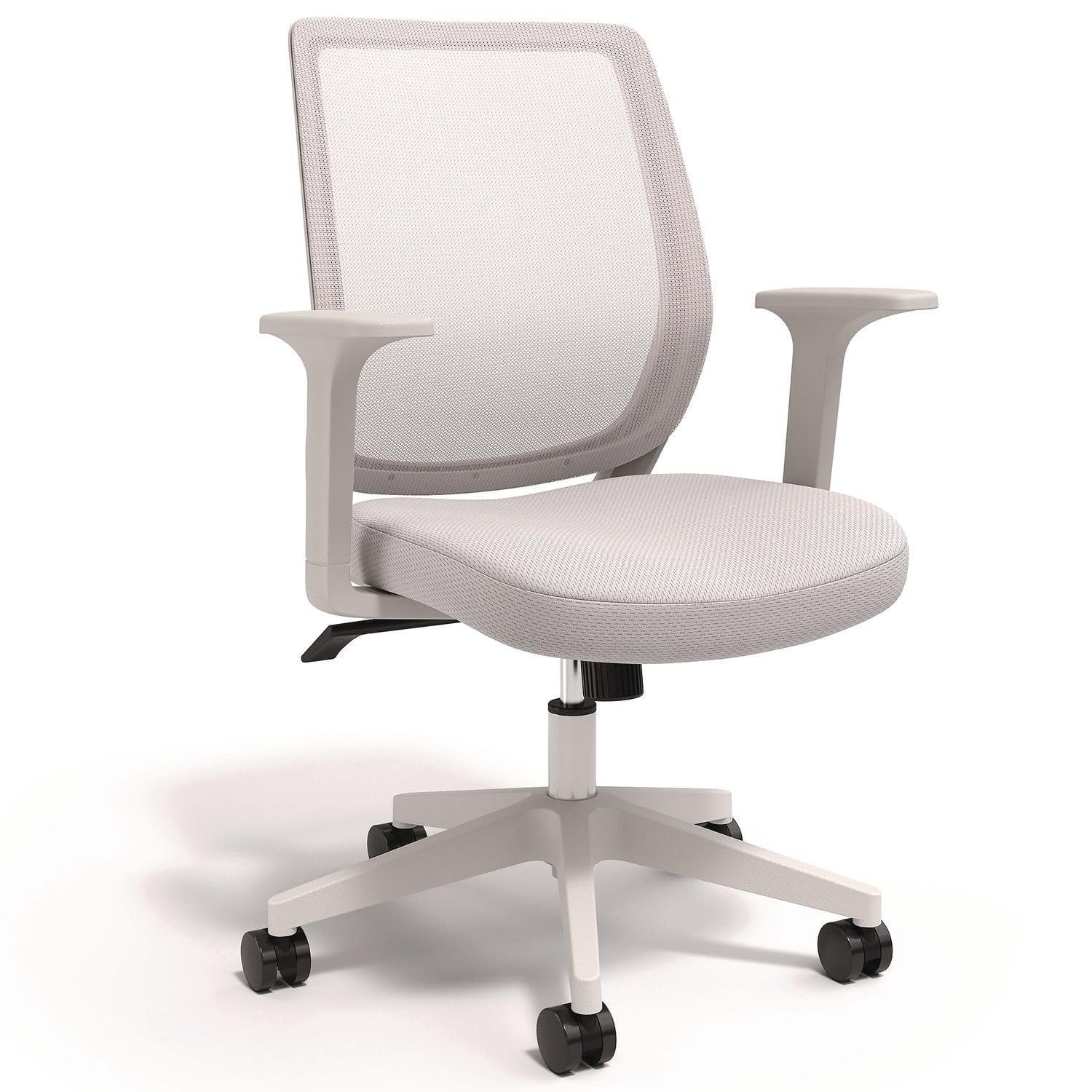
Image: The Alera Wessex Ergonomic Mesh Back Office Task Chair in white, positioned at a desk in a home office environment.
Safety Instructions
Important: Please read and follow all safety instructions and warnings included with this product before assembly and use. Retain this manual for future reference.
- Ensure all components are present and undamaged before beginning assembly.
- Do not use the chair if any parts are missing or damaged.
- Assemble the chair on a soft, clean surface to prevent scratches.
- Do not stand on the chair.
- Do not use the chair for purposes other than its intended use as an office task chair.
- The maximum weight capacity for this chair is 275 lbs. Do not exceed this limit.
- Keep children and pets away from the assembly area.
Setup and Assembly
Assembly is required for this chair. Follow these general steps. Refer to the detailed assembly instructions provided in the product packaging for specific diagrams and hardware.
- Unpack Components: Carefully remove all parts from the packaging and lay them out on a clean, soft surface. Verify all parts are present against the parts list in your product packaging.
- Attach Casters to Base: Insert the casters into the holes at the end of each leg of the five-star base. Push firmly until they click into place.
- Insert Gas Lift: Place the gas lift cylinder into the center hole of the five-star base.
- Assemble Seat and Backrest: Attach the backrest to the seat mechanism according to the instructions. Ensure all screws are tightened securely.
- Attach Arms (Optional): The chair can be assembled with or without its fixed arms. If installing, attach the arms to the seat base using the provided hardware. Ensure they are securely fastened.
- Connect Seat to Gas Lift: Carefully place the assembled seat onto the gas lift cylinder, ensuring it is centered and stable.
- Final Check: Once assembled, check all connections to ensure they are tight and secure. Test the chair's stability before use.
Operating Instructions
Your Alera Wessex chair offers several adjustments to customize your seating experience for optimal comfort and support.
- Seat Height Adjustment: To raise the seat, lift the lever located under the right side of the seat while taking your weight off the chair. To lower the seat, lift the lever while seated. Release the lever at the desired height.
- Tilt Function and Tension Control: The chair features a tilt mechanism allowing the backrest and seat to recline together.
- To activate tilt, pull the lever (often the same as the height adjustment lever, or a separate one) outwards.
- To lock the chair in an upright position, push the lever inwards.
- Adjust the tilt tension by turning the round knob located under the front of the seat. Turn clockwise to increase tension (making it harder to recline) or counter-clockwise to decrease tension (making it easier to recline).

Image: A side view of the chair highlighting the adjustable tension knob for reclining and upright tilt lock, and the lever for adjustable seat height.
Maintenance and Care
Regular maintenance will help prolong the life and appearance of your Alera Wessex chair.
- Cleaning the Mesh Back: The breathable mesh back is easy to clean. Use a soft, damp cloth to wipe away dust and light dirt. For more stubborn stains, a mild soap solution can be used, followed by wiping with a clean, damp cloth and air drying.
- Cleaning the Seat: The fabric seat can be spot cleaned with a mild fabric cleaner. Test on an inconspicuous area first.
- Base and Casters: Wipe the five-star base and casters with a damp cloth. Periodically check casters for hair or debris that may impede smooth rolling.
- Hardware: Periodically check all screws and bolts to ensure they remain tight. Re-tighten if necessary.

Image: A detailed view of the chair's backrest, emphasizing the breathable mesh material and the integrated lumbar design for back support.
Troubleshooting
If you encounter any issues with your Alera Wessex chair, please refer to the following common solutions:
- Chair does not adjust height: Ensure the gas lift lever is fully engaged and that there is no obstruction. If the issue persists, the gas lift cylinder may need replacement.
- Chair wobbles: Check all assembly screws and bolts to ensure they are securely tightened. Ensure the chair is on a flat, even surface.
- Casters do not roll smoothly: Inspect casters for any trapped debris, hair, or lint. Clean them thoroughly.
- Backrest feels loose: Check the screws attaching the backrest to the seat mechanism and tighten them if necessary.
For further assistance, please contact Alera customer support.
Specifications
| Feature | Detail |
|---|---|
| Brand | Alera |
| Model Name | Wessex |
| Model Number | ALEWX42BME47 |
| Color | White |
| Material (Back) | Mesh |
| Material (Seat) | Foam |
| Product Dimensions (D x W x H) | 26.18"D x 27.09"W x 40.28"H |
| Item Weight | 28 Pounds |
| Maximum Weight Recommendation | 275 Pounds |
| Assembly Required | Yes |
| Arm Style | Fixed (Optional Assembly) |
| Back Style | Mesh Back |
| UPC | 042167001995 |

Image: A diagram illustrating the key dimensions of the Alera Wessex chair, including seat width, back height, and overall depth.
Warranty and Support
For warranty information and customer support, please refer to the documentation included with your purchase or visit the official Alera website.
Alera Customer Service: For assistance with parts, assembly, or any other inquiries, please contact Alera customer support through their official channels.