
Candy EY4061DW4/1-S
Candy EY4061DW4/1-S Washing Machine User Manual
Model: EY4061DW4/1-S
1. Introduction
Thank you for choosing the Candy EY4061DW4/1-S Front Load Washing Machine. This appliance is designed to provide efficient and reliable laundry care for your home. This user manual contains important information on the installation, operation, maintenance, and troubleshooting of your washing machine. Please read it carefully before using the appliance and keep it for future reference.
2. Important Safety Information
Always follow basic safety precautions when using electrical appliances to reduce the risk of fire, electric shock, and injury to persons.
- Ensure the appliance is properly grounded.
- Do not allow children to play on or in the appliance.
- Unplug the appliance before performing any maintenance or cleaning.
- Do not install or store the appliance where it will be exposed to temperatures below freezing or exposed to the weather.
- Do not use extension cords or adapters with this appliance.
- The appliance is equipped with an Aquastop safety system to prevent water overflow.
- This model includes a child lock feature for added safety.
3. Installation and Setup
The Candy EY4061DW4/1-S is a freestanding front-load washing machine. Proper installation is crucial for optimal performance and safety.
3.1 Unpacking
Carefully remove all packaging materials. Check for any transport damage. Keep packaging materials out of reach of children.
3.2 Removing Transit Bolts
Before use, remove all transit bolts located at the rear of the machine. These bolts secure the drum during transport and must be removed to prevent damage during operation. Store them for future transport if needed.
3.3 Positioning the Appliance
Place the washing machine on a firm, level surface. Adjust the feet to ensure the appliance is stable and level. This helps to reduce vibration and noise during operation.

Figure 1: Angled view of the washing machine, showing its compact design suitable for freestanding installation.
3.4 Water Connection
Connect the water inlet hose to a cold water tap with a 3/4" thread. Ensure all connections are tight to prevent leaks. Position the drain hose into a suitable drain pipe or sink, ensuring it is securely fixed to prevent displacement during draining.
3.5 Electrical Connection
Plug the power cord into a grounded electrical outlet (220-240V). Do not use extension cords or multi-plugs. Ensure the power cord is not trapped or crushed by the appliance.
4. Operating Instructions
This section guides you through the daily operation of your Candy washing machine.

Figure 2: Front view of the washing machine, highlighting the control panel and door.
4.1 Loading Laundry
Open the door and load laundry into the drum. Do not overload the machine; the maximum capacity is 6 kg. Close the door firmly until it clicks shut.
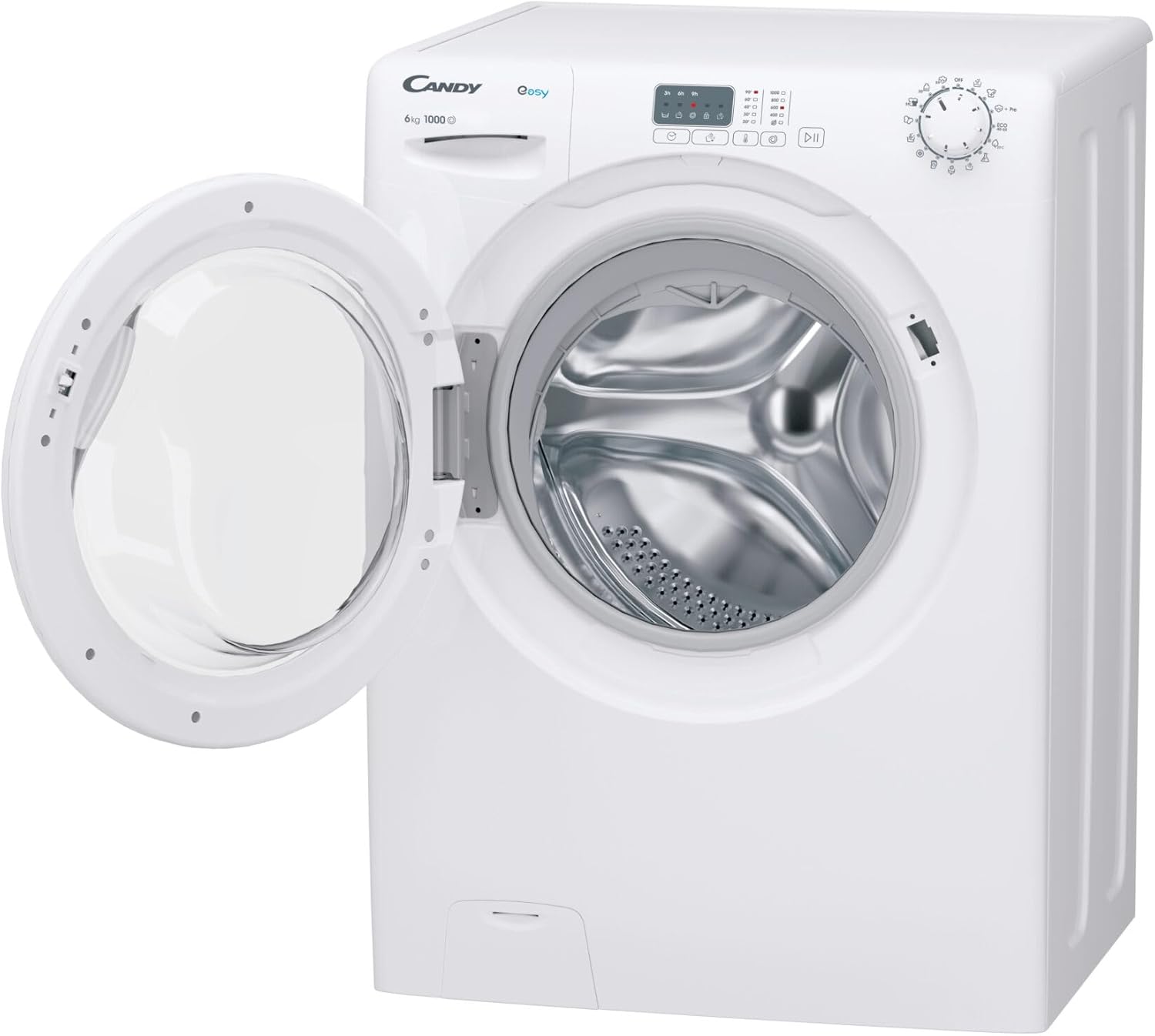
Figure 3: The washing machine with its door open, revealing the stainless steel drum.
4.2 Adding Detergent
Pull out the detergent drawer. Add the appropriate amount of detergent and fabric softener to the designated compartments. Refer to your detergent packaging for recommended dosages.
4.3 Program Selection
Turn the program selector knob to choose your desired wash program. The machine offers 15 wash programs, including:
- 20°C
- Cotton
- Cotton 40°C
- Delicates/Silk
- Eco 40-60°C
- Hand/Wool
- Hygiene/Allergy Care
- Jeans/Denim
- Prewash
- Quick 30min
- Rinse
- Spin/Drain
- Synthetics
4.4 Adjusting Settings
Use the control buttons to adjust settings such as spin speed (up to 1000 rpm) and temperature, if available for the selected program. This model features adjustable spin speed and temperature.
4.5 Delay Start Function
The machine supports a delay start function of up to 9 hours. Press the delay start button repeatedly to set the desired delay time.
4.6 Starting a Wash Cycle
Press the Start/Pause button to begin the wash cycle. The LED program indicator will illuminate to show the current stage of the cycle.
4.7 Add Garment (Pause) Function
If you need to add forgotten garments during a cycle, press the Start/Pause button. Wait for the door to unlock (this may take a few minutes depending on water level and temperature), add the garments, and then close the door and press Start/Pause again to resume.
5. Maintenance and Cleaning
Regular maintenance ensures the longevity and efficiency of your washing machine.
5.1 Cleaning the Exterior
Wipe the exterior surfaces with a soft, damp cloth. Do not use abrasive cleaners or solvents.
5.2 Cleaning the Detergent Drawer
Periodically remove and clean the detergent drawer under running water to prevent detergent residue buildup.
5.3 Drum Cleaning (Autoclean Function)
This model features an autoclean function for the drum. Run this program regularly (e.g., once a month) to remove detergent residues and prevent odors. Consult the control panel for how to activate the drum clean cycle.
5.4 Cleaning the Filter
The filter should be cleaned regularly to prevent blockages. Refer to the appliance's specific instructions for accessing and cleaning the filter, usually located at the bottom front of the machine.
6. Troubleshooting
Before contacting customer service, try the following solutions for common issues:
| Problem | Possible Cause | Solution |
|---|---|---|
| Machine does not start | Power cord not plugged in; Door not closed properly; Program not selected; Start button not pressed. | Check power connection; Ensure door is latched; Select a program; Press Start/Pause button. |
| No water intake | Water tap closed; Water inlet hose kinked; Water supply interrupted. | Open water tap; Straighten hose; Check water supply. |
| Machine vibrates excessively | Transit bolts not removed; Appliance not level; Uneven load. | Remove transit bolts; Adjust leveling feet; Redistribute laundry in the drum. |
| Water leakage | Hose connections loose; Detergent drawer clogged; Drain hose improperly positioned. | Tighten hose connections; Clean detergent drawer; Secure drain hose. |
| Excessive foam | Too much detergent used. | Reduce detergent quantity. The machine has a foam control system. |
7. Technical Specifications
| Feature | Specification |
|---|---|
| Appliance Placement | Freestanding |
| Loading Type | Front-load |
| Product Color | White |
| Built-in Display | No |
| Control Type | Buttons, Rotary knob |
| Door Hinge | Left |
| Inverter Technology | No |
| Drum Material | Stainless steel |
| Drum Volume | 48 L |
| Basket Capacity | 6 kg |
| Maximum Spin Speed | 1000 RPM |
| Spin-drying Efficiency Class | C |
| Number of Wash Programs | 15 |
| Noise Emission Class | C |
| Noise Level (Spin) | 77 dB |
| Delay Start | Yes (up to 9 hours) |
| Water Overflow Protection System | Yes |
| Load Balancing System | Yes |
| Aquastop Safety System | Yes |
| Foam Control System | Yes |
| Cycle Duration (max) | 198 min |
| Rinse Function | Yes |
| Adjustable Spin Speed | Yes |
| Adjustable Temperature | Yes |
| Add Garment (Pause) Function | Yes |
| Remote Smartphone Support | No |
| Wi-Fi Controlled | No |
| Child Protection | Yes |
| Self-cleaning (Autoclean) | Yes |
| Remaining Time Indicator | No |
| LED Program Indicator | Yes |
| Energy Efficiency Class | B (Scale A to G) |
| Energy Consumption (100 cycles) | 49 kWh |
| Water Consumption (per cycle) | 40 L |
| AC Input Voltage | 220-240 V |
| Width | 600 mm |
| Depth | 480 mm |
| Height | 850 mm |
| Weight | 60 kg |

Figure 4: Energy efficiency label, indicating Class B rating.
8. Warranty and Support
8.1 Warranty Information
This product is covered by a manufacturer's warranty. For specific details regarding warranty terms and conditions, please refer to the warranty card included with your appliance or visit the official Candy website. Keep your proof of purchase for warranty claims.
8.2 Customer Support
If you encounter any issues not covered in the troubleshooting section or require technical assistance, please contact Candy customer support. Contact details can typically be found on the manufacturer's website or in the documentation provided with your appliance.
For returns or issues related to your purchase from Amazon, please refer to Amazon's return policy. If you received a defective or damaged product, consult Amazon's help page on returns and refunds. For specific information on purchases made through the Marketplace, consult the relevant help page.
Related documentsEY4061DW4/1-S


Ask a question about this manual
Ask about setup, troubleshooting, compatibility, parts, safety, or missing instructions. Manuals+ will review the question and use this page’s manual context to help answer it.