
mecmic Heated Gloves
mecmic Heated Gloves
User Manual
Model: Heated Gloves
Introduction
Thank you for choosing mecmic Heated Gloves. These gloves are designed to provide superior warmth and comfort in cold conditions, featuring advanced heating technology, long-lasting rechargeable batteries, and durable, weather-resistant materials. They are ideal for various outdoor activities such as skiing, hunting, hiking, and more.
Key features include:
- Fast-heating elements covering the entire back of the hand and all fingers.
- 7.4V 22.2Wh high-capacity rechargeable lithium batteries for up to 10 hours of heating.
- Three adjustable temperature levels (High, Medium, Low).
- Durable, non-slip, and waterproof construction with touchscreen compatibility.
- Integrated battery power indicator lights.

Image: The mecmic Heated Gloves illustrating the comprehensive heating coverage across the back of the hand and fingers.
Setup and Charging
Before first use, fully charge the batteries.
- Charge the Batteries: Connect the provided charger to a power outlet and then to the battery packs. The battery indicator lights will show charging progress. Ensure both batteries are fully charged before use. A full charge typically takes several hours.
- Insert Batteries: Locate the zippered pocket on the cuff of each glove. Carefully insert a fully charged battery into each pocket and connect the glove's power cable to the battery. Securely close the zipper.
- Initial Fit: Put on the gloves and adjust the elastic wrist strap and drawstring to ensure a snug and comfortable fit, preventing cold air from entering.
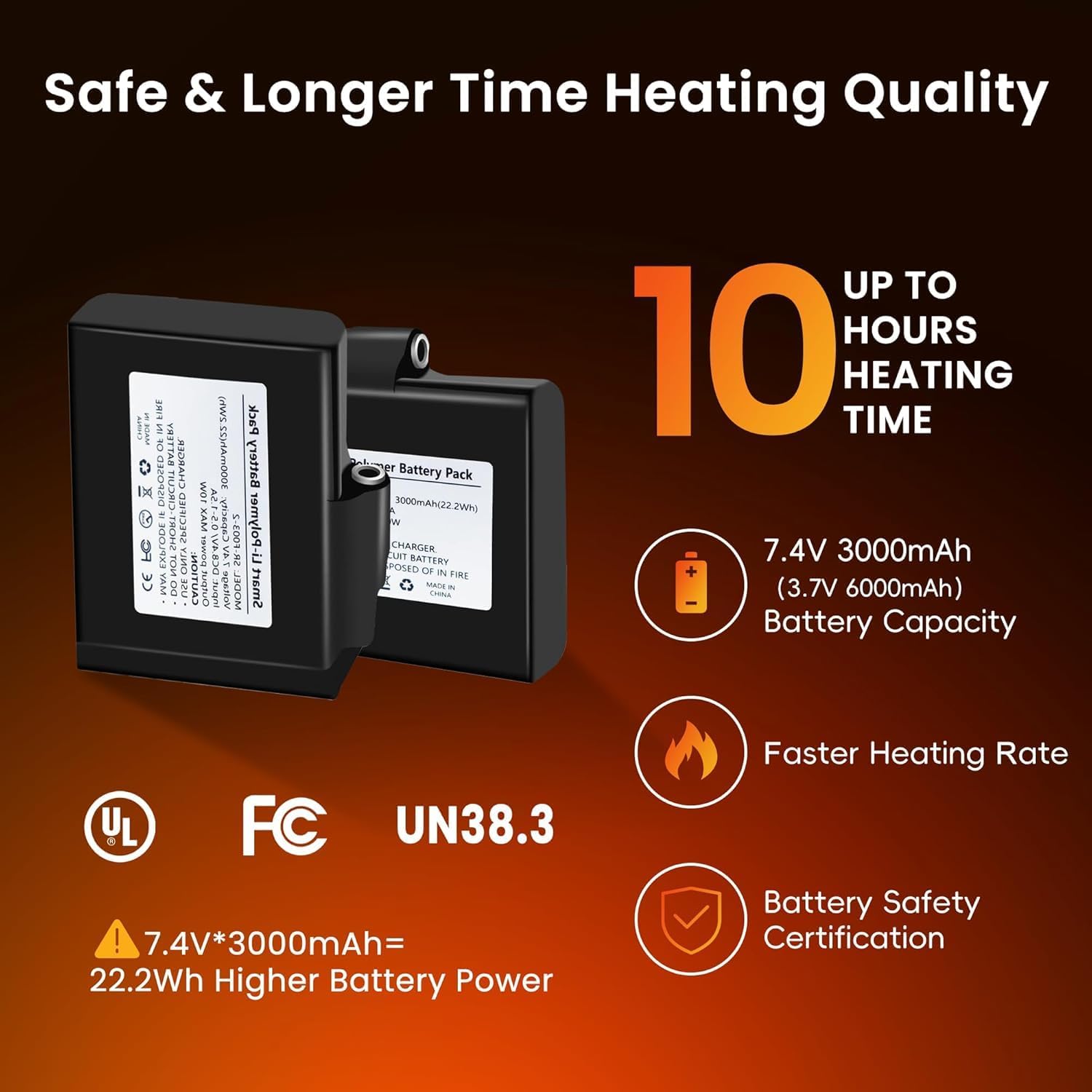
Image: Detailed view of the 7.4V 3000mAh (6000mAh total) battery packs, highlighting their capacity and safety certifications.
Operating Instructions
The gloves feature a simple one-button control for power and temperature adjustment.
- Power On: Press and hold the power button on the back of the glove for approximately 3 seconds until the indicator light illuminates. The gloves will typically start in the High heat setting (Red light).
- Adjust Temperature:
- High (Red Light): Press the button once from off or from another setting. Provides 130°F-140°F (54°C-60°C) for approximately 4 hours.
- Medium (Green Light): Press the button again. Provides 120°F-130°F (49°C-54°C) for approximately 7 hours.
- Low (Blue Light): Press the button a third time. Provides 100°F-120°F (38°C-49°C) for approximately 10 hours.
- Power Off: Press and hold the power button for approximately 3 seconds until the indicator light turns off.
- Battery Indicator: The power button also features small indicator lights (100%, 75%, 50%, 25%) to show the remaining battery level. Check these regularly to know when to recharge.
- Touchscreen Functionality: The fingertips of the gloves are designed with conductive material, allowing you to operate touchscreen devices without removing your gloves.

Image: Diagram illustrating the three adjustable temperature levels (Low, Medium, High) and their corresponding temperature ranges and working times.

Image: Visual representation of the gloves' touchscreen capability, waterproof layer, windproof design, breathability, and heat retention properties.

Image: Collage showing various outdoor activities where the heated gloves can be used, including skiing, motorcycling, shoveling snow, hunting, fishing, and walking.
Maintenance and Care
- Cleaning:
Always remove batteries before cleaning. Hand wash the gloves gently with mild detergent in cold water. Do not machine wash, tumble dry, bleach, or iron. Air dry thoroughly before reinserting batteries or storing.
- Battery Care:
To prolong battery life, fully charge batteries every 3-6 months if not in regular use. Store batteries in a cool, dry place away from direct sunlight and extreme temperatures. Do not puncture, disassemble, or expose batteries to water or fire.
- Storage:
Ensure gloves and batteries are completely dry before storing. Store in a cool, dry place. Use the convenient hook on the gloves for easy storage.
Troubleshooting
| Problem | Possible Cause | Solution |
|---|---|---|
| Gloves not heating. | Battery not connected, battery drained, power button not pressed correctly, faulty battery/glove. | Ensure batteries are fully charged and securely connected. Press and hold the power button for 3 seconds to turn on. Check battery indicator lights. If problem persists, contact customer support. |
| Short heating time. | Using high heat setting, battery not fully charged, aging battery. | Lower the heat setting. Ensure batteries are fully charged before each use. Battery capacity may decrease over time; consider replacing old batteries. |
| One glove not heating. | Battery issue in one glove, connection issue. | Check the battery and connection in the non-heating glove. Try swapping batteries between gloves to isolate the issue. |
Specifications
| Brand | mecmic |
| Model Name | Heated Gloves |
| Material | Polyester |
| Color | Black |
| Battery Voltage | 7.4V |
| Battery Capacity | 22.2Wh (6000mAh total) |
| Temperature Range (High) | 130°F-140°F (54°C-60°C) |
| Temperature Range (Medium) | 120°F-130°F (49°C-54°C) |
| Temperature Range (Low) | 100°F-120°F (38°C-49°C) |
| Heating Time (approx.) | High: 4H, Medium: 7H, Low: 10H |
| Included Components | Heated Gloves, 2x Rechargeable Batteries, Charger |
| UPC | 748327511969 |

Image: Detailed size chart for mecmic Heated Gloves, providing palm circumference and middle finger length measurements in both inches and centimeters for various sizes (M, L, XL, XXL).
Warranty and Support
Warranty: This product comes with a 2-year warranty from the date of purchase, covering manufacturing defects. Please retain your proof of purchase for warranty claims.
Customer Support: For any questions, concerns, or technical assistance, please contact mecmic customer support. You can typically find contact information on the product packaging or the official mecmic website. Please provide your model number (Heated Gloves) and UPC (748327511969) when contacting support for faster service.
For more information, visit the official mecmic Store on Amazon.
Ask a question about this manual
Ask about setup, troubleshooting, compatibility, parts, safety, or missing instructions. Manuals+ will review the question and use this page’s manual context to help answer it.