
1. Setup Instructions
Follow these steps to correctly set up your TKXEC Bluetooth Music Tesla Coil:
- Install the Discharge Pin: Rotate the discharge pin clockwise into the designated hole on the top of the Tesla coil until it is securely tightened.
- Adjust Knobs: Before connecting power, ensure both the Power (PWR) and Frequency (FREQ) knobs are turned completely counter-clockwise to their minimum settings. This prevents sudden loud sounds upon activation.
- Connect Power: Connect the power supply adapter to the Tesla coil's power input port, then plug the adapter into a standard electrical outlet.
- Positioning: The Tesla coil can be placed horizontally or vertically based on your preference and space availability.

Image: Step-by-step guide for installing the discharge needle and connecting the power supply.

Image: The TKXEC Tesla Coil and its package contents, including the power adapter and discharge pin.
Video: An official TKXEC video demonstrating the setup and basic operation of the Music Tesla Coil.
2. Operating Instructions
The TKXEC Tesla Coil offers two primary operating modes: Long Arc Mode and Music Mode.
2.1. Long Arc Mode
- After setup, slowly turn the Power (PWR) knob clockwise to increase the arc intensity.
- The device will release electrical flashes at a fixed frequency.
- When the power knob is set to a medium level, you may gently touch the electrical discharge with your hand. A slight tingling sensation may be felt.
2.2. Music Mode
- Switch the mode selector to the music note icon.
- Activate Bluetooth on your mobile device and search for "TESLA coil audio" to pair.
- Play square wave music from your device. The electrical arcs will synchronize and dance to the rhythm of the music.
- Ensure the volume on your Bluetooth device is turned down before starting music playback to avoid sudden loud noises.
- For optimal performance and to minimize noise, it is recommended to play specifically designed square wave music files. These can often be found by scanning a QR code provided in the user guide (if included with your product).
2.3. Wireless Lighting and Gas Tube Ignition
- The Tesla coil can wirelessly light up gas tubes and various types of bubbles. Place the object near the discharge pin to observe the effect.
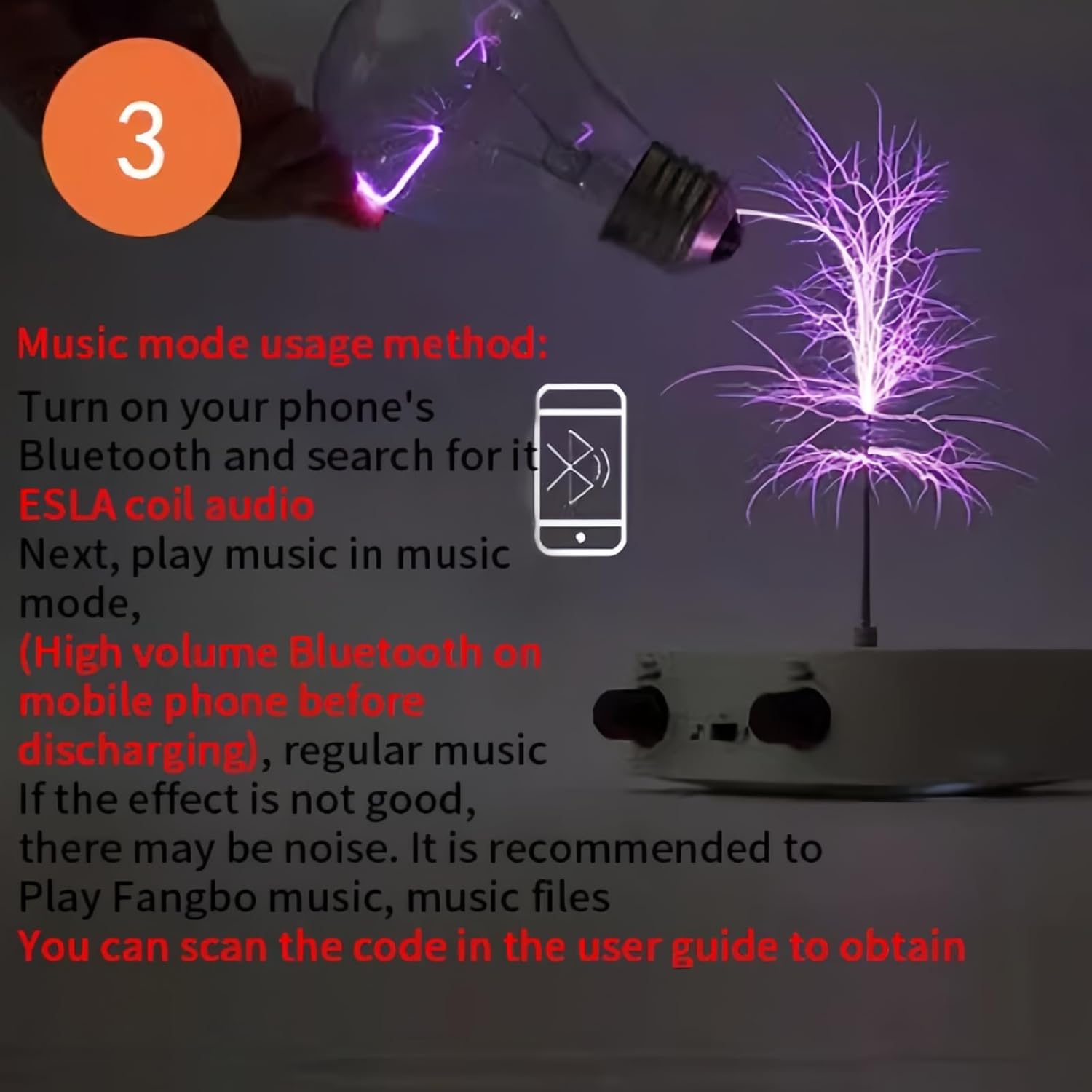
Image: The Tesla Coil demonstrating wireless power transmission by lighting a light bulb.

Image: Close-up of a hand touching the electrical discharge from the Tesla Coil.
3. Maintenance
The TKXEC Bluetooth Music Tesla Coil is designed for minimal maintenance. To ensure its longevity and proper function:
- Keep the device clean and free from dust. Use a soft, dry cloth for cleaning.
- Store the device in a dry environment, away from moisture and extreme temperatures.
- Avoid dropping or subjecting the device to strong impacts.
- Do not attempt to disassemble or modify the device, as this may void the warranty and pose safety risks.
4. Troubleshooting
If you encounter issues with your TKXEC Bluetooth Music Tesla Coil, refer to the following common problems and solutions:
| Problem | Possible Cause | Solution |
|---|---|---|
| No arc or weak arc | Power not connected, power knob too low, discharge pin loose. | Ensure power adapter is securely plugged in. Slowly turn the Power (PWR) knob clockwise. Tighten the discharge pin. |
| Loud buzzing/zapping noise | Normal operation for a Tesla coil. | This is expected. If the noise is excessive, ensure knobs were at minimum before power on. Adjust power/frequency to a comfortable level. |
| Music mode not working or poor sound quality | Incorrect music type, Bluetooth not paired, device volume too high/low. | Ensure you are playing square wave music. Verify Bluetooth is paired to "TESLA coil audio". Adjust volume on your mobile device. Try different square wave music files. |
| Device gets warm during operation | Normal during extended use. | It is normal for the device to generate some heat. If it becomes excessively hot, discontinue use and allow it to cool down. |
5. Specifications
| Feature | Detail |
|---|---|
| Brand | TKXEC |
| Model Number | 025128120805 |
| Material Type | Plastic |
| Color | White |
| Item Dimensions (L x W x H) | 3.54 x 3.54 x 1.3 inches |
| Item Weight | 0.49 kg |
| Power Source | AC adapter |
| Supported Battery Types | No batteries required |
| Operation Mode | Manual |
| Indoor/Outdoor Usage | Indoor |
| Educational Objective | Stimulate interest in science and teach basic principles of electricity and plasma physics |
| Recommended Age | 0 - 10 years (Manufacturer recommended, but suitable for adult supervision) |
6. Warranty Information
Specific warranty details for the TKXEC Bluetooth Music Tesla Coil are not provided in the product information. For warranty inquiries, please refer to the product's original packaging or contact the seller directly through your purchase platform.
7. Customer Support
If you have any questions, require assistance, or encounter issues not covered in this manual, please contact TKXEC customer support. Contact information can typically be found on the product packaging, the seller's page on the retail platform, or by searching for TKXEC support online.