
Introduction
Thank you for choosing the Furmax Fabric Gaming Chair. This manual provides essential information for the assembly, operation, maintenance, and troubleshooting of your new chair. Designed for comfort and support during long gaming sessions or work hours, this chair features a durable structure, adjustable recline, massage lumbar support, and a retractable footrest. Please read this manual thoroughly before use to ensure proper and safe operation.
Safety Information
Important: Please ensure the chair does not exceed the weight capacity of 270 lbs. Always use the chair as intended and follow the assembly instructions for safe operation. Do not stand on the chair. Avoid placing heavy objects on the chair that could compromise its stability. Keep small parts away from children during assembly.
Components List
Before assembly, verify that all components are present and undamaged. If any parts are missing or damaged, please contact Furmax customer support.
- Chair Backrest
- Seat Cushion with Armrests
- Star Base
- Gas Lift Cylinder
- Wheels (5x)
- Mechanism Plate
- Headrest Pillow
- Lumbar Support Pillow (with massage function)
- Footrest Assembly
- Assembly Hardware (screws, washers, Allen wrench)
Setup and Assembly Instructions
Assembly is required for this gaming chair. It is recommended to assemble the chair on a soft, clean surface to prevent scratches. Follow the step-by-step instructions provided in the included assembly guide.
- Attach the wheels to the star base by pushing them firmly into the sockets.
- Insert the gas lift cylinder into the center hole of the star base.
- Attach the mechanism plate to the underside of the seat cushion using the provided screws. Ensure the front of the mechanism faces the front of the seat.
- Place the assembled seat cushion onto the gas lift cylinder.
- Attach the backrest to the seat cushion using the designated screws.
- Install the headrest pillow and lumbar support pillow. The lumbar support pillow can be adjusted vertically using its straps.
- Attach the retractable footrest assembly to the underside of the seat.
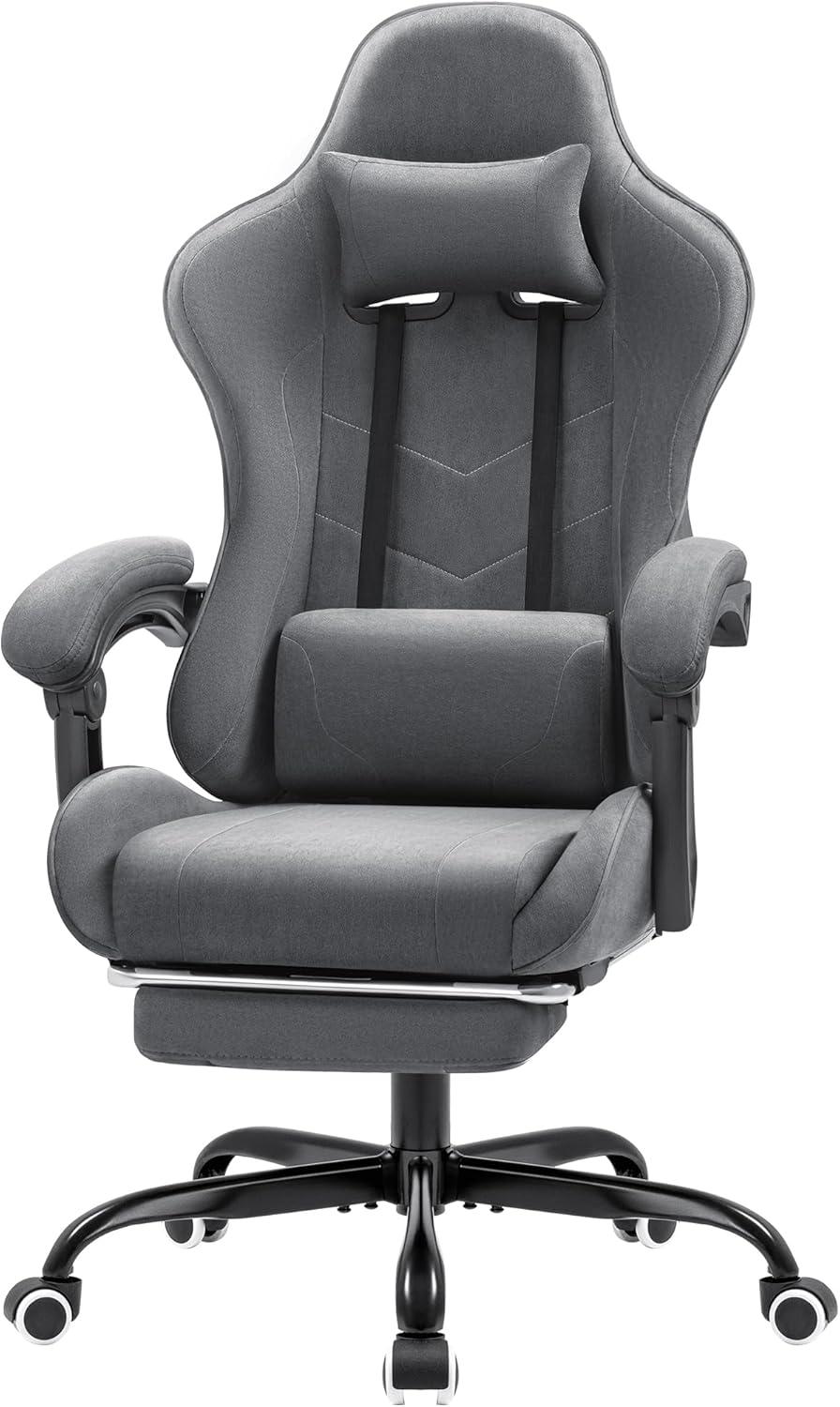
Figure 1: The Furmax Fabric Gaming Chair in Grey, showcasing its ergonomic design and included pillows.
Operating Instructions
Your Furmax Gaming Chair offers multiple adjustment options for personalized comfort.
Height Adjustment
To adjust the chair's height, locate the lever on the right side, beneath the seat. Pull the lever up while seated to lower the chair, or pull it up while standing to raise it. Release the lever at your desired height.
Backrest Recline
The backrest can be reclined from 90 degrees (upright) to 135 degrees (fully reclined). To recline, pull the recline lever located on the right side of the seat, near the backrest. Lean back to the desired angle and release the lever to lock it in place.

Figure 2: Visual representation of the chair's adjustable recline positions, from upright (90°) to fully relaxed (135°).
Massage Lumbar Support
The lumbar support pillow includes a built-in massage function to help relieve lower back fatigue. Connect the USB cable from the lumbar pillow to a compatible USB power source (e.g., power bank, computer USB port). The pillow can be adjusted vertically along the backrest straps to find the optimal position for your lower back.

Figure 3: Detailed view of the massage lumbar support and the retractable footrest mechanism.
Retractable Footrest
For full-body support and relaxation, pull out the footrest located beneath the seat. Extend it fully and rest your legs. Push it back in when not in use.
Headrest Pillow Adjustment
The headrest pillow is adjustable. You can slide it up or down along the straps on the backrest to position it comfortably for neck support.
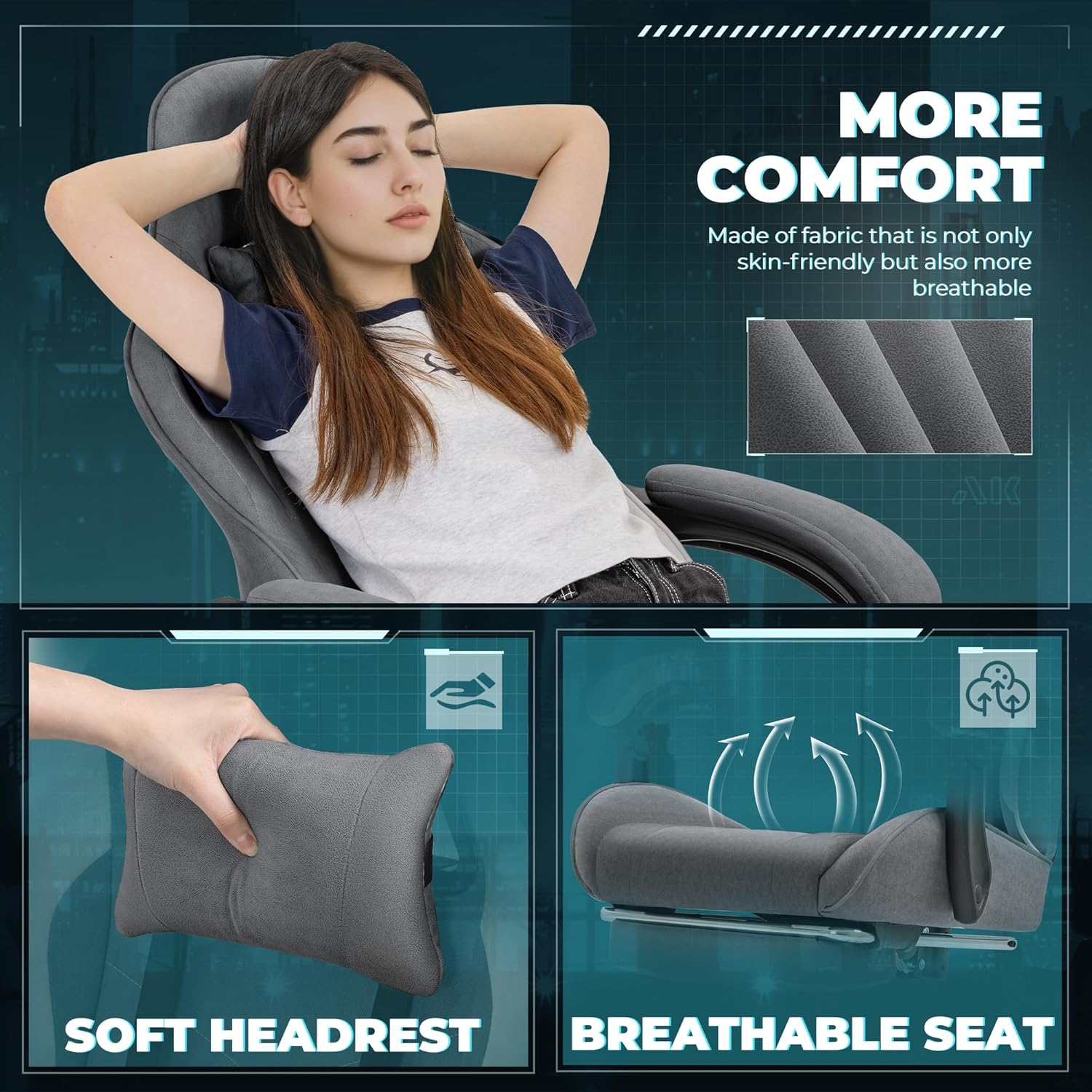
Figure 4: Close-up view highlighting the soft headrest and the breathable fabric of the seat.
Swivel Functionality
The chair features a 360-degree swivel seat and base, allowing for easy movement and access to your surroundings without needing to stand up.
Maintenance
Regular maintenance will prolong the life and appearance of your Furmax Gaming Chair.
- Cleaning: For the fabric material, use a soft, damp cloth with mild soap and water to clean spills or stains. Avoid harsh chemicals or abrasive cleaners.
- Hardware: Periodically check all screws and bolts to ensure they are tight. Retighten if necessary.
- Wheels: Keep the wheels clean from dust and debris to ensure smooth rolling.
- Gas Lift: Do not lubricate the gas lift cylinder.
Troubleshooting
| Problem | Possible Cause | Solution |
|---|---|---|
| Chair does not adjust height. | Gas lift not engaged or faulty. | Ensure the height adjustment lever is fully pulled. If issue persists, contact support. |
| Backrest does not recline or lock. | Recline lever not fully engaged or mechanism obstructed. | Check if the recline lever is fully pulled and released. Ensure no obstructions. |
| Massage function not working. | USB power not connected or faulty. | Verify the USB cable is securely connected to a working power source. Try a different USB port. |
| Chair wobbles or is unstable. | Loose screws or uneven floor. | Tighten all assembly screws. Ensure the chair is on a flat, even surface. |
Specifications
- Brand: Furmax
- Model Name: OCRC0420
- Color: Grey
- Material: Breathable Fabric, Sponge Fill
- Product Dimensions: 26"D x 26"W x 49.2"H
- Backrest Dimensions: 23.6" (W) x 29.5" (H)
- Seat Depth: 23.6 inches
- Maximum Weight Recommendation: 270 Pounds
- Included Components: Adjustable Headrest, Adjustable Footrest, Massage Lumbar Support
- Certifications: BIFMA certified base and Class-3 gas lift
- Item Weight: 37.5 pounds

Figure 5: Detailed product dimensions for the Furmax Gaming Chair.
Warranty and Support
For warranty information or technical support, please contact Furmax customer service. Refer to your purchase documentation for specific warranty terms and conditions.
You can visit the official Furmax store for more information: Furmax Store on Amazon.