
Important Safety Information
Please read this entire manual carefully before operating your Genkins GK8000IE inverter generator. Failure to follow instructions can result in serious injury or death. Keep this manual for future reference.
- Carbon Monoxide Hazard: Generators produce carbon monoxide, a colorless, odorless, poisonous gas. Operate generators outdoors only, far away from windows, doors, and vents. Never operate indoors, in a garage, or in any enclosed space.
- Fire Hazard: Gasoline is highly flammable. Always refuel in a well-ventilated area with the engine off and cool. Do not smoke or allow open flames near the generator.
- Electrical Shock Hazard: Never operate the generator in wet conditions. Ensure all electrical connections are dry and secure. Do not touch the generator with wet hands.
- Hot Surfaces: The generator engine and muffler become very hot during operation and remain hot for a period after shutdown. Avoid contact to prevent burns.
- Children and Pets: Keep children and pets away from the generator at all times.
Setup and Preparation
1. Unboxing and Wheel Kit Assembly
Carefully remove the generator and all components from the packaging. The Genkins GK8000IE includes a wheel kit for enhanced portability. Attach the wheels and handle according to the included quick start instructions and using the provided bolt sleeve and bolt driver.
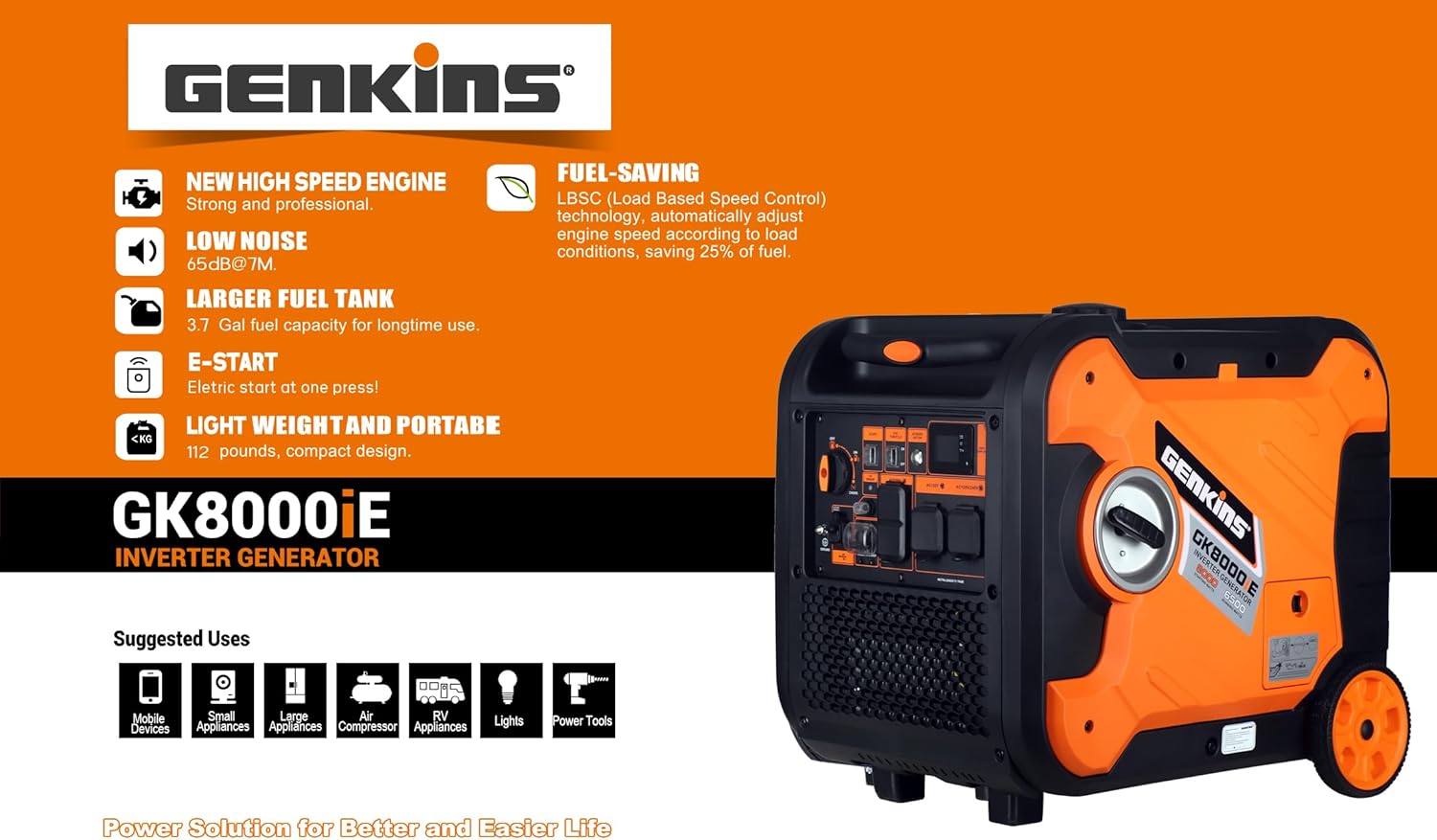
Image: The Genkins GK8000IE inverter generator shown with its handle extended and wheels attached, demonstrating its portability.
2. Adding Engine Oil
The generator is shipped without engine oil. Before first use, add the recommended 4-stroke engine oil (typically 10W-30, refer to the oil cap or quick start guide for specific type and capacity). Place the generator on a level surface. Remove the oil fill cap/dipstick, and using the provided funnel, slowly add oil until it reaches the upper mark on the dipstick. Do not overfill.

Image: Top-down view of the Genkins GK8000IE inverter generator, highlighting the location of the oil fill cap for maintenance.
3. Adding Fuel
Use fresh, unleaded gasoline with an octane rating of 87 or higher. The fuel tank capacity is 3.7 gallons. Ensure the generator is off and cool before adding fuel. Do not fill the tank completely; leave a small space for fuel expansion. Wipe up any spilled fuel immediately.
4. Connecting the Battery for Electric Start
The generator's battery for the electric start feature may be shipped disconnected to prevent discharge. To connect it, locate the battery compartment, often near the oil fill area or behind a side panel. Trace the cable from the battery; you will find a disconnected wire with a cap. Locate the matching wire with a cap nearby and connect them securely. This will enable the electric start function.
Operating Instructions
Control Panel Overview
Familiarize yourself with the control panel components before operation.

Image: Detailed view of the Genkins GK8000IE control panel, showing the location and labels for the multi-switch, electric start button, AC receptacles, USB port, circuit breakers, and status indicator.
- Multi-switch: Controls engine operation (OFF, ON, CHOKE).
- Electric Start Button: Initiates engine start when the battery is connected.
- AC Reset Button: Resets the AC output if an overload occurs.
- ESC Throttle Switch: Engages the Engine Speed Control for fuel efficiency and reduced noise under light loads.
- Status Indicator: Displays operational status and warnings.
- AC Breaker Button: Protects AC circuits from overload.
- Ground Terminal: For connecting a ground wire.
- USB Port: Provides 5V DC power for charging small electronic devices.
- Circuit Breaker (20A): Additional protection for specific circuits.
- AC Receptacles: Includes AC120V and AC120V/240V outlets for connecting appliances.
1. Starting the Generator
- Ensure the generator is on a level surface and all electrical loads are disconnected.
- Check oil and fuel levels.
- Turn the multi-switch to the CHOKE position (if the engine is cold).
- Press and hold the Electric Start Button until the engine starts. If the electric start does not work, use the pull cord as a backup.
- Once the engine starts, slowly move the multi-switch to the ON position.
- Allow the engine to run for a few minutes to warm up before connecting electrical loads.
2. Stopping the Generator
- Disconnect all electrical loads from the generator.
- Allow the generator to run for a few minutes without load to cool down.
- Turn the multi-switch to the OFF position.
3. Using the ESC Throttle Switch
The ESC (Engine Speed Control) throttle switch, when engaged, automatically adjusts the engine speed to match the electrical load. This feature reduces fuel consumption and operating noise when running light loads. For maximum power output or when starting high-demand appliances, disengage the ESC throttle.
4. Connecting Electrical Devices
Once the generator is running stably, you can connect your electrical devices to the appropriate AC receptacles or the USB port. Ensure the total wattage of connected devices does not exceed the generator's running wattage (6500 Watts) to prevent overload. If an overload occurs, the AC breaker button may trip; disconnect some devices and press the AC reset button to restore power.
Maintenance
Regular maintenance is crucial for the longevity and reliable operation of your generator. Perform maintenance tasks at the recommended intervals.
Maintenance Schedule (General Guidelines)
| Item | Before Each Use | Every 25 Hours / Monthly | Every 100 Hours / Annually |
|---|---|---|---|
| Engine Oil | Check Level | Change | |
| Air Filter | Clean | Replace | |
| Spark Plug | Inspect | Clean / Replace | |
| Fuel Filter | Inspect / Replace | ||
| Battery | Check Terminals |
Always refer to the quick start instructions or contact Genkins support for detailed maintenance procedures and specific recommendations.
Troubleshooting
This section provides solutions to common operational issues. If you encounter a problem not listed here or cannot resolve an issue, contact customer support.
| Problem | Possible Cause | Solution |
|---|---|---|
| Engine will not start | No fuel Low engine oil Multi-switch in wrong position Spark plug issue Battery disconnected (for electric start) | Add fresh gasoline Add engine oil to correct level Move multi-switch to CHOKE then ON Inspect/clean/replace spark plug Connect battery terminals securely |
| Electric start not working | Battery disconnected Low battery charge Faulty starter motor | Ensure battery is connected (refer to Setup section) Charge battery or use pull start Contact customer support |
| No power output from AC receptacles | AC breaker tripped Overload Generator not running at proper speed | Press AC reset button Reduce connected load Check ESC throttle switch, ensure stable operation |
| Engine runs, but rough or stalls | Stale fuel Clogged air filter Spark plug issue | Drain and refill with fresh fuel Clean or replace air filter Inspect/clean/replace spark plug |
Specifications
Technical specifications for the Genkins GK8000IE Inverter Generator.
| Feature | Specification |
|---|---|
| Model Name | GK8000IE |
| Starting Wattage | 8000 Watts |
| Running Wattage | 6500 Watts |
| Engine Type | 327cc 4-Stroke OHV |
| Fuel Type | Gasoline |
| Fuel Tank Volume | 3.7 Gallons |
| Voltage | 120 Volts (AC) |
| Current Rating | 27 Amps |
| Total Power Outlets | 3 (AC120V, AC120V/240V, USB) |
| Special Feature | Electric Start |
| Item Weight | 112 Pounds |
| Product Dimensions (L x W x H) | 19" x 18" x 24" |
| Included Components | Funnel, Quick start instructions, Bolt sleeve, Bolt driver |
Warranty Information
The Genkins GK8000IE Inverter Generator comes with a 2 Years Limited Warranty. This warranty includes:
- 1st Year: Free parts and service.
- 2nd Year: Service only.
Additionally, lifetime technical support is provided. Please retain your proof of purchase for warranty claims.
Customer Support
For technical assistance, warranty claims, or any questions regarding your Genkins GK8000IE inverter generator, please contact Genkins Direct, the manufacturer and seller. Refer to your purchase documentation for specific contact details.
