
THREEKEY TK-TZH102
THREEKEY Qi2 Wireless Car Charger User Manual
Model: TK-TZH102
Introduction
Thank you for choosing the THREEKEY Qi2 Wireless Car Charger. This manual provides essential information for the safe and efficient operation of your device. Please read it thoroughly before use and retain it for future reference.

The THREEKEY Qi2 Wireless Car Charger, designed for secure magnetic attachment and efficient charging.
Product Overview
The THREEKEY Qi2 Wireless Car Charger (Model: TK-TZH102) is a versatile car mount and charger featuring Qi2 wireless charging technology. It offers a retractable long arm, 360-degree rotation, and strong magnetic hold for various smartphone models.
Key Features:
- Qi2 15W Ultra-Fast Wireless Charging: Provides efficient and rapid charging for compatible devices.
- Retractable Long Arm: Allows for flexible positioning and optimal viewing angles.
- 360° Rotation: Adjust your device to any desired orientation (portrait or landscape).
- Strong Magnetic Hold: Securely attaches your smartphone, even on uneven roads.
- Double-sided Magnetic Design: The charging pad can be detached and used independently.
- High-Hardness Zinc Alloy Arm: Ensures durability and stability.
- Wide Compatibility: Supports iPhone 12-16 Series directly and other devices with the included metal ring.
- 3M Adhesive Base: Provides strong and reliable attachment to various surfaces.

The charger's flexible design allows for various placements on your car's dashboard.
Setup and Installation
Follow these steps for proper installation of your THREEKEY Qi2 Wireless Car Charger:
- Choose a Location: Select a flat, clean, and smooth surface on your dashboard or windshield that does not obstruct your view or interfere with airbags.
- Clean the Surface: Use the provided wet and dry wipes to thoroughly clean the chosen installation area. Ensure the surface is completely dry before proceeding.

Step 1: Clean the surface with the provided wipes.
- Apply the Charger: Peel off the protective film from the 3M adhesive base of the charger. Carefully position the charger on the cleaned surface and press down firmly for at least 10 seconds to ensure strong adhesion.
Step 2: Peel the film and stick the charger firmly.
- Allow Adhesion Time: It is crucial to wait at least 24 hours after installation before attaching your phone or applying any significant weight to the charger. This allows the 3M adhesive to fully cure and achieve maximum stickiness.
Step 3: Wait at least 24 hours before using the charger.
- Connect Power: Plug the provided USB-C cable into the charger and connect the other end to a compatible car charger adapter (not included) in your vehicle's power outlet.
- For Non-MagSafe Devices: If your phone does not have built-in MagSafe compatibility, attach the included metal ring to the back of your phone or phone case to enable magnetic attachment. Ensure the ring is centered for optimal charging.

Compatibility with iPhone 12-16 series directly, and other devices with the provided metal ring.
Operating Instructions
Attaching Your Phone:
Once the charger is securely installed and powered, simply bring your MagSafe-compatible iPhone (12-16 series) or a phone with the attached metal ring close to the charging pad. The strong magnets will automatically align and secure your device.

One-hand operation for easy attachment and detachment of your phone.
Adjusting the Viewing Angle:
The charger features a retractable arm and a 360-degree rotating magnetic head. Adjust the arm to extend or retract, and pivot the magnetic head to achieve your desired viewing angle, whether in portrait or landscape orientation.

The charger offers infinite angles and 360-degree rotation for optimal viewing.
Wireless Charging:
Once your phone is magnetically attached, wireless charging will begin automatically. The Qi2 15W fast charging technology ensures efficient power delivery.

Qi2 15W ultra-fast wireless charging provides rapid power to your device.
Detachable Charging Pad:
The magnetic charging pad can be detached from the arm and used independently as a portable wireless charger. This feature provides flexibility for charging outside of your vehicle.
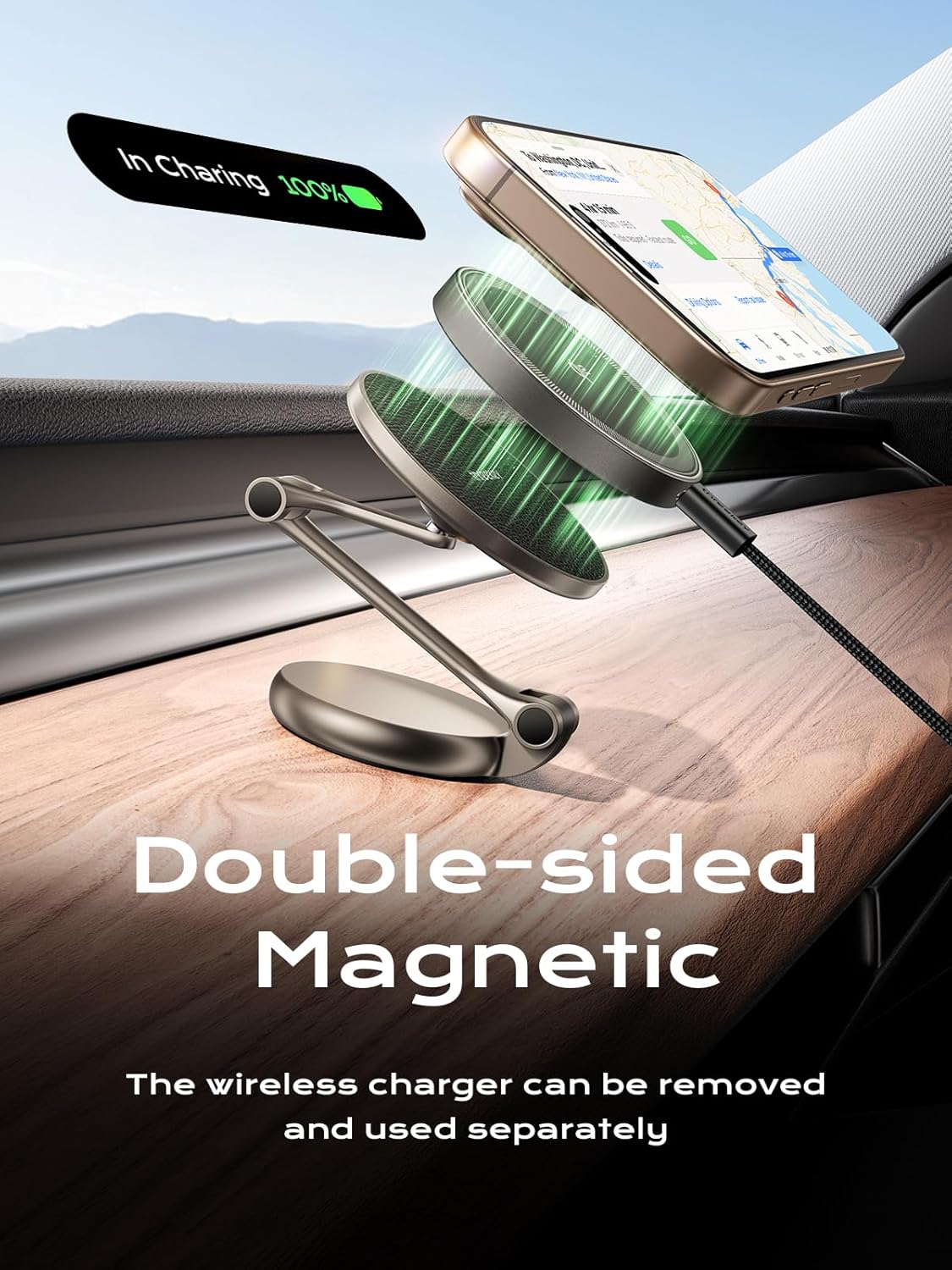
The double-sided magnetic design allows the charging pad to be removed and used separately.
Care and Maintenance
- Cleaning: Use a soft, dry cloth to clean the surface of the charger. Avoid using abrasive cleaners or solvents that may damage the finish.
- Adhesive Care: The 3M adhesive is designed for strong, long-lasting hold. Avoid repositioning the charger frequently, as this may reduce the adhesive's effectiveness. If the adhesive loses stickiness, ensure the surface is clean and dry before reapplication, or consider using a new adhesive pad if available.
- Temperature: While the charger is designed to withstand a range of temperatures (-40°F to +300°F), extreme prolonged exposure to direct sunlight or excessive heat may affect its lifespan.

The 3M adhesive is designed for durability across a wide temperature range.
- Storage: When not in use for extended periods, store the charger in a cool, dry place away from direct sunlight.
Troubleshooting
| Problem | Possible Cause | Solution |
|---|---|---|
| Charger not sticking to dashboard. | Surface not clean or dry; insufficient pressure during application; not enough curing time for adhesive; extreme temperatures. | Ensure surface is thoroughly cleaned and dry. Apply firm pressure for at least 10 seconds. Wait 24 hours before use. Avoid installing in extremely hot or cold conditions if possible. Consider a new adhesive pad if the original is compromised. |
| Phone not charging wirelessly. | Phone not aligned correctly; phone case too thick; charger not powered; phone not Qi2 compatible (or metal ring not attached/aligned). | Ensure phone is centered on the charging pad. Remove thick phone cases. Verify the charger is properly connected to a power source. For non-MagSafe phones, ensure the metal ring is correctly attached and aligned. |
| Magnetic hold is weak. | Phone case interfering; metal ring not properly attached (for non-MagSafe phones); phone too heavy. | Ensure phone case is MagSafe compatible or thin enough. Re-attach the metal ring securely and centrally. While the magnet is strong, extremely heavy phones or rough driving conditions might challenge the hold. |
| Charger arm is loose or doesn't hold position. | Joints need tightening (if adjustable); excessive force applied. | The zinc alloy arm is designed for durability. If joints become loose, check for any visible screws that can be gently tightened. Avoid applying excessive force when adjusting. |
Specifications
- Model Number: TK-TZH102
- Product Dimensions: 2.95 x 2.36 x 1.77 inches
- Item Weight: 5.8 ounces (164.8 Grams)
- Input: (Typically 5V/2A, 9V/2A, 12V/1.5A - assuming standard Qi2 input, not explicitly stated but implied by 15W output)
- Output (Wireless Charging): 15W Max (Qi2 Certified)
- Material: High-Hardness Zinc Alloy (Arm), ABS/PC (Body)
- Adhesive Type: 3M Adhesive
- Compatibility: MagSafe-compatible iPhones (12-16 Series), other smartphones with included metal ring.
- Rotation: 360 degrees
Warranty and Support
THREEKEY products are designed with quality and reliability in mind. For warranty information, technical support, or customer service inquiries, please visit the official THREEKEY website or contact their customer support team directly. Please refer to your purchase documentation for specific warranty terms and conditions.
Official THREEKEY Store: Visit the THREEKEY Store on Amazon
Ask a question about this manual
Ask about setup, troubleshooting, compatibility, parts, safety, or missing instructions. Manuals+ will review the question and use this page’s manual context to help answer it.