
1. Product Overview
The Fastrack StreetStyle Quartz Digital Watch, Model 38097PP02W, combines analog and digital timekeeping with a robust design. This watch is designed for daily wear and features several useful functions.
Key Features
- Digital and Analog Time Display
- 30 Meter Water Resistance
- Durable Acrylic Glass Material
- Alarm Chime Function
- EL Backlight for low-light visibility
- Stopwatch Function
- Day and Date Display
Package Contents
- Fastrack StreetStyle Quartz Digital Watch (Model 38097PP02W)
- User Manual
- Warranty Card
2. Setup
Initial Activation
Your watch comes with a pre-installed LR44 battery. If the digital display is not active, check for a plastic tab under the crown (the knob on the side). Remove this tab if present to activate the battery.
Setting Time and Date
- Analog Time: Pull out the crown on the right side of the watch. Rotate the crown to adjust the hour and minute hands to the correct time. Push the crown back in to secure the setting.
- Digital Time and Date: Refer to the 'Operating Instructions' section for detailed steps on using the MODE button to navigate through settings and the START/RESET buttons to adjust values.
Strap Adjustment
The PU strap is designed for comfort and durability. Adjust the buckle to ensure a snug yet comfortable fit on your wrist. Avoid overtightening, which can restrict circulation.
3. Operating Instructions
This watch features multiple buttons for various functions. Familiarize yourself with their roles:
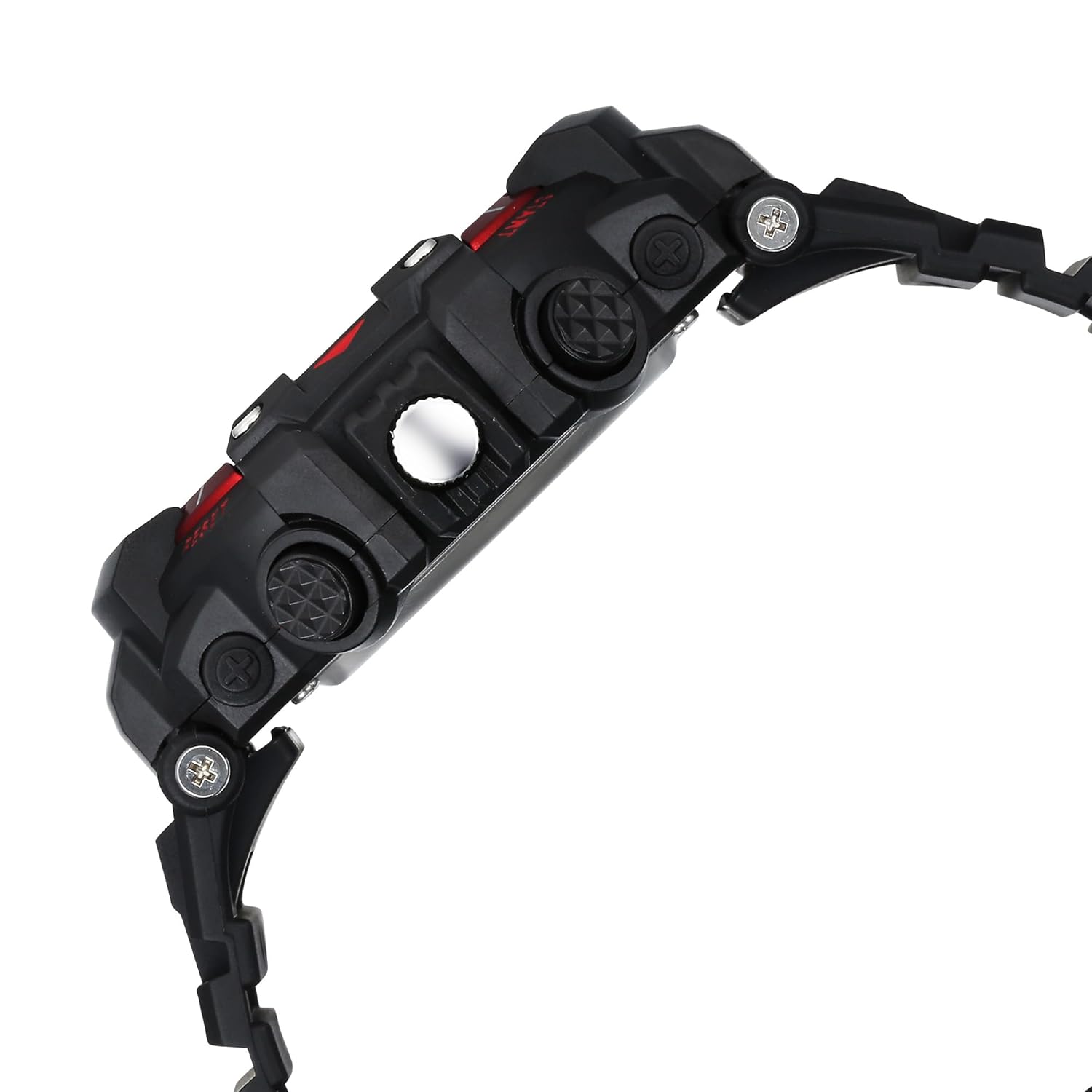
Side view of the watch, highlighting the various control buttons.
Button Functions
- LIGHT Button (Top Left): Activates the EL backlight for the digital display.
- MODE Button (Bottom Left): Cycles through different digital display modes (Time, Date, Alarm, Stopwatch).
- START Button (Top Right): Used to start/stop the stopwatch, adjust values in setting modes.
- RESET Button (Bottom Right): Used to reset the stopwatch, confirm settings, or switch between 12/24-hour format.
Digital Display Modes
- Time Mode: Displays current digital time (hours, minutes, seconds) and day of the week. Press MODE to cycle to other functions.
- Date Mode: Displays the current month and day.
- Alarm Mode: Allows setting and activating an alarm.
- Stopwatch Mode: For timing events.
Setting Digital Time and Date
- From Time Mode, press the MODE button repeatedly until the seconds begin to flash.
- Press the START button to adjust the flashing value (seconds, hours, minutes, month, date, day).
- Press the RESET button to move to the next setting item.
- Once all settings are complete, press the MODE button to exit setting mode.
Using the Alarm Function
- Press the MODE button until 'AL' (Alarm) appears on the digital display.
- Press the RESET button to select the hour or minute to set.
- Use the START button to adjust the flashing hour or minute.
- Press MODE to exit. To activate/deactivate the alarm, press START while in Alarm Mode. An alarm icon will appear when active.
Using the Stopwatch Function
- Press the MODE button until 'ST' (Stopwatch) appears.
- Press the START button to begin timing.
- Press START again to pause timing.
- Press the RESET button to clear the stopwatch to zero.
EL Backlight
Press the LIGHT button (top left) to illuminate the digital display for a few seconds, aiding visibility in dark conditions.
4. Maintenance
Cleaning Your Watch
Wipe the watch case and strap regularly with a soft, dry cloth. For stubborn dirt, a slightly damp cloth can be used, followed by immediate drying. Avoid using chemical cleaners, which can damage the watch materials.
Water Resistance (30 Meters)
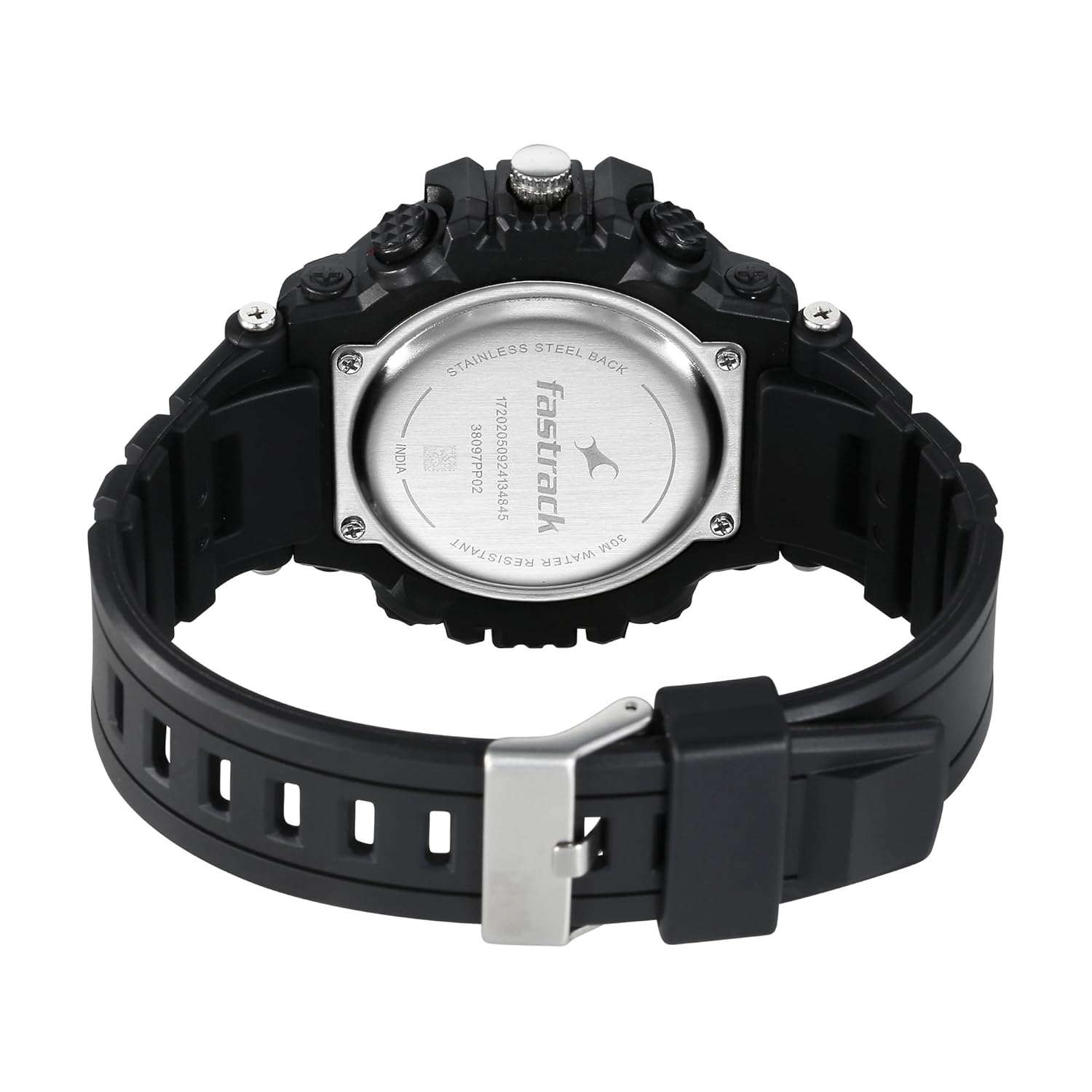
Back view of the watch, showing the stainless steel back and water resistance marking.
This watch is water resistant up to 30 meters (3 ATM). This means it is suitable for everyday use and can withstand splashes or brief immersion in water. It is not suitable for swimming, showering, or diving. Do not operate buttons while the watch is wet or submerged.
Battery Replacement
The watch uses one LR44 battery. When the digital display dims or stops functioning, it's time to replace the battery. It is recommended to have battery replacement performed by a qualified watch technician to ensure proper sealing and maintain water resistance.
Storage
When not in use for extended periods, store your watch in a cool, dry place away from direct sunlight and extreme temperatures. Avoid placing it near strong magnetic fields.
5. Troubleshooting
| Issue | Possible Cause | Solution |
|---|---|---|
| Digital display is blank or dim. | Low or dead battery. | Replace the LR44 battery. See 'Battery Replacement' section. |
| Analog hands are not moving. | Analog battery issue or mechanical fault. | Check if the crown is pushed in. If not, battery replacement or professional service may be required. |
| Buttons are unresponsive. | Watch is wet, or internal issue. | Ensure watch is dry. If issue persists, seek professional service. |
| Time is inaccurate. | Incorrect setting or battery issue. | Re-set the time and date. If problem continues, consider battery replacement. |
6. Specifications
| Feature | Detail |
|---|---|
| Brand | Fastrack |
| Model Number | 38097PP02W |
| Display Type | Digital and Analog |
| Water Resistance | 30 Meters (3 ATM) |
| Case Material | Not specified (typically resin/plastic for this style) |
| Strap Material | PU (Polyurethane) |
| Glass Material | Acrylic |
| Battery Type | 1 x LR44 (included) |
| Item Weight | 200 g |
| Product Dimensions | 13 x 9 x 6 cm |
| Manufacturer | Titan Company Limited |
7. Warranty and Support
Warranty Information
This Fastrack watch is covered by a manufacturer's warranty against defects in materials and workmanship. Please refer to the warranty card included in your package for specific terms, conditions, and duration of coverage. Keep your purchase receipt as proof of purchase.
Customer Support
For any questions, service requests, or technical assistance, please contact Fastrack customer support. Contact details can typically be found on the warranty card or the official Fastrack website. You may also reach out to the manufacturer, Titan Company Limited, for support.
Manufacturer Contact:
Titan Company Limited
3, Sipcot Industrial Complex, Hosur - 635126
Email: corpcomm@titan.co.in
Phone: +91-(0)4344-664199


