
1. Product Overview
The APONUO Solar Post Cap Lights are designed for outdoor use, specifically for 4x4 fence and deck posts. These lights feature a solar-powered design, automatic dusk-to-dawn operation, and two selectable lighting modes: warm white and cool white. They are constructed with IP64 waterproof materials for durability in various weather conditions.

Figure 1: Exploded view showing the solar panel, 16 bright LED beads, ribbed lampshade, and base designed for 4x4 wood and vinyl posts.
2. What's in the Box
- Solar Post Cap Lights (12 units)
- Mounting Hardware (screws)
3. Specifications
| Feature | Detail |
|---|---|
| Brand | APONUO |
| Model Number | M013 |
| Color | Black |
| Material | Acrylonitrile Butadiene Styrene (ABS) |
| Light Source | 16 Bright LEDs |
| Light Color | Warm White & Cool White (Adjustable) |
| Brightness | 15 Lumens |
| Power Source | Solar Powered |
| Battery | 600mAh (integrated) |
| Voltage | 1.2 Volts |
| Water Resistance Level | IP64 Waterproof |
| Dimensions (L x W x H) | 4.17" x 4.17" x 1.81" |
| Charging Time | 4-6 hours (direct sunlight) |
| Illumination Time | Up to 10 hours (fully charged) |
| Control Method | Touch Switch, Auto On/Off |
4. Installation Guide
These solar post cap lights are designed for easy installation on standard 4x4 wooden posts (actual 3.5x3.5 inches) or 4x4 vinyl posts (actual 4x4 inches).
- Unpack and Inspect: Carefully remove all lights and mounting hardware from the packaging. Inspect each light for any damage.
- Activate the Battery: Locate the switch on the underside of the light. Remove any pull tab if present and set the switch to the 'ON' position. This activates the rechargeable battery.
- Select Lighting Mode: Before mounting, use the switch to select your desired lighting mode: warm white or cool white.
- Prepare Post: Ensure the top surface of your 4x4 fence or deck post is clean and free of debris.
- Mount the Light: Place the solar post cap light onto the top of the post. Use the provided screws to secure the light to the post. For wooden posts, align the light and screw directly into the wood. For vinyl posts, ensure a snug fit.
- Optimal Placement: Install the lights in an area that receives 4-6 hours of direct sunlight daily for optimal charging and performance. Avoid shaded areas.

Figure 2: The solar post cap lights are compatible with both 4x4 wood and vinyl posts.
Video 1: This video demonstrates the installation process for the APONUO Solar Post Cap Lights on both wood and vinyl posts, highlighting the ease of setup and the secure fit.
5. Operating Instructions
The APONUO Solar Post Cap Lights are designed for simple, automatic operation.
5.1 Automatic On/Off Function
Once the battery is activated (switch in 'ON' position), the built-in light sensor will automatically turn the lights on at dusk and turn them off at dawn. No manual intervention is required for daily operation.
5.2 Switching Lighting Modes
To change between warm white and cool white light, gently twist and remove the top solar panel section of the light. Locate the small switch on the underside of the solar panel unit. Toggle this switch to select your preferred light color. Reattach the solar panel section securely.

Figure 3: The lights offer two distinct lighting modes: warm white for a cozy ambiance and cool white for a brighter, modern look.

Figure 4: The switch for selecting warm or cool white light is located on the underside of the solar panel unit.
6. Charging and Battery Life
The integrated solar panel charges the internal 600mAh battery during the day. A full charge typically requires 4-6 hours of direct sunlight. Once fully charged, the lights can provide illumination for up to 10 hours, depending on the amount of sunlight received and the selected lighting mode.
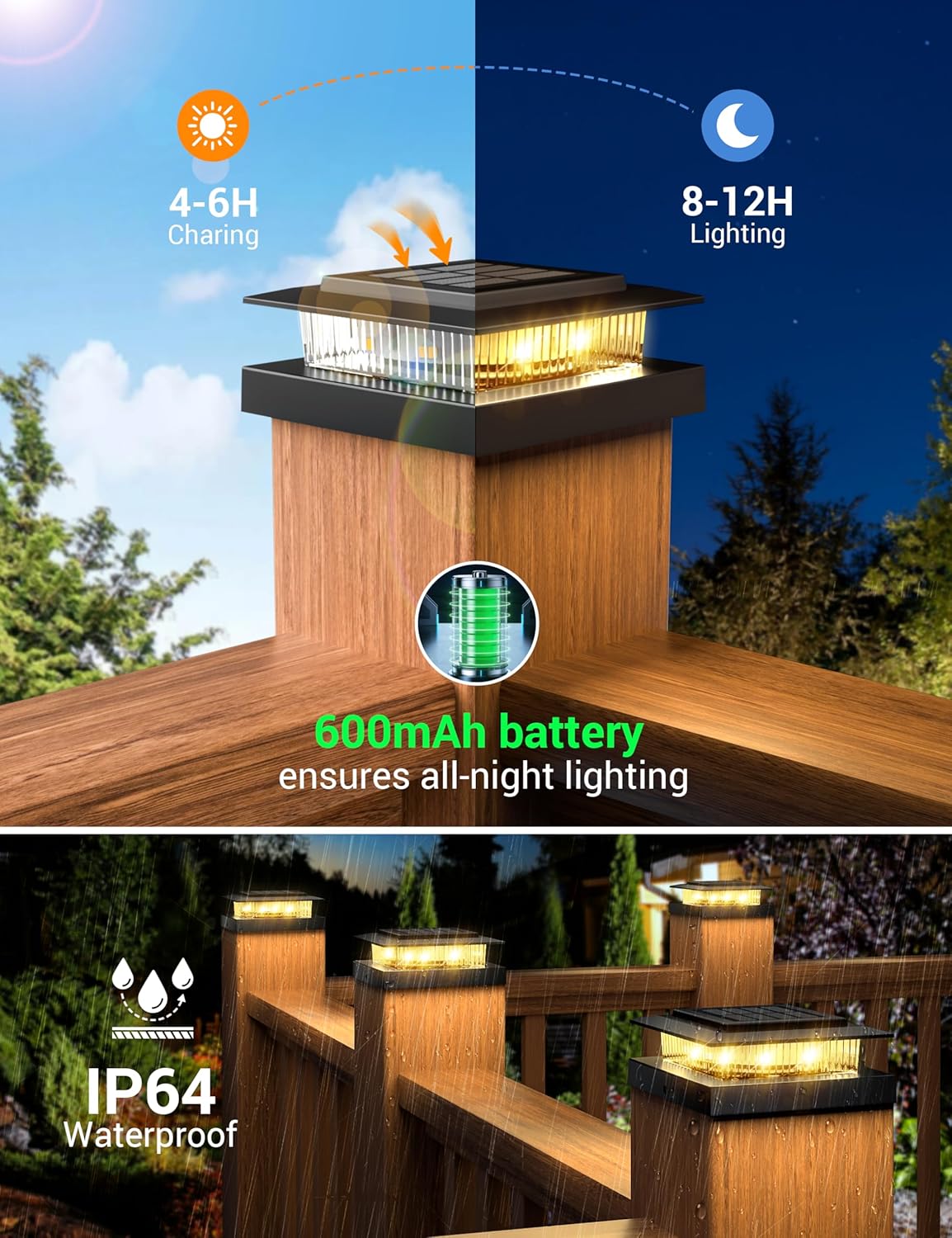
Figure 5: Solar charging efficiency and battery performance, along with the IP64 waterproof rating.
7. Maintenance
- Cleaning: Regularly wipe the solar panel with a soft, damp cloth to remove dust, dirt, or debris. A clean solar panel ensures efficient charging.
- Battery Care: The integrated battery is designed for long-term use. If the lights are stored for an extended period, ensure they are fully charged before storage and recharge them every few months to maintain battery health.
- Environmental Factors: While IP64 waterproof, extreme weather conditions (heavy snow, prolonged freezing temperatures) may affect performance. Clear snow or ice from the solar panel as needed.
8. Troubleshooting
| Problem | Possible Cause | Solution |
|---|---|---|
| Light does not turn on at night. | 1. Switch is OFF. 2. Insufficient sunlight for charging. 3. Solar panel is dirty. 4. Battery is depleted or faulty. | 1. Ensure the switch is in the 'ON' position. 2. Relocate the light to an area with more direct sunlight. 3. Clean the solar panel. 4. Allow several days of full charging. If problem persists, contact support. |
| Light stays on during the day. | Light sensor is obstructed or faulty. | Ensure the light sensor (small clear dome on the solar panel) is clean and not covered. |
| Light duration is short. | 1. Insufficient charging. 2. Battery capacity reduced over time. | 1. Ensure optimal sunlight exposure for charging. 2. After prolonged use, battery performance may decrease. Consider replacing the battery if accessible and within warranty. |
9. Warranty and Support
This product comes with a 1-year limited warranty from the date of purchase. The warranty covers defects in materials and workmanship under normal use. It does not cover damage caused by misuse, accidents, unauthorized modifications, or improper installation.
For warranty claims, technical support, or any questions regarding your APONUO Solar Post Cap Lights, please contact APONUO customer service through the retailer where the product was purchased or visit the official APONUO website for contact information.