
1. Introduction
This manual provides essential information for the safe and effective operation, assembly, and maintenance of your BH Fitness RX7 Treadmill. Please read this manual thoroughly before using the equipment to ensure proper setup and to maximize your workout experience.
The RX7 treadmill is designed for intensive home use, featuring a powerful 3.5 HP motor, a spacious running surface, adjustable speed and incline, and advanced connectivity options including Bluetooth FTMS and wireless charging.

Figure 1.1: The BH Fitness RX7 Treadmill. This image displays the full treadmill from a front-side angle, highlighting its robust design, console, and running deck with green LED lighting.
2. Important Safety Information
Before using the treadmill, review the following safety precautions to prevent injury and ensure proper equipment function:
- Consult a physician before starting any exercise program.
- Keep children and pets away from the treadmill during operation.
- Ensure the treadmill is placed on a flat, stable surface with adequate clearance around it.
- Do not operate the treadmill if it is damaged or malfunctioning.
- Always wear appropriate athletic footwear.
- The maximum user weight for this treadmill is 130 kg.
- The treadmill features an LED safety system: a green light indicates the machine is stopped, and a red light indicates it is in operation. Observe this indicator for safety.
- Always use the safety key during operation.
3. Package Contents
Verify that all components are present before beginning assembly:
- Main Treadmill Frame
- Console Unit
- Power Cable
- Assembly Hardware (bolts, washers, nuts)
- Tools (wrenches, Allen keys)
- User Manual
- Smartphone/Tablet Holder
4. Assembly Instructions
Assembly is required for the BH Fitness RX7 Treadmill. It is recommended that two people perform the assembly. Follow these general steps:
- Unpack Components: Carefully remove all parts from the packaging and lay them out in an open area.
- Unfold the Treadmill: The RX7 features a SoftDrop System (SDS) for safe and gradual unfolding. Gently release the locking mechanism and allow the running deck to lower slowly.
- Attach Upright Posts: Secure the upright posts to the main frame using the provided hardware.
- Install Console: Mount the console unit onto the upright posts. Connect all necessary cables from the console to the main frame.
- Attach Handlebars and Accessories: Secure the handlebars and any other accessories, such as the smartphone/tablet holder.
- Final Checks: Ensure all bolts are tightened and connections are secure.
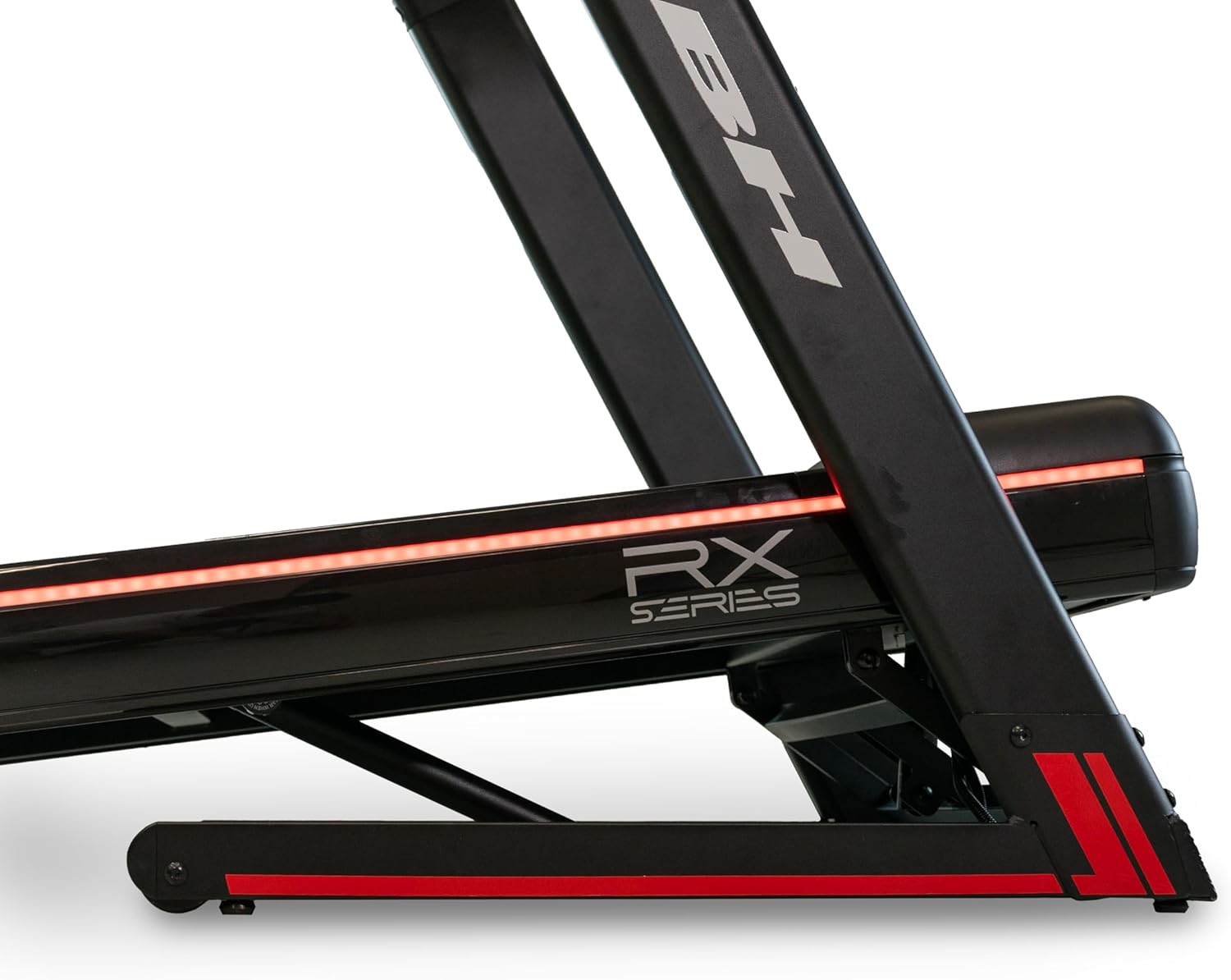
Figure 4.1: Side view of the BH Fitness RX7 Treadmill, illustrating the folding mechanism and red LED lighting along the base. This image shows the treadmill in a partially folded or unfolded state, highlighting its compact design.
5. Initial Setup
- Placement: Position the treadmill on a firm, level surface. Ensure there is at least 2 meters (6.5 feet) of clear space behind the treadmill and 0.5 meters (1.6 feet) on each side.
- Power Connection: Plug the power cable into a grounded electrical outlet.
- Safety Key: Attach the safety key clip to your clothing before starting any workout.
6. Operating Instructions
6.1 Console Overview

Figure 6.1: Close-up view of the BH Fitness RX7 Treadmill's LED console and control panel. The display shows metrics like calories, speed, time, distance, incline, and pulse, with control buttons below.
The LED monitor displays key workout metrics including Time, Incline, Speed, Distance, Calories, and Pulse. Control buttons allow for easy adjustment of speed, incline, and program selection.
6.2 Starting a Workout
- Ensure the safety key is in place and clipped to your clothing.
- Press the START button on the console. The treadmill belt will begin to move at a low speed.
- Adjust the speed using the '+' and '-' buttons. The speed range is 1 to 20 km/h.
- Adjust the incline using the incline buttons. The incline can be set up to 15%.
- Observe the LED safety system: a green light indicates the treadmill is stopped, and a red light indicates it is in operation.

Figure 6.2: Close-up of the BH Fitness RX7 Treadmill's running deck, showing the green LED lighting along the side. This light indicates the treadmill is currently stopped, enhancing user safety.
6.3 Workout Programs
The RX7 treadmill offers 32 pre-defined workout programs to vary your training intensity. Select a program using the program selection buttons on the console. Additionally, a body fat test function is available.
6.4 Pulse Measurement
Measure your pulse by gripping the contact sensors on the handlebars. For continuous and more accurate monitoring, an optional chest strap can be connected.
6.5 Bluetooth FTMS Connectivity
The treadmill features Bluetooth FTMS connectivity, allowing synchronization with popular fitness applications such as Zwift, Kinomap, and Bkool. This enhances your workout experience with interactive training environments. Refer to your chosen app's instructions for pairing.
6.6 Wireless Charging
A wireless charging pad is integrated into the console. Place your compatible mobile device on the pad to charge it during your workout, eliminating the need for cables.
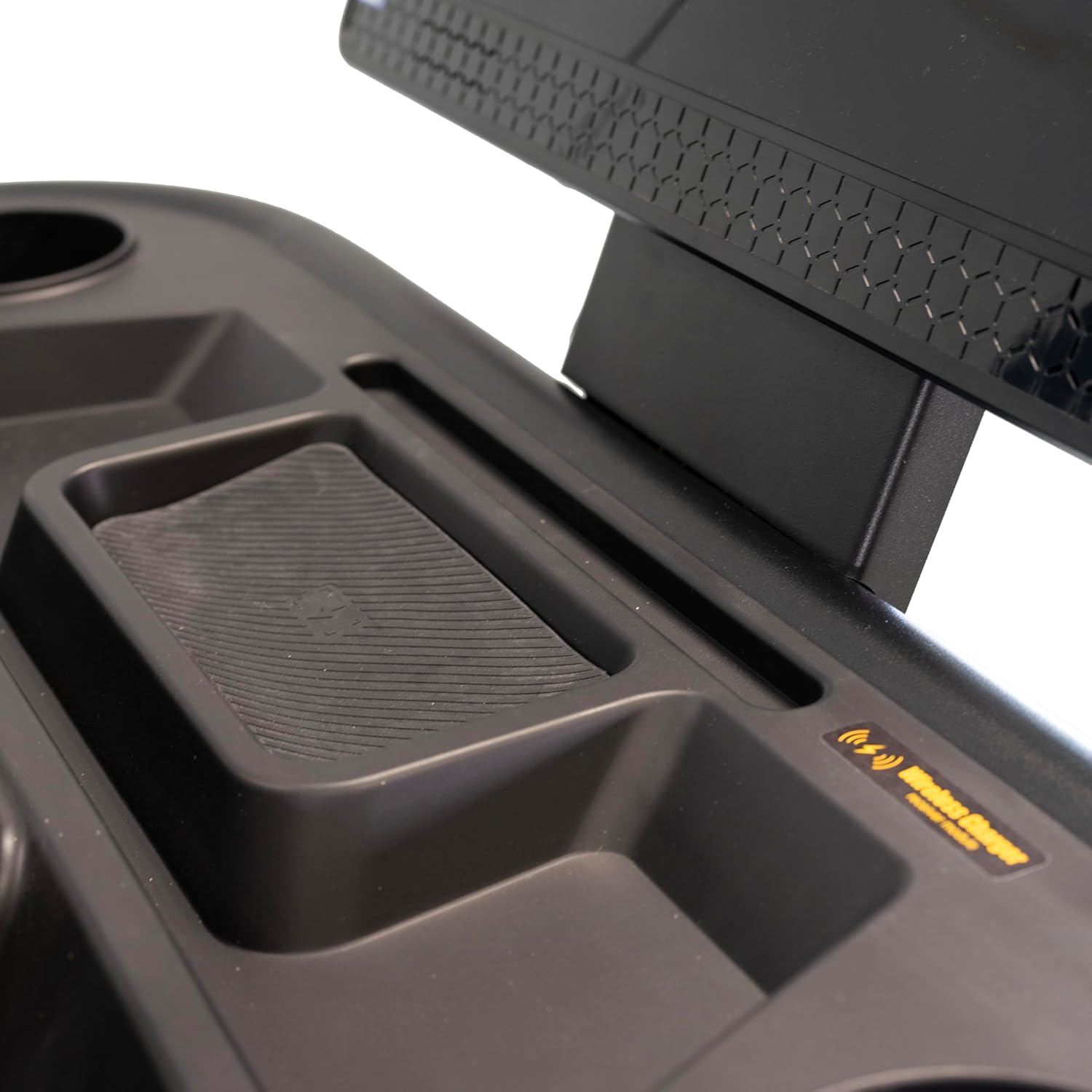
Figure 6.3: Close-up view of the wireless charging pad located on the console of the BH Fitness RX7 Treadmill. The pad is clearly marked with a wireless charging symbol.
6.7 Integrated Speakers and Device Holder
Connect your smartphone or tablet to the treadmill's integrated speakers via Bluetooth to enjoy your favorite music. The universal holder provides a secure place for your device during your workout.

Figure 6.4: Close-up view of a cup holder on the BH Fitness RX7 Treadmill console. This provides a convenient spot for hydration during workouts.
7. Maintenance
Regular maintenance ensures the longevity and optimal performance of your treadmill.
- Cleaning: Wipe down the treadmill after each use with a damp cloth. Avoid abrasive cleaners.
- Lubrication: Periodically check and lubricate the running belt according to the instructions provided with your lubricant (not included).
- Belt Tension and Alignment: Inspect the running belt for proper tension and alignment. Adjust as necessary following the detailed instructions in the full technical manual (if applicable).
- General Inspection: Regularly check all bolts and connections for tightness.
8. Troubleshooting
If you encounter issues with your treadmill, refer to the following common problems and solutions:
| Problem | Possible Cause | Solution |
|---|---|---|
| Treadmill does not power on. | Power cable not connected, circuit breaker tripped, safety key not in place. | Ensure power cable is securely plugged in. Check household circuit breaker. Verify safety key is correctly inserted. |
| Running belt slips or hesitates. | Belt too loose, belt requires lubrication. | Adjust belt tension (refer to full technical manual). Lubricate the running belt. |
| Console display is blank or erratic. | Loose cable connection, power issue. | Check all console cable connections. Power cycle the treadmill (unplug, wait 30 seconds, plug back in). |
| Unusual noise during operation. | Loose components, motor issue, belt friction. | Inspect for loose bolts and tighten. Ensure belt is lubricated. If noise persists, contact customer support. |
For issues not listed here, please contact BH Fitness customer support.
9. Specifications
| Feature | Detail |
|---|---|
| Model | RX7 (G6173) |
| Brand | BH Fitness |
| Motor Horsepower | 3.5 HP |
| Speed Range | 1 - 20 km/h |
| Maximum Incline | 15% |
| Running Surface | 145 x 55 cm |
| Maximum User Weight | 130 kg |
| Number of Programs | 32 (plus Body Fat Test) |
| Unfolded Dimensions (L x W x H) | 180 x 90 x 152 cm |
| Folded Dimensions (L x W x H) | 122 x 90 x 152 cm |
| Net Product Weight | 115 kg |
| Material | Composite metal, metals, rubber |
| Power Type | Electric Cable |
| Special Features | Wireless Charging, Bluetooth FTMS, Integrated Speakers, LED Safety System, SoftDrop System (SDS) |
| Included Components | LED Monitor, Smartphone/Tablet Holder |
| Assembly Required | Yes |
10. Warranty and Support
Your BH Fitness RX7 Treadmill is covered by a manufacturer's warranty. Please refer to the warranty card included with your purchase for specific terms and conditions.
For technical assistance, spare parts, or warranty claims, please contact BH Fitness customer support:
- Website: www.bhfitness.com (Note: This is a placeholder URL. Please refer to your product documentation for the official support website.)
- Email: support@bhfitness.com (Note: This is a placeholder email.)
- Phone: Consult your regional BH Fitness website for local contact numbers.


