
CYBERDOT C01
CYBERDOT Bluetooth Air-Conduction Wireless Earbuds User Manual
Model: C01
Introduction
Thank you for choosing the CYBERDOT Bluetooth Air-Conduction Wireless Earbuds. These earbuds are designed to provide a comfortable and immersive audio experience while maintaining situational awareness. Featuring an open-ear design, advanced sound technology, and convenient controls, they are ideal for various activities including travel, sports, and daily use.

Image: The CYBERDOT Bluetooth Air-Conduction Wireless Earbuds resting in their sleek black charging case, with an LED digital display showing battery percentage.
Package Contents
Ensure all items are present in the package:
- CYBERDOT Open Earbuds (Left and Right)
- Wireless Charging Case
- USB-C Charging Cable
- User Manual
Product Overview
The CYBERDOT earbuds feature an innovative open-ear, air-conduction design that allows sound to reach your ears without blocking the ear canal, providing comfort and environmental awareness.
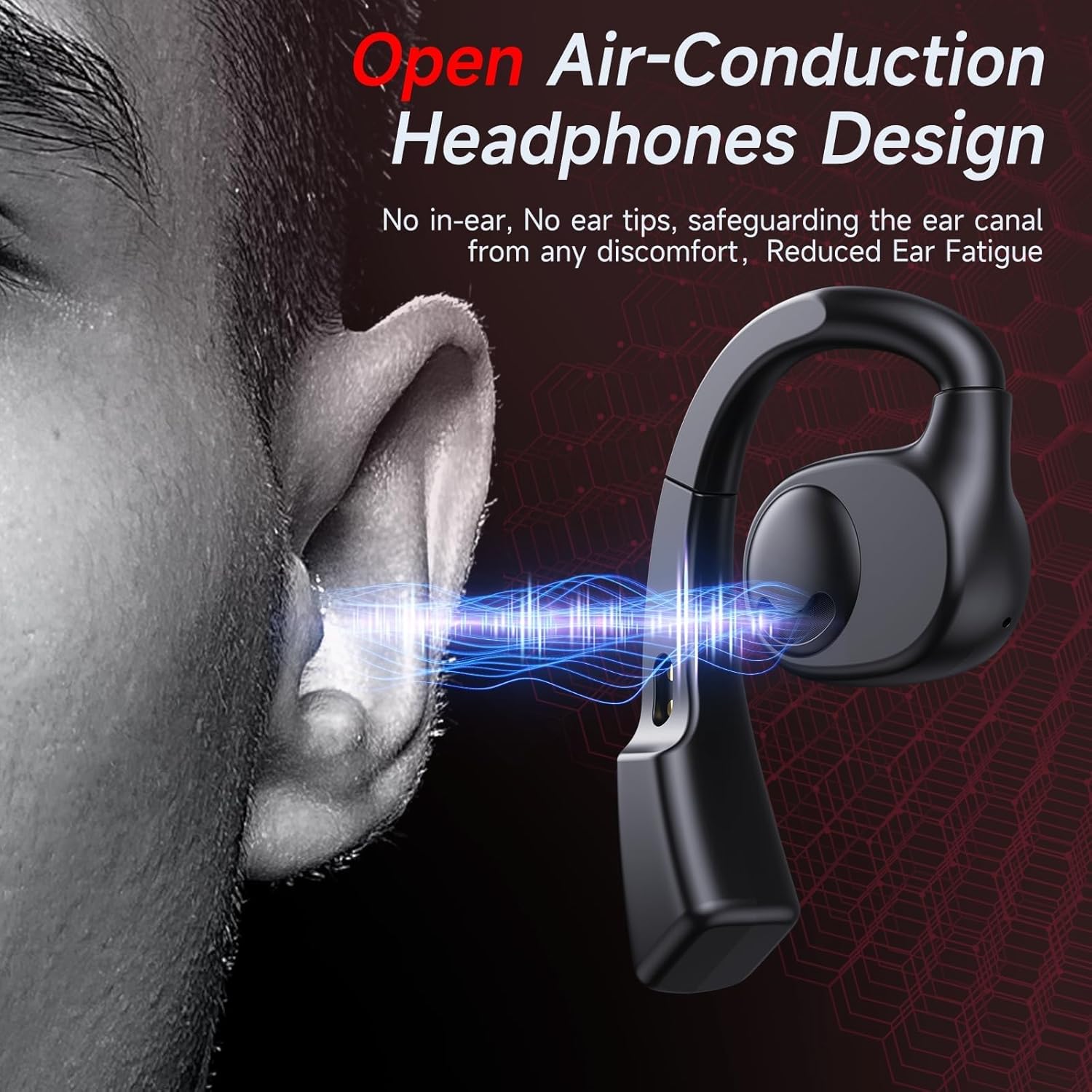
Image: A diagram illustrating the air-conduction principle, where sound waves are directed towards the ear canal without physically entering it, ensuring comfort and reducing ear fatigue.
Key Features:
- Open-Ear Design: Enhances comfort and situational awareness.
- 16.3mm Dynamic Drivers: Delivers powerful stereo sound.
- Clear Call Microphone: Ensures clear voice transmission during calls.
- Dual Charging Methods: Supports USB-C and wireless charging for the case.
- LED Digital Display: Shows battery levels of the case and individual earbuds.
- Touch Control: Intuitive controls for music, calls, and voice assistant.
- Bluetooth 5.3: Provides stable and fast wireless connections.
- Water Resistant: Suitable for various activities including sports.
Setup
1. Initial Charging
Before first use, fully charge the earbuds and the charging case. Place the earbuds into the charging case. Connect the USB-C cable to the charging case and a power source, or place the case on a compatible wireless charging pad.
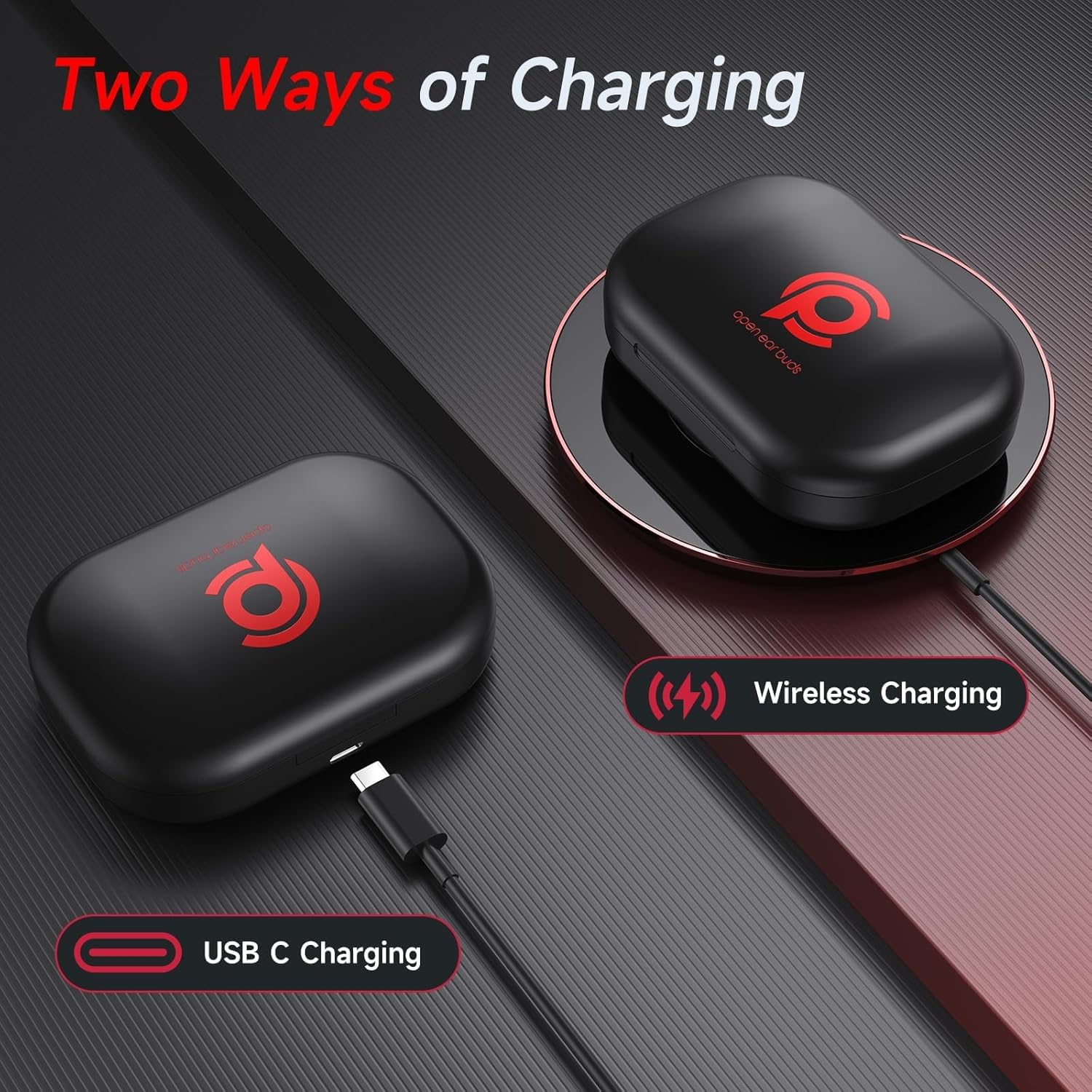
Image: The charging case being charged via a USB-C cable and also wirelessly on a charging pad, demonstrating the dual charging capabilities.
The LED digital display on the charging case will indicate the battery level of the case and the charging status of the earbuds.
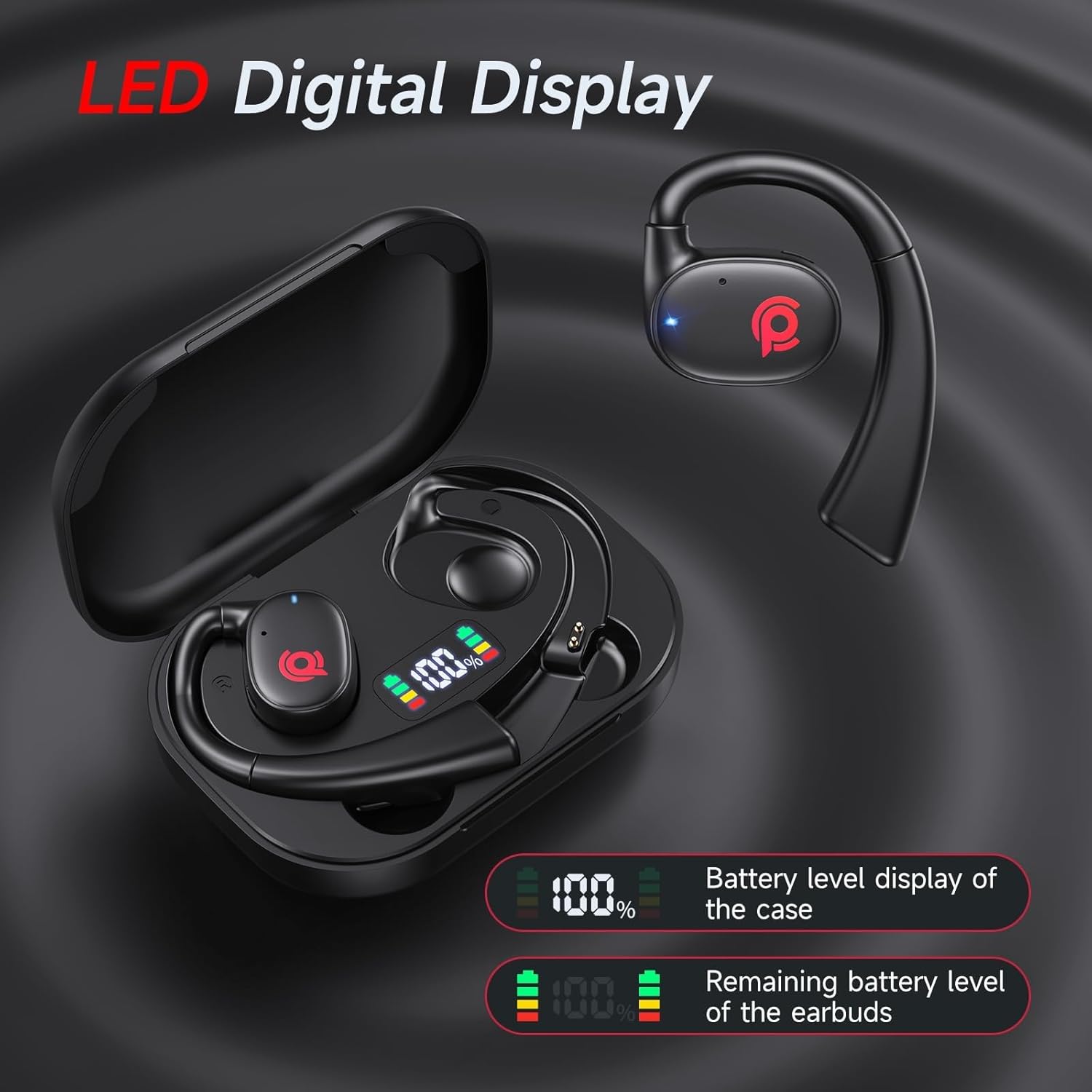
Image: A close-up of the charging case's LED display, showing separate battery indicators for the case and each earbud, along with percentage readings.
2. Pairing with Your Device
- Ensure the earbuds are charged.
- Open the charging case and take out both earbuds. They will automatically enter pairing mode, indicated by a flashing LED light on the earbuds.
- On your device (smartphone, tablet, computer), enable Bluetooth.
- Search for "CYBERDOT C01" in the list of available Bluetooth devices.
- Select "CYBERDOT C01" to connect. Once connected, the LED indicator on the earbuds will stop flashing.
Note: After the initial pairing, the earbuds will automatically connect to the last paired device when taken out of the case, provided Bluetooth is enabled on the device.

Image: A visual representation of the one-step pairing process with a smartphone, highlighting the earbuds' wide compatibility with iOS, Android, and other devices.
Operating Instructions
Wearing the Earbuds
The CYBERDOT earbuds feature a revolving design for easier and more comfortable wearing. Follow these steps:
- Rotate the main structure of the headphone so that it is at an angle to the plane.
- Maintain the angle from Step 1 and gently place the earbud onto your ear.
- Rotate the headphone to fit your ear most comfortably, ensuring the ear hook sits securely over your ear.

Image: A three-step visual guide demonstrating how to properly rotate and position the ear hook earbuds for a secure and comfortable fit.
Touch Controls
The earbuds are equipped with multi-functional touch sensors for easy control of audio playback, calls, and voice assistant.

Image: A detailed diagram illustrating the touch control functions for both left and right earbuds, including commands for play/pause, track skipping, volume adjustment, call management, and activating voice assistant.
| Action | Function |
|---|---|
| Touch Twice (L/R) | Play/Pause Music, Answer/End Call |
| Long Press (L) x 2s | Previous Track |
| Long Press (R) x 2s | Next Track |
| Touch Once (R) | Volume Up |
| Touch Once (L) | Volume Down |
| Touch Triple (L/R) | Activate Voice Assistant (Siri, Google Assistant) |
| Long Press (L/R) x 2s (during call) | Reject Call |
Maintenance
Cleaning
Regular cleaning helps maintain the performance and longevity of your earbuds. Use a soft, dry, lint-free cloth to wipe the earbuds and charging case. Do not use abrasive cleaners, alcohol, or chemical sprays.
Storage
When not in use, store the earbuds in their charging case to protect them from dust and damage. Store in a cool, dry place away from extreme temperatures.
Battery Care
To prolong battery life, avoid fully discharging the earbuds and charging case frequently. Charge them regularly, even if not in constant use.
Troubleshooting
| Problem | Possible Cause | Solution |
|---|---|---|
| Earbuds not pairing/connecting | Low battery; Bluetooth off; Out of range; Pairing error. | Charge earbuds and case. Ensure Bluetooth is on. Move closer to device. Forget device in Bluetooth settings and re-pair. |
| No sound from one earbud | Low battery; Disconnected; Earbud not properly seated in case. | Ensure both earbuds are charged. Place both earbuds back in case, close, then reopen and re-pair. |
| Poor sound quality/distortion | Interference; Out of range; Low battery; Dirty earbuds. | Move away from interference sources. Move closer to device. Charge earbuds. Clean earbuds. |
| Earbuds not charging | Cable/charger issue; Dirty charging contacts; Earbuds not seated correctly. | Try a different cable/charger. Clean charging contacts on earbuds and case. Ensure earbuds are firmly seated. |
| Touch controls unresponsive | Temporary software glitch; Dirty touch sensor. | Place earbuds back in case for a few seconds, then take them out. Clean the touch sensor area. |
Specifications
| Feature | Detail |
|---|---|
| Model Name | C01 |
| Brand | CYBERDOT |
| Connectivity Technology | Wireless (Bluetooth) |
| Bluetooth Version | 5.3 |
| Ear Placement | Open Ear |
| Earpiece Shape | Ear Hook |
| Audio Driver Type | Dynamic Driver |
| Audio Driver Size | 16.3 Millimeters |
| Control Method | Touch |
| Battery Life (Earbuds) | Up to 7 Hours |
| Total Listening Time (with case) | Up to 21 Hours |
| Charging Time | Approx. 6 Hours (for full case charge) |
| Water Resistance Level | Water Resistant |
| Material | Plastic |
| Item Weight | 5 ounces |
| UPC | 730425901001 |
Warranty and Support
For warranty information and customer support, please refer to the official CYBERDOT website or contact their customer service directly. Keep your purchase receipt for warranty claims.
CYBERDOT Official Store: Visit the CYBERDOT Store on Amazon
Ask a question about this manual
Ask about setup, troubleshooting, compatibility, parts, safety, or missing instructions. Manuals+ will review the question and use this page’s manual context to help answer it.