1. Introduction
Thank you for choosing the NineLeaf Bike Alarm. This device is designed to provide robust anti-theft protection for your bicycle, motorcycle, e-bike, e-scooter, moped, UTV, ATV, doors, and windows. Utilizing advanced 3D displacement sensors and intelligent algorithms, it offers reliable security with adjustable sensitivity and a loud alarm.
Please read this manual thoroughly before installation and operation to ensure proper use and maximize the product's lifespan.
2. Product Overview and Features
The NineLeaf Bike Alarm is equipped with several key features to enhance security and user convenience:
- Efficient Anti-Theft: Employs 3D displacement sensors and special algorithms to accurately detect theft behavior, minimizing false alarms and providing continuous intelligent guarding.
- Remote Control: Comes with a remote for convenient arming, disarming, and sound tone selection. The alarm features a loud output (up to 110dB) and three-step volume adjustment.
- Long-lasting Battery Life: Features a built-in 700mAh lithium battery, rechargeable via USB-C. Provides approximately 1-3 months of working time and up to 6 months of standby time on a single charge. Incorporates fourth-generation power-saving technology.
- Adjustable Sensitivity: Offers 7 levels of sensitivity, allowing customization from gentle touch detection to strong impact detection, adapting to various environments.
- Durable Construction: Made from PC+ anti-UV material with IP54 waterproof and dustproof capabilities, ensuring resilience in diverse weather conditions.

Image: Overview of the NineLeaf Bike Alarm units and their remote controls.

Image: The alarm unit demonstrating its IP54 waterproof capability, suitable for various weather conditions.
3. Specifications
| Parameter | Detail |
|---|---|
| Alarm Battery | 4.2V 700mAh lithium battery |
| Working Time (Alarm) | Approx. 1-3 months |
| Standby Time (Alarm) | Approx. 6 months |
| Alarm Charge Port | Standard USB-C 5V (some quick chargers may not be compatible) |
| Remote Battery (WL03C) | 27A (12V) Alkaline battery |
| Working Time (WL03C Remote) | Approx. 1-2 years (5 times per day) |
| Remote Battery (WL09C) | CR2032 (3V) Button battery |
| Working Time (WL09C Remote) | Approx. 2-4 years (5 times per day) |
| Working Frequency | 433.92MHz |
| Working Environment Temperature | -40°C to +70°C |
| Working Environment Humidity | <80% |
| Storage Temperature | -40°C to +70°C |
| Model Number | KS-SF32R |
| Item Weight | 7.5 pounds (product package weight) |
| Material | PC+ anti-UV material |
| Waterproof Rating | IP54 |

Image: Detailed dimensions of the alarm unit and its remote control.
4. Setup and Installation
The NineLeaf Bike Alarm offers flexible installation methods to suit various applications:
Method 1: Bracket Installation
This method is ideal for bikes, electric bikes, and tricycles, allowing fixation on handlebars, front axle frames, seat tubes, rear frames, or other hidden locations.
- Rotate the bracket into the back of the alarm unit until it locks securely. Then, screw it on to fix it in place.
- Place two silicone pads on the two-part bracket. Ensure the contours on the silicone pads align with the grooves on the inside of the brackets.
- Position the two-part bracket with silicone pads on the chosen tube (e.g., seat post, handlebar).
- Tighten the screw until the mount is firmly secured and does not slide on the tube. Periodically check the tightness of the screw.
Method 2: Zip Ties / Double-Sided Tape Installation
This method is suitable if the bracket diameter is not compatible with your frame, or for installation in areas like seat cushions, trunks, under pedals, or in front storage boxes.
- If using zip ties, rotate the bracket base into the back of the alarm until it locks. Secure the alarm to the desired position using zip ties.
- If using double-sided adhesive tape, rotate the bracket base into the back of the alarm until it locks. Attach the alarm to the selected position using the double-sided tape.

Image: Visual guide illustrating the three available installation methods for the alarm unit.
5. Operating Instructions
The NineLeaf Bike Alarm is operated primarily via its remote control.
Remote Control Functions:
- Arm (Lock Button): Press once to arm the alarm. A confirmation sound will indicate that the alarm is active. Any detected movement will trigger the alarm.
- Disarm (Unlock Button): Press once to disarm the alarm. A confirmation sound will indicate that the alarm is inactive.
- Change Tone (Bell Button): Press to cycle through different alarm sound tones.
- Search Function (Lightning Bolt Button): Press to activate a short alarm sound, helping you locate your bike in a crowded area.
Adjusting Sensitivity:
The alarm features 7 levels of sensitivity. Refer to the product packaging or specific instructions for your model on how to adjust these levels, typically involving a combination of button presses on the remote or alarm unit while in a specific mode.

Image: The remote control, highlighting its various functions for operating the alarm.

Image: Illustration of the 7 adjustable sensitivity levels, from gentle touch to strong impact.

Image: The alarm unit installed on a bicycle, demonstrating its loud 110dB alarm capability.
6. Maintenance
Charging the Alarm Unit:
The alarm unit is equipped with a built-in 700mAh lithium battery. To charge, connect a standard USB-C 5V charger to the alarm's USB-C port. Note that some quick chargers may not be compatible.
- When charging, a red LED light inside the alarm unit will illuminate.
- The red light will turn off once the battery is fully charged.
- A full charge typically provides 1-3 months of working time or up to 6 months of standby time.
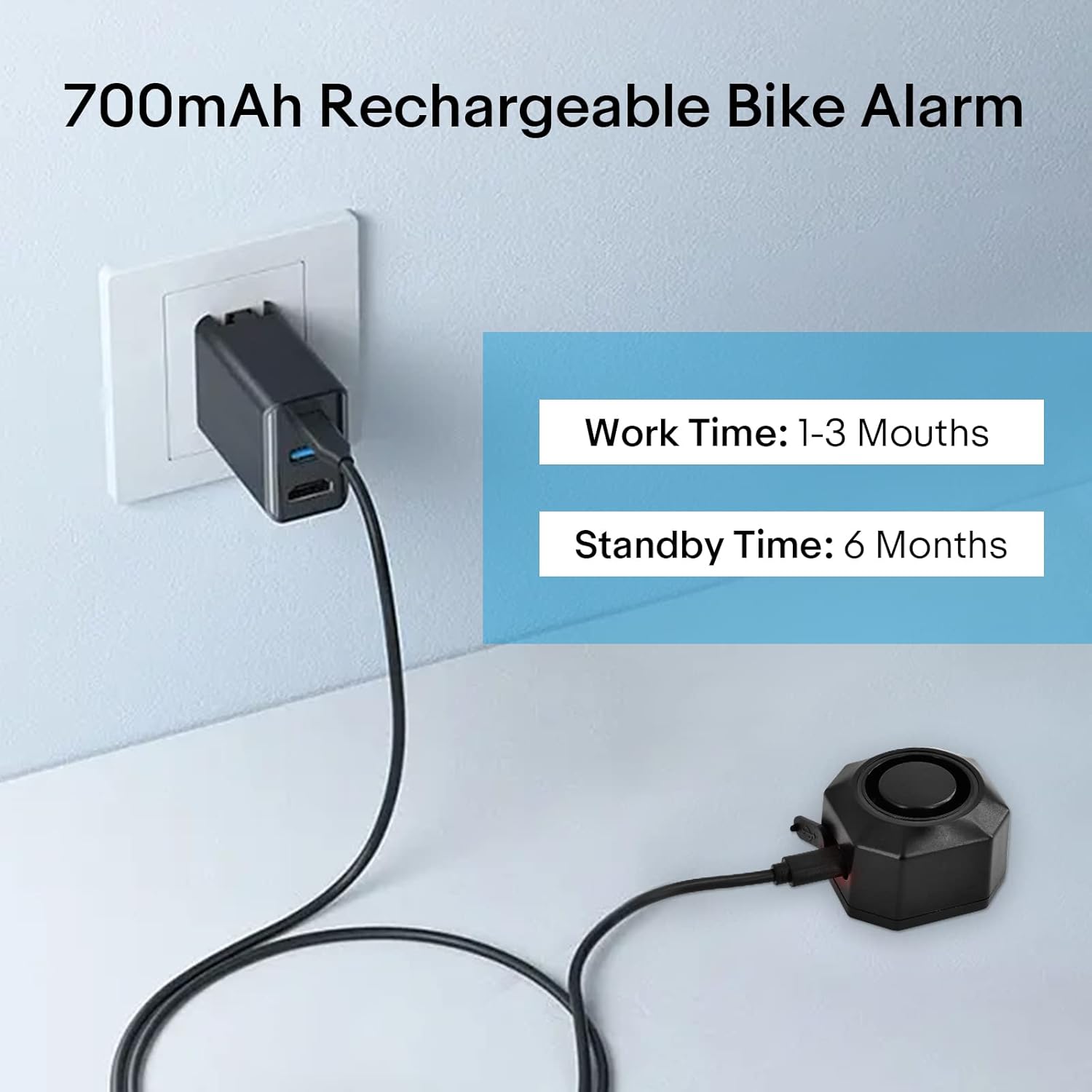
Image: The alarm unit being charged via USB-C, illustrating its rechargeable battery feature.
Remote Control Battery Replacement:
The remote control uses either a 27A (12V) Alkaline battery (WL03C) or a CR2032 (3V) Button battery (WL09C). Replace the battery when the remote's range decreases or it becomes unresponsive.
General Care:
- Although the alarm is IP54 waterproof, avoid prolonged submersion in water.
- Clean the unit with a soft, damp cloth. Do not use harsh chemicals or abrasive cleaners.
- Periodically check the tightness of installation screws, especially for bracket installations, to ensure secure mounting.
7. Troubleshooting
- Alarm not responding to remote: Check the remote control battery and replace if necessary. Ensure the alarm unit is charged.
- False alarms: Adjust the sensitivity level to a lower setting. Ensure the alarm is securely mounted and not subject to excessive vibrations from external sources (e.g., strong winds, passing heavy vehicles).
- Alarm not loud enough: Check the volume setting using the remote control. Ensure there are no obstructions blocking the alarm's speaker.
- Short battery life: Ensure the alarm is fully charged. Avoid extreme temperatures, which can affect battery performance. If issues persist, the battery may need replacement (contact support).
- Charging issue: Ensure you are using a standard USB-C 5V charger. Some quick chargers may not be compatible. Try a different USB-C cable and power adapter.
8. Warranty and Support
NineLeaf products are manufactured with high-quality standards. For any issues, technical support, or warranty inquiries, please contact NineLeaf customer service through the retailer where the product was purchased or visit the official NineLeaf website for contact information.
Please retain your proof of purchase for warranty claims.


