
Introduction
This manual provides detailed instructions for the installation, operation, and maintenance of your Bphuny Dream Color 18-in-1 Interior Car Ambient Light Kit. This kit is designed to enhance your vehicle's interior with dynamic, multi-color lighting effects, offering both app and physical button control. Please read this manual thoroughly before installation and use to ensure proper function and safety.
Safety Information
- Power Supply: Ensure the working voltage is between 9-12V. Connect the positive terminal of the control box to the car's fuse and the negative terminal to a grounded point. Incorrect wiring can cause damage to the product or vehicle.
- Professional Installation: Installation may require disassembling car door panels and other interior components. If you are not confident in your ability to perform the installation safely, seek professional assistance.
- Wiring: Avoid pinching or damaging wires during installation. Secure all wiring to prevent interference with vehicle operation.
- Water Resistance: This product is not water-resistant. Avoid exposure to water or excessive moisture.
- Heat: Do not install near heat sources or in areas where temperatures exceed recommended operating limits.
Package Contents
Verify that all components are present before beginning installation:
- 4 x Door Handle Lights
- 4 x Footwell Lamps (2 x 44.5 inches, 2 x 64.2 inches)
- 4 x Door Storage Box Lights (2 x 19.3 inches)
- 1 x 18-in-1 Acrylic Car Light Kit (4 x 29.5 inches, 1 x 43.3 inches, 1 x 14 inches)
- 1 x Main Controller
- 4 x Sub-Controllers
- Necessary Wiring Harnesses and Installation Tools (e.g., pry tool)

An overview of all components included in the Bphuny 18-in-1 Car Ambient Light Kit, featuring various lengths of acrylic light strips, main and sub-controllers, footwell lights, door handle lights, and wiring harnesses.
Installation Guide
The Bphuny Dream Color 18-in-1 kit is designed for universal fit, but installation requires careful attention to detail. The light strips can be cut to your desired length and bent to fit contours.
General Installation Steps:
- Plan Placement: Confirm the desired installation positions for all light strips, footwell lights, door handle lights, and storage box lights. Common areas include the dashboard, door panels, and center console.
- Prepare Surfaces: Ensure all installation surfaces are clean and dry.
- Create Gaps: Use the provided pry tool to gently open up gaps in your car's interior trim where the acrylic light strips will be inserted.
- Insert Light Strips: Carefully squeeze the acrylic LED light strips into the prepared gaps. Ensure a snug fit.
- Install Other Lights: Mount the footwell, door handle, and storage box lights in their respective locations.
- Wiring: Connect all light components to the sub-controllers, and then connect the sub-controllers to the main controller.
- Power Connection: Connect the main controller's positive terminal to your car's fuse box (9-12V circuit) and the negative terminal to a suitable ground point in the vehicle chassis.
- Test: Before reassembling all panels, test the lights to ensure they function correctly.
- Secure Wiring: Neatly tuck away and secure all wiring to prevent tangles, damage, or interference with vehicle controls.

A visual guide demonstrating typical installation points within a car interior and the process of inserting light strips into trim gaps.

This image illustrates the superior brightness and uniform light distribution of the Bphuny acrylic light strip compared to older single-LED fiber optic designs, emphasizing a clean installation.
Installation Video:
This video showcases the Bphuny Dream Color 18-in-1 Interior Car Ambient Light Kit installed in a vehicle, demonstrating various color changes and dynamic lighting effects in sync with music.
Operating Instructions
Your Bphuny ambient light kit offers two primary control methods:
1. App Control
- Download App: Search for "LAMP&FRGN" in the Google Play Store or Apple App Store and install it on your smartphone.
- Connect: Ensure your phone's Bluetooth is enabled. Open the app, and it should automatically detect and connect to your ambient light kit.
- Features: The app provides access to 16 million colors, 213 preset color modes (jump, gradual change, strobe), brightness adjustment (0%-100%), speed adjustment (0%-100%), voice control mode, music sync mode, and a timing function.
2. Physical Button Control
- Hidden Touch Button: Locate the hidden touch button on the main controller.
- Turn On/Change Color: Press the button once to turn on the lights or cycle through different colors.
- Turn Off: Press and hold the button for 2 seconds to turn off the lights.
Dynamic Music Rainbow Sync:
The built-in sound-sensitive function allows the lights to synchronize with the rhythm and beat of music playing in your car, creating an immersive and dynamic atmosphere.

This image displays the two control modes: app control via a smartphone and an infrared remote control (though the kit primarily uses app and touch button). It highlights the versatility in managing the lighting effects.
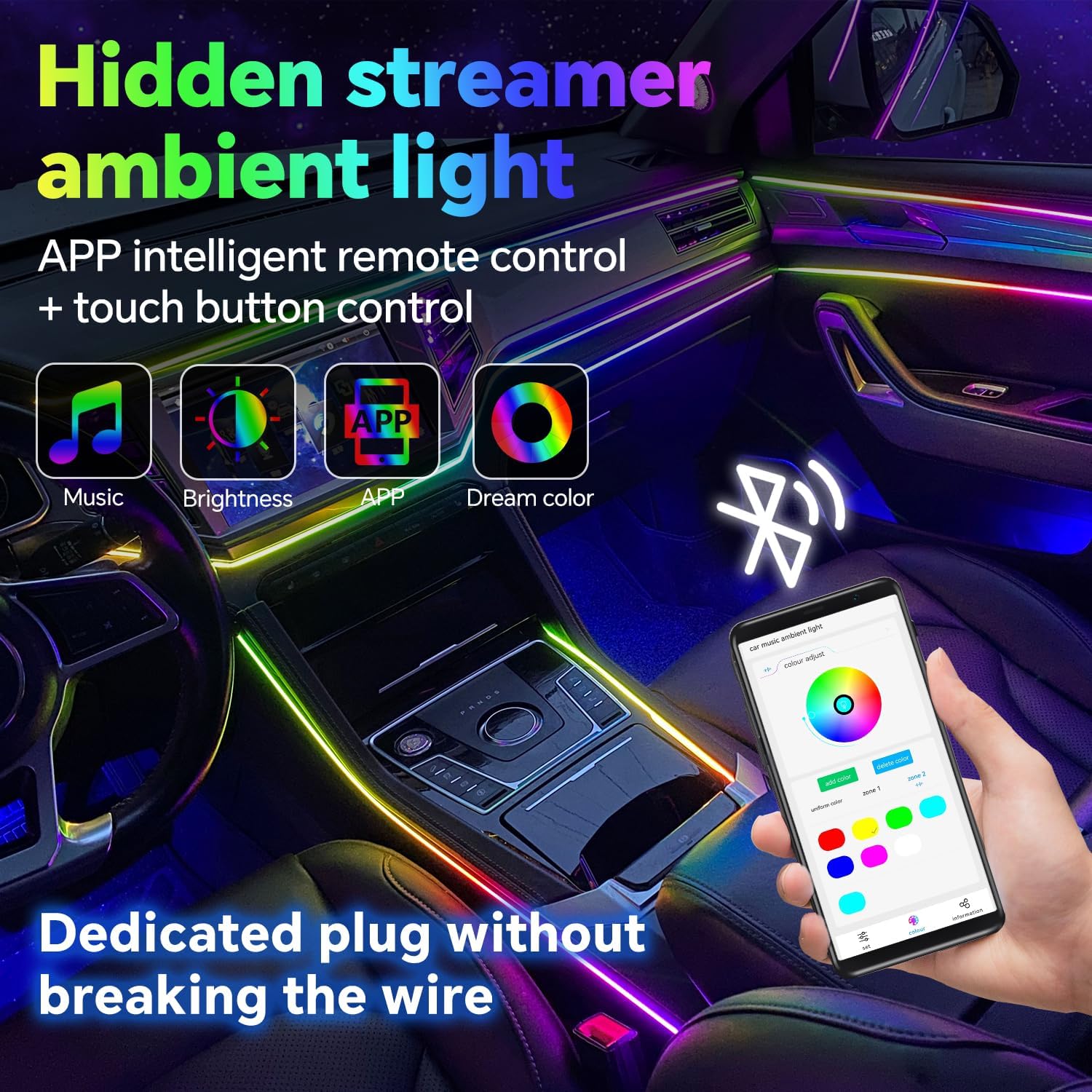
The image shows the car interior illuminated by the ambient lights, emphasizing the seamless integration and control via the smartphone app and the discreet hidden touch button.

Various car interiors are shown with the ambient lighting set to different colors, illustrating the wide range of 16 million colors available to customize your vehicle's atmosphere.

This image depicts people enjoying a car interior with dynamic ambient lighting, highlighting the music synchronization feature that makes the lights dance to the beat.
Maintenance
- Cleaning: Use a soft, dry cloth to gently wipe the light strips and controllers. Avoid abrasive cleaners or solvents.
- Inspection: Periodically check all wiring connections to ensure they are secure and undamaged.
- Software Updates: Keep the "LAMP&FRGN" app updated to the latest version for optimal performance and new features.
Troubleshooting
| Problem | Possible Cause | Solution |
|---|---|---|
| Lights do not turn on. | No power, loose connection, blown fuse, incorrect wiring. | Check power connections to the car's fuse box and ground. Verify all wiring is securely connected. Check the fuse for the circuit. Ensure correct polarity. |
| Lights are dim or flicker. | Insufficient power, loose connection, damaged strip. | Ensure stable power supply. Check all connections. Inspect light strips for physical damage. |
| App cannot connect via Bluetooth. | Bluetooth off, app not updated, interference, controller issue. | Ensure phone Bluetooth is on. Restart the app and phone. Try reconnecting. Update the app to the latest version. Move phone closer to the controller. |
| Some lights or sections do not work. | Damaged light strip, faulty sub-controller, loose connection. | Check connections to the specific light strip or sub-controller. Inspect the strip for visible damage. Contact support if components are faulty. |
| Lights do not sync with music. | Music mode not activated, microphone obstructed, app settings. | Ensure music mode is selected in the app. Check if the controller's microphone is clear and unobstructed. Adjust sensitivity in app settings if available. |
Specifications
| Feature | Detail |
|---|---|
| Brand | Bphuny |
| Model Number | YMS-TY01 |
| Item Dimensions (L x W x H) | 4.72 x 1.38 x 4.72 inches (Control Box) |
| Item Weight | 0.8 Kilograms |
| Color | Color-changing (Dream Color) |
| Light Source Type | LED |
| Material Type | Acrylic |
| Voltage | 9-12 Volts |
| Connectivity Technology | Bluetooth |
| Vehicle Service Type | Car (Universal Fit) |
| Water Resistance Level | Not Water Resistant |
| Number of Pieces | 6 (main light strips, plus other components) |
Warranty and Support
This Bphuny product comes with a 12-month manufacturer warranty. If you encounter any issues during installation or operation, or if you have questions about the product, please contact the seller directly through your purchase platform for assistance. Provide your order number and a detailed description of the issue to expedite support.