
1. Product Overview
The MEDION MD 12040 Bread Maker is designed to simplify homemade bread preparation. It features 20 automatic programs, three browning levels, and a capacity of up to 1600g. The appliance includes a non-stick bread pan, two kneading hooks, a measuring cup, a measuring spoon, and a kneading hook extractor.
This bread maker allows for precise control over ingredients, making it ideal for individuals with dietary preferences or allergies. Its convenient 15-hour delay start function enables fresh bread at your desired time.

Image: The MEDION MD 12040 Bread Maker, a white appliance with a dark grey top panel and an LCD display.
2. Safety Instructions
- Always ensure the appliance is placed on a stable, heat-resistant surface.
- Do not immerse the main unit in water or any other liquid.
- Keep children away from the appliance during operation, as surfaces can become hot.
- Unplug the appliance from the power outlet when not in use and before cleaning.
- Do not operate the appliance if the power cord or plug is damaged.
3. Setup and First Use
3.1 Unpacking and Initial Checks
- Carefully unpack the bread maker and all its accessories.
- Check that all parts are complete and free of damage.
- Clean and dry all removable parts (bread pan, kneading hooks, measuring cup, measuring spoon) before first use.
3.2 Installing the Bread Pan and Kneading Hooks
- Open the lid of the bread maker.
- Insert the kneading hooks onto the shafts at the bottom of the bread pan. Ensure they are securely in place.
- Place the bread pan into the baking chamber. Rotate it clockwise until it locks into position. Ensure there is no gap between the pan and the housing.
- Close the lid.

Image: The bread maker with its lid open, revealing the non-stick bread pan and the two kneading hooks inside.
3.3 Adding Ingredients
Always add ingredients in the recommended sequence to ensure optimal mixing and rising:
- Liquid Ingredients: Water, milk, eggs, oil, etc.
- Dry Ingredients: Flour, sugar, salt, etc.
- Yeast: Create a small indentation in the flour and add the yeast there. Ensure the yeast does not come into direct contact with liquid ingredients or salt, as this can affect its activation.
- Optional Add-ins: If your recipe includes dry fruit or nuts, add them to the designated dispenser (if available) or at the appropriate signal during the kneading cycle.
For a visual guide on setup and ingredient addition, please refer to the video below:
Video: A general guide demonstrating the setup, ingredient addition, and basic operation of a bread maker. This video is provided by Kitchen in the Box.
4. Operating Instructions
4.1 Control Panel Overview
The control panel features an LCD display and several buttons for program selection, settings adjustment, and operation control.
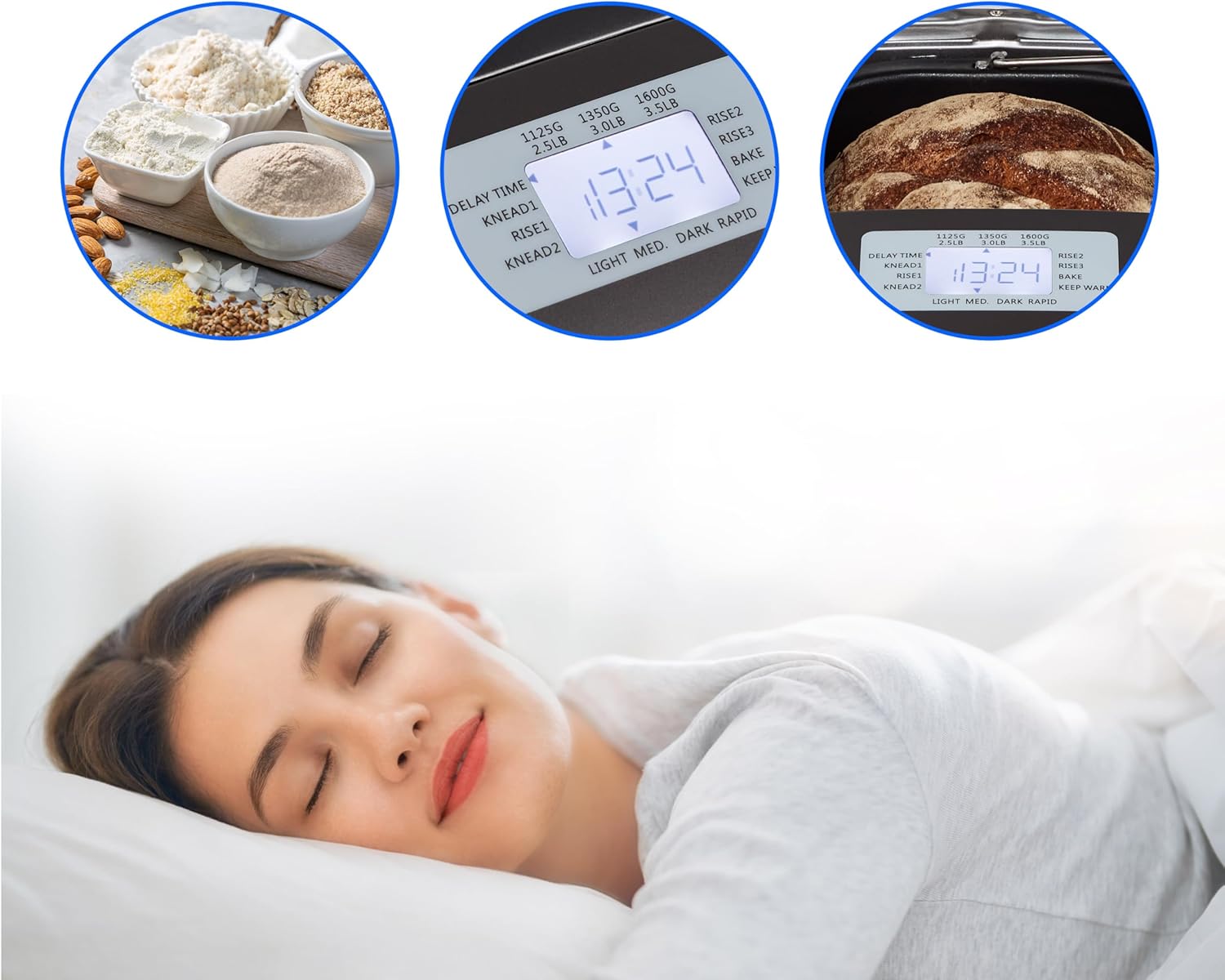
Image: Close-up of the bread maker's control panel, showing the LCD screen and various function buttons.
4.2 Program Selection
The MEDION MD 12040 offers 20 automatic programs for various types of bread, dough, jams, and cakes. Use the "MENU" button to cycle through the available programs until your desired program is displayed on the LCD screen.
- Examples of Programs: Soft, French, Whole Wheat, Quick, Sweet, Gluten-free, Dough, Jam, Cake, Bake, Homemade.
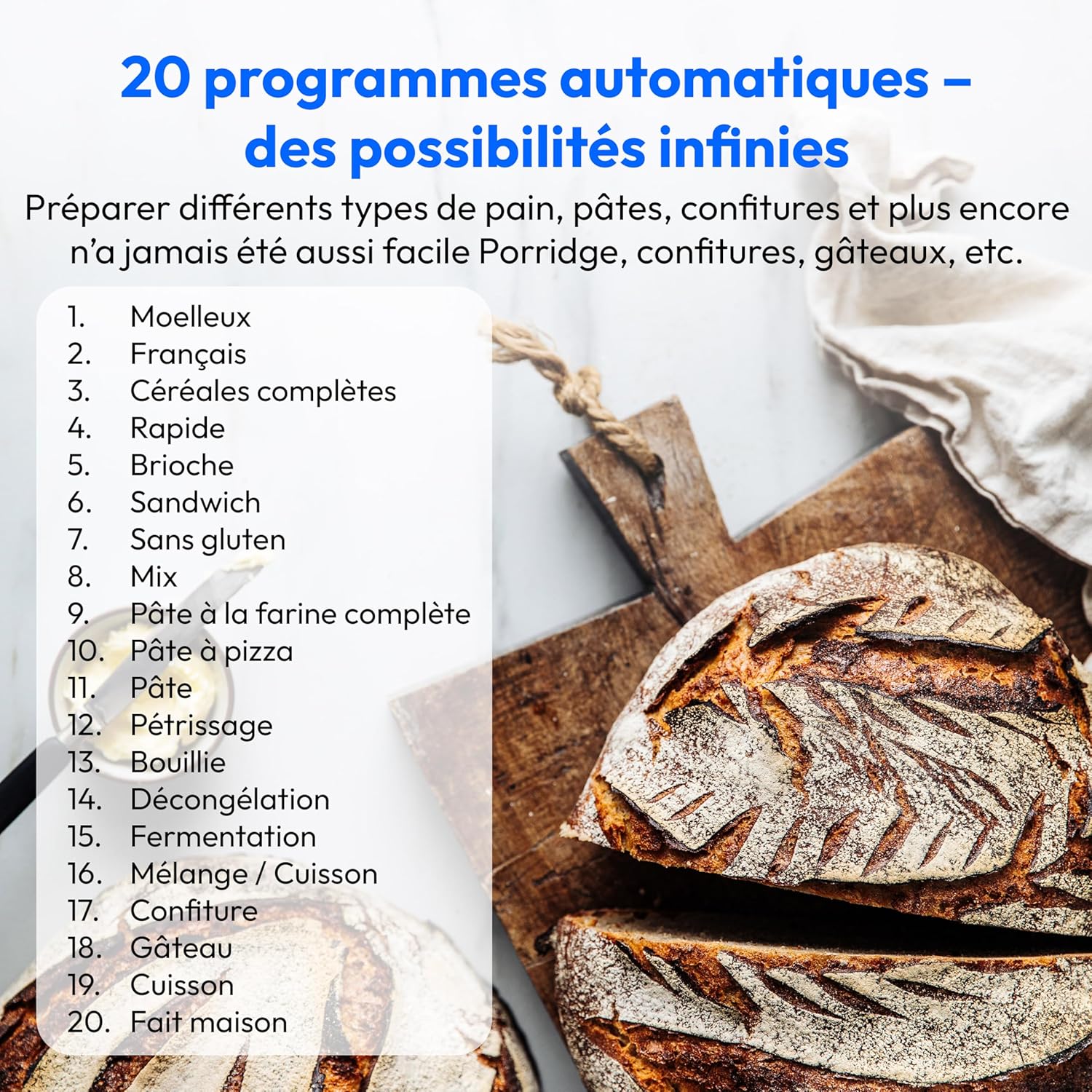
Image: A visual representation of the 20 automatic programs available on the bread maker, including options for various bread types, dough, and other preparations.
4.3 Loaf Size and Browning Level
- Loaf Size: Use the "LOAF SIZE" button to select the desired bread weight (e.g., 1000g, 1250g, 1600g). Note that not all programs support all loaf sizes.
- Browning Level: Use the "COLOR" button to choose your preferred crust browning level (Light, Medium, Dark).

Image: An illustration showing three distinct browning levels for bread, from light to dark, demonstrating the customizable crust color feature.
4.4 Delay Start Function
The delay start function allows you to set a timer for when you want your bread to be ready, up to 15 hours in advance. After selecting your program, loaf size, and browning level, use the "+" and "-" buttons to adjust the delay time. Each press typically adjusts the time by 10 minutes. This feature is not applicable to Quick, Dough, Jam, Cake, and Bake programs.
4.5 Starting and Stopping
- After all settings are configured, press the "START/STOP" button to begin the program.
- To stop a program, press and hold the "START/STOP" button for approximately 2 seconds.
5. Maintenance and Cleaning
5.1 Cleaning the Bread Pan and Kneading Hooks
- After use, allow the bread pan and kneading hooks to cool completely.
- Remove the bread from the pan. If the kneading hooks are stuck in the bread, use the provided hook extractor.
- Wash the bread pan and kneading hooks with warm, soapy water. The non-stick coating makes cleaning easy. They are partially dishwasher safe, but hand washing is recommended to prolong their lifespan.
- Ensure all parts are thoroughly dry before reassembling or storing.
5.2 Cleaning the Main Unit
- Wipe the exterior of the bread maker with a soft, damp cloth. Do not use abrasive cleaners or immerse the unit in water.
- Clean the viewing window on the lid with a soft cloth.
6. Troubleshooting
- Power Interruption: If the power supply is interrupted during bread making, the program will automatically resume within 10 minutes once power is restored, without needing to press the START/STOP button.
- Bread Stuck: If bread is difficult to remove, allow it to cool slightly. Gently shake the pan or use a non-metallic utensil to loosen it.
- Kneading Hook Stuck: Use the provided kneading hook extractor to safely remove any hooks stuck in the baked bread.
7. Specifications
| Feature | Detail |
|---|---|
| Brand | MEDION |
| Model Number | MD12040 |
| Color | White |
| Product Dimensions (L x W x H) | 30.7 x 26.8 x 41 cm |
| Weight | 6 Kilograms |
| Power Consumption | 950 Watts |
| Capacity | Up to 1600g |
| Number of Programs | 20 |
| Browning Levels | 3 (Light, Medium, Dark) |
| Features | Cool-touch body, Timer, 15-hour delay start, Keep warm function |
| Care Instructions | Partially dishwasher safe (pan), hand wash only (pan/hooks) |
8. Warranty and Support
For warranty information, technical support, or spare parts inquiries, please refer to the documentation included with your product or visit the official MEDION website. Availability of spare parts may vary.


