
1. Introduction
The Bextgoo 2K Dual-Lens Video Doorbell Camera provides advanced home security with its innovative dual-lens design, offering comprehensive coverage of your doorstep. Featuring a powerful 10000mAh battery, flexible installation options, and smart detection capabilities, this doorbell ensures you stay connected and secure. This manual will guide you through the setup, operation, and maintenance of your device.
Key Features:
- Dual-Lens Coverage: 2K front-facing camera and 2MP downward-facing camera for complete top-to-bottom view.
- 170° Wide Field of View: Expansive coverage to eliminate blind spots.
- 10000mAh Battery: Long-lasting power with flexible wired or wireless installation.
- AI Motion & Package Detection: Accurate alerts for people and packages.
- Two-Way Audio: Remote communication with visitors.
- Night Vision: Sharp video in any lighting conditions.
- Secure Storage: Local MicroSD card support (up to 128GB, not included) and lifetime free cloud storage (6s Event Video & 7 days loop coverage).
- Smart Home Integration: Compatible with Google Home and Alexa.
- IP67 Waterproof: Reliable performance in all weather conditions.
2. Package Contents
Verify that all components are present in your package:
- Video Doorbell
- USB Chime
- Screw Pack
- USB Charging Cable
- User Manual
Video: This video demonstrates the unboxing and shows all included components of a similar video doorbell. Please refer to your specific package contents list.
3. Setup
3.1 Charging the Doorbell
Before first use, fully charge the doorbell. A full charge from empty typically takes about 5 hours. Use the provided USB Charging Cable to connect the doorbell to a power source.

Image: The Bextgoo doorbell features a large 10000mAh battery for extended use.
3.2 App Connection & MicroSD Card Installation
Download the companion app (e.g., CloudEdge, as indicated in specifications) from your smartphone's app store. Follow the in-app instructions to pair your doorbell. Ensure your WiFi is 2.4GHz, as the doorbell only supports this frequency.
For local storage, insert a MicroSD card (up to 128GB, not included) into the designated slot on the doorbell. This allows for continuous recording without subscription fees.
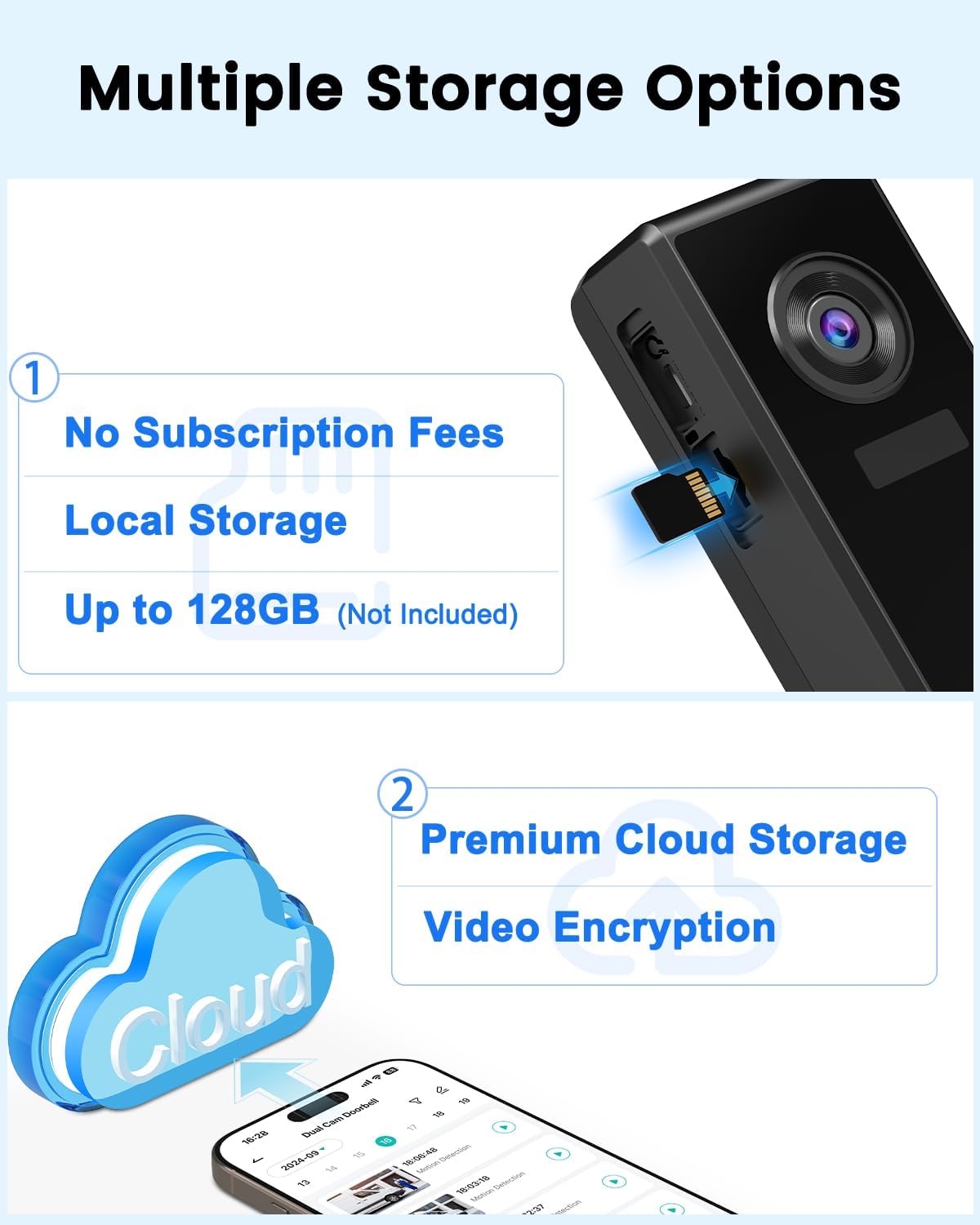
Image: The doorbell supports local storage via MicroSD card and offers cloud storage options.
3.3 Mounting Options & Location
The Bextgoo doorbell offers flexible installation: choose wireless for battery operation or connect to a wired power source for 24/7 monitoring. It is recommended to install the doorbell approximately 5 ft (1.5m) above the ground for optimal coverage. Install on non-metallic surfaces to avoid signal interference. The wall next to the door is recommended.
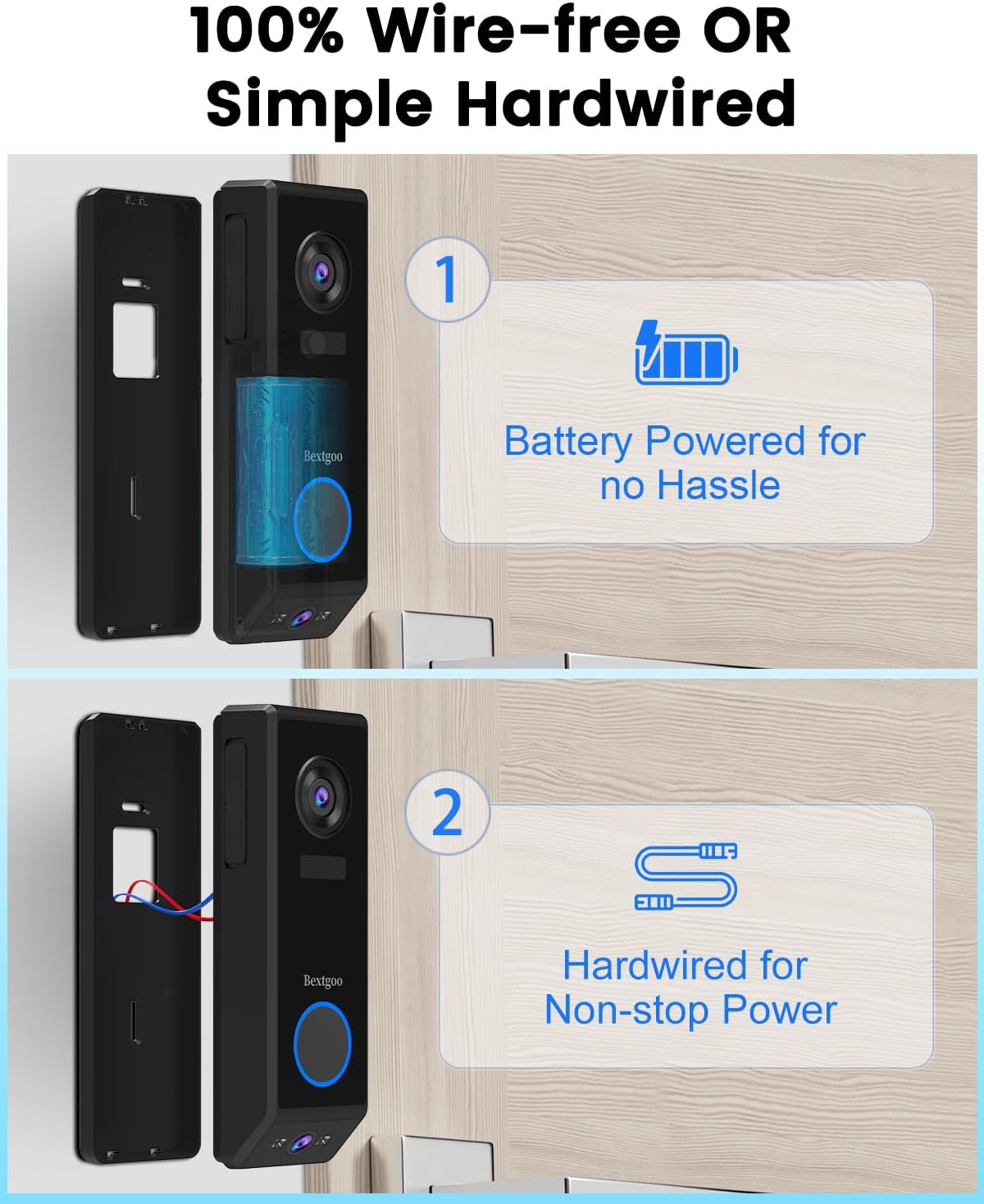
Image: Choose between 100% wire-free (battery-powered) or simple hardwired installation for non-stop power.
Video: This video provides a general guide on how to install a doorbell camera, including placement considerations.
4. Operating Instructions
4.1 Dual-Lens Coverage & Wide View
The doorbell features a 2K front-facing camera to identify visitors clearly and a 2MP downward-facing camera to monitor packages and ground activity. The 170° wide field of view provides expansive coverage, eliminating blind spots.

Image: Experience all-around doorstep security with dual-lens coverage.
4.2 AI Motion Detection & Alerts
The dual-lens detection accurately identifies people and packages, sending instant alerts to your phone when motion is detected or the doorbell is pressed. Advanced image processing ensures sharp video day and night.

Image: Dual-lens detection provides superior security with human and package detection.
4.3 Two-Way Audio & Pre-recorded Responses
Communicate remotely with visitors using the two-way audio feature. You can also use pre-recorded responses to greet visitors even when you're busy, ensuring you never miss an important interaction.

Image: Talk to visitors remotely and use voice changer for privacy.
4.4 Night Vision
The doorbell is equipped with advanced image processing for sharp video quality in any lighting, including night vision up to 15 meters.
Video: This video demonstrates various view modes, including night vision, for a similar doorbell camera.
4.5 Secure Storage & Smart Home Integration
Enjoy secure storage with no monthly fees. Choose between local storage with a MicroSD card (up to 128GB, not included) or utilize the lifetime free cloud storage for 6-second event videos with 7-day loop coverage. Your data is protected by AES128 encryption. The doorbell integrates seamlessly with Google Home and Alexa for easy control and real-time viewing.
5. Maintenance
- Battery Charging: For battery-operated installations, regularly monitor the battery level via the app and recharge as needed using the USB-C cable.
- Cleaning: Periodically clean the camera lenses and the doorbell's exterior with a soft, damp cloth to ensure clear image quality and optimal performance.
- Firmware Updates: Check the companion app regularly for firmware updates to ensure your doorbell has the latest features and security enhancements.
6. Troubleshooting
- Connectivity Issues: Ensure your WiFi network is 2.4GHz. If experiencing connection drops, check your router's proximity and signal strength.
- False Alarms: Adjust the motion detection sensitivity settings within the app to reduce unwanted alerts from pets or environmental factors.
- No Power: For battery-operated units, ensure the battery is charged. For wired installations, verify the electrical connection to your existing doorbell wiring.
- Poor Video Quality: Check your WiFi signal strength. A weak signal can affect video resolution and streaming. Ensure lenses are clean.
7. Specifications
| Feature | Detail |
|---|---|
| Mounting Type | Doorbell Mount |
| Video Capture Resolution | 5MP (2K Front, 2MP Downward) |
| Colour | Black |
| Battery Capacity | 10000mAh |
| Wireless Communication | Wi-Fi (2.4GHz only) |
| Viewing Angle | 170 Degrees |
| Night Vision Range | 15 Meters |
| Water Resistance Level | Waterproof (IP67) |
| Item Dimensions L x W x H | 16.2 x 3 x 5.2 Centimetres |
| Item Weight | 620 g |
| Model Name | P10-Black |
8. Warranty & Support
The Bextgoo 2K Dual-Lens Video Doorbell Camera comes with a 3-Year Warranty.
For technical support or any questions regarding your product, please contact Bextgoo customer service at: support@bextgoo.com.