
Introduction
This manual provides detailed instructions for the proper use and maintenance of your AWEI T16 Wireless Earbuds. Please read this manual thoroughly before using the product to ensure optimal performance and longevity.
Package Contents
- AWEI T16 Wireless Bluetooth Headset (Left and Right Earbuds)
- Charging Case
- USB-C Charging Cable
- User Instructions (This Manual)

Image: The AWEI T16 Wireless Earbuds displayed within their open charging case, showing both earbuds and the interior of the case.
Setup
1. Initial Charging
Before first use, fully charge the earbuds and the charging case. Connect the provided USB-C charging cable to the charging port on the case and a compatible USB power source. The LED indicators on the charging case will show the charging status.

Image: The AWEI T16 charging case open, with the earbuds inside, showing the illuminated LED battery indicators on the front of the case.
A full charge for the charging case typically takes 1.5 hours. The earbuds will charge automatically when placed inside the case.
2. Bluetooth Pairing
- Ensure earbuds are charged.
- Open the charging case. The earbuds will automatically enter pairing mode, indicated by a flashing LED light on the earbuds.
- On your device (smartphone, tablet, laptop), enable Bluetooth and search for available devices.
- Select "AWEI T16" from the list of found devices to connect.
- Once connected, a voice prompt will confirm successful pairing, and the earbud LED lights will turn off or flash slowly.
The earbuds utilize Bluetooth 5.3 technology for a stable connection up to 10 meters. After initial pairing, the earbuds will automatically reconnect to the last paired device when removed from the case.
Operating Instructions
Power On/Off
- Power On: Open the charging case, and the earbuds will automatically power on. Alternatively, press and hold the touch control area on both earbuds for approximately 3 seconds.
- Power Off: Place the earbuds back into the charging case and close the lid. They will automatically power off and begin charging. Alternatively, press and hold the touch control area on both earbuds for approximately 5 seconds.
Touch Controls
The AWEI T16 earbuds feature smart touch controls on each earbud for various functions:
- Play/Pause: Single tap on either the Left (L) or Right (R) earbud.
- Next Song: Double tap on the Right (R) earbud.
- Previous Song: Double tap on the Left (L) earbud.
- Volume Up: Triple tap on the Right (R) earbud.
- Volume Down: Triple tap on the Left (L) earbud.
- Answer/End Call: Single tap on either earbud during an incoming call or active call.
- Reject Call: Press and hold either earbud for 2 seconds during an incoming call.
- Activate Voice Assistant: Press and hold either earbud for 2 seconds (when not on a call).

Image: A single AWEI T16 earbud being held, illustrating its compact design and the location of the touch control surface.
Single and Dual Earbud Use
The AWEI T16 earbuds support flexible usage modes:
- Dual Earbud Mode: Both earbuds connect simultaneously for stereo sound. This is the default mode when both are removed from the case.
- Single Earbud Mode: Either the left or right earbud can be used independently. Simply remove one earbud from the case, and it will connect to your device. The other earbud can remain in the case or be used later.
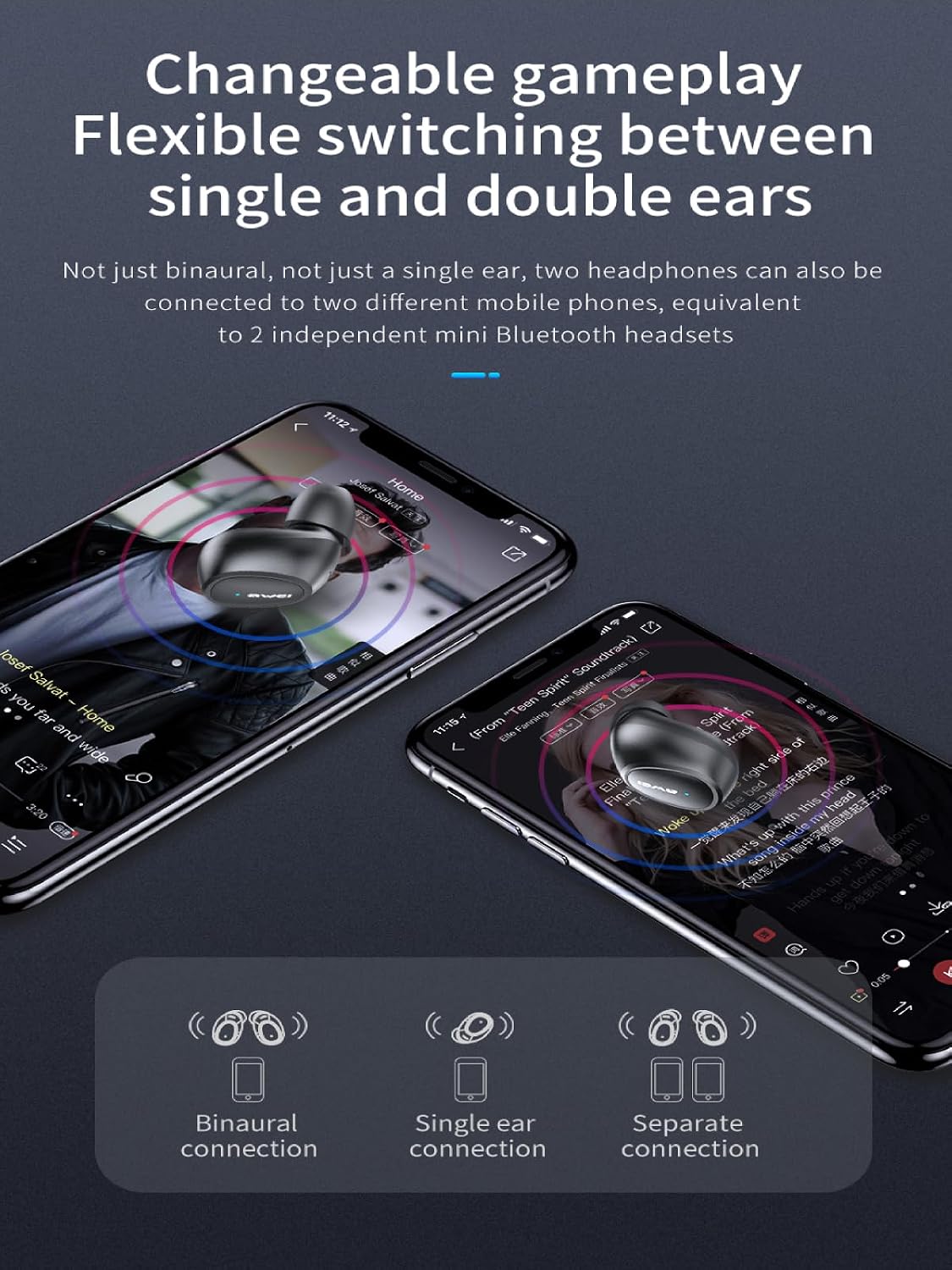
Image: The AWEI T16 earbuds resting in their open charging case, indicating they are ready for either single or dual earbud use.
Maintenance
Cleaning
Regular cleaning helps maintain sound quality and hygiene:
- Use a soft, dry, lint-free cloth to wipe the earbuds and charging case.
- Do not use abrasive cleaners, alcohol, or chemical solvents.
- Gently remove any earwax or debris from the earbud mesh using a small, clean brush or cotton swab.
Water Resistance (IPX6)
The AWEI T16 earbuds are rated IPX6 waterproof, meaning they are protected against powerful water jets. This makes them suitable for workouts and light rain.
- Do not submerge the earbuds in water.
- The charging case is not waterproof. Keep it dry.
- Ensure earbuds are dry before placing them back into the charging case to prevent damage.

Image: The AWEI T16 charging case in a closed state, emphasizing its compact and portable design for protection and storage.
Storage
When not in use, store the earbuds in their charging case to protect them and keep them charged. Store in a cool, dry place away from extreme temperatures.
Troubleshooting
| Problem | Solution |
|---|---|
| Earbuds not pairing with device. |
|
| Only one earbud is working. |
|
| No sound or low volume. |
|
| Charging case not charging. |
|
Specifications
| Feature | Detail |
|---|---|
| Model Name | T16 |
| Brand | Awei |
| Connectivity Technology | Wireless (Bluetooth 5.3) |
| Ear Placement | In Ear |
| Control Type | Touch Control |
| Water Resistance Level | IPX6 Waterproof |
| Continuous Playback Time | 7 hours (earbuds) |
| Total Playback Time (with charging case) | Up to 37 hours (dual-ear mode), Up to 74 hours (single-ear mode, alternating) |
| Charging Case Battery Capacity | 300mAh |
| Charging Time (Case) | 1.5 hours (via Type-C) |
| Speaker Size | 6mm |
| Item Weight | 0.14 Kilograms |
Warranty and Support
The AWEI T16 Wireless Earbuds come with a 1-Year Warranty from the date of purchase.
For warranty claims, technical support, or further assistance, please contact your retailer or visit the official Awei website. Please retain your proof of purchase for warranty validation.


