
1. Product Overview
The BesLowe 16-inch Motion Sensor Outdoor Wall Lights, Model A927M, are designed to provide efficient and secure outdoor illumination. These fixtures feature advanced PIR motion and photocell sensors, offering three customizable lighting modes for various needs. Constructed from durable metal and sturdy glass, they are built to withstand diverse weather conditions.
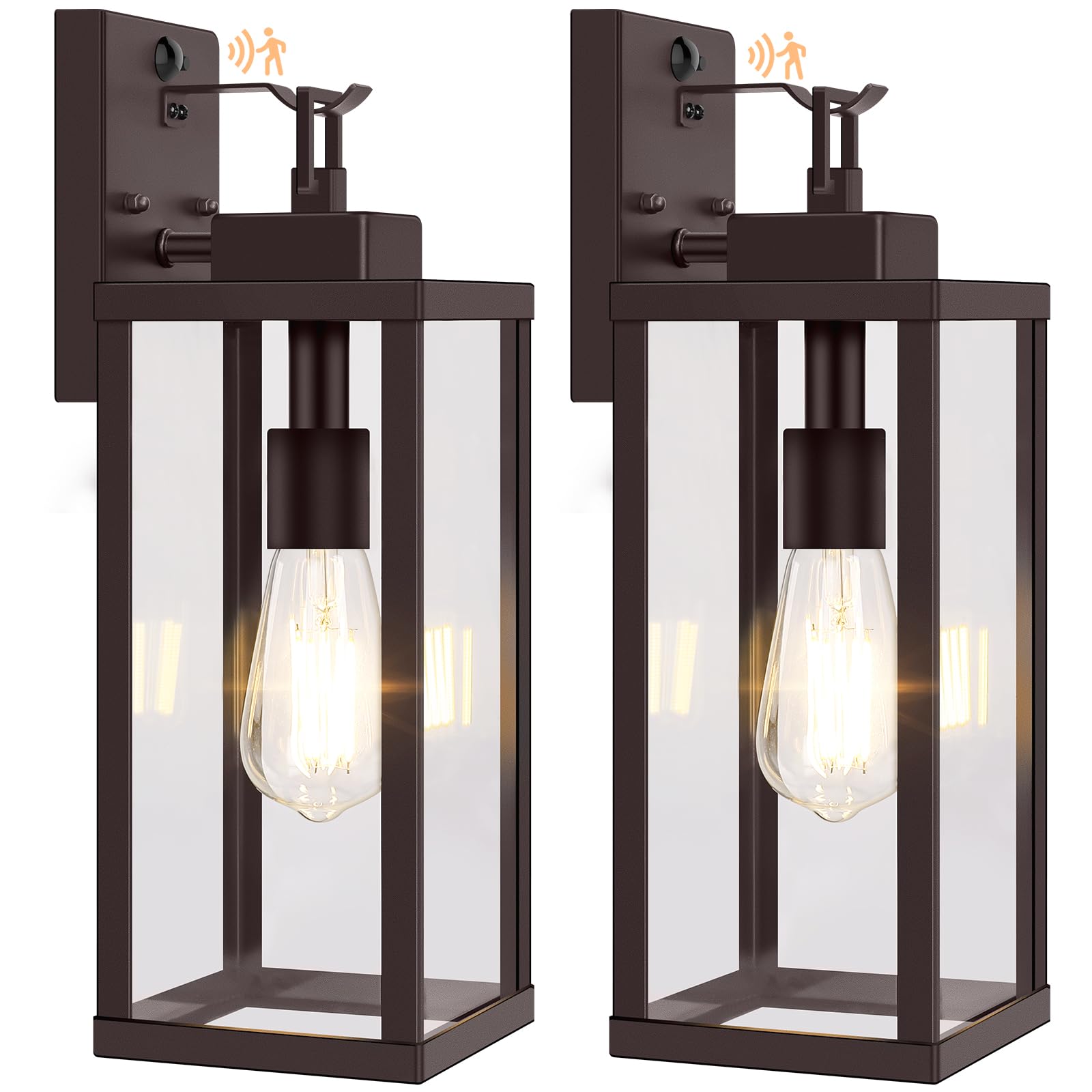
Image 1: BesLowe 16-inch Motion Sensor Outdoor Wall Light. This image shows the overall design of the light fixture.
2. Safety Information
- Always turn off power at the circuit breaker before installation, servicing, or changing bulbs.
- Consult a qualified electrician if you are unsure about wiring procedures or local electrical codes.
- Ensure all electrical connections are secure and properly insulated to prevent electrical hazards.
- Do not exceed the maximum wattage of 100W for the E26 base bulb.
- This product is designed for outdoor use and is waterproof. However, avoid submerging it in water.
3. Package Contents
Verify that all components are present before beginning installation:
- BesLowe 16-inch Motion Sensor Outdoor Wall Light (2 units)
- Mounting Hardware (screws, wire nuts, etc.)
Note: E26 base bulbs are not included and must be purchased separately. Dimmable LED or incandescent bulbs are recommended.
4. Specifications
| Brand | BesLowe |
| Model Name | A927M |
| Color | Brown |
| Material | Glass, Metal |
| Product Dimensions | 5.3"L x 5.3"W x 16"H |
| Power Source | Hard-wired |
| Bulb Base | E26 (100W Max) |
| Voltage | 120 Volts |
| Special Features | Motion Sensor, Waterproof |
| Water Resistance Level | Waterproof |

Image 2: Product dimensions and bulb compatibility.
5. Installation
These outdoor wall lights are designed for easy installation. Follow these steps:
- Turn off Power: Before starting, ensure the power supply to the installation area is turned off at the main circuit breaker.
- Prepare Wiring: Carefully pull the electrical wires from the junction box.
- Mount Bracket: Attach the provided mounting bracket to the junction box using the screws.
- Connect Wires: Connect the fixture's wires to your house's electrical wires using the wire nuts. Typically, black to black (live), white to white (neutral), and green/bare copper to green/bare copper (ground). Ensure connections are secure.
- Secure Fixture: Align the fixture with the mounting bracket and secure it with the provided screws.
- Install Bulb: Insert an E26 base bulb (max 100W) into the socket. Dimmable LED or incandescent bulbs are recommended for full functionality of the lighting modes.
- Restore Power: Turn the power back on at the circuit breaker.

Image 3: Rear view of the light fixture, illustrating the mounting and wiring area.
6. Operating Modes
The BesLowe outdoor wall light features three distinct lighting modes, easily switchable with a single button press on the sensor. The sensor is located on the top of the fixture.
6.1. Dual-bright Mode (Ideal for Security)
- Daytime: Light remains off.
- Night (No Motion): Light turns on at 40% brightness (factory default).
- Night (Motion Detected): Brightness increases to 100% when motion is detected.
- After Motion: Returns to 40% brightness after no motion is detected.
Adjusting Brightness (15-50%): Long press the sensor button to cycle through brightness levels (15%, 40%, 50%) for the low-light state. Release the button at your desired level.

Image 4: Visual representation of Dual-bright mode operation.
6.2. ON/OFF Mode (Energy Saving)
- Daytime: Light remains off.
- Night (No Motion): Light remains off.
- Night (Motion Detected): Light turns on at 100% brightness when motion is detected.
- After Motion: Light turns off again after no motion is detected.

Image 5: Visual representation of ON/OFF mode operation.
6.3. Manual Override Mode (For Extended Lighting)
- Activation: To activate, quickly turn your wall switch "on-off-on" within 2 seconds.
- Operation: The light will stay on at 100% brightness for approximately 6-8 hours, regardless of motion.
- Deactivation: The light automatically turns off at dawn and reverts to the previously selected mode (Dual-bright or ON/OFF).

Image 6: Visual representation of Manual Override mode.
6.4. Video Demonstration of Modes
Video 1: This video demonstrates the features of the BesLowe Motion Sensor Outdoor Wall Lights, including the three lighting modes and the easy switching mechanism.
7. Maintenance
- Cleaning: Regularly clean the fixture with a soft, damp cloth. Avoid using harsh chemicals or abrasive cleaners that could damage the finish or glass.
- Bulb Replacement: The open-bottom design allows for quick and easy bulb replacement. Always ensure the power is turned off at the circuit breaker before changing bulbs.
- Sensor Cleaning: Keep the motion and photocell sensors clean and free from obstructions (e.g., dirt, leaves, spiderwebs) to ensure proper functionality.

Image 7: The light fixture demonstrating its weather-resistant design.
8. Troubleshooting
| Problem | Possible Cause | Solution |
|---|---|---|
| Light does not turn on. | No power, faulty bulb, incorrect mode setting. | Check circuit breaker. Replace bulb. Verify mode setting (e.g., ensure not in ON/OFF mode during daytime). |
| Motion sensor not detecting movement. | Sensor obstructed, incorrect mode, sensor range issues. | Clean sensor lens. Ensure light is in Dual-bright or ON/OFF mode. Adjust sensor position if possible. |
| Light stays on continuously. | Manual Override mode active, continuous motion, faulty sensor. | Check if Manual Override mode was activated. Ensure no continuous motion in sensor's field of view. If issue persists, contact support. |
| Light flickers or dims unexpectedly. | Loose wiring, incompatible bulb, power fluctuations. | Turn off power and check all wiring connections. Ensure bulb is dimmable if using Dual-bright mode. Consult an electrician if power fluctuations are suspected. |
9. Warranty and Support
This BesLowe product comes with an extended warranty. For specific warranty terms, claims, or technical assistance, please refer to the warranty card included with your purchase or contact BesLowe customer support through the retailer where the product was purchased.