
1. Introduction
This manual provides essential information for the installation, operation, and maintenance of your SCS Sentinel SDA0037 Autonomous Smoke Alarm. This device is designed to detect smoke and alert occupants with an 85 dB audible alarm and a light indicator, providing crucial early warning in the event of a fire. Please read these instructions carefully before installation and retain them for future reference.
2. Safety Information
- Do not paint the smoke alarm. Paint can clog the sensing chamber and prevent the alarm from functioning correctly.
- Do not block the alarm. Ensure nothing obstructs the smoke alarm's vents or covers.
- Test regularly. Test the smoke alarm weekly to ensure proper operation.
- Proper placement is crucial. Avoid installing in kitchens, bathrooms, garages, or near heating/cooling vents, as these areas can cause false alarms or reduce effectiveness.
- Battery operation. This smoke alarm operates on a 9V battery. Ensure the battery is correctly installed and replaced when indicated.
3. Package Contents
Verify that all items are present in the package:
- 1 x SCS Sentinel SDA0037 Smoke Detector
- 1 x 9V Battery (may be pre-installed or separate)
- Mounting Screws and Wall Plugs
- User Manual (this document)
4. Setup and Installation
Follow these steps for proper installation of your smoke alarm:
- Choose a Location: Install smoke alarms on every level of your home, inside bedrooms, and outside sleeping areas. For optimal protection, place the alarm in the center of a ceiling or at least 10 cm (4 inches) from any wall. Avoid corners.
- Install Battery: If the 9V battery is not pre-installed, open the battery compartment on the back of the alarm and connect the 9V battery to the battery clip. Ensure correct polarity (+ to + and - to -). Close the battery compartment.
- Mounting the Base: Hold the mounting bracket against the ceiling or wall at your chosen location. Mark the positions for the two screw holes. Drill holes and insert the wall plugs if necessary. Secure the mounting bracket with the provided screws.
- Attach the Alarm: Align the smoke alarm with the mounting bracket and twist it clockwise until it clicks securely into place.
- Initial Test: Press and hold the test button on the front of the alarm for a few seconds. The alarm should sound loudly, and the indicator light should flash. This confirms the unit is functioning correctly.

Image: The SCS Sentinel SDA0037 Smoke Alarm mounted on a ceiling, demonstrating a typical installation scenario.
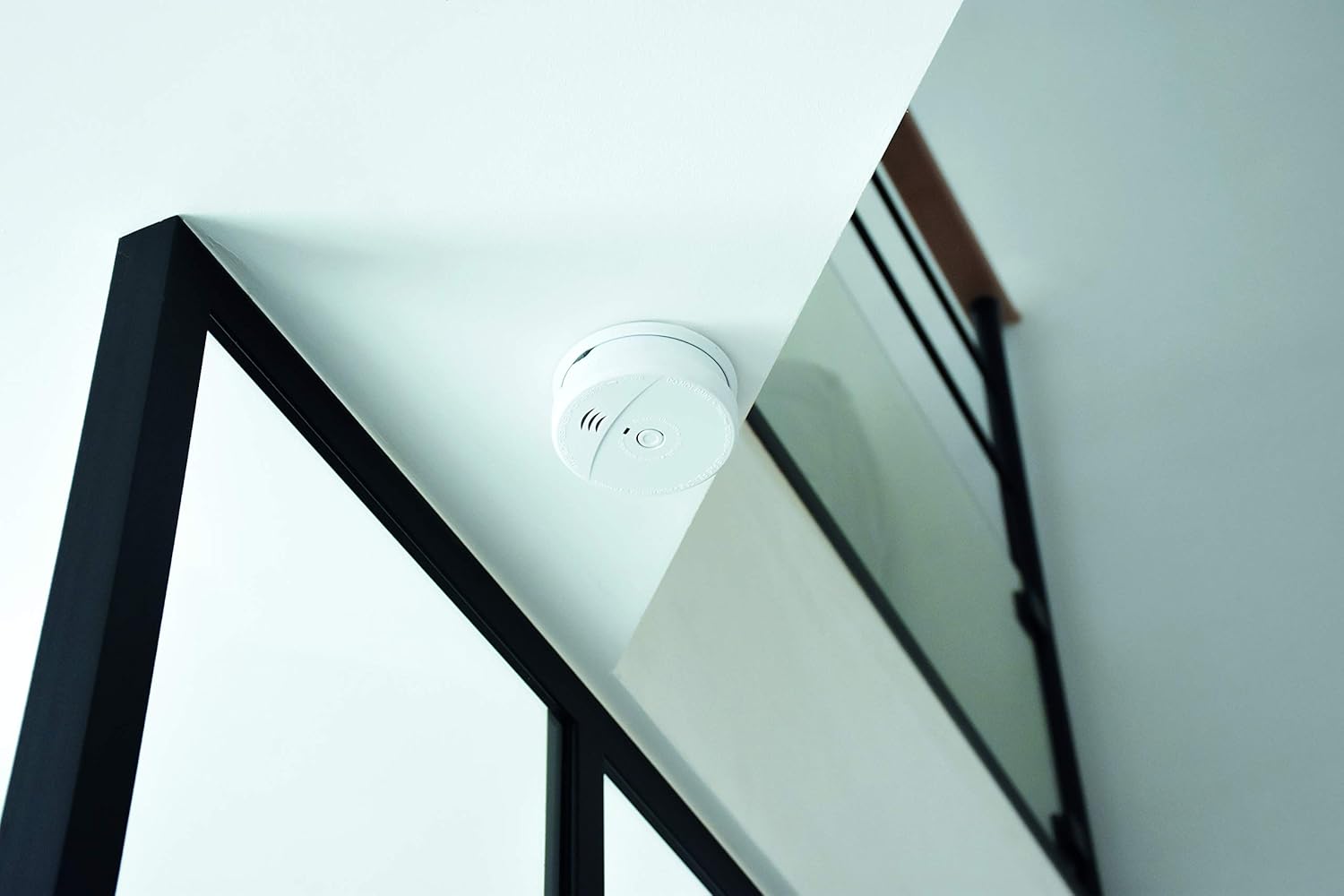
Image: A close-up view of the SCS Sentinel SDA0037 Smoke Alarm, highlighting its compact design and central test button.
5. Operating Instructions
The SCS Sentinel SDA0037 Smoke Alarm operates continuously once installed with a functional battery.
- Normal Operation: The alarm will emit a short flash of its indicator light approximately every 30-40 seconds to confirm it is powered and functioning correctly.
- Alarm Condition: When smoke is detected, the alarm will emit a loud, pulsating 85 dB sound, and the indicator light will flash rapidly.
- Self-Test Button: Press and hold the test button on the front of the alarm for a few seconds to perform a functional test. The alarm will sound, and the light will flash. Release the button to stop the test. Perform this test weekly.
- What to do when the alarm sounds:
- Evacuate all occupants immediately.
- Do not re-enter the building until fire authorities declare it safe.
- Call emergency services from a safe location.
6. Maintenance
Regular maintenance ensures the continued reliability of your smoke alarm.
- Weekly Testing: Press the test button once a week to ensure the alarm is functioning.
- Battery Replacement: The smoke alarm features a 'SmokeAlarm 5Y' battery signal, indicating an extended battery life. However, if the alarm emits a short chirp approximately every 30-40 seconds (different from the normal operation flash), it indicates a low battery. Replace the 9V battery immediately. To replace, twist the alarm counter-clockwise from its mounting bracket, open the battery compartment, replace the old battery with a new 9V battery, close the compartment, and re-attach the alarm to the bracket. Test the alarm after battery replacement.
- Cleaning: Gently vacuum the exterior of the smoke alarm with a soft brush attachment once a month to remove dust and debris. Do not use water, cleaners, or solvents.
7. Troubleshooting
| Problem | Possible Cause | Solution |
|---|---|---|
| Alarm does not sound during test. | Dead or incorrectly installed battery. | Replace battery or ensure correct polarity. If problem persists, the unit may be faulty. |
| Alarm chirps every 30-40 seconds. | Low battery. | Replace the 9V battery immediately. |
| False alarms. | Dust, steam, cooking fumes, or improper placement. | Clean the alarm. Relocate if near kitchens, bathrooms, or vents. Ensure proper ventilation during cooking. |
| Alarm sounds continuously without smoke. | Faulty unit or persistent environmental factor. | Clean the alarm. If it continues, replace the unit. |
8. Specifications
| Feature | Detail |
|---|---|
| Brand | SCS Sentinel |
| Model Number | SDA0037 |
| Power Source | Battery Powered (1 x 9V Battery) |
| Alarm Volume | 85 dB minimum |
| Alarm Type | Audible with Light Indicator |
| Product Dimensions (D x W x H) | 15D x 15W x 15H Centimeters |
| Item Weight | 91.72 Grams |
| Color | White |
9. Warranty and Support
This SCS Sentinel model has a 2-year warranty against defects in material or workmanship from the date of delivery or product availability. The warranty is valid upon presentation of proof of purchase. The effect of our warranty is strictly limited to the replacement of parts with a clearly established manufacturing defect.
For technical assistance or support, please contact SCS Sentinel customer service. Our technical assistance team, based in France, is available to help with product installation and provide informed, personalized advice.


