
1. Introduction
This manual provides detailed instructions for the safe and effective use of your Retevis RB58 Bluetooth Waterproof Business Walkie Talkies. The RB58 is a rugged two-way radio designed for team communication, featuring Bluetooth connectivity, APP control, noise cancellation, and a long-lasting battery.

Figure 1.1: Retevis RB58 Walkie Talkies with Headphones
Video 1.1: Overview of Retevis RB58 Walkie Talkie Features. This video demonstrates the key functionalities and design aspects of the RB58 two-way radio.
2. What's in the Box
Verify that all items are present in your package:
- 4 x RB58 two-way radio
- 4 x 1800mAh battery
- 4 x Type-C charging cable
- 4 x Headphone
- User Manual
- 4 x Belt clip
- 4 x Adapter
- 4 x Hand strap

Figure 2.1: Package Contents of the Retevis RB58 Walkie Talkie Set
3. Safety Information
Please read and understand all safety precautions before using the device.
- Battery Safety: Use only the specified 1800mAh Lithium Ion batteries. Do not disassemble, crush, or expose batteries to extreme temperatures or fire. Dispose of batteries properly.
- Charging: Use only the provided Type-C charging cable and adapter. Ensure the charging port is dry before connecting the cable.
- Water Resistance: The device features IP54 waterproof function, meaning it can withstand light rain or splashing water. Do not submerge the device in water.
- Hearing Protection: Prolonged exposure to loud volumes, especially with headphones, can cause hearing damage. Adjust volume to a comfortable level.
- Interference: Turn off the radio in areas where two-way radio use is prohibited, such as hospitals, aircraft, or near blasting sites.
- Maintenance: Do not attempt to service the radio yourself. Refer all servicing to qualified personnel.
4. Setup
4.1 Battery Installation and Charging
- Align the 1800mAh Lithium Ion battery with the battery compartment on the back of the radio.
- Gently push the battery into place until it clicks securely.
- To charge, connect the Type-C charging cable to the radio's charging port and the other end to the provided adapter. Plug the adapter into a power outlet.
- The charging indicator on the radio will show charging status. A full charge typically takes approximately 5 hours. The battery provides up to 18 hours of work time and 90 hours of standby time.
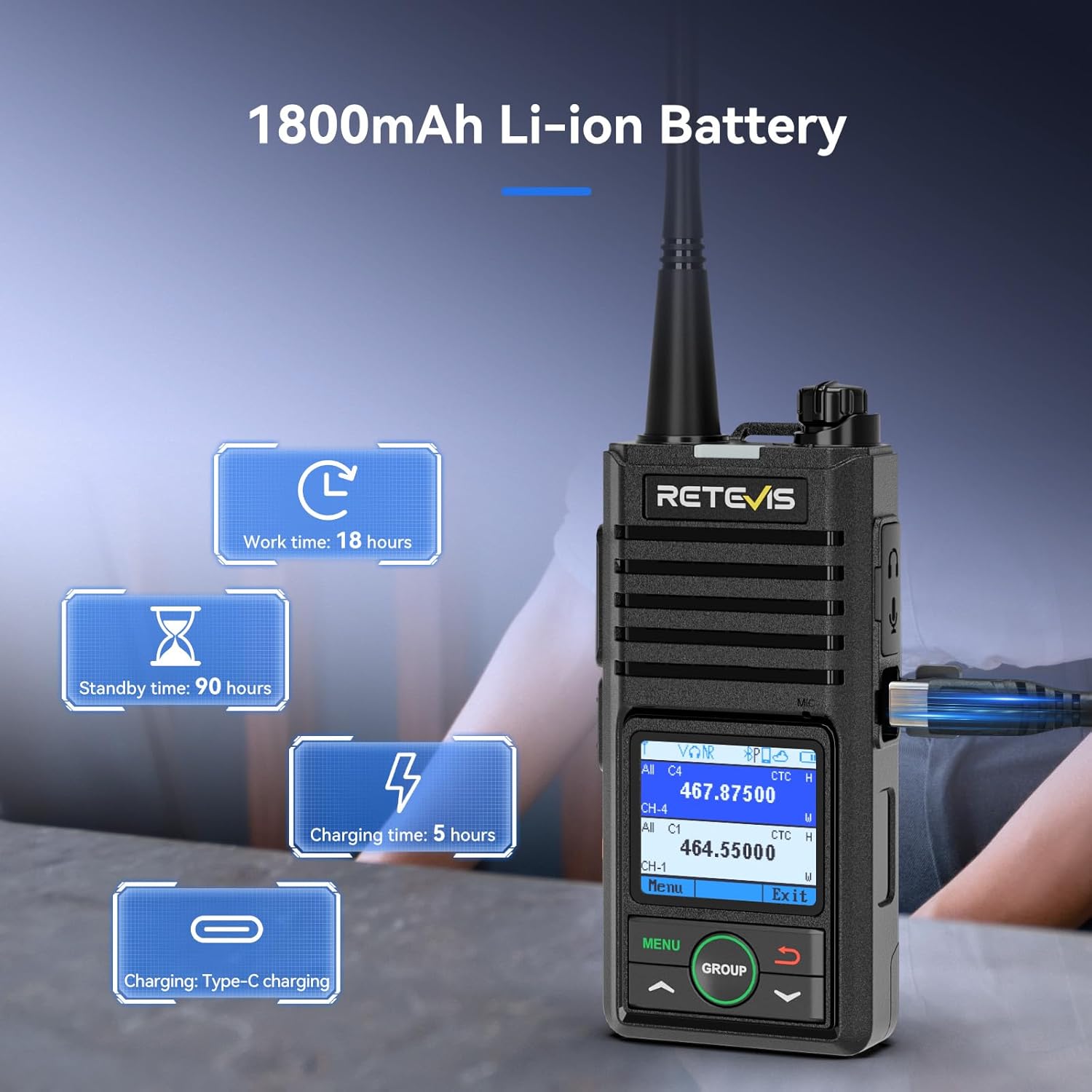
Figure 4.1: Battery Performance and Charging
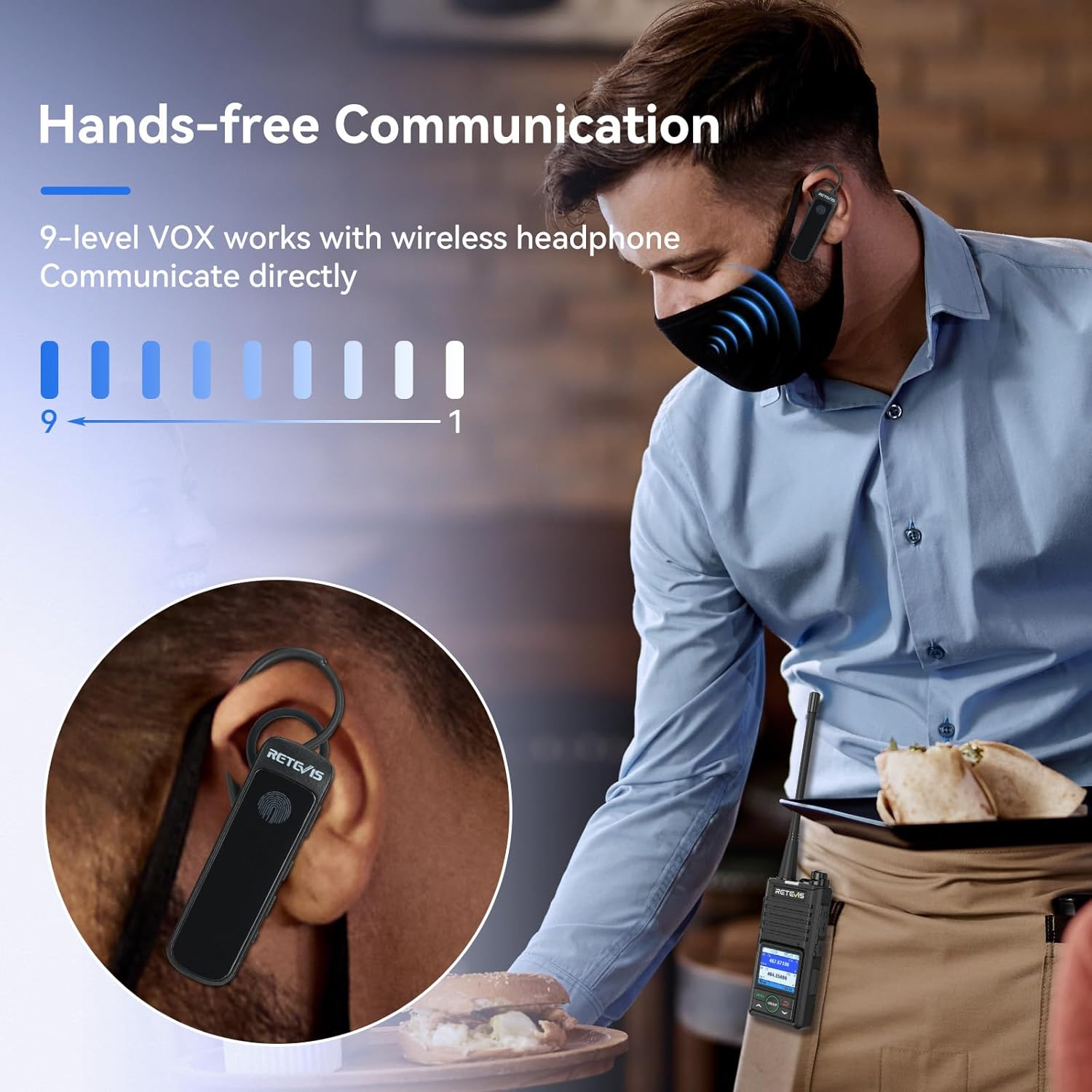
Figure 4.2: Rear View of RB58 Radio
4.2 Initial Power On
Press and hold the power button (usually the volume knob) until the 1.77-inch LCD screen illuminates.
4.3 APP Control Setup (Android Only)
The RB58 supports programming and control via a dedicated Android application, RETEVIS APP. This allows for convenient editing of radio settings without a PC or programming cable.
- Download the RETEVIS APP from the Google Play Store on your Android device.
- Ensure Bluetooth is enabled on both your radio and Android device.
- Open the RETEVIS APP and follow the on-screen instructions to connect to your RB58 radio via Bluetooth 5.0.
- Once connected, you can access and modify various radio settings directly from the app.

Figure 4.3: APP Control for Convenient Operation
4.4 Wireless Earpiece Pairing
The included wireless earpiece provides a comfortable and hands-free communication experience.
- Ensure the wireless earpiece is charged and powered on.
- Refer to the earpiece's specific instructions for pairing mode.
- On the RB58 radio, navigate to the Bluetooth settings (if available via menu or APP) and initiate a search for new devices.
- Select the earpiece from the list of found devices to pair.
5. Operating Instructions
5.1 Basic Communication (Push-to-Talk)
To transmit, press and hold the Push-to-Talk (PTT) button on the side of the radio. Speak clearly into the microphone. Release the PTT button to listen.
5.2 VOX Hands-Free Operation
The Voice Operated Exchange (VOX) function allows for hands-free communication without pressing the PTT button. When VOX is enabled, the radio transmits automatically when it detects your voice.
- The RB58 offers 9 sensitivity levels for VOX. A higher sensitivity level means the radio will transmit with softer voice input.
- Adjust the VOX sensitivity via the radio's menu or the RETEVIS APP to suit your environment and speaking volume.

Figure 5.1: Hands-free Communication with VOX
5.3 Group Call Function
The RB58 supports group calls, allowing you to quickly communicate with multiple team members even if they are on different channels.
- Press the dedicated GROUP key on the radio to initiate a group call.
- This feature is ideal for coordinating teams across various departments or functions.

Figure 5.2: Group Call Function in Action
5.4 Two-way Noise Cancelling
The RB58 incorporates advanced AI noise cancelling technology to filter out ambient background noise, ensuring clear audio for both transmission and reception.
- This feature automatically activates to provide crisp, intelligible voice communication even in noisy environments.
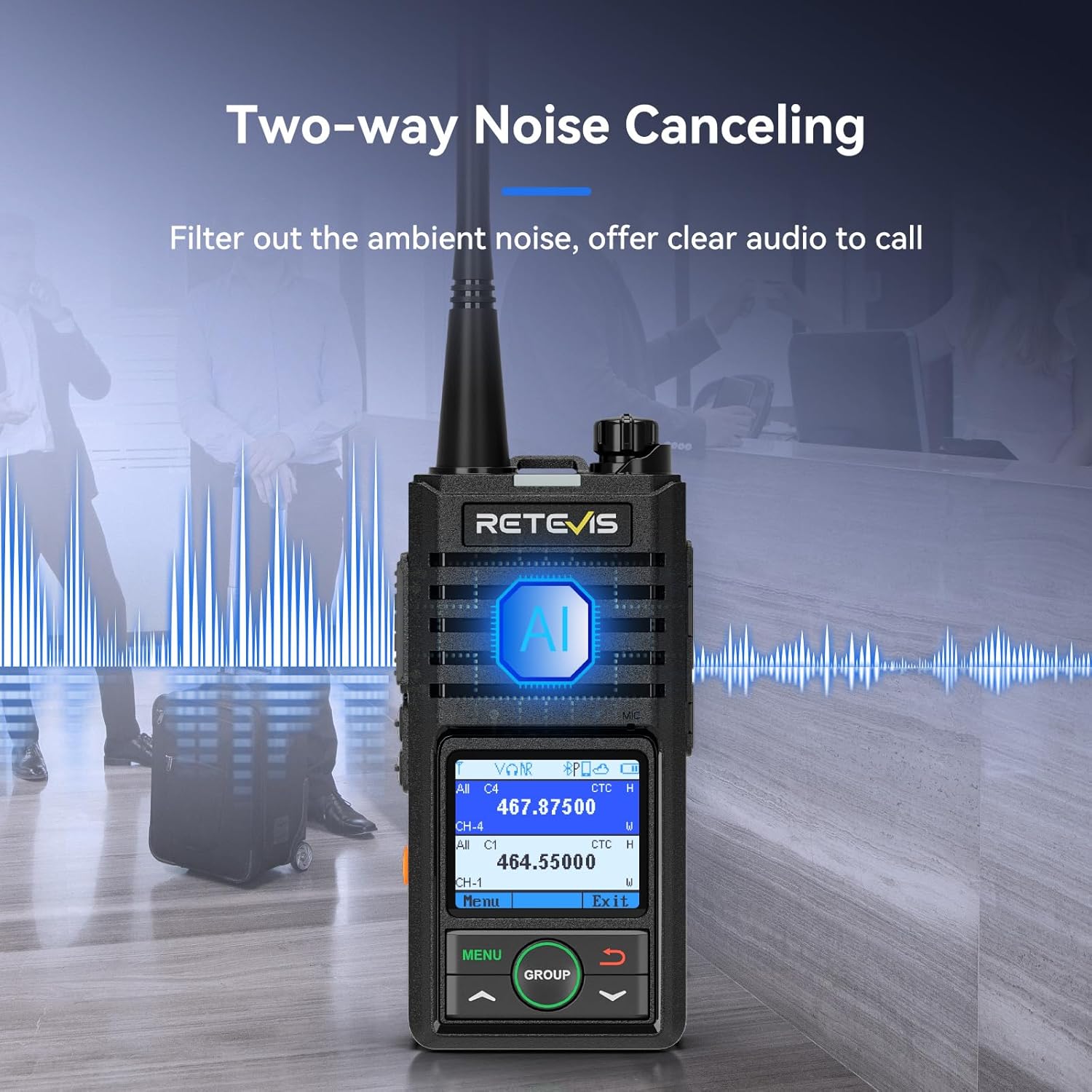
Figure 5.3: Two-way Noise Cancelling
5.5 1.77-inch LCD Screen
The radio features a 1.77-inch LCD screen with 15-level adjustable brightness, allowing for clear visibility of radio information in various lighting conditions.
- Adjust the screen brightness via the radio's menu to optimize visibility during day or night use.
- The screen displays channel information, battery status, signal strength, and other operational indicators.

Figure 5.4: 1.77-inch LCD Display
5.6 Emergency Alarm and Lone Worker Function
- Emergency Alarm: Press the designated SOS key to activate an emergency alarm, signaling for help.
- Lone Worker Function: This feature automatically alerts if no operations are detected on the radio for a prolonged period, providing an additional safety measure for individuals working alone.
5.7 NOAA Weather Alert
The NOAA weather alert function helps you stay informed about impending weather conditions, allowing you to prepare and maintain communication with your group during travel or outdoor activities.
6. Maintenance
6.1 Cleaning
- Wipe the radio's surface with a soft, damp cloth. Do not use harsh chemicals or abrasive cleaners.
- Ensure the charging port and other openings are free of dust and debris.
6.2 Battery Care
- To maximize battery life, avoid fully discharging the battery frequently.
- Store the radio and batteries in a cool, dry place when not in use for extended periods.
6.3 Water Resistance
While the RB58 is IP54 waterproof, it is not designed for submersion. If the radio gets wet, wipe it dry immediately. Do not charge the radio if the charging port is wet.
7. Troubleshooting
| Problem | Possible Cause | Solution |
|---|---|---|
| Radio does not power on. | Battery is low or not installed correctly. | Charge the battery. Ensure the battery is securely installed. |
| Cannot transmit or receive. | Incorrect channel or frequency. Out of range. | Verify channel settings. Move closer to other radios. Check antenna connection. |
| Audio is unclear or distorted. | Volume too low/high. Noise interference. | Adjust volume. Ensure microphone is not obstructed. Noise cancelling is active. |
| Bluetooth earpiece not connecting. | Earpiece not in pairing mode. Bluetooth off on radio. | Ensure earpiece is in pairing mode. Check radio's Bluetooth settings. |
| APP connection issues. | Bluetooth off. App permissions. | Ensure Bluetooth is on. Grant necessary app permissions. Restart app/radio. |
8. Specifications
| Feature | Detail |
|---|---|
| Model Number | RB58 |
| Item Weight | 3.47 pounds |
| Product Dimensions | 1.1 x 2.2 x 4.5 inches |
| Batteries | 4 Lithium Ion batteries required (included) |
| Manufacturer | Retevis |
| Color | Black |
| Number of Channels | 256 |
| Special Features | AI Noise Cancelling, Bluetooth, Group Call, VOX, Safety Alert, NOAA Weather Alert |
| Frequency Range | UHF |
| Voltage | 3.7 Volts (DC) |
| Water Resistance Level | Waterproof (IP54) |
| Battery Capacity | 1800mAh |
| LCD Screen | 1.77-inch with 15-level adjustable brightness |
9. Warranty & Support
9.1 Warranty Information
Retevis provides a 2-year warranty for the radio body and a 1-year warranty for accessories (e.g., batteries, headphones, cables). This warranty covers manufacturing defects and issues arising from normal use.
For issues beyond the warranty period, Retevis offers maintenance services, with buyers responsible for associated costs.
9.2 Customer Support
For any questions, technical assistance, or warranty claims, please contact Retevis customer support through Amazon. They aim to reply within 12 hours to provide the most hassle-free service possible.


