
Introduction
This manual provides detailed instructions for the installation, operation, maintenance, and troubleshooting of your Jufodrca 9-inch car radio. This unit is specifically designed for Chevrolet Chevy Aveo Sonic models from 2012 to 2016. It features a 9-inch IPS HD touchscreen, quad-core processor, 2GB RAM, 64GB ROM, wireless CarPlay and Android Auto, built-in GPS, dual-band WiFi, Bluetooth 5.0, and includes a 1080P backup camera.

Figure 1: Jufodrca Car Radio Overview for Chevrolet Aveo Sonic

Figure 2: Core System Specifications
Setup and Installation
Compatibility
This car stereo is designed for Chevrolet Chevy Aveo Sonic models manufactured between 2012 and 2016. It offers plug-and-play installation with a factory-style harness, eliminating the need for wire cutting. The system is designed to retain original steering wheel controls and backup camera functions for seamless integration.
What's in the Box
Verify that all components are present before beginning installation:
- Car Radio (1 unit)
- Backup Camera (1 unit)
- Power Cable (1 unit)
- GPS Antenna (1 unit)
- Canbus (1 unit)
- RCA Cable (1 unit)
- Reversing Cable (1 unit)
- USB Cable (2 units)
- Original USB (1 unit)
- Crowbar (1 unit)
- Microphone (1 unit)

Figure 3: Included Product Components
Installation Overview
The installation process involves removing the factory radio, connecting the new unit with the provided harnesses, and installing the backup camera. Refer to the wiring guide video for detailed steps.
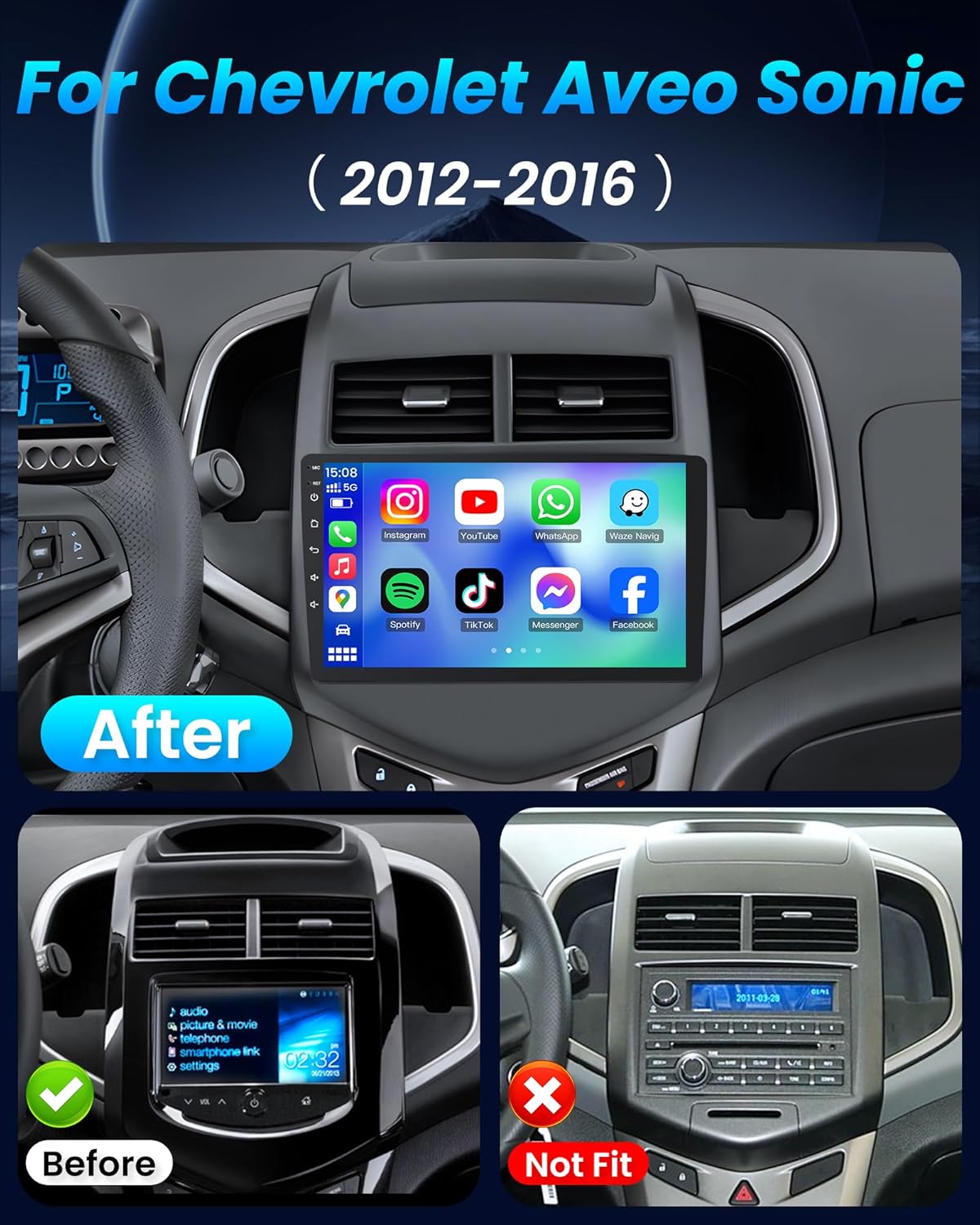
Figure 4: Before and After Installation in Chevrolet Aveo Sonic

Figure 5: Fitment for Chevrolet Aveo Sonic 2012-2016
Wiring Guide Video
For a visual guide on connecting the wiring harnesses, please refer to the official installation video below. This video demonstrates the proper connections for the 4-core car radio system.
Video 1: Wiring Guide for 4-Core Car Radio Installation. This video demonstrates the connection of various cables including the 3.5mm microphone and RCA cables to the car radio unit.
Operating Instructions
9-Inch IPS HD Touchscreen
The unit features a 9-inch 1280×800 IPS display with a 178° viewing angle and 10-point multi-touch capability. The screen brightness can be adjusted for optimal viewing during both day and night conditions to reduce eye strain.

Figure 6: 9-Inch IPS HD Touch Screen Display Quality

Figure 7: Enhanced Visuals on the 9-Inch IPS HD Touch Screen
Wireless CarPlay & Android Auto
Connect your iPhone or Android smartphone wirelessly or via USB to access navigation, music, calls, and messages directly on the car's display. Voice control through Siri or Google Assistant is supported to minimize distractions while driving.

Figure 8: Wireless CarPlay and Android Auto Interface
Built-in GPS Navigation
The unit includes a built-in GPS module compatible with online and offline navigation applications such as Google Maps, Waze, or Here WeGo. Download your preferred app from the Google Play Store for real-time routes, traffic updates, and offline map access.
Dual-Band WiFi & Bluetooth 5.0
Stay connected with dual-band 2.4G/5G WiFi for faster app downloads and smoother streaming. Bluetooth 5.0 provides quick pairing and stable connections for hands-free calls and wireless music. An external microphone is included for improved voice clarity during calls.

Figure 9: 5G WiFi Connectivity for Faster Performance

Figure 10: Dual-Band WiFi for Stable Connections
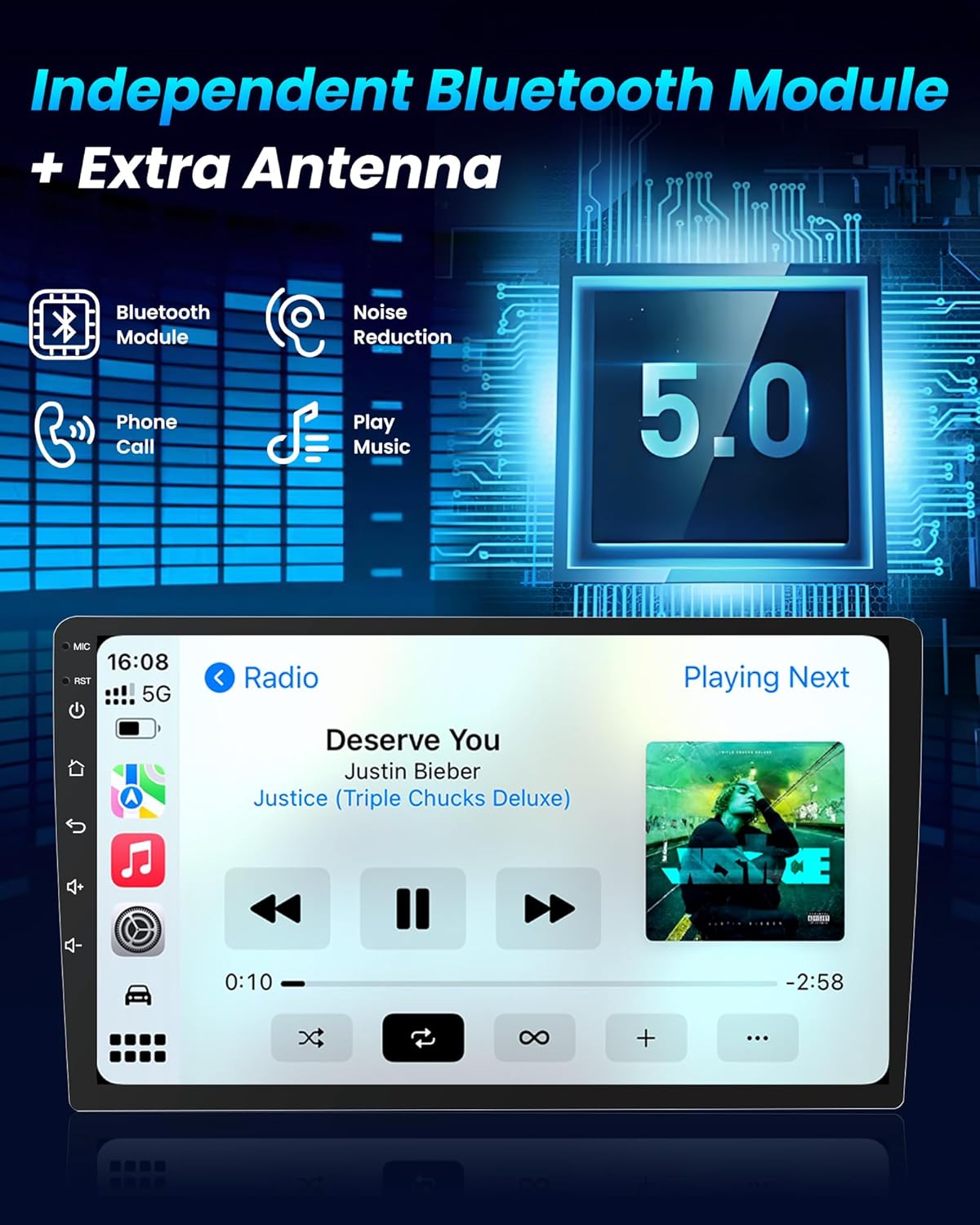
Figure 11: Bluetooth 5.0 Module for Enhanced Connectivity

Figure 12: Bluetooth 5.0 and FM Radio Functionality
1080P Backup Camera
The included 170° wide-angle AHD reverse camera is waterproof and features superior night vision. The system automatically displays the rear-view image when the vehicle is shifted into reverse, aiding in safer parking and improved visibility.

Figure 13: 1080P Backup Camera View

Figure 14: Backup Camera System with Obstacle Warning
Steering Wheel Control (SWC)
The unit supports original steering wheel controls, allowing you to adjust music, manage calls, and control navigation without removing your hands from the wheel. This feature helps reduce distractions and enhances driving safety.
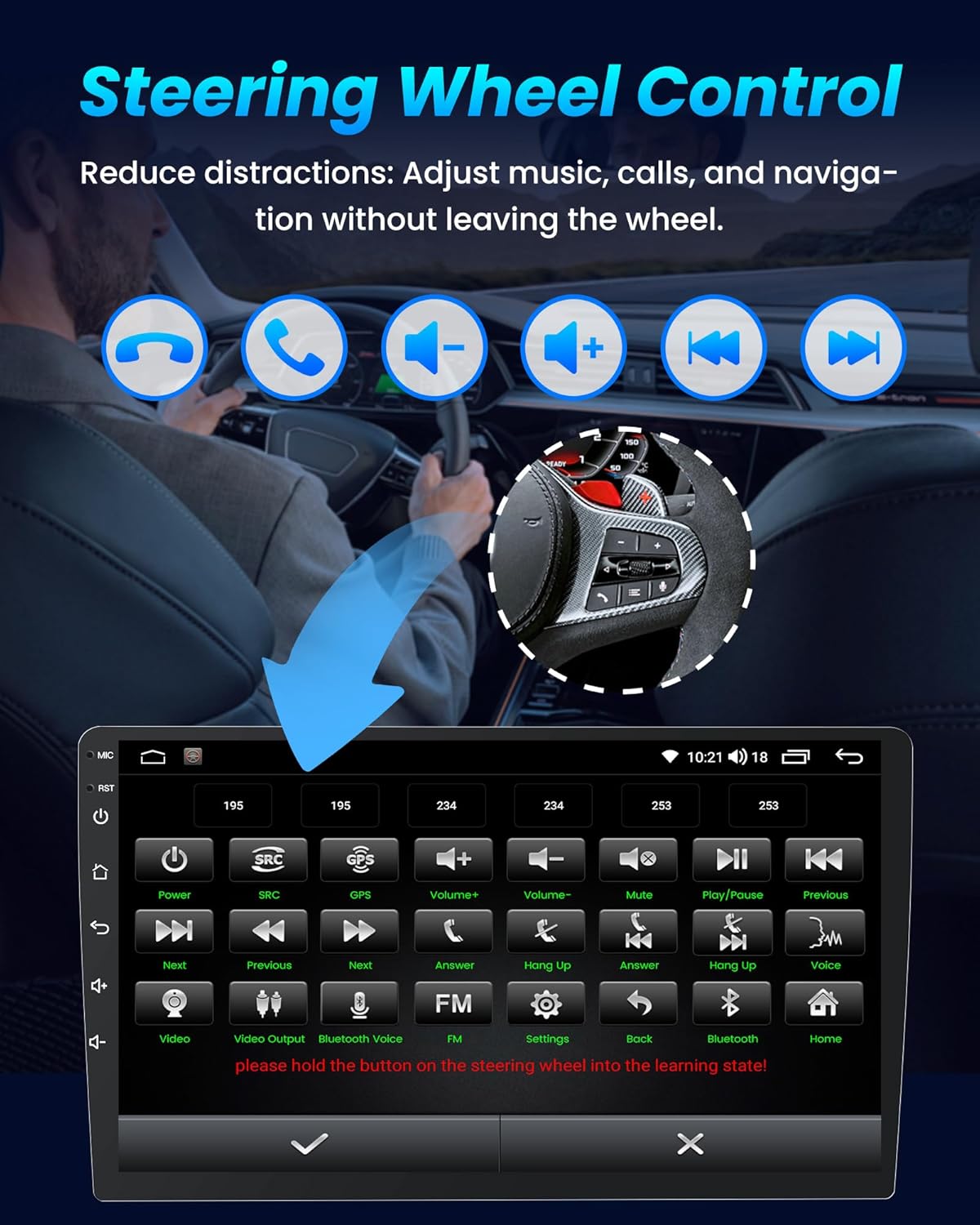
Figure 15: Steering Wheel Control Interface

Figure 16: Reduced Distractions with Steering Wheel Controls
FM RDS Radio & UI Customization
Access FM/RDS radio for real-time news, traffic information, and local music stations. The unit also offers multiple built-in UI themes, allowing for personalization of the home screen appearance.

Figure 17: FM RDS Radio and Audio Equalizer
Hi-Fi Sound & DSP Audio
Experience immersive audio with the built-in 15-band DSP equalizer. Adjust frequencies to match your preferred music genres, such as rock, pop, jazz, or classical. Hi-Fi sound reproduction ensures clear vocals and deep bass for an enhanced audio experience.
Maintenance
To ensure optimal performance and longevity of your Jufodrca car radio, follow these general maintenance guidelines:
- Screen Cleaning: Use a soft, lint-free cloth to gently wipe the touchscreen. For stubborn smudges, slightly dampen the cloth with water or a screen-safe cleaner. Avoid abrasive materials or harsh chemicals.
- Software Updates: Periodically check for system updates through the unit's settings or the Google Play Store to ensure you have the latest features and security patches.
- Cable Connections: Ensure all cables connected to the unit are secure and free from damage. Loose connections can lead to intermittent functionality.
- Environmental Care: Avoid exposing the unit to extreme temperatures, direct sunlight for prolonged periods, or excessive moisture.
Troubleshooting
If you encounter issues with your car radio, refer to the following common problems and solutions:
| Problem | Possible Cause | Solution |
|---|---|---|
| Unit does not power on. | Loose power connection, blown fuse, incorrect wiring. | Check all power cable connections. Inspect vehicle fuses and the unit's fuse. Verify wiring against the installation guide. |
| No sound or distorted audio. | Speaker wiring issues, incorrect audio settings, volume too low. | Check speaker connections. Adjust volume and equalizer settings. Ensure audio output is not muted. |
| Bluetooth, WiFi, or CarPlay/Android Auto not functioning. | Software glitch, outdated firmware, incorrect settings. | Restart the unit. Check Bluetooth/WiFi settings. Ensure your phone's software is up to date. Perform a system update via the App Store on the radio if available. |
| Steering Wheel Controls not working. | Incorrect CANbus connection, SWC learning not performed. | Verify CANbus wiring. Access the SWC learning function in the unit's settings and follow the on-screen instructions to program the controls. |
| Backup camera not displaying. | Loose camera connection, incorrect reverse trigger wire, camera malfunction. | Check the reversing cable and camera connections. Ensure the reverse trigger wire is correctly connected to the vehicle's reverse light signal. |
| GPS signal is weak or inaccurate. | GPS antenna placement, environmental interference. | Ensure the GPS antenna is mounted in a clear location with an unobstructed view of the sky. Avoid placing it near metal objects that could cause interference. |
Technical Specifications
| Feature | Detail |
|---|---|
| Brand | Jufodrca |
| Model Name | Jufodrca (9 Inch 4Core 2GB RAM+64GB ROM) |
| Vehicle Service Type | Car (Chevrolet Chevy Aveo Sonic 2012-2016) |
| Screen Size | 9 inches |
| Display Type | IPS |
| Resolution | 1280*800 HD |
| Operating System | Android |
| Processor | Quad-Core |
| RAM | 2GB |
| Memory Storage Capacity | 64 GB ROM |
| Connectivity Technology | Bluetooth 5.0, USB, Dual-Band Wi-Fi (2.4G/5G) |
| Special Features | Wireless CarPlay, Android Auto, FM/RDS Radio, DSP EQ, Hi-Fi Sound, GPS Navigation, SWC, Mirror Link |
| Supported Satellite Navigation System | BeiDou, GLONASS, GPS |
| Included Camera | AHD 1080P Backup Camera (170° wide-angle, night vision) |
| Audio Output Mode | Stereo |
| Item Weight | 1.8 kg |
| UPC | 797387432264 |
Warranty and Support
For warranty information or technical support, please contact Jufodrca customer service. Refer to the product packaging or the seller's information for contact details. When contacting support, please have your product model number (9 Inch 4Core 2GB RAM+64GB ROM) and ASIN (B0DMFBVQB9) available.
Online resources and updates may also be available on the official Jufodrca website or through the unit's built-in app store.
