
1. Introduction
Welcome to your TOPTRO Legend Pro Max Projector. This manual provides essential information for setting up, operating, and maintaining your projector to ensure optimal performance and longevity. Please read this guide thoroughly before using the device.
2. Product Features
- Display: True 4K Resolution HDR10 Video Playback, Native 1080p Resolution, True 4K 60 FPS Support, Fully Sealed Optical Engine, Max 300-inch Screen Size, LTPS + Cinemascopic Wide Screen LCD (16:9).
- Brightness: 3200 ANSI Lumens (36000 LED Lumens), 22000:1 Contrast Ratio, 50000 Hours Lamp Life.
- Connectivity: Dual Band WiFi (2.4 GHz + 5 GHz), Bluetooth 5.2, HDMI CEC, HDMI ARC, 2 x USB, 3.5 mm Audio Out.
- AI Automatic Features: Auto Positioning, Auto Focus, Auto Keystone, Auto Obstacle Avoidance, Auto Screen Fit, Digital Zoom In & Out, 4P+4D Digital Keystone.
- Operating System: Android 12.0 with 3GB RAM and 128GB ROM, preinstalled apps (YouTube, Prime, Hotstar), Octacore CPU + MALI GPU, Miracast Wireless Screen Mirroring.
- Audio: HDMI ARC, Bluetooth 5.2, 30 Watt Built-in Speakers.
- Optical Engine: Fully sealed design to prevent dust, dirt, and moisture, ensuring consistent brightness and color accuracy.
3. Setup Guide
3.1 Unboxing and Initial Placement
Carefully remove all components from the packaging. Place the projector on a stable, flat surface or mount it to the ceiling. Ensure adequate ventilation around the unit.

Image: Front view of the TOPTRO Legend Pro Max Projector, showing the lens and ventilation. Ensure proper placement for optimal performance.
3.2 Power Connection
Connect the power cable to the projector and then to a power outlet.
3.3 Connecting Devices
The projector offers multiple connectivity options:
- HDMI: Connect laptops, Blu-ray players, TV sticks, or gaming consoles (PS4) via HDMI ports.
- USB: Insert USB drives or hard disks for media playback.
- Audio Out (3.5mm): Connect external speakers or headphones.
- Ethernet (RJ45): For wired network connection.
- Bluetooth 5.2: Pair with Bluetooth speakers or other audio devices.
- Dual Band WiFi (2.4 GHz + 5 GHz): Connect to your wireless network for online streaming and updates.

Image: Rear view of the projector highlighting the HDMI, USB, Ethernet, and Audio Out ports for multi-device connectivity.
4. Operating Instructions
4.1 Power On/Off
Press the power button on the projector or remote control to turn the unit on or off.
4.2 Image Adjustment
The TOPTRO Legend Pro Max features AI-powered automatic adjustments for a clear picture:
- Auto Focus: The projector automatically adjusts the image clarity.
- Auto Keystone Correction: Corrects trapezoidal distortion to achieve a rectangular image.
- Auto Obstacle Avoidance: Detects and adjusts the projection area to avoid objects on the wall.
- Auto Screen Fit: Automatically scales the image to fit the projection surface.
- Digital Zoom: Adjust the image size from 100% down to 50% without moving the projector.

Image: The projector automatically correcting a distorted image to a perfect rectangle using auto keystone correction.

Image: The projector automatically adjusting its focus for a sharp image.

Image: The projector intelligently avoiding obstacles on the projection surface to maintain a clear display.
4.3 Android 12 System and Apps
Your projector runs on Android 12.0, providing access to a wide range of applications.
- Preinstalled Apps: Access YouTube, Prime Video, Hotstar, and more directly.
- App Installation: Download additional apps from the app store.
- Screen Mirroring: Use Miracast for wireless screen mirroring from compatible devices.
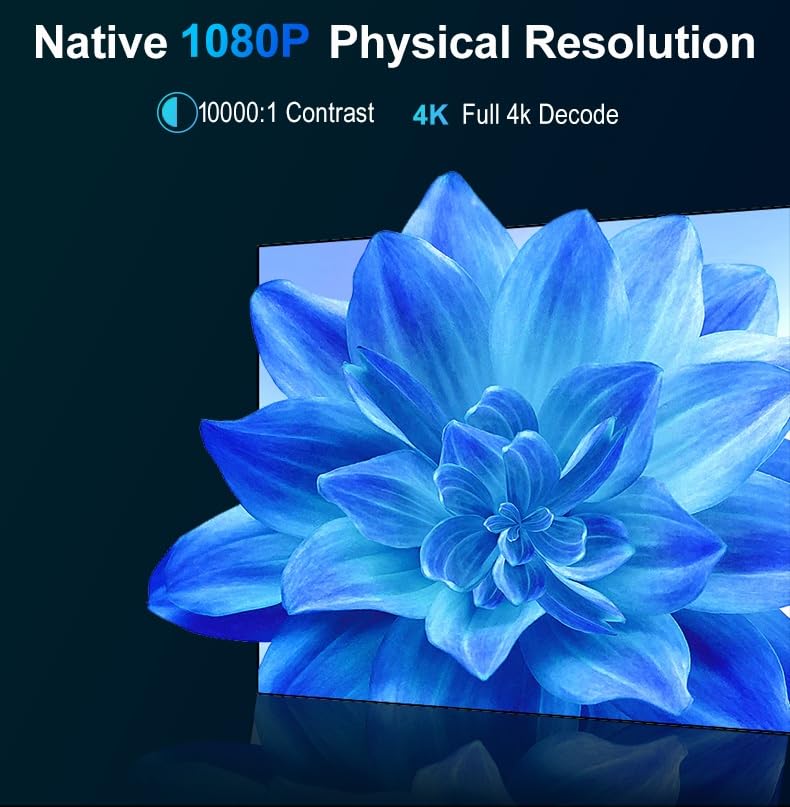
Image: The projector's display showing the Android 12 system interface with icons for popular streaming services and apps.

Image: A visual representation of the Android TV interface with access to over 7000 applications.

Image: A smartphone wirelessly mirroring its screen content to the projector, displaying a video.
4.4 Audio Settings
The projector features built-in 30W speakers. For external audio, use the 3.5mm audio out port or connect via Bluetooth 5.2. HDMI ARC allows for audio return channel functionality with compatible sound systems.
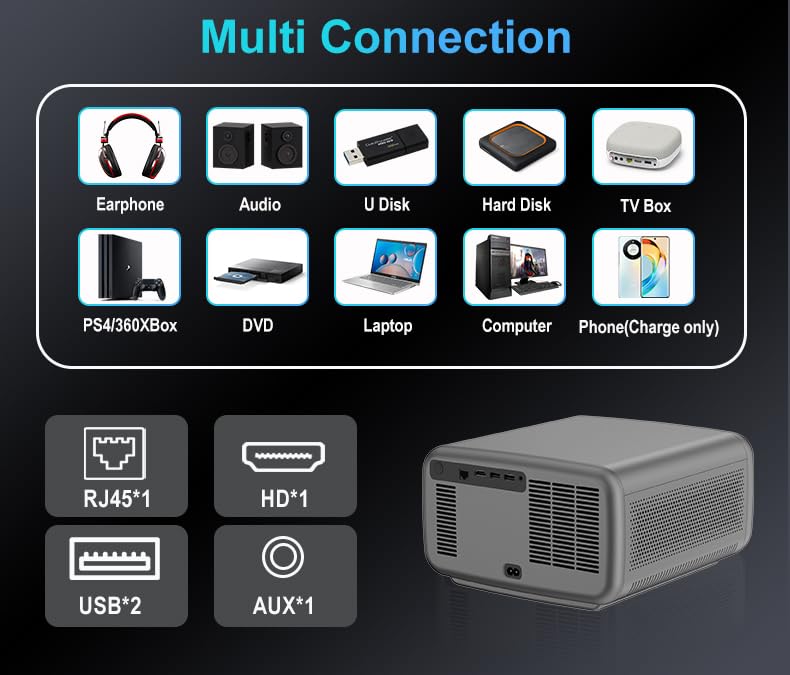
Image: The projector with musical notes, symbolizing its upgraded HIFI sound quality and powerful bass.
5. Maintenance
5.1 Dust Filter Cleaning
The projector features a fully sealed optical engine to minimize dust intrusion. However, it is recommended to clean the dust filter every 15 days to ensure proper ventilation and prevent overheating, which can damage the LCD panel.
Important: Damage to the LCD panel due to high temperatures from poor ventilation or dust-related issues is not covered under warranty.
6. Troubleshooting
6.1 No Picture, Only Sound (Copyrighted Content)
Due to HDCP (High-bandwidth Digital Content Protection) and copyright restrictions, content from streaming services like Netflix and Amazon Prime Video cannot be wirelessly mirrored directly to the projector. If you experience no picture but only sound when playing such content, use a Fire Stick, computer, or laptop connected via HDMI.
6.2 No Sound (Dolby Sound)
If there is no sound when playing copyrighted videos, please turn off Dolby Sound in the projector's audio settings.
6.3 Image Not Rectangular (Keystone Correction)
While the projector has auto keystone correction, if the image remains slightly trapezoidal, ensure the projector is placed flat and directly facing the screen. Manual 4P+4D digital keystone correction is also available for fine-tuning.
7. Specifications
| Feature | Detail |
|---|---|
| Brand | TOPTRO |
| Model Name | Toptro Legend Pro Max Projector |
| Model Number | Legend Pro Max 3GB |
| Display Resolution | Native 1920 x 1080 (Supports 3840 x 2160 Pixels) |
| Brightness | 3200 ANSI Lumens (36000 LED Lumens) |
| Contrast Ratio | 20000:1 |
| Lamp Life | 50000 Hours |
| Max Image Size | 300 Inches |
| Operating System | Android 12.0 |
| RAM/ROM | 3GB RAM / 128GB ROM |
| Connectivity | Bluetooth 5.2, Dual Band Wi-Fi (2.4G/5G), HDMI, USB, Ethernet, 3.5mm Audio |
| Special Features | 4K HDR10, Auto Focus, Auto Keystone, Auto Obstacle Avoidance, Auto Screen Fit, 30W Speakers |
| Item Dimensions L x W x H | 30L x 25W x 30H Centimeters |
| Item Weight | 6 Kilograms |
8. Warranty Information
The TOPTRO Legend Pro Max Projector comes with a 1-year warranty covering manufacturing defects, technical defects, and software defects.
Exclusions:
- No warranty for LCD panel and LCD panel burns.
- No warranty for dust-related issues inside the projector.
- No warranty for damage from misuse (broken, burns, physical damages).
- No warranty for repairs through third parties.
For full warranty terms and conditions, please refer to the official TOPTRO website or contact support.
9. Support
For any support inquiries, please contact TOPTRO Projectors India:
- Website: toptro.in
- Email: support@toptro.in or sreeprojectors@gmail.com
- WhatsApp: 8341888860 or 8333031317