
KNKA AP2000WF
KNKA AP2000WF Air Purifier User Manual
Comprehensive guide for setup, operation, and maintenance of your KNKA AP2000WF Air Purifier.
1. Product Overview
The KNKA AP2000WF Air Purifier is designed to provide clean and fresh air by effectively capturing airborne particles. It features advanced filtration, real-time air quality monitoring, and smart control options for a healthier indoor environment.

Image: KNKA AP2000WF Air Purifier with its genuine replacement filter.

Image: Detailed view of the AP2000WF's 3-stage filtration system, including the vacuumable pre-filter, efficient TH filter, and deodorization AC filter.
2. Setup Guide
2.1 Unboxing and Placement
- Carefully remove the air purifier and all accessories from the packaging.
- Place the air purifier on a flat, stable surface, ensuring at least 15 cm (6 inches) of space from walls or furniture for optimal airflow.
2.2 Filter Installation
The AP2000WF comes with a genuine replacement filter pack. Ensure the filter is properly installed before first use.
- Locate the filter compartment cover on the back of the unit.
- Open the cover and remove any protective packaging from the filter.
- Insert the filter into the compartment, ensuring it is seated correctly. The 'FRONT' label on the filter should face outwards.
- Close the filter compartment cover securely.

Image: Exploded view showing the Honeycomb Activated Carbon Particles, H13 True HEPA Filter, and Electrostatic Cotton layers of the filter.
2.3 Power Connection
Plug the power cord into a standard electrical outlet. The unit will enter standby mode.
3. Operating Instructions
3.1 Control Panel Functions
The control panel is located on the top of the air purifier and features various touch-sensitive buttons and a digital display.

Image: The air purifier connected to the 'Smart Life' app on a smartphone, demonstrating remote control capabilities.
- ON/OFF: Press to turn the unit on or off.
- Speed: Cycle through fan speeds (1F, 2F, 3F) for manual control.
- Auto: Activates automatic mode, where the fan speed adjusts based on real-time air quality.
- Time: Set the timer for 2, 5, or 8 hours of operation.
- Lock: Activates the child lock function to prevent accidental button presses. Press and hold to unlock.
- Display Off: Turns off the digital display light for undisturbed sleep.
- Reset: Resets the filter life indicator after filter replacement.
3.2 PM 2.5 Display and Air Quality Sensor
The air purifier features an infrared PM2.5 sensor that monitors air quality in real-time. The digital display shows the PM2.5 concentration and indicates air quality levels (Good, Moderate, Bad) with corresponding colors.

Image: The air purifier's display showing PM2.5 readings and how they correspond to Good, Moderate, and Bad air quality indicators.
3.3 Sleep Mode and Aromatherapy
In Sleep Mode, the fan operates at its lowest speed (less than 15dB) for quiet operation. The display light can be turned off. An aroma pad allows for the addition of essential oils (not included) to enhance the ambiance.

Image: The air purifier in a bedroom setting, highlighting its low noise operation, display light off feature, and aromatherapy function for peaceful sleep.
3.4 App & Voice Control
The AP2000WF can be controlled via the “Smart Life” app (supports 2.4GHz Wi-Fi networks) and voice commands through Amazon Alexa or Google Assistant. This allows for remote control, monitoring air quality, and checking filter life.
4. Maintenance
4.1 Filter Replacement
The filter life indicator on the display or app will notify you when it's time to replace the filter. Always use genuine KNKA replacement filters to maintain optimal performance.
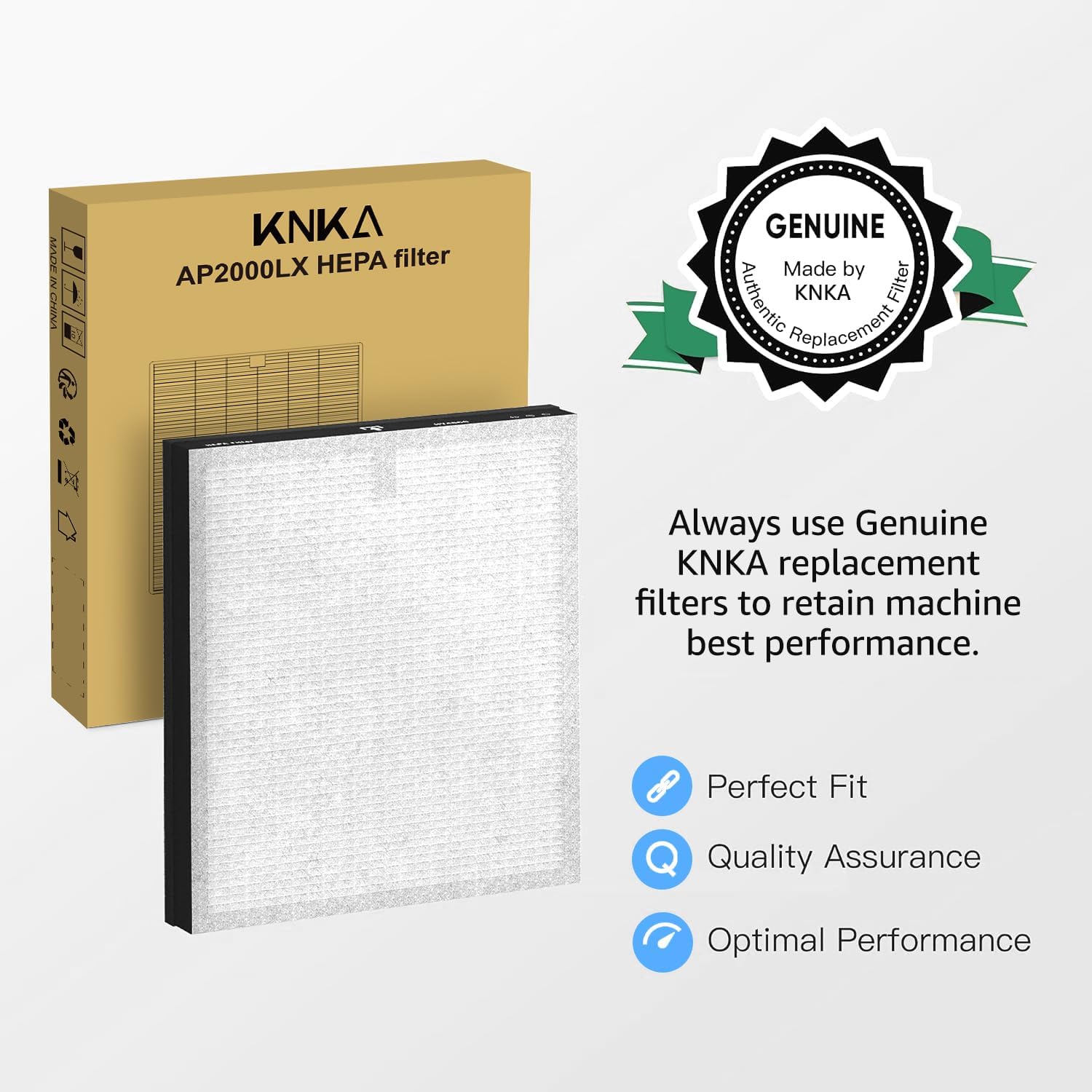
Image: A KNKA AP2000LX HEPA filter in its packaging, emphasizing the importance of using genuine replacement filters for best performance.
- Turn off and unplug the air purifier.
- Open the filter compartment cover.
- Remove the old filter and dispose of it properly.
- Install a new genuine KNKA AP2000WF replacement filter (model AP2000LX HEPA filter).
- Close the filter compartment cover.
- Plug in the air purifier and press the 'Reset' button on the control panel to reset the filter life indicator.
4.2 Cleaning the Unit
- Wipe the exterior of the air purifier with a soft, dry cloth.
- Do not use abrasive cleaners or solvents.
- Regularly vacuum the pre-filter layer of the main filter to extend its life.
5. Troubleshooting
| Problem | Possible Cause | Solution |
|---|---|---|
| Unit does not turn on | No power supply | Check power cord connection and wall outlet. |
| Poor air purification | Filter is dirty or expired | Replace the filter and reset the filter life indicator. |
| Unusual noise | Obstruction in fan or loose filter | Check for foreign objects and ensure filter is properly installed. |
| App connection issues | Incorrect Wi-Fi network (not 2.4GHz) or poor signal | Ensure connection to a 2.4GHz Wi-Fi network. Restart router and air purifier. |
6. Specifications
- Model: AP2000WF
- Brand: KNKA
- Coverage Area: Up to 1740 sq ft
- Filtration: True HEPA (captures 99.97% of particles as small as 0.3 microns)
- Noise Level (Sleep Mode): Less than 15dB
- Connectivity: Wi-Fi (2.4GHz only), App Control (Smart Life), Voice Control (Amazon Alexa, Google Assistant)
- Features: PM 2.5 Display, Air Quality Sensor, 5 Working Modes (Sleep/Auto/1F/2F/3F), 3 Timer Settings (2/5/8H), Child Lock, Aromatherapy Pad
7. Warranty and Support
For warranty information or technical support, please refer to the warranty card included with your product or contact KNKA customer service directly. Contact details can typically be found on the official KNKA website or on your purchase receipt.
Related documentsAP2000WF


Ask a question about this manual
Ask about setup, troubleshooting, compatibility, parts, safety, or missing instructions. Manuals+ will review the question and use this page’s manual context to help answer it.