
1. Product Overview
The ICEMAG 2 MagSafe Power Bank is a portable charging solution designed for iPhone 16/15/14 series and other compatible devices. It features 15W Qi2 magnetic wireless charging, 30W two-way wired fast charging, and an active cooling system to maintain optimal performance. The integrated foldable stand allows for convenient hands-free use during charging.
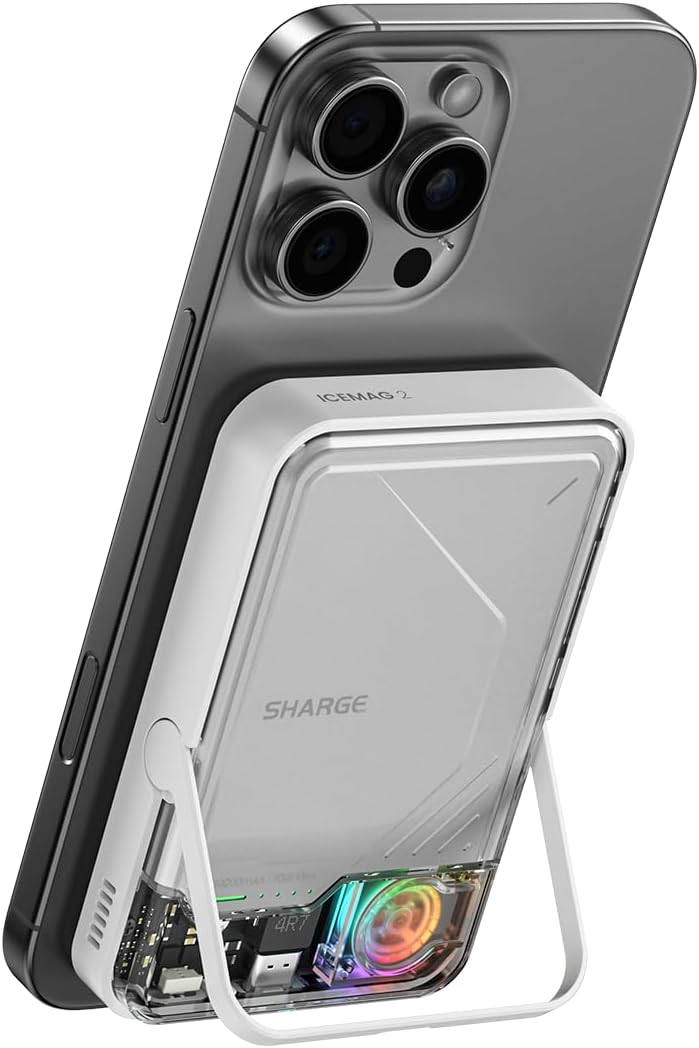
Figure 1: ICEMAG 2 MagSafe Power Bank attached to an iPhone, demonstrating its compact design and integrated stand.
2. Key Features
- 15W Qi2 Magnetic Fast Charging: Provides up to 15W wireless charging, compatible with iPhone 16/15/14 series, offering faster charging speeds compared to standard Qi.
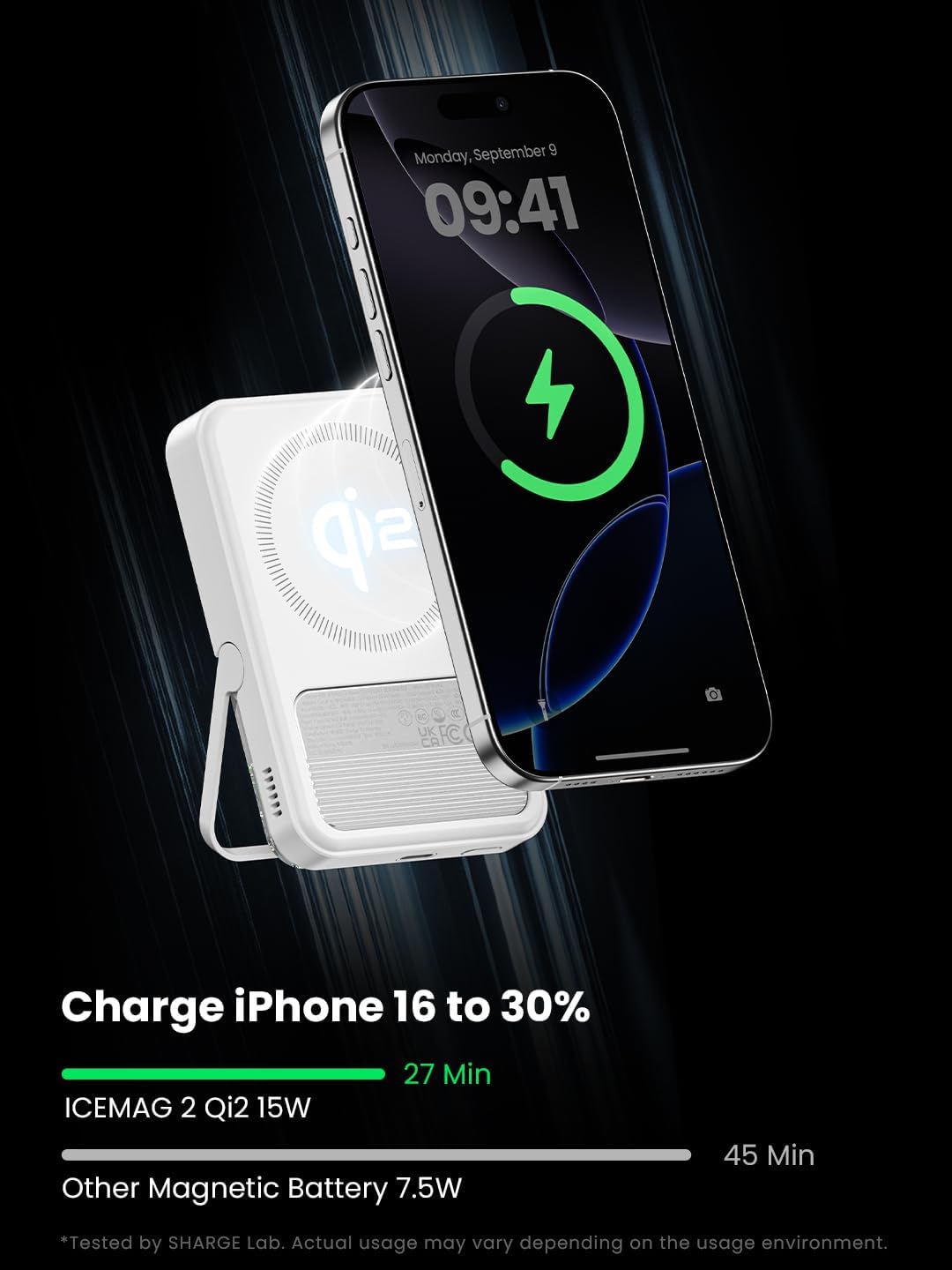
Figure 2: Illustration of 15W Qi2 wireless charging speed, showing the power bank magnetically attached to an iPhone.
- Active Cooling 2.0 System: Features an upgraded cooling fan and aluminum backplate designed to dissipate heat generated by the power bank during operation, enhancing efficiency and longevity. Note: This system cools the power bank itself, not the connected smartphone.

Figure 3: Detailed view of the ICEMAG 2's active cooling system, showing the internal fan and transparent design.
- Strong Magnetic Suction: Engineered with 2.24 pounds of magnetic suction force to ensure a secure and stable attachment to compatible devices, preventing accidental detachment during use.

Figure 4: Demonstration of the strong magnetic connection between the power bank and a smartphone.
- 30W Two-Way Wired Fast Charging: Supports up to 30W input and output via USB-C, allowing for rapid recharging of the power bank and fast charging of devices like MacBook Air.
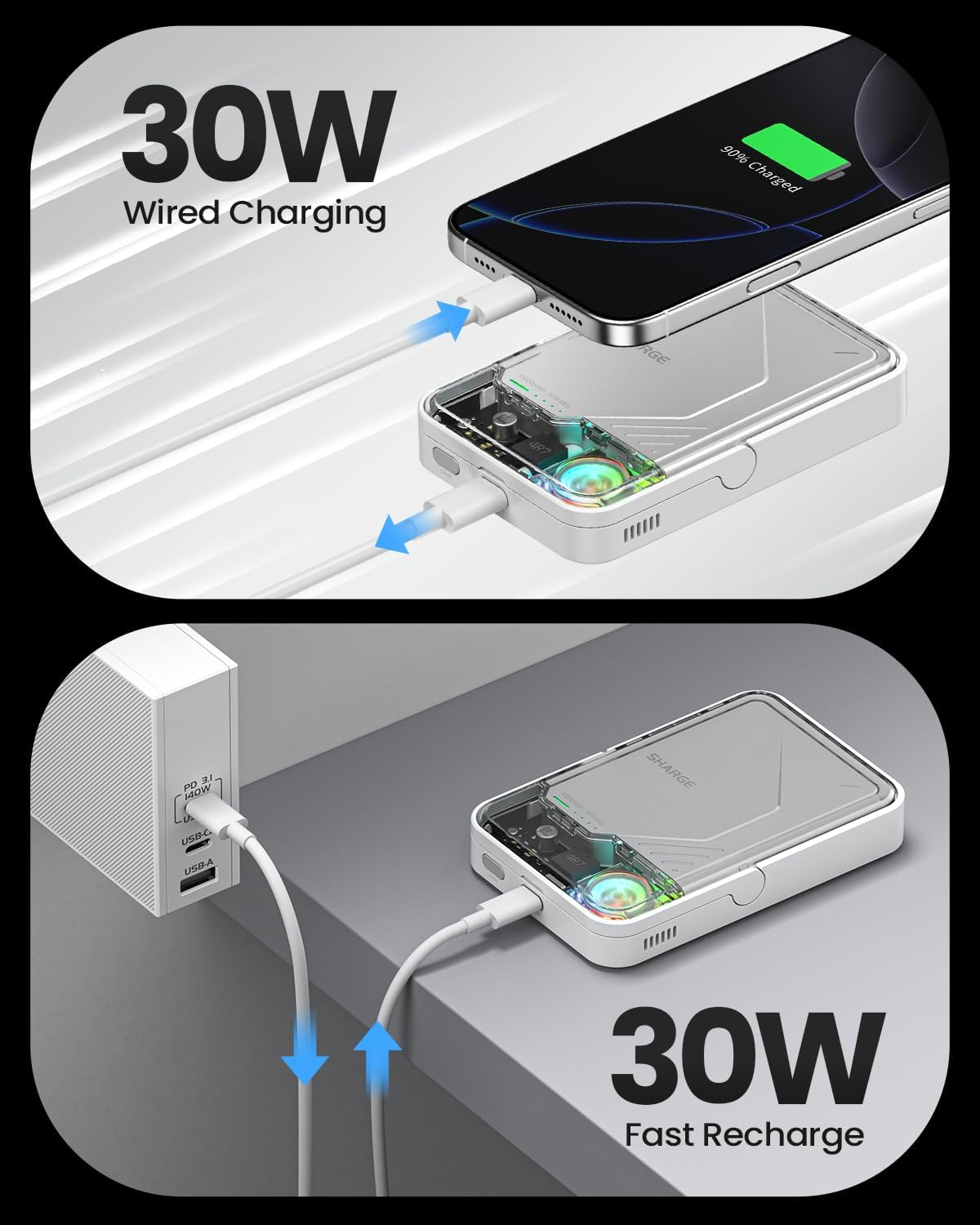
Figure 5: Visual representation of 30W wired charging capabilities for both device charging and power bank recharging.
- StandBy Charging with Foldable Stand: Features a built-in foldable stand for hands-free viewing while charging, ideal for watching videos, making calls, or browsing in various settings.

Figure 6: The ICEMAG 2 in StandBy mode, supporting an iPhone for hands-free viewing.
- Low-Power Mode: Specifically designed for charging wearable devices such as smartwatches and earbuds, providing optimized power delivery for smaller batteries.

Figure 7: The power bank charging smaller devices like earbuds and a smartwatch, demonstrating low-power mode functionality.
- Pass-through Charging: Allows you to charge your smartphone while simultaneously recharging the ICEMAG 2 power bank.

Figure 8: Illustration of pass-through charging, where the power bank charges a phone while being recharged itself.
- Superior Safety Protections: Incorporates multiple safety features including undervoltage, short-circuit, over-voltage, overload, over-temperature, and over-current protection to ensure safe and reliable operation.

Figure 9: Visual representation of the comprehensive safety features built into the ICEMAG 2.
3. Setup Guide
3.1 Initial Charging
Before first use, it is recommended to fully charge your ICEMAG 2 power bank. Connect the included USB-C cable to the power bank's USB-C port and the other end to a compatible USB power adapter (not included). The indicator lights on the power bank will show the charging progress. A full charge typically takes approximately 1.5 hours with a 30W power adapter.
3.2 Attaching to Device
For magnetic wireless charging, ensure your iPhone is a 16/15/14 series model or is equipped with a MagSafe-compatible case. Align the ICEMAG 2 with the back of your iPhone; the magnets will automatically snap it into place, initiating wireless charging.
4. Operating Instructions
4.1 Wireless Charging
- Ensure the ICEMAG 2 is sufficiently charged.
- Align the power bank with the MagSafe area on the back of your compatible iPhone. The magnetic connection will secure it.
- Wireless charging will begin automatically. The active cooling fan may activate to manage heat during charging.
4.2 Wired Charging
- Connect one end of a USB-C cable to the USB-C port on the ICEMAG 2.
- Connect the other end of the USB-C cable to your device's charging port.
- Wired charging will commence. The power bank supports up to 30W output for fast charging compatible devices.
4.3 Using the Foldable Stand
Gently pull out the integrated stand from the bottom of the ICEMAG 2. Once extended, you can place the power bank and attached iPhone on a flat surface for hands-free viewing in portrait or landscape orientation. Push the stand back into its slot when not in use.
5. Maintenance and Care
- Cleaning: Use a soft, dry cloth to clean the surface of the power bank. Avoid using harsh chemicals or abrasive materials.
- Storage: Store the power bank in a cool, dry place away from direct sunlight and extreme temperatures.
- Battery Care: To prolong battery life, avoid fully discharging the power bank frequently. Recharge it regularly, even if not in constant use.
- Avoid Drops: While durable, avoid dropping the device, as internal components can be damaged.
6. Troubleshooting
| Problem | Possible Cause | Solution |
|---|---|---|
| Power bank not charging device wirelessly. | Device not MagSafe compatible; improper alignment; power bank battery low. | Ensure device is MagSafe compatible or has a MagSafe case. Realign the power bank. Recharge the power bank. |
| Power bank not recharging. | Faulty cable or adapter; power outlet issue. | Try a different USB-C cable and power adapter. Test the power outlet with another device. |
| Active cooling fan is noisy or not working. | Obstruction in fan vent; fan malfunction. | Ensure fan vents are clear of debris. If issue persists, contact customer support. |
| Magnetic connection is weak. | Non-MagSafe case; foreign objects between power bank and phone. | Use a MagSafe-compatible case or remove the case. Ensure no objects are obstructing the magnetic surface. |
7. Product Specifications
| Feature | Detail |
|---|---|
| Model Number | M2 |
| Brand | sharge |
| Battery Capacity | 10000 Milliamp Hours (mAh) |
| Wireless Charging Output | 15W Max (Qi2) |
| Wired Charging Output | 30W Max (USB Type C) |
| Input | 30W Max (USB Type C) |
| Product Dimensions | 4.25 x 2.78 x 0.78 inches |
| Item Weight | 7.8 ounces |
| Special Features | 15W Max Wireless Charging, Active Cooling System, Dynamic RGB Light, Foldable Stand, Sleek Transparent Design |
| Manufacturer | Sharge Technology (Shenzhen) Co., Ltd. |
| Date First Available | November 7, 2024 |

Figure 10: Official specifications sheet for the ICEMAG 2 power bank.
8. Warranty and Support
8.1 Warranty Information
The ICEMAG 2 MagSafe Power Bank comes with a 12-month warranty from the date of purchase. This warranty covers manufacturing defects and issues arising from normal use. It does not cover damage caused by misuse, accidents, unauthorized modifications, or natural disasters.
8.2 Customer Support
For technical assistance, warranty claims, or any other inquiries, please contact Sharge customer support. Refer to the product packaging or the official Sharge website for the most current contact information.
Please have your product model number (M2) and proof of purchase ready when contacting support.