
1. Introduction
This manual provides comprehensive instructions for the TopMade MF69 MagSafe Wallet, a multi-functional accessory designed for iPhone 12-17 series. It integrates a secure card holder, a versatile phone stand, and Apple Find My functionality to help you keep track of your wallet.

Image 1.1: TopMade MF69 MagSafe Wallet overview.
2. Product Overview
The TopMade MF69 MagSafe Wallet offers several key features:
- Apple Find My Integration: Locate your wallet using the Apple Find My app on your iPhone, iPad, Mac, or Apple Watch.
- Strong Magnetic Attachment: Features 4200 Gs magnetic force for secure attachment to your iPhone.
- Long-Lasting Battery: Up to 4 months of use on a single wireless charge for Find My functions.
- Smart Card Storage: Holds up to 6 cards and some cash, with a thumb slot for quick access and a clear ID window.
- Multi-view Wallet Stand: Adjustable hinge allows for portrait or landscape viewing angles (0° to 180°).
- Security & Privacy: RFID blocking at 13.56 MHz or higher, with an anti-degaussing lining.
3. Setup Instructions
Follow these steps to connect your TopMade MF69 MagSafe Wallet with the Apple Find My app:
- Enable Two-Factor Authentication: Ensure Two-Factor Authentication is enabled for your Apple ID on your iPhone.
- Power On Wallet: Press the power button on the wallet once to turn it on.
- Activate Bluetooth & Find My: On your iPhone, go to Settings and ensure Bluetooth is enabled. Open the 'Find My' app.
- Add New Item: In the 'Find My' app, navigate to the 'Items' tab, then tap 'Add New Item' and select 'Other Supported Item' to connect your wallet.

Image 3.1: Steps to connect the wallet to Apple Find My.
4. Operating Instructions
4.1. Using Apple Find My Features
The TopMade MF69 wallet leverages the Apple Find My network for location tracking:
- Play Sound: If your wallet is within Bluetooth range (up to 164 feet / 50 meters), open the 'Find My' app and tap 'Play Sound' to activate the built-in speaker. You can also ask Siri to locate your wallet.

Image 4.1: Using 'Play Sound' to locate your wallet nearby.
- Left Behind Notifications: Receive an alert on your iPhone if you leave your wallet behind and it goes out of Bluetooth range. The notification will show its last known location.

Image 4.2: Example of a 'Left Behind' notification.
- Lost Mode: If your wallet is lost, activate 'Lost Mode' in the Find My app. This will allow the vast Apple Find My network to help locate your wallet, and you can view its location on a map.
- Directions: Tap 'Directions' in the Find My app to get guided navigation to your wallet's last updated location.

Image 4.3: Getting directions to your wallet's location.
4.2. Card Storage
The wallet is designed to hold 1-6 cards securely. Use the thumb slot for quick access to frequently used cards and the clear window for displaying identification.

Image 4.4: Inserting a card into the wallet.
4.3. Wallet Stand Functionality
The integrated stand allows for hands-free viewing in both portrait and landscape orientations. The strong hinge provides adjustable angles from 0° to 180°.

Image 4.5: Wallet used as a stand in portrait mode.

Image 4.6: Wallet used as a stand in landscape mode.
5. Charging
The TopMade MF69 wallet supports wireless charging only for its Find My functions. It is compatible with all wireless chargers and magnetic wireless power banks. A single charge can provide up to 4 months of use.
- Place the wallet on a compatible wireless charging pad.
- A charging indicator light (located behind a card slot) will illuminate during charging.
- The wireless charger is not included with the product.

Image 5.1: Wireless charging of the wallet.
6. Security Features
The TopMade MF69 wallet incorporates security measures to protect your personal information:
- RFID Blocking: The wallet blocks RFID signals at 13.56 MHz or higher, preventing unauthorized scanning of your credit cards.
- Anti-Degaussing Lining: A metal mesh lining protects your cards from degaussing and demagnetization, preserving their data integrity.

Image 6.1: RFID blocking and anti-degaussing features.
7. Compatibility
The TopMade MF69 MagSafe Wallet is compatible with:
- iPhone 17/16/15/14/13/12 series.
- MagSafe-compatible cases.
Note: This wallet is not compatible with iPhone Mini and SE series as it may cover the camera. It may also not hold as securely with official Apple cases compared to other case brands.

Image 7.1: Device compatibility chart.
8. Maintenance
To ensure the longevity and optimal performance of your TopMade MF69 MagSafe Wallet:
- Clean the wallet exterior with a soft, damp cloth. Avoid harsh chemicals or abrasive materials.
- Keep the magnetic surfaces clean and free of debris to maintain strong attachment.
- Avoid exposing the wallet to extreme temperatures or direct sunlight for prolonged periods.
- Do not attempt to disassemble the wallet, as this may damage the internal components and void the warranty.
9. Troubleshooting
If you encounter issues with your TopMade MF69 MagSafe Wallet, refer to the following common solutions:
- Wallet not appearing in Find My app: Ensure Bluetooth is enabled on your iPhone, the wallet is powered on, and Two-Factor Authentication is active for your Apple ID. Try restarting both your iPhone and the wallet.
- Cannot hear 'Play Sound' alert: Verify the wallet is within Bluetooth range (164 feet / 50 meters). Check the volume settings on your iPhone.
- Wallet not charging: Ensure you are using a compatible wireless charger. The charging indicator light is located behind a card slot; remove a card to check its status. Ensure the wallet is correctly positioned on the charging pad.
- Wallet not securely attaching to iPhone: Ensure your iPhone or case is MagSafe compatible. Clean both the wallet's magnetic surface and your iPhone/case to remove any obstructions. Note that some official Apple cases may affect magnetic strength.
- Cards difficult to insert/remove: The card slots are designed to hold cards snugly for security. Overfilling the wallet may cause difficulty.
10. Specifications
| Feature | Specification |
|---|---|
| Model Number | MF69 |
| Product Dimensions | 4.09 x 2.66 x 0.24 inches |
| Item Weight | 2.96 ounces |
| Battery Type | 1 Lithium Ion (included) |
| Battery Life (Find My) | Up to 4 months on a single charge |
| Charging Method | Wireless charging only |
| Magnetic Force | 4200 Gs |
| Card Capacity | Up to 6 cards |
| RFID Blocking | 13.56 MHz or higher |
| Compatible Devices | iPhone 12-17 series, MagSafe cases |
11. Warranty and Support
Your TopMade MF69 MagSafe Wallet comes with:
- 24 Hours Customer Service: Dedicated support available for any inquiries.
- 24 Months Technical Support: Comprehensive technical assistance for two years from the date of purchase.
For assistance, please refer to the contact information provided with your product packaging or visit the official TopMade website.
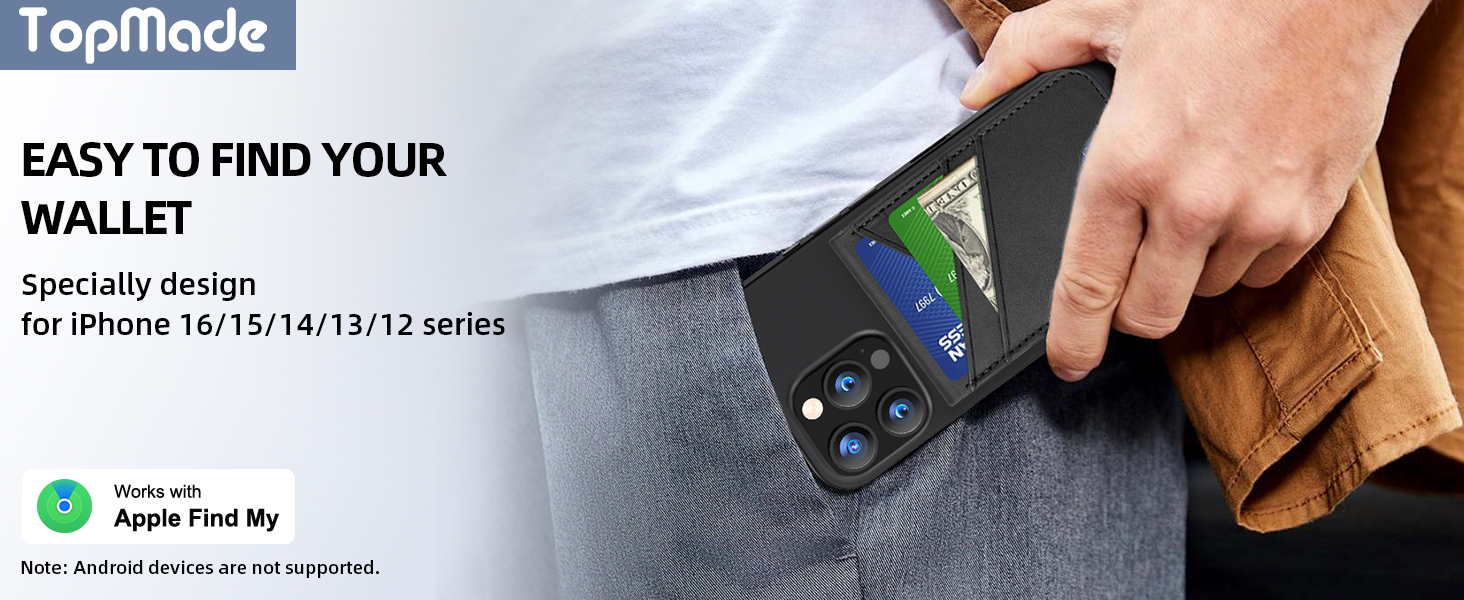
Image 11.1: Support and warranty information.