
1. Introduction
Thank you for choosing the LEKATO GA-02 5W Rechargeable Guitar Amplifier. This compact and portable amplifier is designed for electric guitar and bass practice, offering both clean and overdrive effects, Bluetooth connectivity, and multiple input/output options. Please read this manual carefully to ensure proper operation and to maximize your experience with the product.
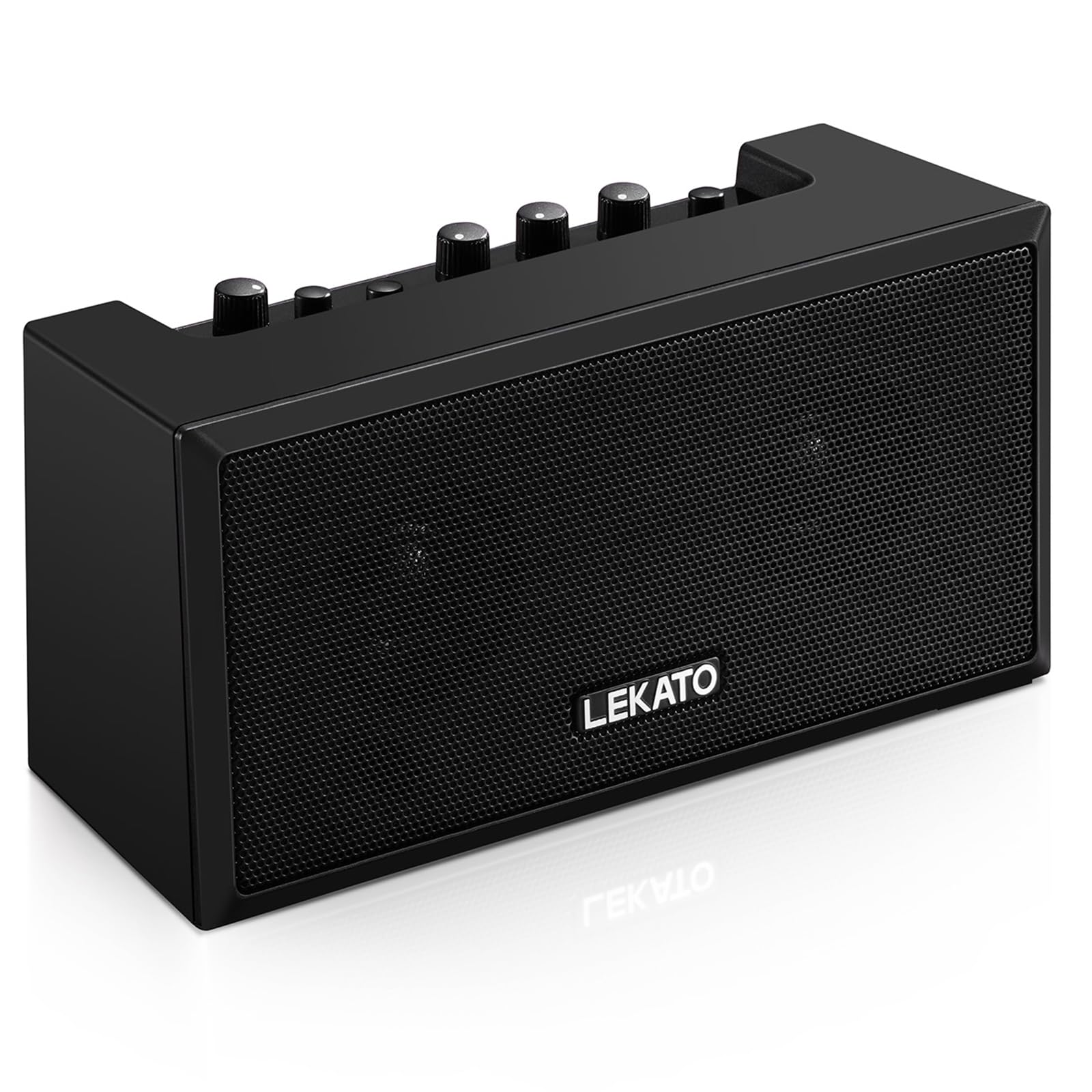
Figure 1: Front view of the LEKATO GA-02 Guitar Amplifier.
2. Key Features
- Dual Tone Channels: Easily switch between Clean and Overdrive effects with a single button.
- Compact and Portable: 5W dual speakers in a mini size, ideal for practice anywhere.
- Bluetooth 5.0 Connectivity: Connect wirelessly to your smartphone or other devices for accompaniment.
- Rich Interfaces: Includes 1/8" Aux input, 1/8" stereo headphone output, and 6.35mm instrument input.
- Rechargeable Battery: Built-in 3.7V/2000mA battery provides up to 6 hours of playtime on a single charge, rechargeable via Type-C USB.
3. Setup and Connections
3.1 Charging the Amplifier
Before first use, fully charge the amplifier. Connect the included Type-C USB cable to the DC 5V charging port on the rear panel of the amplifier and to a standard USB power source (e.g., wall adapter, computer USB port).

Figure 2: Type-C USB charging port on the rear panel.
A full charge provides approximately 6 hours of playtime.
3.2 Controls and Interfaces Overview

Figure 3: Front panel controls (top) and rear panel interfaces (bottom) of the amplifier.
Front Panel Controls:
- B.T./AUX VOL: Adjusts the volume for Bluetooth and Aux input.
- B.T. Button: Activates/deactivates Bluetooth pairing mode.
- OVERDRIVE Button: Toggles between Clean and Overdrive channels.
- GAIN Knob: Adjusts the input sensitivity and distortion level (primarily for Overdrive channel).
- TONE Knob: Adjusts the tonal characteristics (treble/bass balance).
- VOLUME Knob: Adjusts the overall output volume of the guitar signal.
- POWER Button: Turns the amplifier on or off.
Rear Panel Interfaces:
- INPUT (6.35mm Jack): Connect your electric guitar or bass.
- AUX (1/8" Jack): Connect external audio sources like smartphones or CD players.
- Headphone Output (1/8" Stereo Jack): Connect headphones for silent practice.
- DC 5V (Type-C Port): Power input for charging.
3.3 Connecting Your Instrument
Insert your instrument cable (6.35mm jack) into the INPUT port on the rear of the amplifier.
3.4 Bluetooth Connection
- Turn on the amplifier using the POWER button.
- Press the B.T. button on the front panel. The Bluetooth indicator light will flash, indicating pairing mode.
- On your smartphone or Bluetooth-enabled device, search for "TOP-GT" in the Bluetooth settings.
- Select "TOP-GT" to pair. Once connected, the Bluetooth indicator light will remain solid.
- Adjust the Bluetooth/Aux volume using the B.T./AUX VOL knob.

Figure 4: Bluetooth pairing process with a mobile device.
3.5 Aux Input Connection
Connect an external audio source (e.g., MP3 player, computer) to the AUX input jack on the rear panel using a 1/8" (3.5mm) stereo audio cable. Adjust the volume using the B.T./AUX VOL knob.
3.6 Headphone Connection
For silent practice, connect your headphones to the Headphone Output jack on the rear panel. This will mute the amplifier's internal speakers.
4. Operating Instructions
4.1 Power On/Off
Press the POWER button to turn the amplifier on or off.
4.2 Selecting Tone Channels
The amplifier features two tone channels: Clean and Overdrive.
- Press the OVERDRIVE button to switch between the Clean and Overdrive channels.
- When the Overdrive channel is active, the corresponding indicator light will illuminate.
- Clean: Provides a pure instrument tone.
- Overdrive: Produces a distorted rock sound.

Figure 5: Pressing the OVERDRIVE button to switch channels.
4.3 Adjusting Sound
- GAIN: Rotate the GAIN knob to adjust the input signal level. Higher gain settings will increase distortion, especially in Overdrive mode.
- TONE: Use the TONE knob to shape the amplifier's frequency response, making the sound brighter or warmer.
- VOLUME: Adjust the overall output volume of your instrument using the VOLUME knob.
5. Maintenance
- Cleaning: Wipe the amplifier with a soft, dry cloth. Do not use liquid cleaners or abrasive materials.
- Storage: Store the amplifier in a cool, dry place away from direct sunlight and extreme temperatures.
- Battery Care: For optimal battery life, avoid fully discharging the battery frequently. Charge the amplifier regularly, even if not in use for extended periods.
- Handling: Avoid dropping or subjecting the amplifier to strong impacts.
6. Troubleshooting
| Problem | Possible Cause | Solution |
|---|---|---|
| No sound from amplifier. |
|
|
| Bluetooth not connecting. |
|
|
| Sound is distorted (not desired). |
|
|
| Short battery life. |
|
|
7. Specifications
| Feature | Detail |
|---|---|
| Model | GA-02 |
| Output Wattage | 5 Watts |
| Channels | Clean, Overdrive |
| Connectivity | Bluetooth 5.0 |
| Inputs | 6.35mm Instrument Jack, 3.5mm Aux Input |
| Outputs | 3.5mm Stereo Headphone Output |
| Power Source | Battery Powered (Rechargeable) |
| Battery Type | 3.7V/2000mA Lithium Polymer (included) |
| Charging Port | Type-C USB (DC 5V) |
| Approx. Playtime | 6 hours |
| Product Dimensions | 2.76"D x 4.53"W x 3.23"H (7 x 11.5 x 8.2 cm) |
| Item Weight | 1.23 pounds (0.56 kg) |

Figure 6: Dimensions of the LEKATO GA-02 Amplifier.
8. Warranty and Support
LEKATO products are designed for reliability and performance. For warranty information or technical support, please refer to the warranty card included with your product or visit the official LEKATO website. You can also contact your retailer for assistance.
For more information about LEKATO products, visit the LEKATO Brand Store.
9. Product Video Demonstration
Video 1: Official product demonstration of the LEKATO GA-02 Guitar Amplifier, showcasing its features and sound capabilities.