
Proster T21D
Proster Digital Multimeter User Manual
Model: T21D | Brand: Proster
Introduction
This manual provides comprehensive instructions for the safe and effective operation of your Proster Digital Multimeter (Model T21D). This True RMS (TRMS) auto-ranging multimeter is designed for precise measurements across various electrical parameters, making it suitable for both professional and hobbyist applications. Please read this manual thoroughly before use to ensure proper functionality and safety.

Image: The Proster Digital Multimeter (Model T21D) shown with its included test probes, temperature probe, and spare fuses.
Safety Information
Always adhere to safety precautions when using electrical testing equipment. Failure to do so may result in injury or damage to the device. This multimeter features built-in double safety tubes and overload protection circuits for enhanced safety.
- Ensure the multimeter is set to the correct function and range before connecting to a circuit.
- Do not exceed the maximum input values specified in the specifications section.
- Inspect test leads for damage before each use. Replace if insulation is compromised.
- Avoid touching exposed wires or circuit components while testing.
- Use caution when working with voltages above 30V AC RMS, 42V peak, or 60V DC, as these pose a shock hazard.
- Disconnect power to the circuit before measuring resistance, capacitance, or continuity.
- Replace batteries promptly when the low battery indicator appears to ensure accurate readings.
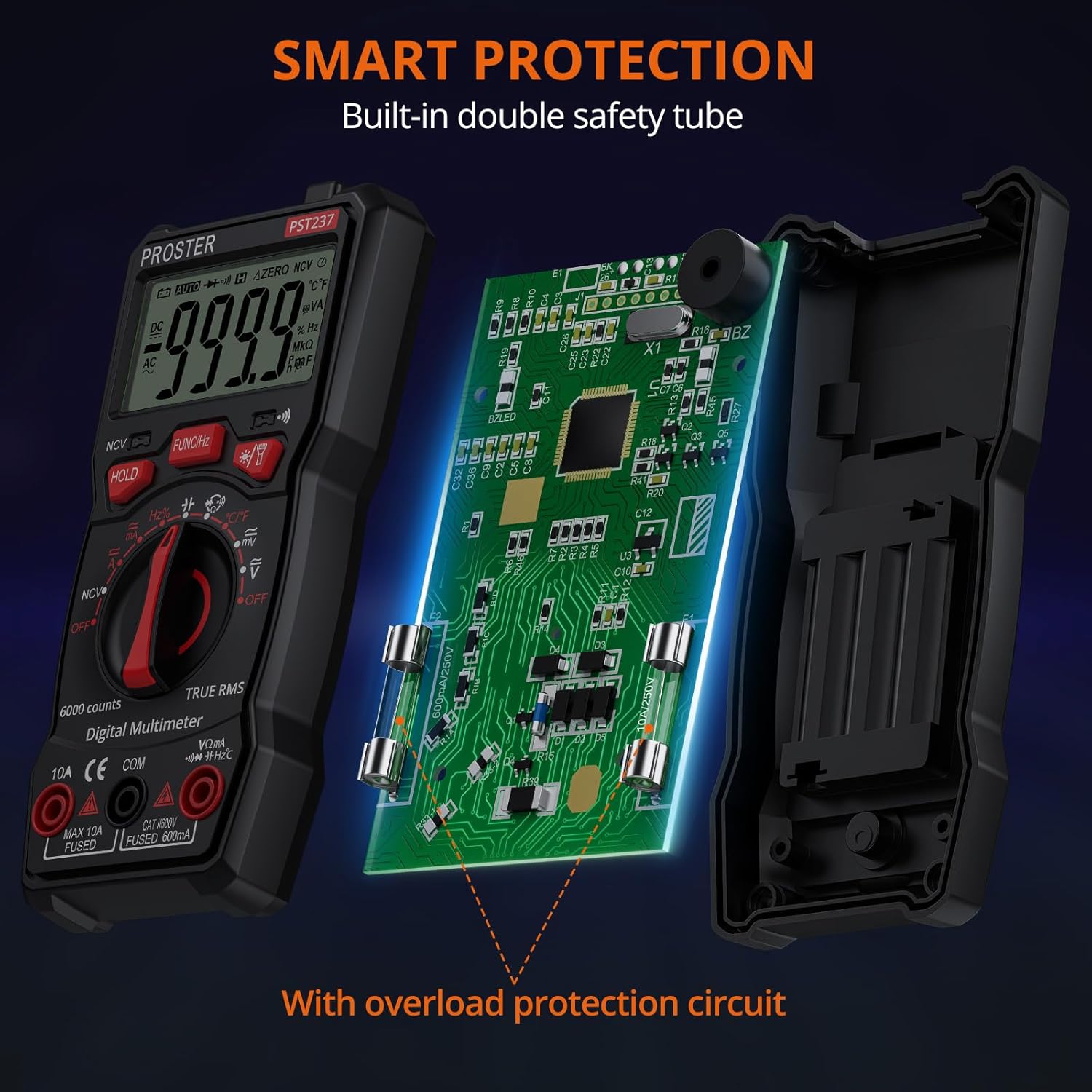
Image: Internal view of the multimeter highlighting its smart protection features, including built-in double safety tubes and an overload protection circuit.
What's in the Box
- 1 x Proster 6000 Counts Digital Multimeter (Model T21D)
- 1 x Pair of Test Probes (Red and Black)
- 1 x Temperature Probe
- 3 x AAA Batteries (pre-installed or included separately)
- User Manual (this document)
Product Features
The Proster T21D Digital Multimeter offers a wide array of functions and user-friendly features:
- Multi-functional TRMS Measurement: Capable of measuring AC/DC voltage, AC/DC current, resistance, capacitance, frequency, duty ratio, and temperature.
- Non-Contact Voltage (NCV) Detection: Safely detect AC voltage without direct contact.
- Diode and Continuity Test: Essential for checking circuit integrity and component functionality.
- Transistor Test: For evaluating transistor performance.
- 6000 Counts Display: Provides clear and accurate readings with a sampling speed of 3 times per second.
- Auto/Manual Ranging: Automatically selects the appropriate range or allows manual selection for specific needs.
- Data Hold Function: Freezes the displayed reading for convenient recording.
- Backlight and Flashlight: Improves visibility in dimly lit environments.
- Sturdy Silicone Cover: Provides protection against drops and impacts.
- Integrated Kickstand: Allows for hands-free operation and easy viewing.
- Auto Power Off: Conserves battery life when not in use.

Image: Overview of the multimeter's capabilities, including AC/DC Voltage, AC/DC Current, Frequency, Resistance, Temperature, Duty Cycle, Capacitance, Diodes, Continuity, Data Hold, and Non-Contact Voltage (NCV).
Setup
Battery Installation
The multimeter typically comes with batteries pre-installed. If not, or if replacement is needed:
- Ensure the multimeter is turned OFF.
- Locate the battery compartment on the back of the device.
- Unscrew the battery cover and remove it.
- Insert 3 AAA batteries, observing the correct polarity (+/-) as indicated inside the compartment.
- Replace the battery cover and secure it with the screw.
Connecting Test Probes
For most measurements, connect the test probes as follows:
- Insert the red test lead into the VΩmA input jack.
- Insert the black test lead into the COM (common) input jack.
- For current measurements (up to 10A), insert the red test lead into the 10A input jack.
Operating Instructions
Turn the rotary switch to the desired measurement function. The multimeter will typically auto-range, but you can press the FUNC/Hz button to cycle through specific modes if available within a range (e.g., AC/DC voltage, frequency/duty cycle).
1. Measuring AC/DC Voltage
To measure voltage, set the rotary switch to the V~ (AC Voltage) or V- (DC Voltage) position. Connect the test probes in parallel with the circuit or component you wish to measure.

Image: The multimeter displaying an AC voltage reading while connected to a power strip.
Video Demonstration: This video demonstrates various functions of the Proster Digital Multimeter, including voltage measurement.
Video: A demonstration of the Proster Digital Multimeter's features, including NCV detection, DC voltage measurement, AC voltage measurement, continuity testing, and temperature measurement.
2. Measuring Resistance
To measure resistance, set the rotary switch to the Ω (Ohms) position. Ensure the circuit is de-energized before connecting the probes across the component.
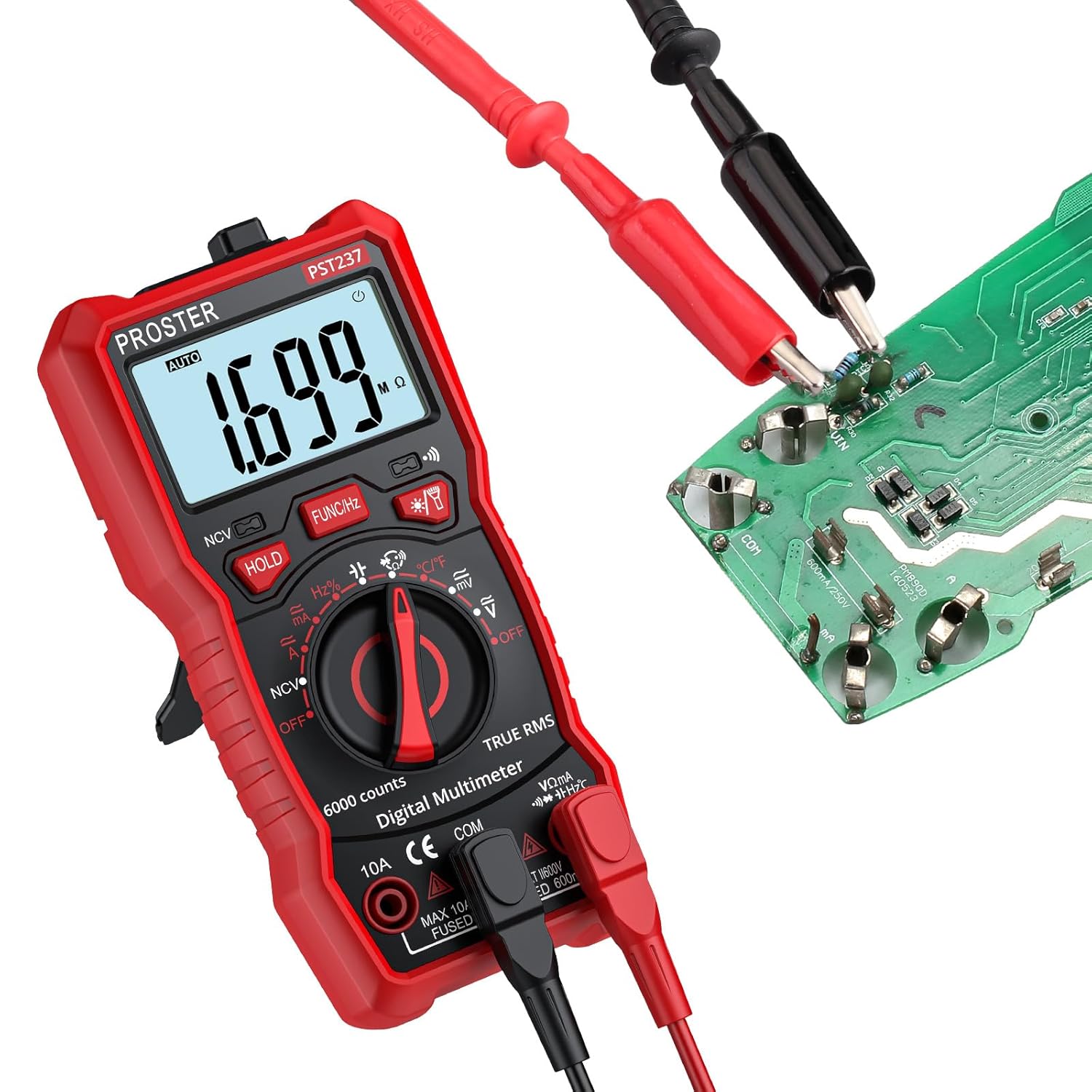
Image: The multimeter displaying a resistance reading while connected to a circuit board.
3. Continuity Test
For continuity, set the rotary switch to the ♫ (Continuity) position. If the circuit is continuous (low resistance), the multimeter will emit an audible beep. Ensure the circuit is de-energized.

Image: The multimeter displaying a low resistance reading and indicating continuity with a buzzing sound, as test leads are connected to a wire.
4. Non-Contact Voltage (NCV) Detection
To use the NCV function, set the rotary switch to the NCV position. Place the top tip of the multimeter near the object being tested (e.g., an electrical outlet or wire). The display will show "EF" and the device will beep and flash if AC voltage is detected.
5. Temperature Measurement
Connect the temperature probe to the multimeter's input jacks (red to VΩmA, black to COM). Set the rotary switch to the °C/°F position. Place the tip of the temperature probe on or in the object whose temperature you wish to measure.
Data Hold and Backlight
- Press the HOLD button to freeze the current reading on the display. Press again to release.
- Press the ★ (Backlight/Flashlight) button to turn on the display backlight. Press and hold to activate the flashlight.
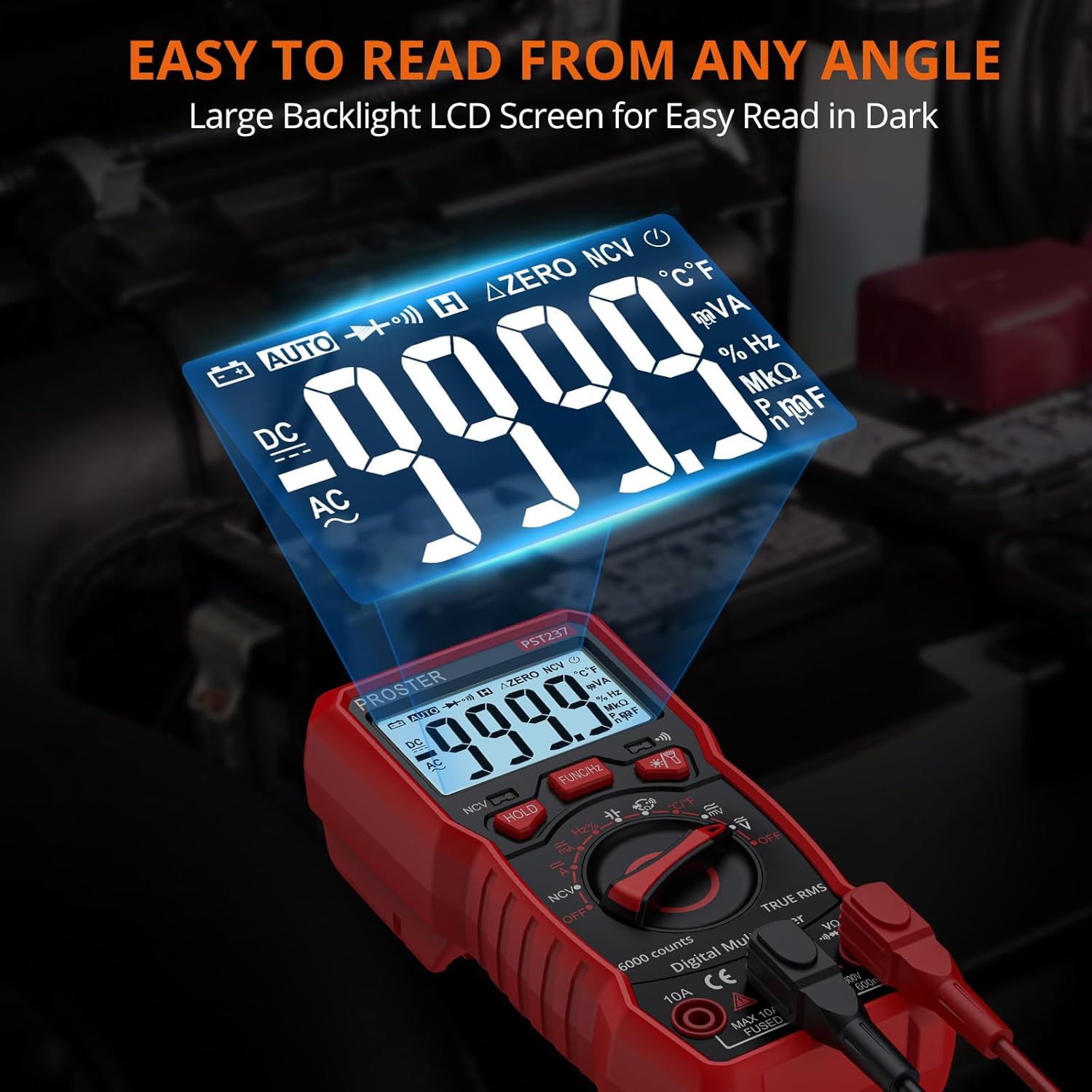
Image: The multimeter's large, backlit LCD screen, designed for easy readability in various lighting conditions.
Maintenance
- Cleaning: Wipe the multimeter with a damp cloth and mild detergent. Do not use abrasives or solvents.
- Battery Replacement: Replace batteries when the low battery indicator appears. Refer to the "Battery Installation" section for instructions.
- Fuse Replacement: If the current measurement function fails, the fuse may need replacement. This should only be performed by qualified personnel. Ensure the replacement fuse matches the original specifications (e.g., 10A Fused, 600mA Fused).
- Storage: If storing for extended periods, remove the batteries to prevent leakage. Store in a cool, dry place away from direct sunlight.
Troubleshooting
| Problem | Possible Cause | Solution |
|---|---|---|
| No display or dim display | Low battery or no battery. | Replace batteries. |
| "OL" (Overload) displayed | Input value exceeds selected range or maximum limit. Open circuit in continuity/resistance. | Select a higher range, check connections, or verify circuit integrity. |
| Incorrect readings | Incorrect function/range selected, poor probe contact, or damaged probes. | Verify settings, ensure good contact, or replace probes. |
| No continuity beep | Open circuit or high resistance. | Check the circuit for breaks or high resistance points. |
Specifications
| Parameter | Value |
|---|---|
| Model Number | T21D |
| Display Counts | 6000 Counts |
| Product Dimensions (L x W x H) | 5.79 x 2.8 x 1.77 inches |
| Item Weight | 7.75 ounces |
| Power Source | 3 x AAA Batteries (included) |
| Manufacturer | Proster |
| Country of Origin | China |
| DC Voltage Range | 600mV/6V/60V/600V (Accuracy: ±(0.5%+5)) |
| AC Voltage Range | 600mV/6V/60V/600V (Accuracy: ±(1.0%+4)) |
| DC Current Range | 60mA/600mA/10A (Accuracy: ±(1.2%+5)) |
| AC Current Range | 60mA/600mA/10A (Accuracy: ±(1.5%+5)) |
| Resistance Range | 600Ω/6KΩ/60KΩ/600KΩ/6MΩ/60MΩ (Accuracy: ±(0.8%+5)) |
| Capacitance Range | 60nF/600nF/6uF/60uF/600uF/6mF/100mF (Accuracy: ±(4.0%+5)) |
| Frequency Range | 9.999Hz/99.99Hz/999.9Hz/9.999KHz/99.99KHz/999.9KHz/9.999MHz (Accuracy: ±(1.5%+5)) |
| Temperature Range | -20~1000°C / -4~1832°F (Accuracy: ±(1.0%+3)) |
Related documentsT21D


Ask a question about this manual
Ask about setup, troubleshooting, compatibility, parts, safety, or missing instructions. Manuals+ will review the question and use this page’s manual context to help answer it.