
WMK 1.83 inch White
WMK Smart Watch User Manual
Model: 1.83 inch White
Your comprehensive guide to getting the most out of your WMK Smart Watch.
1. What's in the Box
Upon opening your WMK Smart Watch package, you will find the following items:
- Smartwatch ×1
- Charging Cable x1
- User Manual x1
- Watch Band x1

Figure 1.1: WMK Smart Watch packaging and contents.
2. Setup Guide
Follow these steps to set up your new WMK Smart Watch:
- Initial Charging: Before first use, fully charge your smartwatch using the provided charging cable. Connect the magnetic end of the cable to the charging points on the back of the watch and the USB end to a power source. A full charge typically takes approximately 1.5 hours.
- Download the App: Scan the QR code in the user manual or search for the 'VeryFit' app on your smartphone's app store (compatible with iOS 12.0+ and Android 6.0+ systems).
- Pairing: Open the VeryFit app and follow the on-screen instructions to pair your smartwatch via Bluetooth. Ensure Bluetooth is enabled on your phone.
- Profile Setup: Create your personal profile within the app, entering details such as age, gender, height, and weight for accurate health and fitness tracking.

Figure 2.1: Command Center on Your Wrist - illustrating key features accessible from the watch.
Unboxing and Initial Setup Video
Video 2.1: This official unboxing video demonstrates the contents of the WMK Smart Watch package and provides a brief overview of the initial setup process, including powering on the device and navigating its basic interface.
3. Operating Instructions
Your WMK Smart Watch offers a wide range of features to enhance your daily life and health management.
3.1 Health Monitoring
The smartwatch is equipped with advanced sensors for continuous health tracking:
- Heart Rate Monitoring: Provides 24/7 heart rate tracking to help you understand your cardiovascular health.
- Blood Oxygen (SpO2) Monitoring: Measures your blood oxygen saturation levels.
- Sleep Analysis: Monitors your sleep patterns, including light, deep, and REM sleep, offering insights for improved sleep quality.
- Stress Monitoring: Tracks your stress levels throughout the day.
- Blood Pressure Monitoring: Provides estimates of your blood pressure.
- Female Cycle Tracking: Helps women accurately monitor their menstrual cycles.

Figure 3.1: Comprehensive 24/7 Health Monitoring features.
3.2 Sports Modes & Activity Tracking
Track your workouts and daily activity with over 120 sports modes:
- 120+ Sports Modes: Includes activities like swimming, surfing, hiking, yoga, pickleball, and more. The watch automatically recognizes movements and records data.
- Activity Tracking: Monitors steps, distance, calories burned, and heart rate during your activities.
- 3 ATM Waterproof: Suitable for swimming and surfing, outdoor use in rainy conditions, and during heavy sweating.

Figure 3.2: Explore over 120 sports modes with 3ATM waterproofing.
3.3 Communication Features
Stay connected directly from your wrist:
- Bluetooth Calls: Directly connect via Bluetooth to your phone to make and answer calls hands-free.
- Notification Alerts: Receive real-time alerts for texts, WhatsApp, Facebook, Instagram, and other app notifications.
- Smart Voice Assistant: Supports Alexa and Google Assistant for quick queries, music control, and setting reminders.

Figure 3.3: Answer calls and manage communications directly from your wrist.
3.4 Additional Features
The WMK Smart Watch includes various convenient tools:
- Weather: Get real-time weather updates.
- Stopwatch & Timer: Essential tools for timing activities.
- Sedentary Reminder: Prompts you to move after periods of inactivity.
- Flashlight: A convenient light source on your wrist.
- Camera Control: Remotely control your phone's camera.
- Find Phone Function: Helps locate your misplaced smartphone.
- Calculator & Calendar: Built-in utilities for daily tasks.
- Music Control: Manage music playback on your connected device.

Figure 3.4: A selection of additional smart features for daily convenience.
4. Battery and Charging
The WMK Smart Watch is designed for extended use:
- Battery Capacity: Equipped with a 350mAh battery.
- Battery Life: Provides approximately 7-10 days of active use on a single charge, reducing the need for frequent recharging.
- Charging Time: Reaches full charge in about 1.5 hours.

Figure 4.1: Battery life and charging details.
5. Customization
Personalize your smartwatch to match your style:
- 120+ Watch Faces: Choose from a wide variety of pre-designed watch faces or create your own personalized dial.
- Customizable Bands: The 22mm quick-release bands allow for easy swapping with silicone, nylon, leather, business, or sports style bands.
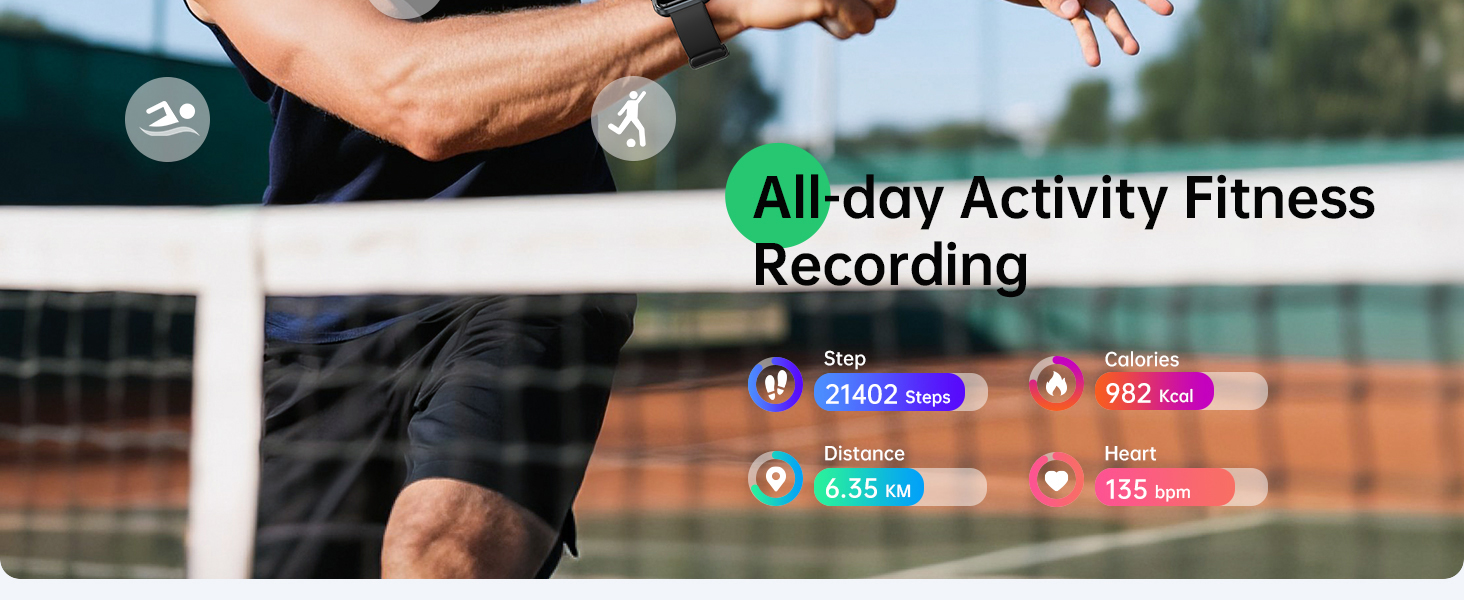
Figure 5.1: Personalize your watch with diverse faces and interchangeable bands.
6. Compatibility
The WMK Smart Watch is broadly compatible with most smartphones:
- iOS Devices: Supports iOS 12.0 and above, including iPhone 16/15/14/13/12/11 Series, iPhone XR/X/XS/XS Max/SE 2022/SE 2020/SE 2016/8/8+/7/7+/6s/6s+/6/6+.
- Android Devices: Supports Android 6.0 and above, including Samsung, HTC, Google, Huawei, Xiaomi, Nexus, Microsoft, and other Android smartphone models.

Figure 6.1: Broad compatibility with iOS and Android devices.
7. Maintenance
To ensure the longevity and optimal performance of your WMK Smart Watch, follow these maintenance guidelines:
- Cleaning: Regularly clean the watch screen and band with a soft, damp cloth. Avoid using harsh chemicals or abrasive materials.
- Water Exposure: While 3 ATM waterproof, it is recommended to dry the watch thoroughly after exposure to water, especially after swimming or heavy sweating, to prevent skin irritation and maintain device integrity.
- Charging Contacts: Keep the charging contacts on the back of the watch clean and free of debris to ensure efficient charging.
- Storage: Store the watch in a cool, dry place when not in use. Avoid extreme temperatures.
8. Troubleshooting
If you encounter any issues with your WMK Smart Watch, try the following solutions:
- Watch Not Turning On: Ensure the watch is fully charged. Connect it to the charger and wait a few minutes before attempting to power it on again.
- Pairing Issues: Make sure Bluetooth is enabled on your phone and the watch is within range. Restart both your phone and the watch, then try pairing again through the VeryFit app.
- Inaccurate Readings: Ensure the watch is worn snugly on your wrist, about one finger's width above your wrist bone. Clean the sensors on the back of the watch.
- Notifications Not Appearing: Check your phone's app settings to ensure notifications are enabled for the VeryFit app and for the specific apps you wish to receive alerts from. Also, verify that the watch is properly connected via Bluetooth.
- Short Battery Life: Reduce screen brightness, disable unnecessary features (e.g., continuous heart rate monitoring if not needed 24/7), and ensure the app is not running excessively in the background on your phone.
If the problem persists after trying these steps, please contact customer support for further assistance.
9. Specifications
Detailed technical specifications for the WMK Smart Watch:
| Feature | Specification |
|---|---|
| Brand | WMK |
| Screen Size | 1.83 Inches |
| Shape | Square |
| GPS | GPS Via Smartphone |
| Battery Cell Composition | Lithium Polymer |
| Connectivity Technology | Bluetooth |
| Battery Capacity | 350 Milliamp Hours |
| Operating System | Android 6.0+, IOS 12.0+ |
| Memory Storage Capacity | 128 MB |
| Country of Origin | China |
| Item Weight | 5.6 ounces |
| Package Dimensions | 11.26 x 3.74 x 0.75 inches |
10. Warranty and Support
Your WMK Smart Watch is backed by comprehensive support:
- 5-Year Warranty: Enjoy peace of mind with a 5-year warranty covering manufacturing defects.
- Customer Service: Our dedicated after-sales team is ready to provide 24-hour customer service response for any product issues or suggestions.
For further assistance or to explore more WMK products, please visit the WMK Store.
Related documents1.83 inch White


Ask a question about this manual
Ask about setup, troubleshooting, compatibility, parts, safety, or missing instructions. Manuals+ will review the question and use this page’s manual context to help answer it.