
GerRit 3069
GerRit 22mm Silicone Smart Watch Strap User Manual
Model: 3069
1. Product Overview
This manual provides detailed instructions for the GerRit 22mm Silicone Smart Watch Strap, designed for comfort, durability, and compatibility with a range of smartwatches. Please read this manual thoroughly to ensure proper installation and care of your new watch strap.

Figure 1.1: GerRit 22mm Silicone Smart Watch Strap (Army Green Black variant).
2. Key Features
- High-Quality Silicone Material: Crafted from premium silicone, ensuring it is non-allergenic and gentle on the skin.
- Optimal Softness: Designed with moderate softness for maximum comfort during extended wear.
- Durable Construction: Utilizes compression molding for a robust and long-lasting product.
- Easy Installation & Removal: Features a quick-release mechanism for simple attachment and detachment from your smartwatch.
- Adjustable Size: The strap length can be easily adjusted to fit various wrist sizes, ensuring a perfect fit for individual users.
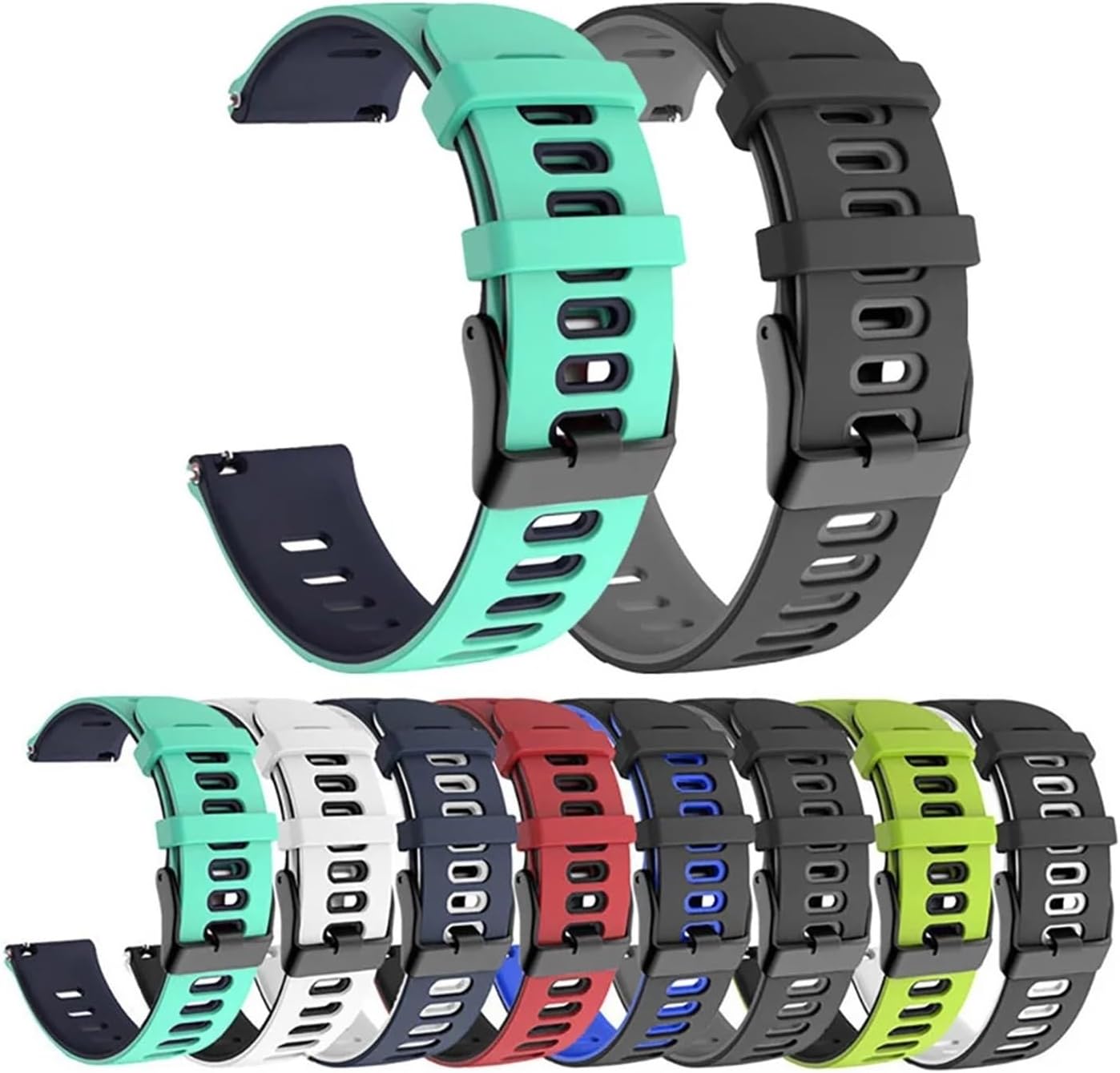
Figure 2.1: The strap is available in multiple color combinations to suit different preferences.
3. Specifications
| Attribute | Detail |
|---|---|
| Material | Silicone |
| Head Width | 22mm |
| Strap Length | 125mm + 85mm (adjustable) |
| Clasp Type | Metal Buckle |
| Product Dimensions | 2.54 x 2.54 x 2.54 cm (Packaging) |
| Product Weight | 50 Grams |
| Model Number | 3069 |

Figure 3.1: Detailed dimensions of the 22mm strap, showing the 125mm and 85mm sections.
4. Compatibility
This 22mm wide universal strap is compatible with a variety of smartwatches, including but not limited to:
- K22 / K22 PRO
- K27 K37
- K56 PRO
- C20 PRO
- C22
- LEM56
- DM50
- K52
Note: Please ensure your smartwatch has a 22mm lug width for proper fit.
5. Installation Guide
Installing your GerRit silicone strap is a straightforward process thanks to its quick-release pins.
- Prepare Your Smartwatch: If you have an existing strap, carefully remove it by locating the quick-release pin or spring bar and sliding it to detach the strap from the watch lugs.
- Align the New Strap: Take one half of the GerRit silicone strap. Locate the quick-release pin on the back of the strap.
- Insert One End: Insert one end of the quick-release pin into the corresponding lug hole on your smartwatch.
- Engage the Pin: While holding the first end in place, pull the quick-release lever on the pin towards the center of the strap. This retracts the other end of the pin.
- Secure the Strap: Carefully align the retracted end of the pin with the other lug hole on your smartwatch. Release the lever, allowing the pin to extend and snap into the lug hole.
- Verify Installation: Gently tug on the strap to ensure it is securely attached to the watch. Repeat the process for the other half of the strap.

Figure 5.1: Example of the strap correctly installed on a smartwatch (Black Red variant).

Figure 5.2: Example of the strap correctly installed on a smartwatch (Black Yellow variant).

Figure 5.3: Example of the strap correctly installed on a smartwatch (Black Grey variant).
6. Operating and Usage
Once installed, the GerRit silicone strap is ready for use. Its flexible and soft material makes it ideal for daily wear, sports, and other activities.
- Adjusting Fit: Use the metal buckle to adjust the strap to your desired tightness. Ensure it is snug but not uncomfortably tight to allow for proper blood circulation and sensor readings (if applicable to your smartwatch).
- Activity Use: The silicone material is sweat-resistant and durable, making it suitable for workouts and outdoor activities.
- Comfort: The moderate softness of the strap ensures comfort throughout the day, reducing skin irritation.
7. Maintenance and Care
To ensure the longevity and appearance of your GerRit silicone strap, follow these simple care instructions:
- Cleaning: Regularly clean the strap with mild soap and water. Use a soft cloth to gently wipe away dirt, sweat, or residue. Rinse thoroughly and dry completely before reattaching to your smartwatch.
- Avoid Harsh Chemicals: Do not use strong detergents, solvents, or abrasive cleaners, as these can damage the silicone material and affect its color.
- Storage: When not in use, store the strap in a clean, dry place away from direct sunlight and extreme temperatures to prevent material degradation.
- Avoid Sharp Objects: Keep the strap away from sharp objects that could scratch or cut the silicone.
8. Troubleshooting
Most issues with the strap are related to installation or general wear. Here are some common points:
- Strap Not Attaching Securely:
- Ensure the quick-release pin is fully retracted and then released into the lug hole.
- Verify that the lug width of your smartwatch is exactly 22mm.
- Check for any obstructions in the lug holes of your smartwatch.
- Skin Irritation:
- Although made of non-allergenic silicone, ensure the strap is cleaned regularly to prevent build-up of sweat or dirt.
- Ensure the strap is not worn too tightly, which can restrict air circulation.
- Discoloration:
- Avoid prolonged exposure to direct sunlight or harsh chemicals.
- Clean regularly as per maintenance instructions.
9. Important Safety Information
Please observe the following warnings for safe handling and use:
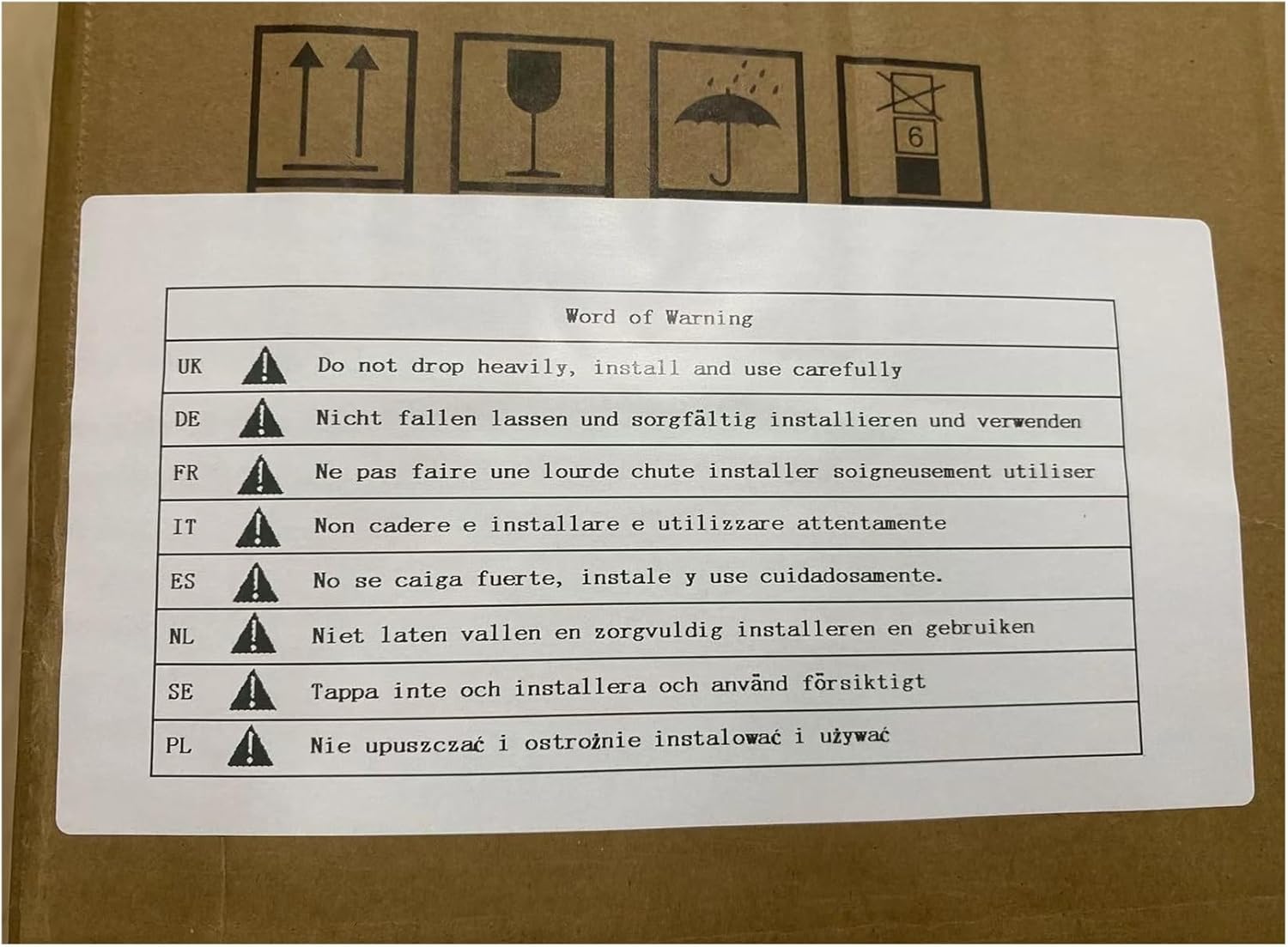
Figure 9.1: Packaging warning label indicating careful handling.
- Handle with Care: Do not drop the product heavily. Install and use carefully to prevent damage to the strap or your device.
- Choking Hazard: Keep small parts (like quick-release pins) away from children.
- Allergies: While made of non-allergenic silicone, discontinue use if you experience any skin irritation or allergic reaction and consult a medical professional.
10. Warranty and Support
For any questions, concerns, or support regarding your GerRit 22mm Silicone Smart Watch Strap, please contact the seller directly through the platform where you purchased the product. Please retain your proof of purchase for warranty claims.
The manufacturer, yzw6688, stands behind the quality of this product. Specific warranty details may vary based on your region and retailer.
Ask a question about this manual
Ask about setup, troubleshooting, compatibility, parts, safety, or missing instructions. Manuals+ will review the question and use this page’s manual context to help answer it.