
Proscenic P16
Proscenic P16 Cordless Vacuum Cleaner User Manual
Model: P16
Introduction
This manual provides essential information for the safe and efficient operation and maintenance of your Proscenic P16 Cordless Vacuum Cleaner. Please read it thoroughly before first use and retain it for future reference.
The Proscenic P16 is a versatile and powerful cordless vacuum cleaner designed for various surfaces. Key features include:
- Up to 45 Kpa/550W powerful suction for effective cleaning on hard floors and carpets.
- Detachable 2,200 mAh *8 battery packs providing up to 55 minutes of runtime.
- 180° bendable wand for easy cleaning under furniture.
- Tangle-free V-shaped guiding bristle brush, ideal for pet hair.
- Green light technology on the roller brush to reveal hidden dust.
- Advanced six-layer filtration system capturing 99.99% of fine dust.
Package Contents
Verify that all components are present in the package:
- Main Body
- Battery
- Bendable Tube
- Floor Brush
- Power Adapter
- Wall Mount
- Crevice Tool
- Extra Air Inlet HEPA
- User Manual
- Cleaning Brush
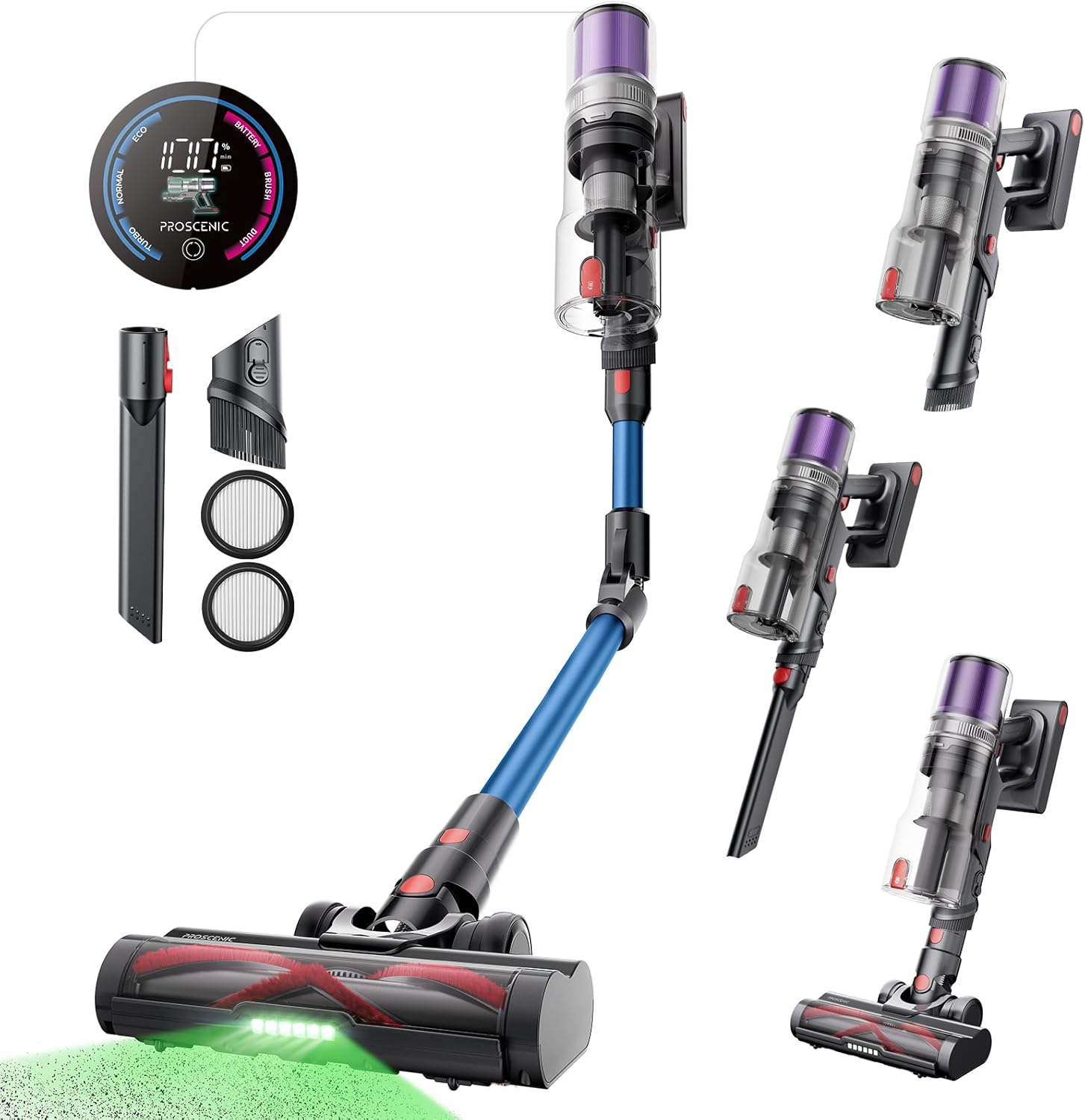
Image: All components included with the Proscenic P16 Cordless Vacuum Cleaner, including the main body, battery, bendable tube, floor brush, power adapter, wall mount, crevice tool, extra HEPA filter, user manual, and cleaning brush.
Setup
Assembly
- Attach the Bendable Tube: Connect the bendable tube to the main body until it clicks securely into place.
- Attach the Floor Brush: Connect the floor brush to the other end of the bendable tube, ensuring it clicks firmly.
- Install the Battery: Insert the detachable battery pack into the designated slot on the main body until it locks.
- Initial Charging: Before first use, fully charge the battery. Connect the power adapter to the charging port on the battery or the wall mount. The digital LED screen will indicate charging status.

Image: The Proscenic P16 Cordless Vacuum Cleaner mounted on its wall charger, illustrating convenient storage and charging.
Operating Instructions
Power On/Off and Mode Selection
- Power On: Press the power button on the handle to start the vacuum.
- Mode Selection: Use the mode selector on the digital LED screen to switch between Eco, Normal, and Turbo modes. The screen displays remaining runtime for each mode.
- Power Off: Press the power button again to turn off the vacuum.
Cleaning Features
- Bendable Wand: For cleaning under low furniture, press the bendable wand release button to articulate the tube, allowing the vacuum head to reach tight spaces without excessive bending.
- Green Light Technology: The integrated green LED lights on the floor brush illuminate dust and debris on hard floors, making it easier to spot and clean even fine particles.
- Handheld Conversion: Detach the main body from the tube to use it as a handheld vacuum. Attach the crevice tool for narrow gaps or the built-in round brush for delicate surfaces like keyboards.

Image: A woman demonstrating the 180° bendable wand feature of the Proscenic P16, allowing for easy cleaning under furniture without bending.

Image: A detailed view of the Proscenic P16's floor brush, highlighting the green light technology that reveals hidden dust and debris on the floor.
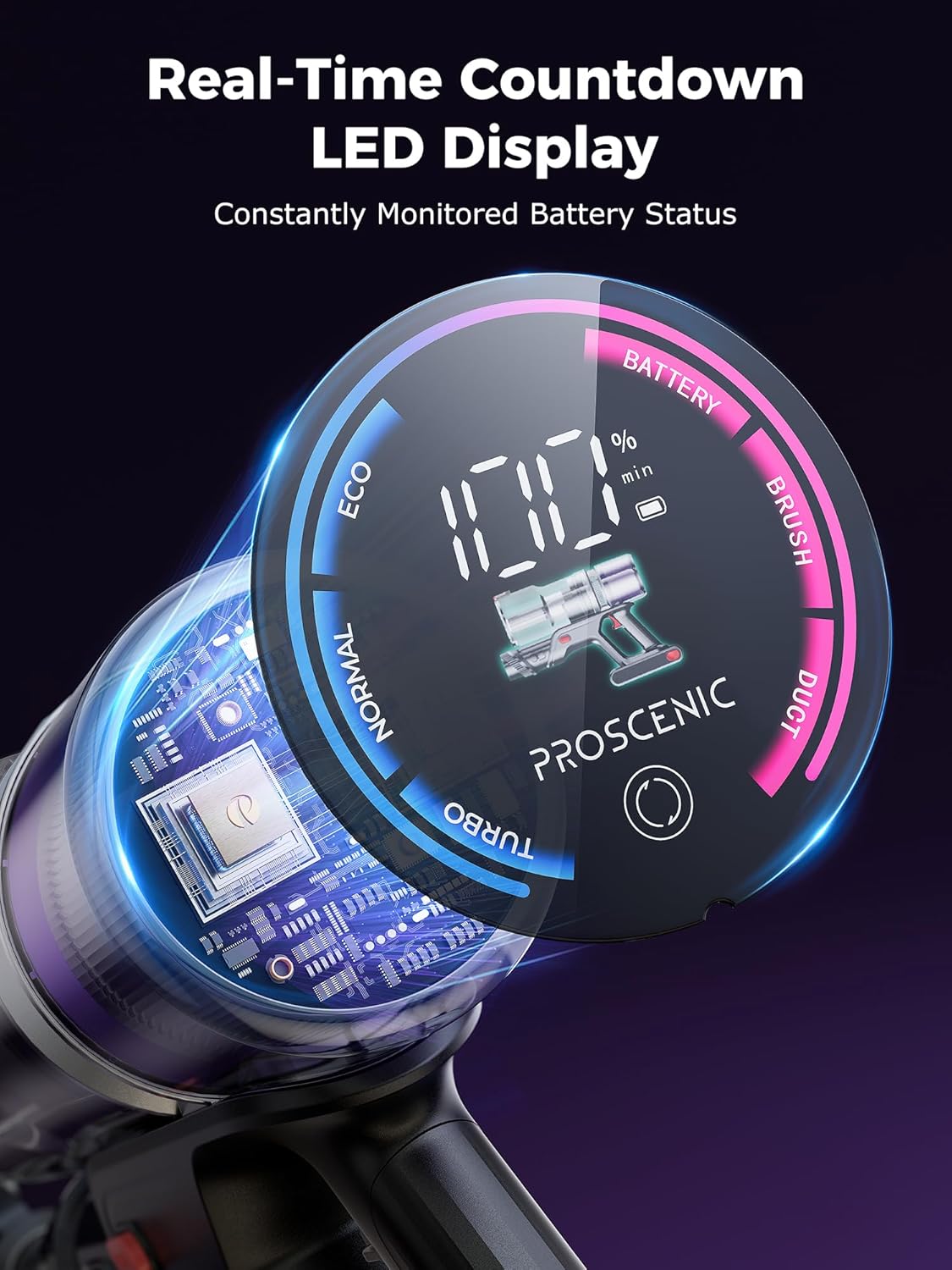
Image: The Proscenic P16 converted into a handheld vacuum, being used to clean a laptop keyboard, demonstrating its versatility with attachments.
Maintenance
Emptying the Dustbin
Regularly empty the dustbin to maintain optimal suction performance. Press the dustbin release button and empty contents into a trash receptacle.

Image: A user emptying the dustbin of the Proscenic P16 vacuum cleaner into a waste bin, illustrating the easy disposal process.
Cleaning Filters
The P16 features a six-layer filtration system. For best performance, clean the filters regularly:
- Remove the dustbin and separate the filter components.
- Tap off loose dust. For thorough cleaning, rinse the HEPA filter and other washable components under cold running water.
- Allow all filter components to air dry completely for at least 24 hours before reassembling and reinserting them into the vacuum. Do not use a dryer or direct heat.

Image: A user cleaning the filter components of the Proscenic P16 vacuum cleaner under running water, demonstrating the washable filter design.
Cleaning the Brush Roll
The anti-tangle brush roll minimizes hair wrapping, but occasional cleaning may be necessary:
- Turn off the vacuum and detach the floor brush.
- Locate the brush roll release mechanism and remove the brush roll.
- Use the provided cleaning brush or scissors to remove any tangled hair or debris.
- Reinsert the brush roll and secure it in place.
Troubleshooting
| Problem | Possible Cause | Solution |
|---|---|---|
| Vacuum does not turn on. | Battery is not charged or not properly installed. | Ensure battery is fully charged and securely inserted. |
| Low suction power. | Dustbin is full, filters are clogged, or brush roll is obstructed. | Empty dustbin, clean filters, and remove any obstructions from the brush roll. |
| Brush roll not spinning. | Hair or debris tangled in the brush roll, or an obstruction in the nozzle. | Turn off the vacuum, remove the brush roll, and clear any blockages. |
| Vacuum stops unexpectedly. | Overheating due to prolonged use or blockage, or low battery. | Allow the vacuum to cool down, check for and clear any blockages, or recharge the battery. |
Specifications
| Feature | Detail |
|---|---|
| Brand | Proscenic |
| Model Name | P16 |
| Suction Power | Up to 45 Kpa |
| Wattage | 550 watts |
| Runtime | Up to 55 minutes |
| Battery Capacity | 2,200 mAh *8 (detachable) |
| Filter Type | HEPA Filter (6-layer filtration system) |
| Dustbin Capacity | 1000 Milliliters |
| Product Dimensions | 9.91"L x 3.93"W x 45.66"H |
| Item Weight | 6.69 pounds |
| Special Features | 180° bendable wand, Green light reveals dust, Anti-Tangle Brush, Digital LED screen |
Warranty and Support
For detailed warranty information and customer support, please refer to the official Proscenic website or contact their customer service directly. You can visit the Proscenic Store on Amazon for more product information and support resources.