
1. Introduction
This manual provides comprehensive instructions for the FiiO TT13 Fully Automatic Vinyl Stereo Turntable. Please read this manual thoroughly before operating the device to ensure proper use and longevity. The FiiO TT13 is designed for convenient vinyl playback, featuring a fully automatic tonearm, a powerful built-in phono preamp, and Bluetooth connectivity.
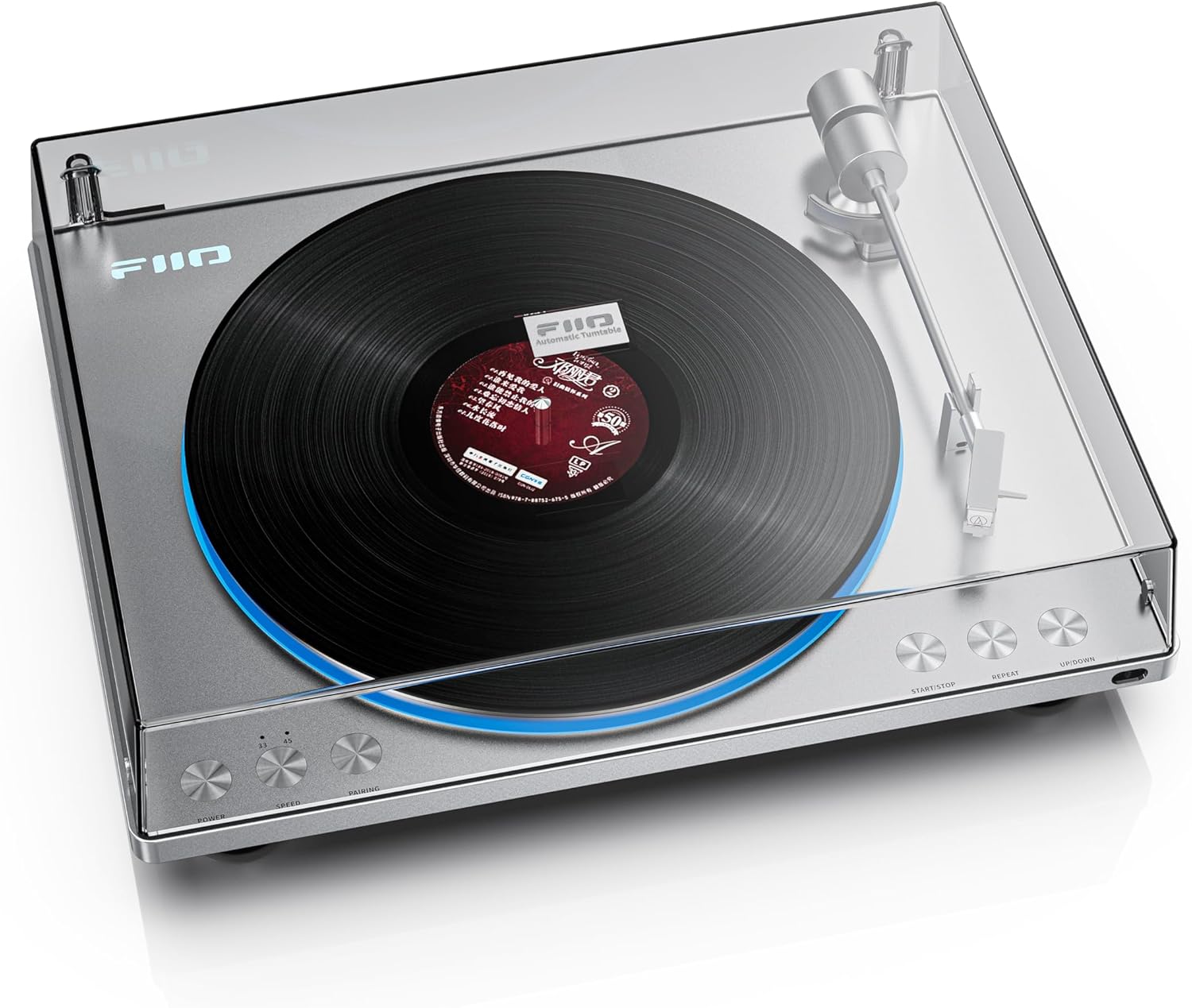
Figure 1: FiiO TT13 Turntable Overview
2. Package Contents
Verify that all items listed below are included in your package:
- Cast aluminum turntable (1)
- Platter mat (1)
- Power cord (1)
- RCA audio cable (including ground wire) (1)
- Custom infrared remote control (1)
- Quick start guide (1)
- Warranty card (1)
- 7-inch large hole 45 RPM record adapter (1)
3. Setup Instructions
3.1 Initial Assembly
- Unpacking: Carefully remove all components from the packaging.
- Platter Installation: Place the die-cast aluminum platter onto the turntable spindle.
- Belt Installation: Gently wrap the rubber drive belt around the motor pulley and the inner rim of the platter. A tab is provided on the belt for easier handling.
- Platter Mat: Place the platter mat on top of the aluminum platter.
- Dust Cover: Install the dust cover by aligning its hinges with the slots on the turntable base.

Figure 2: Turntable with Platter and Tonearm
3.2 Power Connection
Connect the provided power cord to the turntable's power input and then to a suitable AC power outlet (100-240V). The TT13 also supports an external DC 12V-1A power supply for high-fidelity scenarios.

Figure 3: DC/AC Dual Power Supply Design
3.3 Audio Connection
The TT13 features a built-in phono preamp, allowing direct connection to powered speakers or an amplifier's line-level input. Use the supplied RCA audio cable.
- Connect the RCA cables from the turntable's LINE OUT to your amplifier's AUX/LINE IN or directly to powered speakers.
- Ensure the ground wire is connected if your amplifier has a dedicated ground terminal.
3.4 Bluetooth Pairing (Bluetooth Version Only)
The TT13 Bluetooth version supports aptX/aptX Low Latency/aptX HD/SBC transmission for wireless audio.
- Power on the turntable.
- Press the 'PAIRING' button on the turntable or remote control to enter Bluetooth pairing mode. The indicator light will flash.
- Enable Bluetooth on your receiving device (e.g., Bluetooth speaker, headphones) and select 'FiiO TT13' from the list of available devices.
- Once connected, the indicator light will remain solid.

Figure 4: aptX High-Res Bluetooth Functionality
4. Operating Instructions
4.1 Basic Playback
- Power On: Press the 'POWER' button.
- Select Speed: Press the 'SPEED' button to toggle between 33 RPM and 45 RPM, matching your vinyl record. Use the 7-inch adapter for 45 RPM singles if needed.
- Place Record: Carefully place a vinyl record on the platter.
- Start Playback: Press the 'START/STOP' button. The fully automatic tonearm will lift, move to the beginning of the record, and begin playing.
- Stop Playback: Press the 'START/STOP' button again. The tonearm will automatically lift, return to its rest position, and stop playing.
- Loop Playback: The TT13 supports automatic loop playback. Press the 'REPEAT' button to activate this feature.

Figure 5: Fully Automatic Tonearm and Loop Playback
4.2 Remote Control Functions
The included infrared remote control provides convenient access to various functions:
- Power On/Off: Controls the turntable's power.
- Start/Stop: Initiates or halts playback.
- Repeat: Toggles loop playback mode.
- Lighting Brightness: Adjusts the intensity of the LED lighting.
- Tonearm Direction: Fine-tunes tonearm movement (UP/DOWN buttons).

Figure 6: Included Custom Infrared Remote Control
4.3 Customizable Lighting Effects
The TT13 features customizable LED lighting around the platter. You can choose from 7 different lighting effects and adjust their brightness, or turn them off completely. On the Bluetooth version, these settings are controlled via the remote. On the standard version, controls are located on the machine itself.

Figure 7: Customizable Lighting Effects
4.4 Analog Audio Architecture
The TT13 incorporates a fully analog audio architecture with two JRC5532 high-fidelity operational amplifiers in a two-stage amplification circuit. This design, combined with multiple electrolytic capacitors and independent LDO power supplies, minimizes noise for a pure analog sound.

Figure 8: Specially-Designed Analog Audio Architecture
4.5 Built-in Phono Preamp
The TT13 features a powerful, meticulously tuned phono preamp with a line output level of 800mV@1kHz 0dB. This eliminates the need for an external phono preamp and allows direct connection to active speakers, simplifying system setup.

Figure 9: Built-in Powerful Phono Preamp
4.6 External Balance Adjustment
To correct any volume imbalance between the left and right channels in the analog circuit, the TT13 includes an external adjustable balance potentiometer. This allows users to fine-tune channel volume for a more balanced sound output.

Figure 10: External Balance Adjustment
5. Maintenance
5.1 General Care
- Keep the dust cover closed when not in use to protect the platter and tonearm from dust and debris.
- Clean the turntable's surface with a soft, dry cloth. Avoid abrasive cleaners or solvents.
5.2 Stylus Care
- Regularly clean the stylus using a soft brush designed for stylus cleaning, brushing from back to front.
- The TT13 comes with a replaceable Audio Technica cartridge. If sound quality degrades significantly, consider replacing the stylus or cartridge.
6. Troubleshooting
- No Power: Ensure the power cord is securely connected to both the turntable and a working power outlet.
- No Sound:
- Check all audio cable connections between the turntable and your amplifier/speakers.
- Ensure your amplifier/speakers are powered on and set to the correct input source.
- If using Bluetooth, ensure the turntable is correctly paired and connected to your Bluetooth device.
- Distorted Sound / Tonearm Issues:
- Ensure the record is clean and free of dust.
- Verify the stylus is clean and not damaged.
- If the tonearm is not tracking correctly or applying too much pressure, consult the FiiO support resources for guidance.
- Use the external balance adjustment if there is an imbalance in channel volume.
- Bluetooth Connectivity Issues:
- Ensure the turntable is in pairing mode.
- Move the turntable closer to the Bluetooth receiving device.
- Try unpairing and re-pairing the devices.
- Note that some older Bluetooth receivers may have compatibility issues.
7. Specifications
| Feature | Specification |
|---|---|
| Brand | FiiO |
| Model Name | TT13 |
| Item Weight | 11.23 pounds (approx. 5.1 kg) |
| Package Dimensions | 19 x 17 x 7 inches |
| Material | Aluminum |
| Motor Type | Belt-driven |
| Maximum Rotational Speed | 45 RPM |
| Compatible Devices | Speaker |
| Special Feature | Fully Automatic Tonearm, Built-in Phono Preamp, Bluetooth (on Bluetooth version), Customizable LED Lighting, Remote Control |
8. Warranty and Support
The FiiO TT13 Turntable is manufactured by FiiO. For warranty information, please refer to the warranty card included in your package or visit the official FiiO website. For technical support, troubleshooting assistance beyond this manual, or service inquiries, please contact FiiO customer support directly.


