
Introduction
The VEMER TUO 4G-LTE thermostat provides advanced remote control and monitoring of your heating system. Featuring integrated 4G LTE connectivity, it allows operation even without a Wi-Fi connection, making it ideal for primary residences, secondary homes, offices, or environments without a fixed internet line. This smart chronothermostat offers security and comfort with intuitive app control and weekly programming capabilities.
It is compatible with boilers, heat pumps, and mixed heating systems, ensuring easy integration into various installations. The device is powered by 230V, designed for stability and reliability in heating control.
Setup and Installation
The VEMER TUO 4G thermostat is designed for straightforward installation and configuration. Follow these steps for initial setup:
- Power Supply: Connect the thermostat to a 230V power supply. This ensures stable and reliable operation within conventional electrical installations.
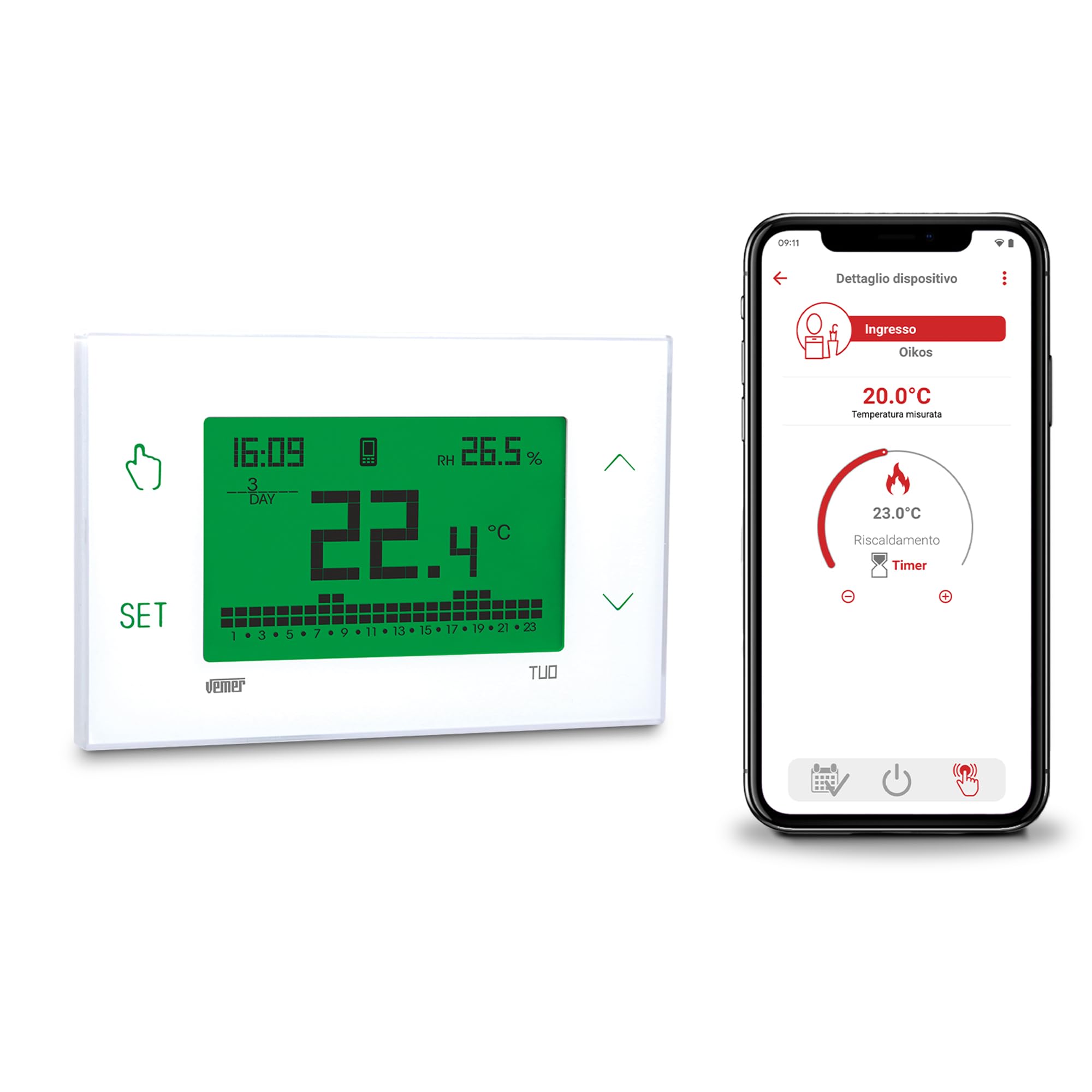
Image: Front view of the VEMER TUO 4G thermostat display, showing time, temperature, and programming indicators.
- Physical Installation: The thermostat can be easily installed on a wall or within a 503 flush-mounted box cover. Detailed installation instructions are provided in the included manual.

Image: The VEMER TUO 4G thermostat mounted on a wall in a modern living room setting.
- SIM Card: The thermostat comes with a pre-installed SIM card, including 1 year of data traffic (for activations after 01-09-2025). No initial additional costs apply. After this period, you can renew your subscription via the app. Alternatively, you can remove the pre-installed SIM and insert a new one from a different mobile provider.
- App Configuration: Configuration is performed via the dedicated smartphone app (available for Android and iOS) using Bluetooth. This ensures a quick and simple setup process.

Image: A smartphone displaying the VEMER TUO 4G control app interface, showing temperature settings.
Operating Instructions
The VEMER TUO 4G thermostat offers both local and remote control options for managing your heating system efficiently.
Remote Control via App
- Smart Management: Use the free smartphone app to manage and monitor your heating remotely. The app allows for intelligent and programmable control, including setting weekly schedules to optimize energy consumption.
- Weekly Programming: Configure detailed weekly programs to adapt heating to your household or business habits, ensuring comfort and energy savings.
Local Operation via Touch Screen
- Display: The large, multi-color backlit touch screen provides an elegant and simple interface. You can choose from 48 different display colors, or set it to vary between red, green, and blue based on the temperature deviation from the set point.
- Touch Keys: Four touch keys located on the sides of the screen allow for direct management, programming, and configuration of the chronothermostat.
- Local Control: In case of temporary connectivity issues, the local operation feature enables full control of the thermostat directly from its keypad.
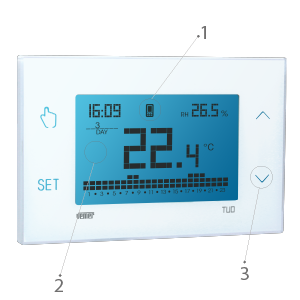
Image: Close-up of the VEMER TUO 4G thermostat display with labeled touch controls and screen elements.
Maintenance
Regular maintenance ensures the longevity and optimal performance of your VEMER TUO 4G thermostat.
- Cleaning: Gently wipe the display and casing with a soft, dry cloth. Avoid using abrasive cleaners or solvents.
- Backup Battery: The device includes a replaceable AAA NiMH backup battery. This battery allows the thermostat to send a notification in case of a power outage and retains the time until full discharge. Replace the battery as needed without disconnecting the main power supply.
- SIM Card Renewal: If you are using the pre-installed SIM card, remember to renew your data subscription via the app after the initial 1-year period to maintain remote connectivity.
Troubleshooting
If you encounter issues with your VEMER TUO 4G thermostat, consider the following common solutions:
- No Display/Power:
- Check the 230V power supply connection.
- Ensure the backup battery is correctly installed and charged.
- Connectivity Issues (4G/App):
- Verify that the SIM card is active and has a valid data plan.
- Check for local network coverage in your area.
- Ensure the thermostat is within Bluetooth range of your smartphone during initial app configuration.
- If remote control is unavailable, utilize the local operation feature directly from the thermostat's touch screen.
- Incorrect Temperature Readings:
- Ensure the thermostat is not exposed to direct sunlight, drafts, or heat sources that could affect its internal sensor.
- Programming Errors:
- Review your weekly programming settings in the app or directly on the device.
- Refer to the detailed manual for specific programming steps.
For persistent issues, please contact VEMER technical support as described in the Support section.
Specifications
| Feature | Detail |
|---|---|
| Brand | VEMER |
| Model Name | TUO 4G |
| Model Number | VE795800 |
| Controller Type | App Control |
| Special Features | Temperature Display |
| Color | White |
| Product Specific Use | Air conditioner, Boiler, Oven, Heat pump |
| Temperature Control Type | Programmable, Smart/Remote |
| Connectivity Technology | Bluetooth, LTE (4G) |
| Included Components | Data SIM card pre-installed in the chronothermostat |
| Power Source | Corded Electric |
| Voltage | 230 Volts |
| Display Type | LCD |
| Mounting Type | Wall Mount |
| Backlight | Yes |
| Item Weight | 1 Kilogram |
| Country of Origin | Italy |
Warranty Information
Specific warranty details for the VEMER VE795800 TUO 4G thermostat are typically provided with the product packaging or on the manufacturer's official website. Please refer to these sources for comprehensive warranty terms and conditions.
Technical Support
For any technical issues or assistance with your VEMER TUO 4G thermostat, VEMER technical support is available. You can contact them by sending an email to:
Please include your product model number (VE795800) and a detailed description of the issue when contacting support.


